
@christiaan said in Free cloud computing hosting:
A real free tier.
I doubt it. Perhaps you can you can use your home computer for hosting. That one time cost and minor addition to your shared electricity and internet bill.
@christiaan said in Free cloud computing hosting:
A real free tier.
I doubt it. Perhaps you can you can use your home computer for hosting. That one time cost and minor addition to your shared electricity and internet bill.
I like the linkding package. I realized the extension is provided only for Chrome and Firefox. There is there unofficial Safari extension in AppStore. Here is a way build the extension locally and use with Safari browser. This is fork of the author's repo, fixed for latest xcode and build script to build the extension.
After updating to Miniflux 2.0.49 I am getting an error
store: unable to get entries: pq: time zone "US/Pacific" not recognized
Any recommendations
I am hosting a family tree using a software called grampsweb and I want it host under a sub-domain that is managed by Cloudron.
In in google cloud console, I see that all the A record will be against the IP that cloudron is running and all sub-domains are effectively managed by cloudron, something like VHOSTS.
Now, if I want to host an application in a different instance(like grampsweb in a few digital ocean instance with an IP), and I want to point it to cloudron sub-domain, how can I go about doing this? I don't have a CNAME, I only have an IP address and I need to point it to an A record.
Thanks in advance.
Senthil
ERROR ENOSPC: no space left on device, copyfile
I am getting this error on my instance. I have made space available, but still getting this error.
Could someone guide me in the right direction ?
Subject: ERROR ENOSPC: no space left on device, copyfile
-----------------------------------------------------------

Apr 08 19:45:54 [2025-04-09 02:45:54] ERROR ENOSPC: no space left on device, copyfile '/home/cloudron/ghost/versions/5.104.1/core/frontend/src/admin-auth/index.html' -> '/app/data/content/public/admin-auth/index.html'
Apr 08 19:45:54
Apr 08 19:45:54 ENOSPC: no space left on device, copyfile '/home/cloudron/ghost/versions/5.104.1/core/frontend/src/admin-auth/index.html' -> '/app/data/content/public/admin-auth/index.html'
Apr 08 19:45:54
Apr 08 19:45:54 Error ID:
Apr 08 19:45:54 c1fc7330-14ec-11f0-ba32-5b5e61225cd1
Apr 08 19:45:54
Apr 08 19:45:54 Error Code:
Apr 08 19:45:54 ENOSPC
Apr 08 19:45:54
Apr 08 19:45:54 ----------------------------------------
Apr 08 19:45:54
Apr 08 19:45:54 Error: ENOSPC: no space left on device, copyfile '/home/cloudron/ghost/versions/5.104.1/core/frontend/src/admin-auth/index.html' -> '/app/data/content/public/admin-auth/index.html'
Apr 08 19:45:54 at bootGhost (/home/cloudron/ghost/versions/5.104.1/core/boot.js:633:32)
Apr 08 19:45:54 at Object.copyFileSync (node:fs:2969:3)
Apr 08 19:45:54 at new AdminAuthAssets (/home/cloudron/ghost/versions/5.104.1/core/frontend/services/assets-minification/AdminAuthAssets.js:23:16)
Apr 08 19:45:54 at Object.<anonymous> (/home/cloudron/ghost/versions/5.104.1/core/frontend/services/assets-minification/index.js:6:25)
Apr 08 19:45:54 at Module._compile (node:internal/modules/cjs/loader:1256:14)
Apr 08 19:45:54 at Module._extensions..js (node:internal/modules/cjs/loader:1310:10)
Apr 08 19:45:54 at Module.load (node:internal/modules/cjs/loader:1119:32)
Apr 08 19:45:54 at Module._load (node:internal/modules/cjs/loader:960:12)
Apr 08 19:45:54 at Module.require (node:internal/modules/cjs/loader:1143:19)
Apr 08 19:45:54 at require (node:internal/modules/cjs/helpers:119:18)
Apr 08 19:45:54 at Object.<anonymous> (/home/cloudron/ghost/versions/5.104.1/core/bridge.js:19:84)
Apr 08 19:45:54 at Module._compile (node:internal/modules/cjs/loader:1256:14)
Apr 08 19:45:54 at Module._extensions..js (node:internal/modules/cjs/loader:1310:10)
Apr 08 19:45:54 at Module.load (node:internal/modules/cjs/loader:1119:32)
Apr 08 19:45:54 at Module._load (node:internal/modules/cjs/loader:960:12)
Apr 08 19:45:54 at Module.require (node:internal/modules/cjs/loader:1143:19)
Apr 08 19:45:54 at require (node:internal/modules/cjs/helpers:119:
Yes. It is.
My wordpress instances are running into this issue
Error - Error getting IP of mysql service
I tried
sudo cloudron-support --recreate-containers
and it is struck at
$ tail -f /home/yellowtent/platformdata/logs/box.log
  terminated: false
}
2026-05-28T04:02:24.131Z box:locks write: current locks: {}
2026-05-28T04:02:24.131Z box:locks release: mail_restart
2026-05-28T04:02:24.131Z box:platform startInfra: Failed to start services. retry=false (attempt 0): BoxError: /bin/bash exited with code 127 signal null
2026-05-28T04:02:24.131Z box:platform BoxError: /bin/bash exited with code 127 signal null
    at ChildProcess.<anonymous> (/home/yellowtent/box/src/shell.js:82:23)
    at ChildProcess.emit (node:events:519:28)
    at maybeClose (node:internal/child_process:1101:16)
    at ChildProcess._handle.onexit (node:internal/child_process:304:5)
I am not sure what I should do next?
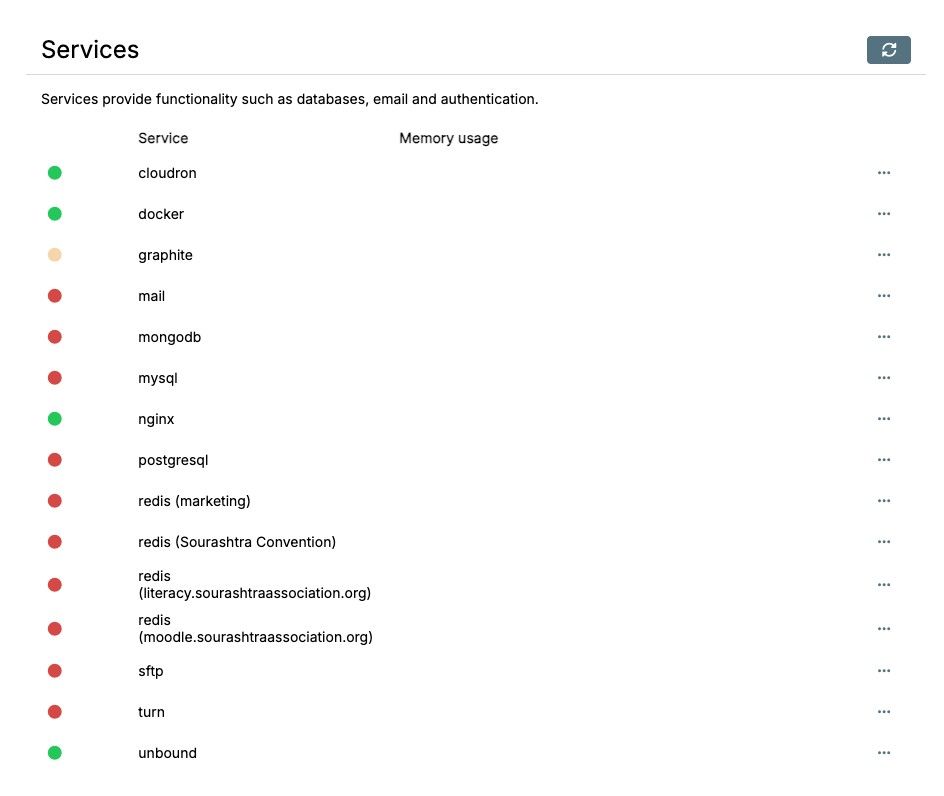
A lot of services are not healthy.
There is mismatch between package version and server version in the minecraft app.
Please see the screenshot.
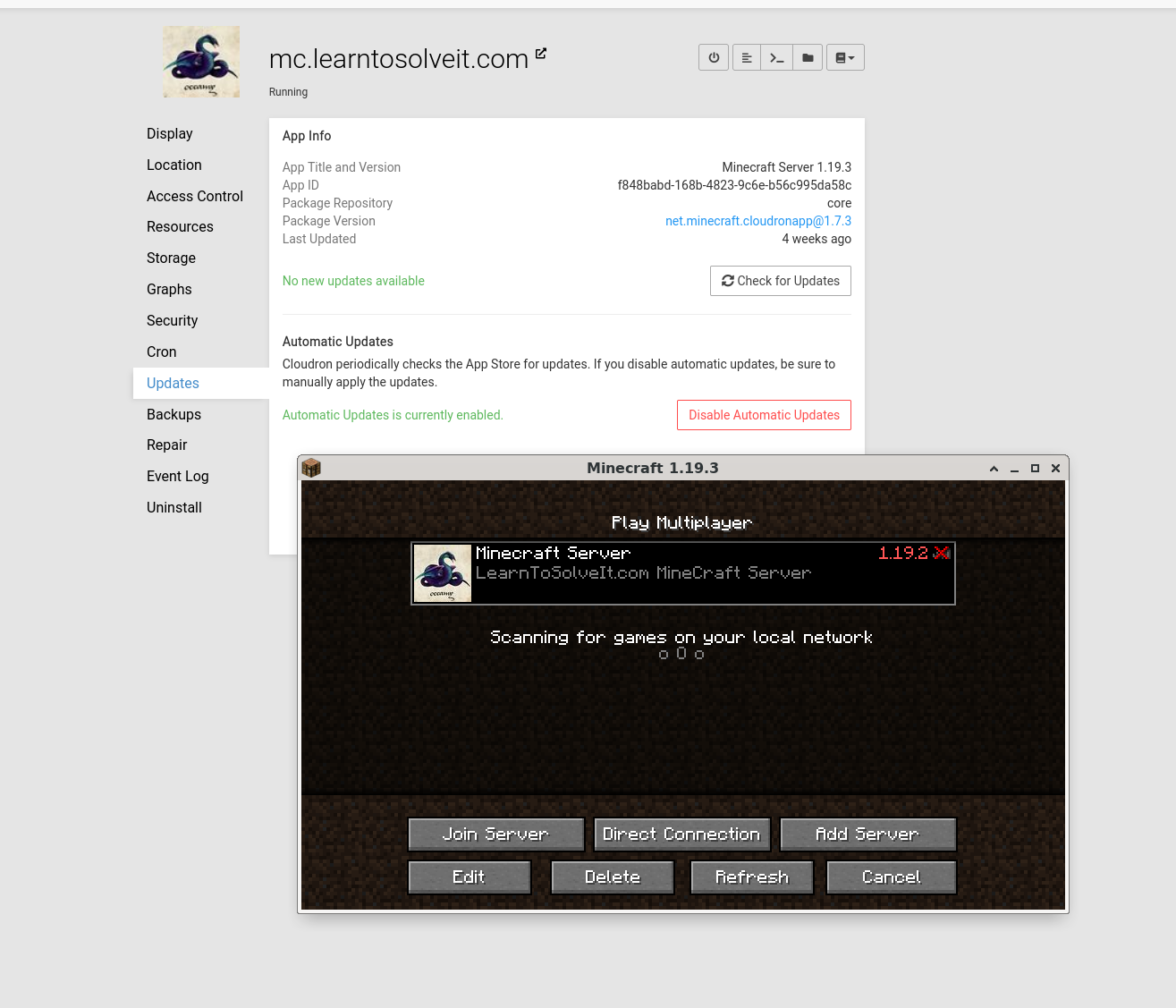
Package version says 1.19.3
The internal server version is 1.19.2
I host my Mastodon on Cloudron, and due to the storage requirements, I do a regular clean up of old content.
Once I deleted the profile pictures and icons of the feeds by mistake, nad it has been showing up with broken icon pictures for me now.
I don't know how to fix it, I have tried a few ways to migrate, un-subscribe and re-subscribe. but doesn't help.
Any suggestions how to fix the icons that I have deleted from the static assets of the mastodon and make it recreate it again?
https://social.learntosolveit.com/home
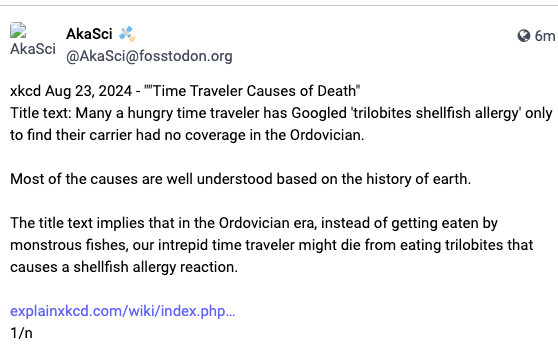
The URL of the Broken link is like this
I must have deleted the cache folder in the system and I want to re-created. I thought, something called cache would be temporary store, but it seems it is not here.