Cloudron makes it easy to run web apps like WordPress, Nextcloud, GitLab on your server. Find out more or install now.


Skip to content
  • Categories
  • Recent
  • Tags
  • Popular
  • Bookmarks
  • Search
Skins
  • Light
  • Brite
  • Cerulean
  • Cosmo
  • Flatly
  • Journal
  • Litera
  • Lumen
  • Lux
  • Materia
  • Minty
  • Morph
  • Pulse
  • Sandstone
  • Simplex
  • Sketchy
  • Spacelab
  • United
  • Yeti
  • Zephyr
  • Dark
  • Cyborg
  • Darkly
  • Quartz
  • Slate
  • Solar
  • Superhero
  • Vapor

  • Default (No Skin)
  • No Skin
Collapse
Brand Logo

Cloudron Forum

Apps - Status | Demo | Docs | Install
  1. Cloudron Forum
  2. OpenWebUI
  3. how to configure Ollama in OpenWebUI

how to configure Ollama in OpenWebUI
Scheduled Pinned Locked Moved OpenWebUI
8 Posts 3 Posters 744 Views 4 Watching
  • Oldest to Newest
  • Newest to Oldest
  • Most Votes
Reply
  • Reply as topic
Log in to reply
This topic has been deleted. Only users with topic management privileges can see it.
  • H Offline
    H Offline
    harryz
    wrote on last edited by
    #1

    Hi guys,
    Could you please guide me how to configure Ollama in OpenWebUI so that I can download a model to test?
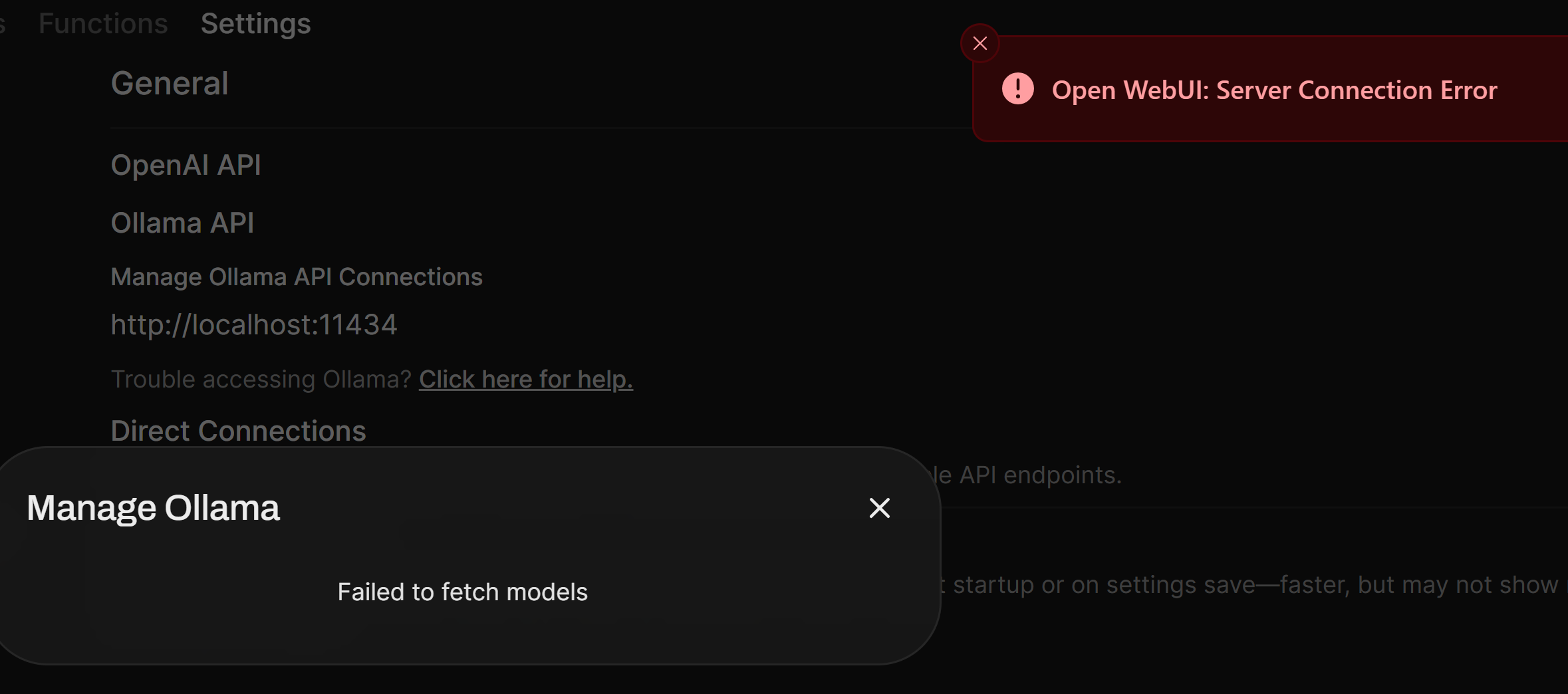
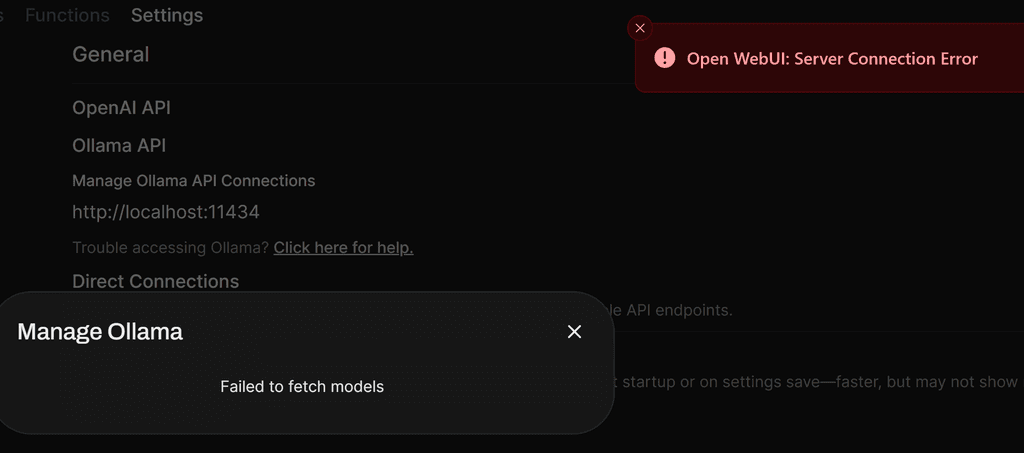
    I am having below error after I installed OpenWebUI.
    I tried to change localhost to my OpenWebUi domain but still same error. My OpenWebUI domain is behind cloudflare proxy.
    658c6dcc-4966-4742-96c7-0e8b3beb5460-image.png

    1 Reply Last reply
    1
    • jamesJ Offline
      jamesJ Offline
      james
      Staff
      wrote on last edited by james
      #2

      Hello @harryz
      The OpenWebUI Cloudron app no longer comes bundles with an internal ollama server.
      Sorry, the documentation is outdated and I will update it accordingly.


      Please install the Ollama app.
      Inside the Ollama app web terminal you can run this command to pull a modell:

      ollama pull tinyllama
      

      In the Ollama app web terminal also run:

      cat /app/data/.api_key
      

      Note down this key, you will need it.


      Then you need to configure the OpenWebUI app.
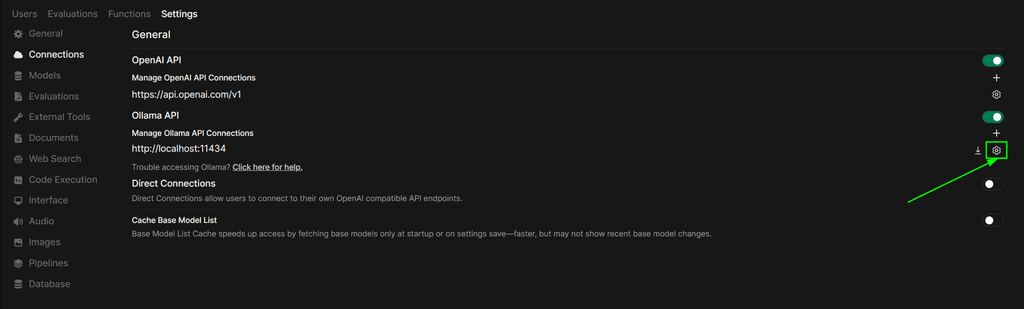
      Login as an admin and navigate to https://YOUR.DOMAIN.TLD/admin/settings/connections:
      Press the configuration button for Ollama:
      3942698c-53b8-4d6e-9ff6-082ccc8bf98f-image.png

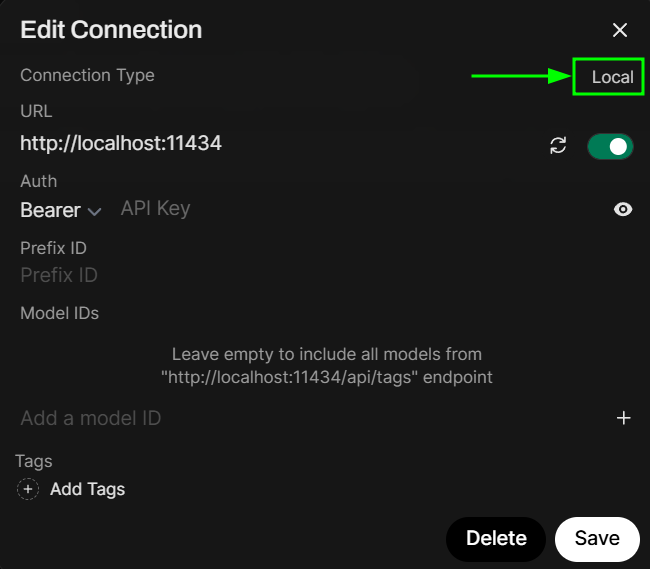
      Click on local to change it to external:
      8b8e92ce-61ea-427e-b558-64dc97a17470-image.png

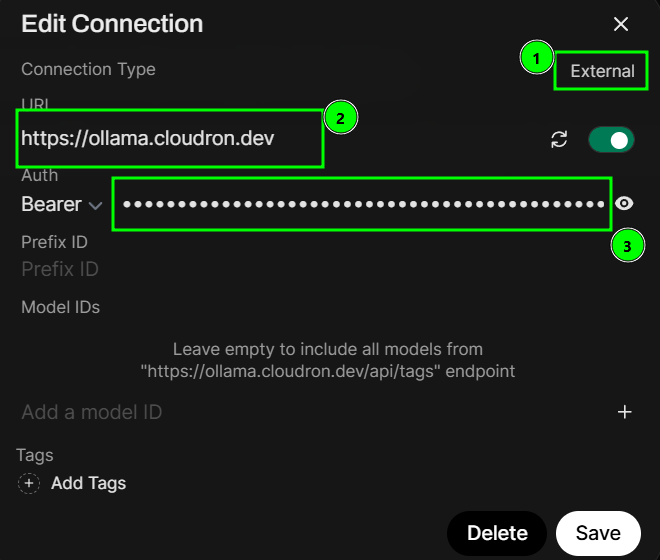
      Now when it shows external (1) configure the URL to your Ollama app url and paste the key from before into Auth
      8fe3dc2a-53bb-40e5-85b4-5c3cac1c5c17-image.png

      You can press the 'reload' icon to verify the connection:

      908ae333-8664-4068-85c5-01b7b7468b47-image.png

      If you see the success message in the top right, you should be good to go and click the Save button.
      1cd29bad-20fc-4c61-9f13-b381136b6586-image.png

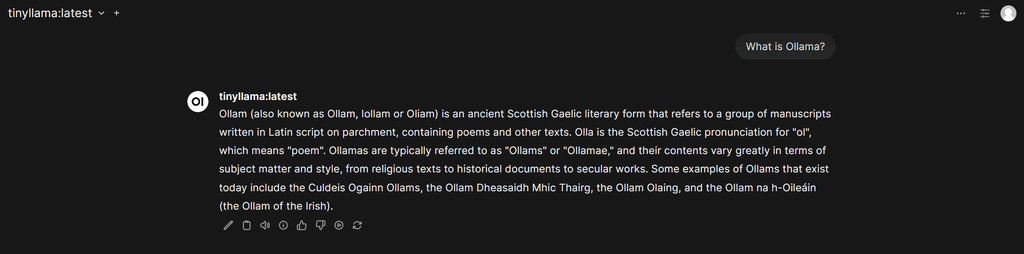
      Now you can use your own Ollama server and modells in OpenWebUI:
      d8686e0a-8b90-4eb7-b91e-77961aa14ab8-image.png

      1 Reply Last reply
      3
      • H Offline
        H Offline
        harryz
        wrote on last edited by
        #3

        Thank you, James. You saved my day. However, how can I increase system memory for OpenWebUI. I already resize Memory Limit for OpenWebUI app to 16GB but system memory in this case is a different setting?
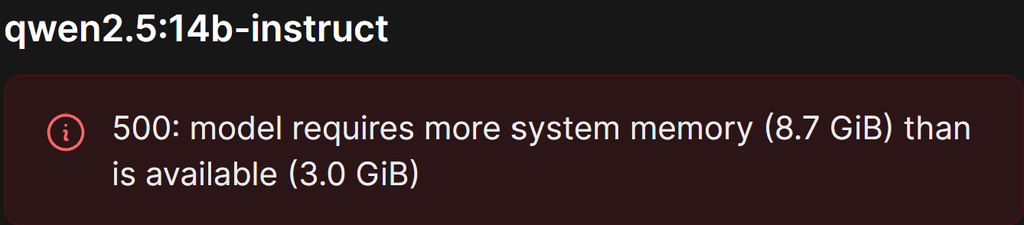
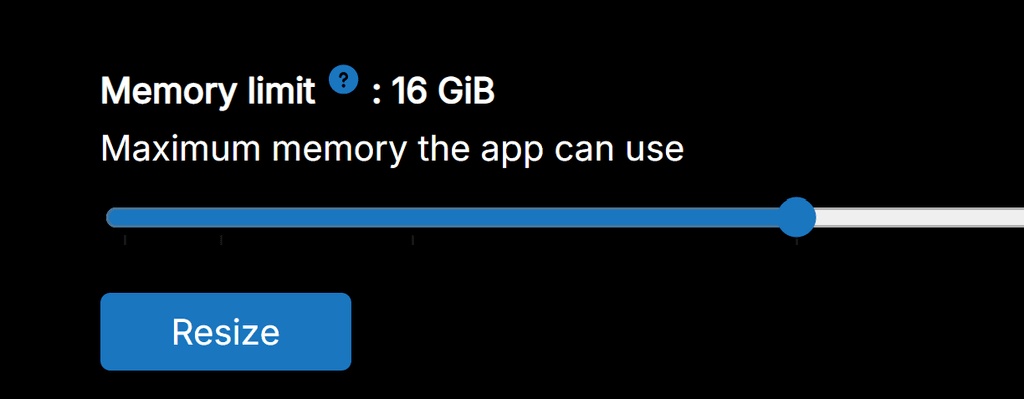
        image.png
        image.png

        H 1 Reply Last reply
        0
        • H harryz

          Thank you, James. You saved my day. However, how can I increase system memory for OpenWebUI. I already resize Memory Limit for OpenWebUI app to 16GB but system memory in this case is a different setting?

          image.png
          image.png

          H Offline
          H Offline
          harryz
          wrote on last edited by
          #4

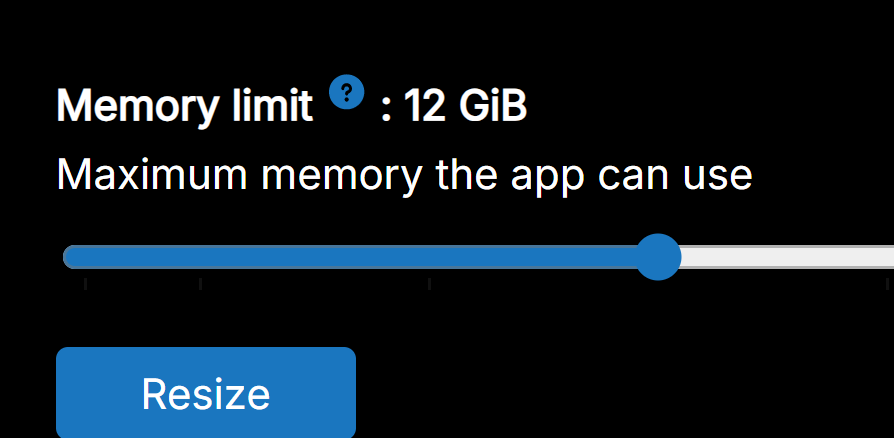
          My Ollama app has 12GB Memory. cdf26014-b501-4e34-90b7-4669e923a19c-image.png

          said in how to configure Ollama in OpenWebUI:

          Thank you, James. You saved my day. However, how can I increase system memory for OpenWebUI. I already resize Memory Limit for OpenWebUI app to 16GB but system memory in this case is a different setting?

          image.png
          image.png

          I 1 Reply Last reply
          1
          • H harryz

            My Ollama app has 12GB Memory. cdf26014-b501-4e34-90b7-4669e923a19c-image.png

            said in how to configure Ollama in OpenWebUI:

            Thank you, James. You saved my day. However, how can I increase system memory for OpenWebUI. I already resize Memory Limit for OpenWebUI app to 16GB but system memory in this case is a different setting?

            image.png
            image.png

            I Offline
            I Offline
            IniBudi
            translator
            wrote on last edited by
            #5

            @harryz is it fast using 16GB for generating answer in Ollama?

            1 Reply Last reply
            0
            • jamesJ Offline
              jamesJ Offline
              james
              Staff
              wrote on last edited by james
              #6

              Hello @harryz
              How much RAM does your server have?
              How much RAM is used already?

              In the ollama web temrinal run:

              free -h
              

              and post the output please.

              H 1 Reply Last reply
              0
              • jamesJ james

                Hello @harryz
                How much RAM does your server have?
                How much RAM is used already?

                In the ollama web temrinal run:

                free -h
                

                and post the output please.

                H Offline
                H Offline
                harryz
                wrote on last edited by
                #7

                Hi James, please refer below, thanks.

                cb9cbbdb-e88f-4b25-b60e-8fa039021b48-image.png

                @james said in how to configure Ollama in OpenWebUI:

                Hello @harryz
                How much RAM does your server have?
                How much RAM is used already?

                In the ollama web temrinal run:

                free -h
                

                and post the output please.

                1 Reply Last reply
                0
                • jamesJ Offline
                  jamesJ Offline
                  james
                  Staff
                  wrote on last edited by
                  #8

                  Hello @harryz
                  There is your problem.
                  The model requires 8.7 GB and your system only has 7.9 GB of free memory left.

                  1 Reply Last reply
                  0
                  • jamesJ james referenced this topic on

                  Hello! It looks like you're interested in this conversation, but you don't have an account yet.

                  Getting fed up of having to scroll through the same posts each visit? When you register for an account, you'll always come back to exactly where you were before, and choose to be notified of new replies (either via email, or push notification). You'll also be able to save bookmarks and upvote posts to show your appreciation to other community members.

                  With your input, this post could be even better 💗

                  Register Login
                  Reply
                  • Reply as topic
                  Log in to reply
                  • Oldest to Newest
                  • Newest to Oldest
                  • Most Votes


                  • Login

                  • Don't have an account? Register

                  • Login or register to search.
                  • First post
                    Last post
                  0
                  • Categories
                  • Recent
                  • Tags
                  • Popular
                  • Bookmarks
                  • Search