
Only able to select "Backups of automatic updates: Yes" when setting up a new site. Aha - it's in the Content menu
-
It doesn't appear to be possible to edit this setting after a back site has been created.
That's frustrating.
This option is available when setting up a new back site:
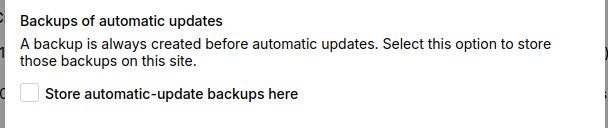
But it's not available to edit in the Config settings afterwards...
Aha! It's under the Content option:
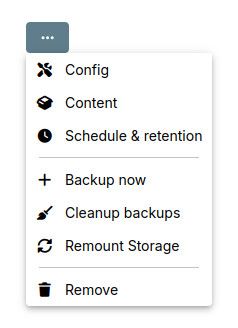
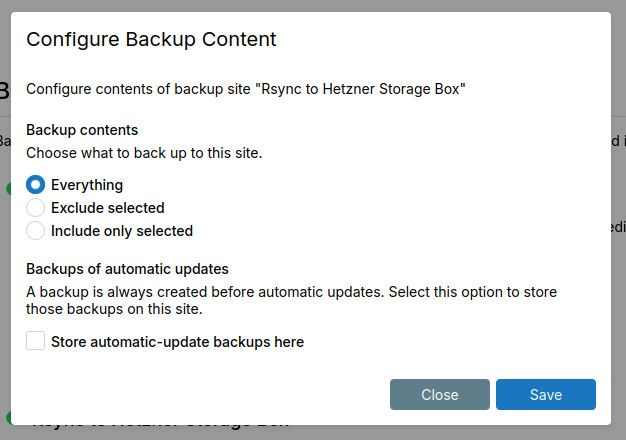
-
@staff question: I presume that if I have this setting enabled on multiple backup sites then whenever an app updates it'll first back-up to both locations? I think the docs could do with more info about this setting. Thanks

-
@staff question: I presume that if I have this setting enabled on multiple backup sites then whenever an app updates it'll first back-up to both locations? I think the docs could do with more info about this setting. Thanks
@jdaviescoates yeah, it's not good. The UI will change in the coming releases. We will be moving away from dialogs into views (i.e full pages). The dialogs were primarily because of our old dashboard design. When we move to views, we will avoid this whole set up where we have 3 dialogs and we have to remember where to find which settings.
-
@staff question: I presume that if I have this setting enabled on multiple backup sites then whenever an app updates it'll first back-up to both locations? I think the docs could do with more info about this setting. Thanks
-


Hello! It looks like you're interested in this conversation, but you don't have an account yet.
Getting fed up of having to scroll through the same posts each visit? When you register for an account, you'll always come back to exactly where you were before, and choose to be notified of new replies (either via email, or push notification). You'll also be able to save bookmarks and upvote posts to show your appreciation to other community members.
With your input, this post could be even better 💗
Register Login