Cloudron makes it easy to run web apps like WordPress, Nextcloud, GitLab on your server. Find out more or install now.


Skip to content
  • Categories
  • Recent
  • Tags
  • Popular
  • Bookmarks
  • Search
Skins
  • Light
  • Brite
  • Cerulean
  • Cosmo
  • Flatly
  • Journal
  • Litera
  • Lumen
  • Lux
  • Materia
  • Minty
  • Morph
  • Pulse
  • Sandstone
  • Simplex
  • Sketchy
  • Spacelab
  • United
  • Yeti
  • Zephyr
  • Dark
  • Cyborg
  • Darkly
  • Quartz
  • Slate
  • Solar
  • Superhero
  • Vapor

  • Default (No Skin)
  • No Skin
Collapse
Brand Logo

Cloudron Forum

Apps - Status | Demo | Docs | Install
  1. Cloudron Forum
  2. Discuss
  3. Web terminal font changed after update to 9.1.3

Web terminal font changed after update to 9.1.3
Scheduled Pinned Locked Moved Discuss
11 Posts 5 Posters 119 Views 5 Watching
  • Oldest to Newest
  • Newest to Oldest
  • Most Votes
Reply
  • Reply as topic
Log in to reply
This topic has been deleted. Only users with topic management privileges can see it.
  • jamesJ Offline
    jamesJ Offline
    james
    Staff
    wrote last edited by
    #2

    Hello @archos
    What browser and operating system are you using?

    1 Reply Last reply
    1
    • nebulonN Offline
      nebulonN Offline
      nebulon
      Staff
      wrote last edited by
      #3

      So the current terminal sets the font to monospace which should pick up the monospace font setting from the system. On typical linux systems this would be Noto Sans Mono most likely. But we don't ship any monospace font as such. Can you check which monospace your system settings have?

      1 Reply Last reply
      2
      • archosA Offline
        archosA Offline
        archos
        translator
        wrote last edited by
        #4

        I am using Firefox on Arch Linux.

        The default monospace font on my system is Noto Sans Mono.

        Output of fc-match monospace:
        NotoSansMono-Regular.ttf: "Noto Sans Mono" "Regular"

        I also have several other monospace fonts installed (Meslo Nerd Font Mono, FiraCode Nerd Font Mono, DejaVu Sans Mono, Liberation Mono, etc.), but the default monospace resolves to Noto Sans Mono.

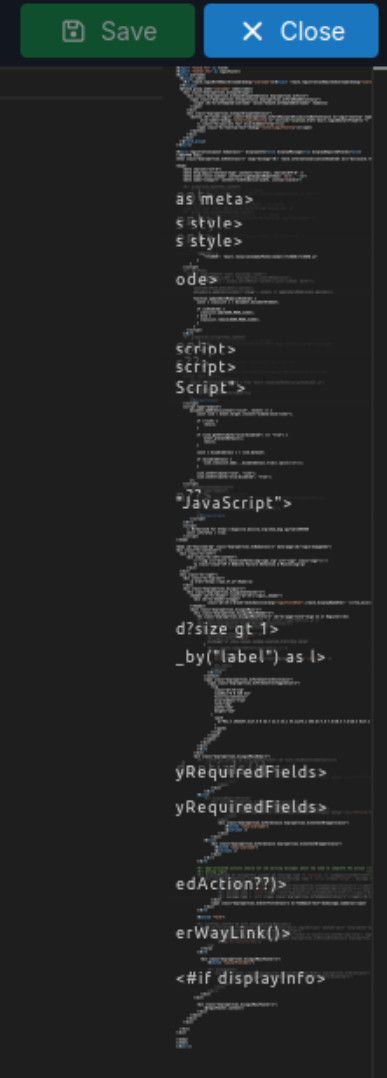
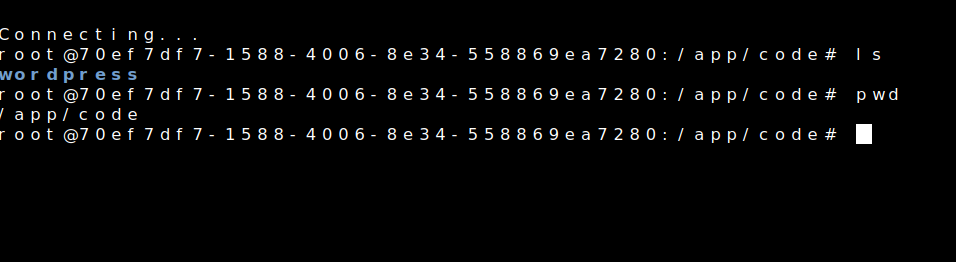
        Before updating Cloudron to version 9.1.3 the font in the web terminal was fine and easy for me to read.

        After the update it changed to a different monospace font which is harder for me to read. I will also try testing it in another browser.

        1 Reply Last reply
        0
        • nebulonN Offline
          nebulonN Offline
          nebulon
          Staff
          wrote last edited by
          #5

          Interesting, then we have both the exact same arch setup. Also on firefox here. I am a bit out of ideas then 😕

          1 Reply Last reply
          0
          • J Offline
            J Offline
            joseph
            Staff
            wrote last edited by
            #6

            Could this be related to https://forum.cloudron.io/topic/3268/terminal-garbled-unusable-win10-firefox-latest and https://forum.cloudron.io/topic/6326/firefox-and-app-terminal-can-t-see-anything ?

            1 Reply Last reply
            0
            • archosA Offline
              archosA Offline
              archos
              translator
              wrote last edited by
              #7

              Sorry for the confusion — it looks like this is not a Cloudron issue.

              I tested the web terminal in Vivaldi and the font looks normal there.

              So it seems to be related to Firefox on my system rather than Cloudron itself.

              1 Reply Last reply
              0
              • nebulonN Offline
                nebulonN Offline
                nebulon
                Staff
                wrote last edited by
                #8

                Still strange that both our setups are so similar yet the terminal is broken, have you tried the webrenderer about:config setting ? Though in my case it works either way.

                1 Reply Last reply
                1
                • M Offline
                  M Offline
                  msbt
                  App Dev
                  wrote last edited by
                  #9

                  If you want strange, I can throw this in the mix 😆 :

                  f14dd251-6e55-4bed-9668-65e5880bf317-image.jpeg

                  Firefox on Ubuntu, but it also happens on Brave. Might be due to the format (.ftl file)

                  Happy Hosting & Web Development

                  1 Reply Last reply
                  3
                  • archosA Offline
                    archosA Offline
                    archos
                    translator
                    wrote last edited by
                    #10

                    The issue was resolved by manually setting the monospace font in Firefox (about:config).

                    Previously, a different font was being used. After forcing "Noto Sans Mono", everything works correctly.

                    I'm not sure why it changed on its own.

                    1 Reply Last reply
                    3
                    • nebulonN Offline
                      nebulonN Offline
                      nebulon
                      Staff
                      wrote last edited by
                      #11

                      Thanks for sharing the solution!

                      1 Reply Last reply
                      3

                      Hello! It looks like you're interested in this conversation, but you don't have an account yet.

                      Getting fed up of having to scroll through the same posts each visit? When you register for an account, you'll always come back to exactly where you were before, and choose to be notified of new replies (either via email, or push notification). You'll also be able to save bookmarks and upvote posts to show your appreciation to other community members.

                      With your input, this post could be even better 💗

                      Register Login
                      Reply
                      • Reply as topic
                      Log in to reply
                      • Oldest to Newest
                      • Newest to Oldest
                      • Most Votes


                      • Login

                      • Don't have an account? Register

                      • Login or register to search.
                      • First post
                        Last post
                      0
                      • Categories
                      • Recent
                      • Tags
                      • Popular
                      • Bookmarks
                      • Search