
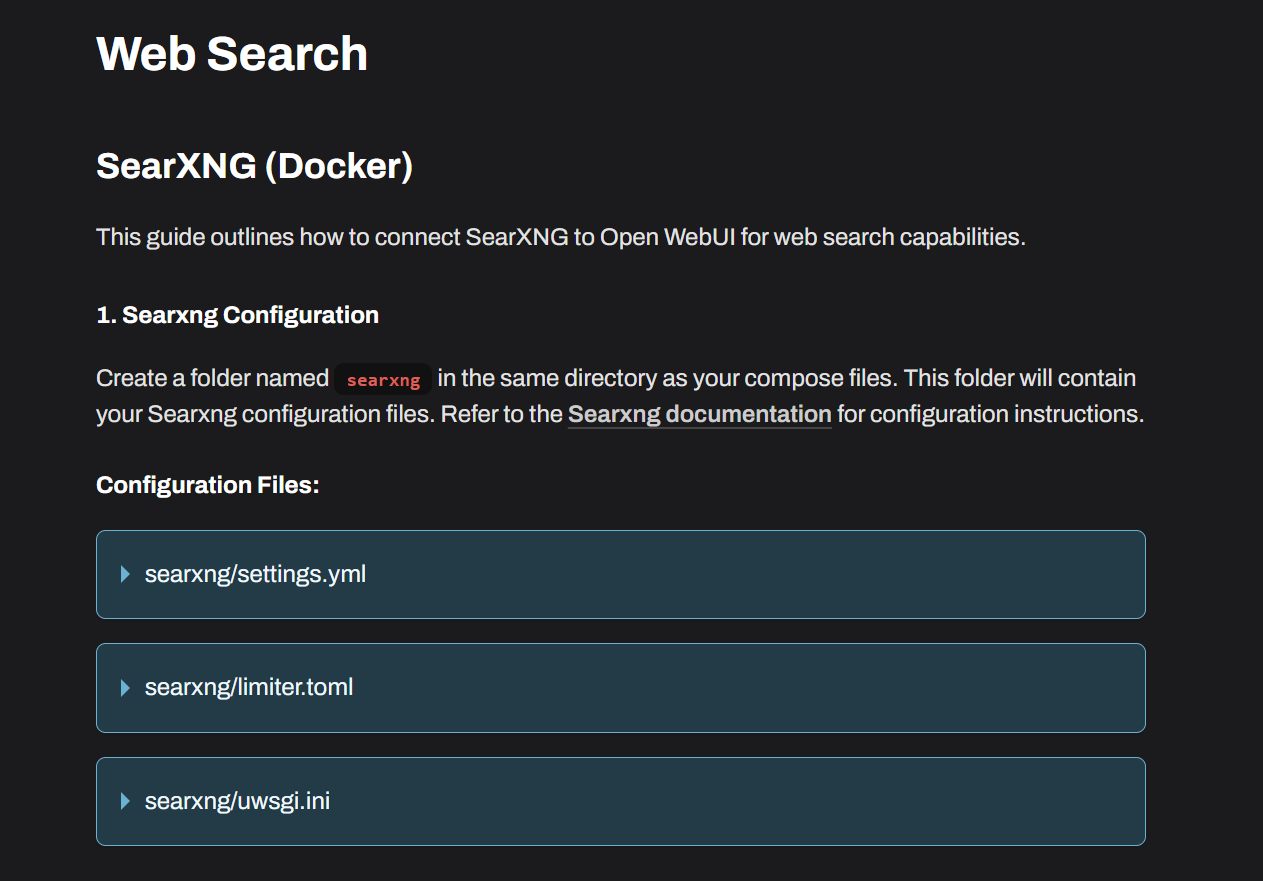
OpenWebUI has an option for a SearXNG API key
-
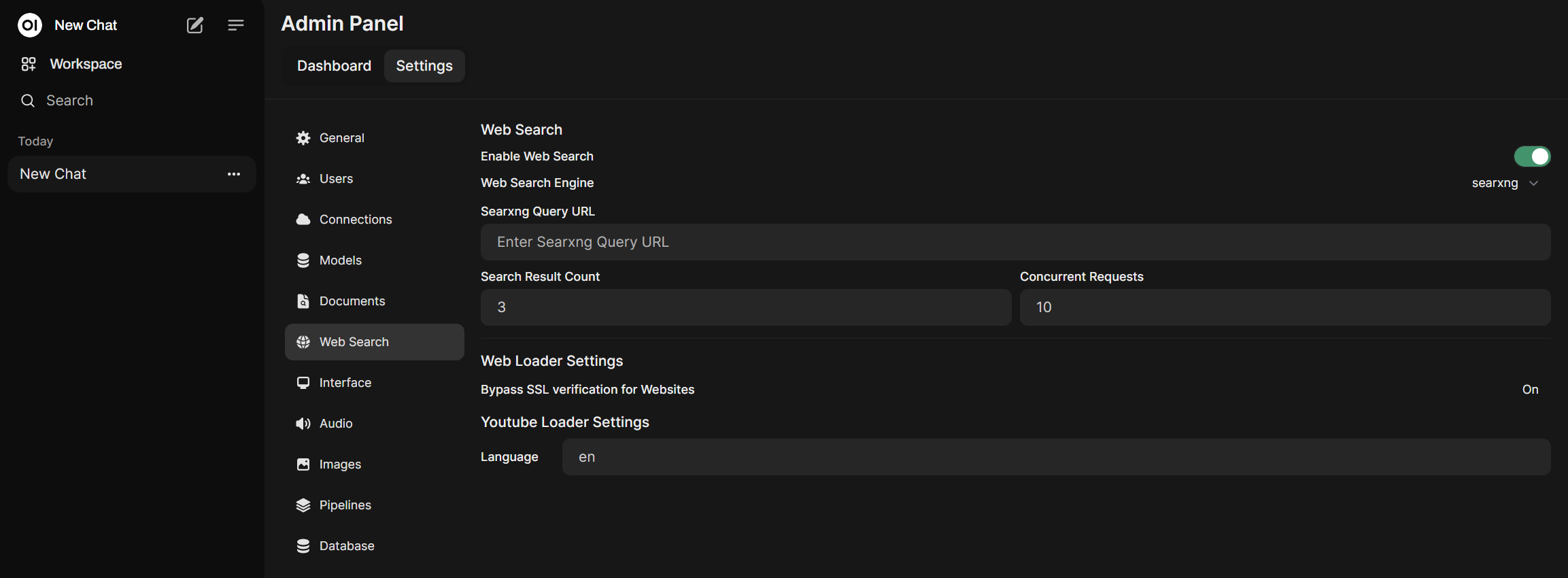
Based on what Joseph said, you can try specify the SEARXNG_QUERY_URL=http://searxng/search?q=<query>
https://forum.cloudron.io/topic/12117/web-search-with-searxng/2?_=1722501184516So, it should be without :8080. I think it is because Cloudron is using Nginex to route traffic from the Main Gate 443 to each docker container.
So, should look like this:
Export ENABLE_RAG_WEB_SEARCH: True
Export RAG_WEB_SEARCH_ENGINE: "searxng"
Export RAG_WEB_SEARCH_RESULT_COUNT: 3
Export RAG_WEB_SEARCH_CONCURRENT_REQUESTS: 10
Export SEARXNG_QUERY_URL: "http://searxng/search?q=<query>"You can add these to your env.sh file. And add the Searxng folder and config file in the same directory of env.sh
Then restart your apps.
-
Based on what Joseph said, you can try specify the SEARXNG_QUERY_URL=http://searxng/search?q=<query>
https://forum.cloudron.io/topic/12117/web-search-with-searxng/2?_=1722501184516So, it should be without :8080. I think it is because Cloudron is using Nginex to route traffic from the Main Gate 443 to each docker container.
So, should look like this:
Export ENABLE_RAG_WEB_SEARCH: True
Export RAG_WEB_SEARCH_ENGINE: "searxng"
Export RAG_WEB_SEARCH_RESULT_COUNT: 3
Export RAG_WEB_SEARCH_CONCURRENT_REQUESTS: 10
Export SEARXNG_QUERY_URL: "http://searxng/search?q=<query>"You can add these to your env.sh file. And add the Searxng folder and config file in the same directory of env.sh
Then restart your apps.
-
Apologies for resurrecting an older post, but I think this is somewhat related to what I was going to make a new post about. I have SearXNG working smoothly on Open WebUI. I've integrated the API with both my Cloudron instance of SearXNG and my local SearXNG installation on my MacBook, connecting to it via my internal IP address. This setup allows me to use SearXNG with Open WebUI, Perplexica, and with a few other applications.
My question is: are there any AI/GenAI APIs that integrate directly into SearXNG to give it AI-powered search summarization features similar to Google's AI search or Perplexity? It seems like SearXNG would be a great platform for this kind of integration, rather than just being used as an extraction tool within other applications.
I'm particularly interested in finding APIs that offer:
- Concise summaries of search results: Like Google's AI summaries, I want the API to be able to understand the context of my search and provide a brief overview of the most relevant information.
- Source reliability assessment: It would be helpful if the API could also evaluate the credibility and authority of the sources it uses for summarization within SearXNG itself.
If there aren't any APIs that directly integrate with SearXNG, are there any alternative approaches or workarounds to achieve this kind of functionality?
Thanks in advance for any guidance!
-
Apologies for resurrecting an older post, but I think this is somewhat related to what I was going to make a new post about. I have SearXNG working smoothly on Open WebUI. I've integrated the API with both my Cloudron instance of SearXNG and my local SearXNG installation on my MacBook, connecting to it via my internal IP address. This setup allows me to use SearXNG with Open WebUI, Perplexica, and with a few other applications.
My question is: are there any AI/GenAI APIs that integrate directly into SearXNG to give it AI-powered search summarization features similar to Google's AI search or Perplexity? It seems like SearXNG would be a great platform for this kind of integration, rather than just being used as an extraction tool within other applications.
I'm particularly interested in finding APIs that offer:
- Concise summaries of search results: Like Google's AI summaries, I want the API to be able to understand the context of my search and provide a brief overview of the most relevant information.
- Source reliability assessment: It would be helpful if the API could also evaluate the credibility and authority of the sources it uses for summarization within SearXNG itself.
If there aren't any APIs that directly integrate with SearXNG, are there any alternative approaches or workarounds to achieve this kind of functionality?
Thanks in advance for any guidance!
@coniunctio search.brave.com may have an API you can use which is also a good place to search for SearX-ng integrations.
-
@coniunctio @firmansi Also interested - works fine with open SearXNG instance, but since the Cloudron one needs authentication, it not accessible to GET or POST requests
-
@coniunctio @firmansi Also interested - works fine with open SearXNG instance, but since the Cloudron one needs authentication, it not accessible to GET or POST requests
-
@coniunctio May you share the information how to integrate the SearchXNG with Open WebUI in Cloudron?
@Divemasterza @firmansi Here is how I use Cloudron's SearXNG app inside Open WebUI (works on same Cloudron server or separate locations like this).
Two steps:
- Go into Cloudron/SearXNG SFTP and edit "settings.yml":
# formats: [html, csv, json, rss] formats: - html - json <-- add this line- Now go to Open WebUI Admin settings --> Web Search and enter your Cloudron SearXNG URL with some combination of the following text depending on what specific types of search you want Open WebUI to do for you. This is what I use:
https://your.searxng.url/search?q=<query>&language=auto&time_range=&safesearch=0&categories=social+media,map,it,general,science,news&format=json -
@Divemasterza figured out how to get this to work without making searx public (from https://forum.cloudron.io/topic/10618/how-to-connect-from-one-app-to-another-via-the-internal-network/6)
you can have cloudron oauth enabled but bypass it by calling its local hostname instead of public URL from openwebui. Tweaking @coniunctio 's query:
http://<searx app id>:<searx port>/search?q=<query>&language=auto&time_range=&safesearch=0&categories=social+media,map,it,general,science,news&format=jsonexample:
http://12345678-1234-1234-1234-abcdefabcdef:8888/search?q=<query>&language=auto&time_range=&safesearch=0&categories=social+media,map,it,general,science,news&format=jsonfind app id from cloudron dashboard, port from searxng filemanager->settings.yml under 'port:'
-
Thank you @ethanxrosen @coniunctio and @divemasterza -- this was exactly the solution I was looking for.
-
If you're as lazy as I am, here is the summary of the brilliant insights from this thread:
- Enable 'json' in SearXNG (will not make the search interface public):
- Open
settings.ymlfor editing, e.g. via File Manager - Add
jsoninsearchunderformats
Example:
formats: - html - json <-- add this- Note the Port in of SearXNG
- Configure OpenWebUI App to use SearXNG as web search:
- In OpenWebUI, go to Admin Settings → Web Search
- Enter URL: Paste the Searxng URL but replace
<searx app id>and<searx port>(App id to be found from cloudron dashboard; port as noted above, default port is probably 8888. )
http://<searx app id>:<searx port>/search?q=<query>&language=auto&time_range=&safesearch=0&categories=social+media,map,it,general,science,news&format=jsonThis bypasses OAuth internally so that OpenWebUI directly accesses SearXNG




Hello! It looks like you're interested in this conversation, but you don't have an account yet.
Getting fed up of having to scroll through the same posts each visit? When you register for an account, you'll always come back to exactly where you were before, and choose to be notified of new replies (either via email, or push notification). You'll also be able to save bookmarks and upvote posts to show your appreciation to other community members.
With your input, this post could be even better 💗
Register Login