Cloudron makes it easy to run web apps like WordPress, Nextcloud, GitLab on your server. Find out more or install now.


Skip to content
  • Categories
  • Recent
  • Tags
  • Popular
  • Bookmarks
  • Search
Skins
  • Light
  • Brite
  • Cerulean
  • Cosmo
  • Flatly
  • Journal
  • Litera
  • Lumen
  • Lux
  • Materia
  • Minty
  • Morph
  • Pulse
  • Sandstone
  • Simplex
  • Sketchy
  • Spacelab
  • United
  • Yeti
  • Zephyr
  • Dark
  • Cyborg
  • Darkly
  • Quartz
  • Slate
  • Solar
  • Superhero
  • Vapor

  • Default (No Skin)
  • No Skin
Collapse
Brand Logo

Cloudron Forum

Offical apps | Community apps | Demo | Docs | Install
  1. Cloudron Forum
  2. Support
  3. Notifications view doesn't have a vertical scrollbar

Notifications view doesn't have a vertical scrollbar
Scheduled Pinned Locked Moved Solved Support
notificationsuiscroll
4 Posts 2 Posters 314 Views 2 Watching
  • Oldest to Newest
  • Newest to Oldest
  • Most Votes
Reply
  • Reply as topic
Log in to reply
This topic has been deleted. Only users with topic management privileges can see it.
  • M
    M
    msbt
    App Dev
    wrote on last edited by msbt
    #1

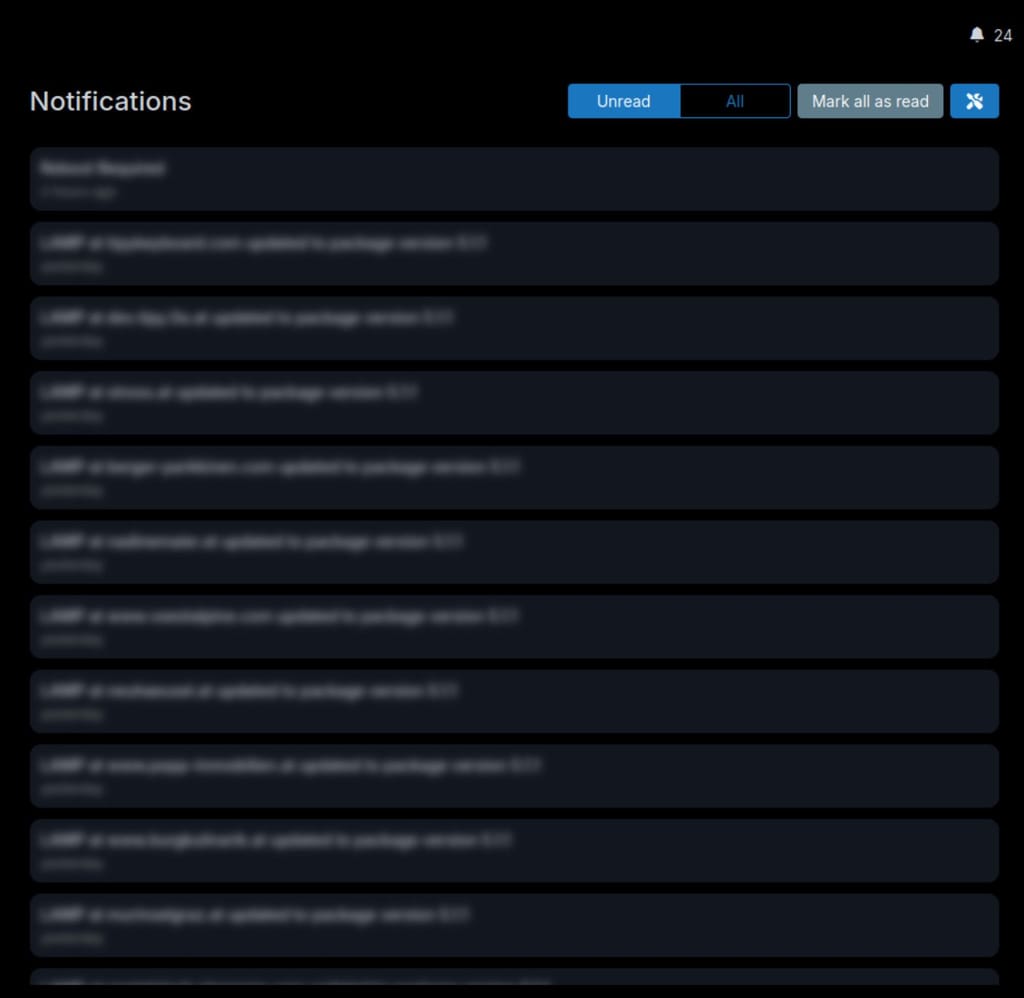
    There is no scrollbar even though there are more elements than there is space, while checking notifications on /#/notifications on 9.1.5:

    dfc32773-f374-4965-80d5-2e7bf956edde-image.jpeg

    This would fix it (adjust accordingly do that specific container):

    .section-body {
      overflow-y: scroll;
    }
    

    Happy Hosting & Web Development

    1 Reply Last reply
    3
    • nebulonN
      nebulonN
      nebulon
      Staff
      wrote on last edited by
      #2

      Thanks for reporting, looks like that slipped through but is fixed then with https://git.cloudron.io/platform/box/-/commit/1586a286d85b3e097954c1345e6d19d4b179becb

      1 Reply Last reply
      2
      • nebulonN nebulon has marked this topic as solved on
      • nebulonN nebulon referenced this topic on
      • M
        M
        msbt
        App Dev
        wrote last edited by msbt
        #3

        @nebulon this became an issue again, apparently there's a regression. Maybe the css got stripped because the div with the section-body class is outside of the scoped css, so the overflow: auto; doesn't get applied?

        Happy Hosting & Web Development

        1 Reply Last reply
        0
        • nebulonN
          nebulonN
          nebulon
          Staff
          wrote last edited by
          #4

          Oh no, sorry about that regression and thanks for reporting again! This is fixed then for next release with https://git.cloudron.io/platform/box/-/commit/8a65d11fd176d54f868c2b0067087c4ed07e0a24

          1 Reply Last reply
          3

          Hello! It looks like you're interested in this conversation, but you don't have an account yet.

          Getting fed up of having to scroll through the same posts each visit? When you register for an account, you'll always come back to exactly where you were before, and choose to be notified of new replies (either via email, or push notification). You'll also be able to save bookmarks and upvote posts to show your appreciation to other community members.

          With your input, this post could be even better 💗

          Register Login
          Reply
          • Reply as topic
          Log in to reply
          • Oldest to Newest
          • Newest to Oldest
          • Most Votes


          • Login

          • Don't have an account? Register

          • Login or register to search.
          • First post
            Last post
          0
          • Categories
          • Recent
          • Tags
          • Popular
          • Bookmarks
          • Search