
Mail problems on Ghost
-
-
If you leave the mail delivery settings to the app, then you have to configure it accordingly to your needs within Ghost. We have some more info at https://docs.cloudron.io/apps/#disable-email-configuration.
Just looking briefly over your pasted error:
Failed to send email. Reason: Mail command failed: 550 Authenticated user newsletter@example.com cannot send mail as newsletter@mail.example.comI see @example.com and @mail.example.com is this intended with the subdomain vs no subdomain?
@nebulon I'm asking where / how you configure email within Ghost if I disable it from Cloudron? I have mailgun set, do I just go into Terminal and set other things there?
I have example.com where the Ghost install is hosted. I have mail.example.com setup on Mailgun and it works for the two working Ghost installs.
-
@bmann said in Mail problems on Ghost:
there is no "support" email address anymore
I do still have this in
/ghost/#/settings/portal/editin my most recent Ghost install (installed last October)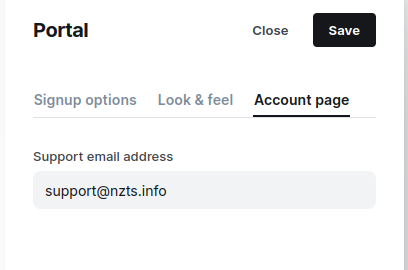
In addition to this in
/ghost/#/settings/newsletters/xxxxxxxx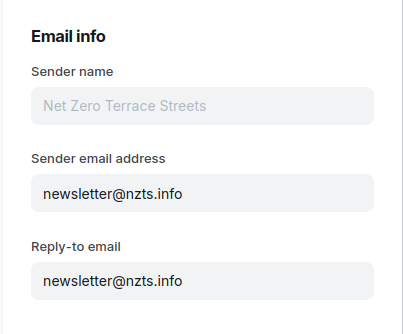
And both of those mailboxes set-up on Cloudron:
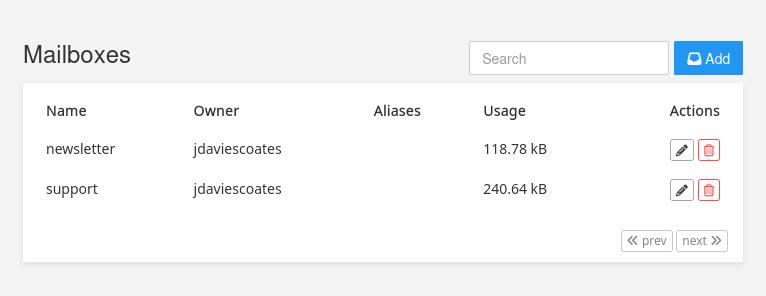
But just because it's the only thing you haven't mentioned (and it's caught me out a few times before) my guess is: perhaps you haven't whitelisted the IP of the server this Ghost is on over on Mailgun?

See https://app.mailgun.com/settings/ip-access-management
I just looked at my Mailgun SMTP settings too. Seems I've not edited those and they are just the default settings:
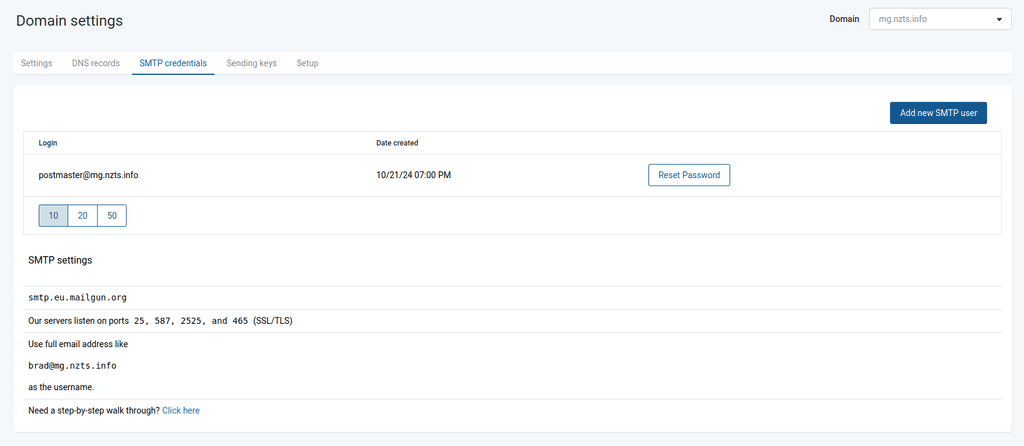
you're right, there's the hidden portal settings where support email is, seems things have been shuffled.
I'm not running inbound mailboxes for any of the Ghost installs -- the working ones also have just Mailgun setup for outbound relay and use the regular ghost.app@example.com (with mailgun as smtp relay) and they work.
Yes, I read the setup and have 2 working installs of Ghost.
Yes, I have the IP address whitelisted.
The main difference here is technically I am ghost.example.com, with example.com domain linked to Cloudron, so the emails are attempting to send from example.com.
Is the 550 error from Mailgun? Or from somewhere else?
-
@nebulon I'm asking where / how you configure email within Ghost if I disable it from Cloudron? I have mailgun set, do I just go into Terminal and set other things there?
I have example.com where the Ghost install is hosted. I have mail.example.com setup on Mailgun and it works for the two working Ghost installs.
bump on this -- @nebulon @jdaviescoates, what does changing the setting in the Cloudron settings for a Ghost install do?
"Do not configure app's mail delivery settings
The app's mail delivery settings is left alone. You can configure it inside the app."I think what this means that I can just edit the config file manually?
"mail": {
    "transport": "SMTP",
    "from": "Z-Space News <newsletter@example.com>",
    "options": {
      "host": "whatever",
      "port": "2525",
      "auth": {
        "user": "newsletter@example.com",
        "pass": "somepass"
      }
    }
Going to try it! Wish me luck!
-
OK! I switched to configure it myself, and edited
app/data/config.production.jsonand it works for me.I'm unclear why this Ghost instance doesn't work and my others do, but I'm glad I can now toggle this switch -- it means none of the mail is going through Cloudron at all.
-
bump on this -- @nebulon @jdaviescoates, what does changing the setting in the Cloudron settings for a Ghost install do?
"Do not configure app's mail delivery settings
The app's mail delivery settings is left alone. You can configure it inside the app."I think what this means that I can just edit the config file manually?
"mail": {
    "transport": "SMTP",
    "from": "Z-Space News <newsletter@example.com>",
    "options": {
      "host": "whatever",
      "port": "2525",
      "auth": {
        "user": "newsletter@example.com",
        "pass": "somepass"
      }
    }
Going to try it! Wish me luck!
Hello @bmann
@bmann said in Mail problems on Ghost:
bump on this
Sorry that this topic did not get any traction for almost a week!
@bmann said in Mail problems on Ghost:
"Do not configure app's mail delivery settings
The app's mail delivery settings is left alone. You can configure it inside the app."Where did you find this text? I could not find it in the documentation, the app package or anywhere.
Would like to know where this came from since this might be misleading.@bmann said in Mail problems on Ghost:
Going to try it! Wish me luck!
If you want to tinker with apps, always create an app backup first or even clone the app so you can take a shotgun approach to the clone.
There are certain settings for each app that Cloudron will override on every app restart.
I know @BrutalBirdie submitted a PR yesterday about this => https://git.cloudron.io/docs/docs/-/merge_requests/75/diffsAccording to the app startup https://git.cloudron.io/packages/ghost-app/-/blob/master/start.sh?ref_type=heads#L39
IfCLOUDRON_MAIL_SMTP_SERVERis not empty it will set up the mail config on every app restart:if [[ -n "${CLOUDRON_MAIL_SMTP_SERVER:-}" ]]; then json -I -f /app/data/config.production.json \ -e "this.mail.from = \"${CLOUDRON_MAIL_FROM_DISPLAY_NAME:-Ghost} <${CLOUDRON_MAIL_FROM}>\"" \ -e "this.mail.options.host = '${CLOUDRON_MAIL_SMTP_SERVER}'" \ -e "this.mail.options.port = '${CLOUDRON_MAIL_SMTP_PORT}'" \ -e "this.mail.options.auth.user = '${CLOUDRON_MAIL_SMTP_USERNAME}'" \ -e "this.mail.options.auth.pass = '${CLOUDRON_MAIL_SMTP_PASSWORD}'" fiYou may want to disable the mail config for the app to avoid this. See => https://docs.cloudron.io/apps/#disable-email-configuration
-
your config.production.json should work as it is identical to the solution here:
https://forum.ghost.org/t/unable-to-invite-new-admin-users-to-account-without-mailgun-setup/56711/11
I had tried it and it is working for me. by default if you set up ghost.example.com cloudron should set up an email account ghost.app@example.com for you, you should use ghost.app@example.com instead of newsletter@example.com.
-
I've got the same error on one of my Ghost instances:
2026-10-18T04:45:44Z [90mError: Mail command failed: 550 Authenticated user noreply@example.com cannot send mail as support@example.comI've configured email like documented
Weird thing: I've got two instances of Ghost, both configured exactly in the same way (only difference is the domain and that they're using different mailgun/sinch accounts). One works fine, the other does not.
-
I've got the same error on one of my Ghost instances:
2026-10-18T04:45:44Z [90mError: Mail command failed: 550 Authenticated user noreply@example.com cannot send mail as support@example.comI've configured email like documented
Weird thing: I've got two instances of Ghost, both configured exactly in the same way (only difference is the domain and that they're using different mailgun/sinch accounts). One works fine, the other does not.
Weird thing: I've got two instances of Ghost, both configured exactly in the same way (only difference is the domain and that they're using different mailgun/sinch accounts). One works fine, the other does not.
Is the IP of the not working domain whitelisted at the mailgun/ sinch end?
-
No, it was not whitelisted, and I've never came across any issue regarding the IP.
Changing the "from" address in the app's settings from
noreply@example.comtosupport@example.comdid the trick.Don't know whether something with Cloudron (maybe with the last major update to the built-in mail server) caused the trouble or if I somehow misconfigured the app by accident. Or if any of the updates to Ghost itself caused the change...






Hello! It looks like you're interested in this conversation, but you don't have an account yet.
Getting fed up of having to scroll through the same posts each visit? When you register for an account, you'll always come back to exactly where you were before, and choose to be notified of new replies (either via email, or push notification). You'll also be able to save bookmarks and upvote posts to show your appreciation to other community members.
With your input, this post could be even better 💗
Register Login