Cloudron makes it easy to run web apps like WordPress, Nextcloud, GitLab on your server. Find out more or install now.


Skip to content
  • Categories
  • Recent
  • Tags
  • Popular
  • Bookmarks
  • Search
Skins
  • Light
  • Brite
  • Cerulean
  • Cosmo
  • Flatly
  • Journal
  • Litera
  • Lumen
  • Lux
  • Materia
  • Minty
  • Morph
  • Pulse
  • Sandstone
  • Simplex
  • Sketchy
  • Spacelab
  • United
  • Yeti
  • Zephyr
  • Dark
  • Cyborg
  • Darkly
  • Quartz
  • Slate
  • Solar
  • Superhero
  • Vapor

  • Default (No Skin)
  • No Skin
Collapse
Brand Logo

Cloudron Forum

Apps - Status | Demo | Docs | Install
  1. Cloudron Forum
  2. Ampache
  3. Cant play audiobooks

Cant play audiobooks

Scheduled Pinned Locked Moved Solved Ampache
12 Posts 4 Posters 4.7k Views 4 Watching
  • Oldest to Newest
  • Newest to Oldest
  • Most Votes
Reply
  • Reply as topic
Log in to reply
This topic has been deleted. Only users with topic management privileges can see it.
  • P privsec

    I feel dumb, but dont know what else to do. Here is what I have done thus far.

    I have added a catalog of audiobooks to the right directory as it is being read by ampache. 5c2884f4-79d3-4960-af2a-ceeb04eea916-image.png
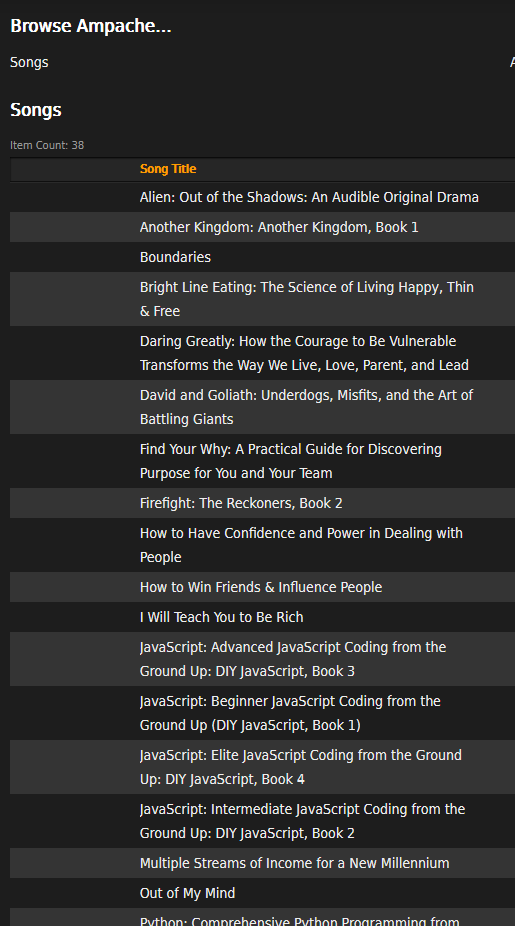
    However, when I try to play a file it will not play in the browser. It downloads an M3U file to my machine

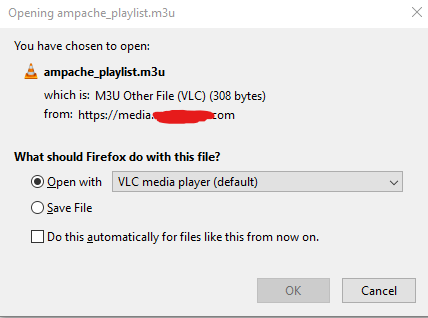
    c7f00790-5746-4615-817a-ad29bcc05dab-image.png
    df92c731-9bb6-4eae-bfa1-51324d4d2240-image.png

    I get these logs for ampache
    Removed image

    Then when I click ok to open this file in VLC, I get this error
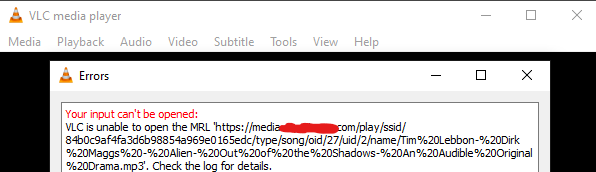
    a077b9d0-a678-464f-b613-bc21952fb979-image.png

    These logs also show up in the terminal
    The image below was replaced but the error message below is the same

    e951089c-4d49-47b5-a1d0-3047da9e4a63-image.png

    What I find interesting is this line [Wed Mar 03 20:42:48.921027 2021] [php7:error] [pid 103] [client x.x.x.x:xxxxx] PHP Fatal error: Allowed memory size of 134217728 bytes exhausted (tried to allocate 65011744 bytes) in /app/code/play/index.php on line 782

    My desire is to be able to play everything on the server via the browser. Eventually Ill test mobile apps, so I dont even know why it is downloading a M3U file.

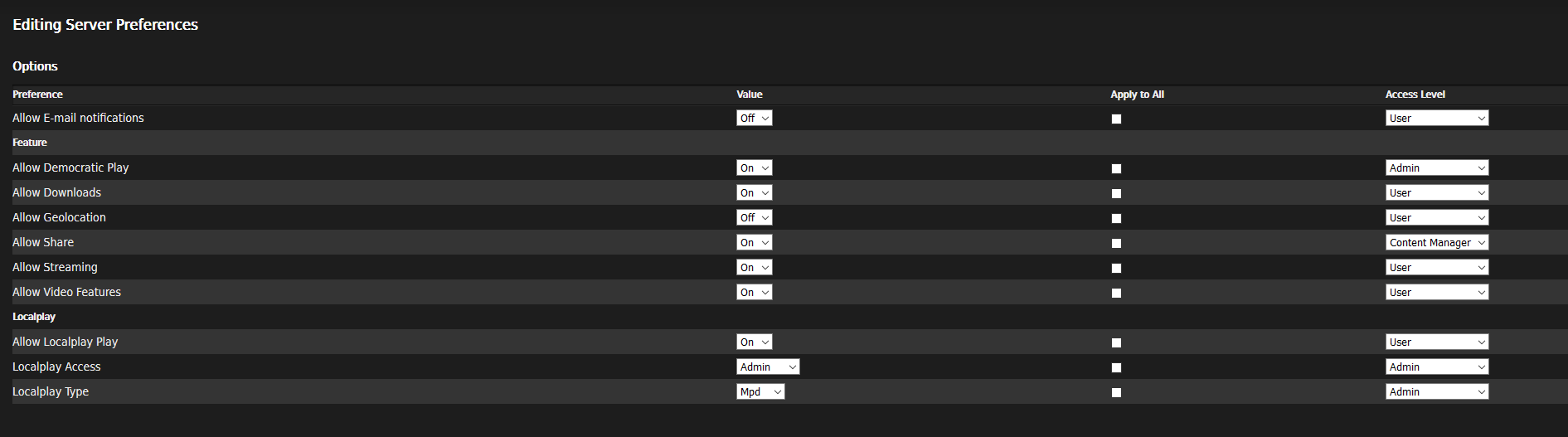
    This is my server settings
    Options
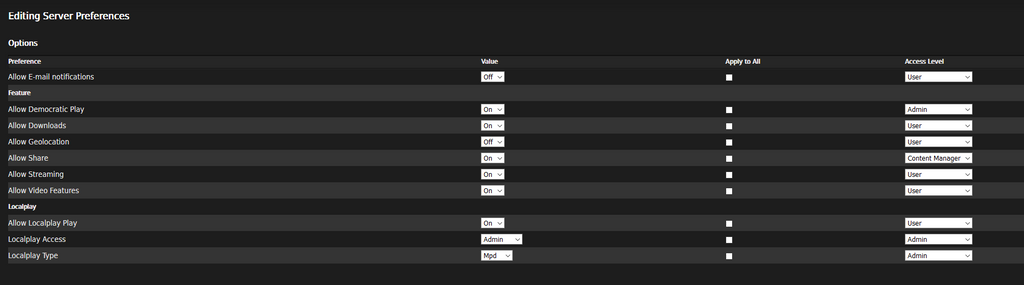
    732866f1-9541-4dbd-aa73-5008c5a07233-image.png
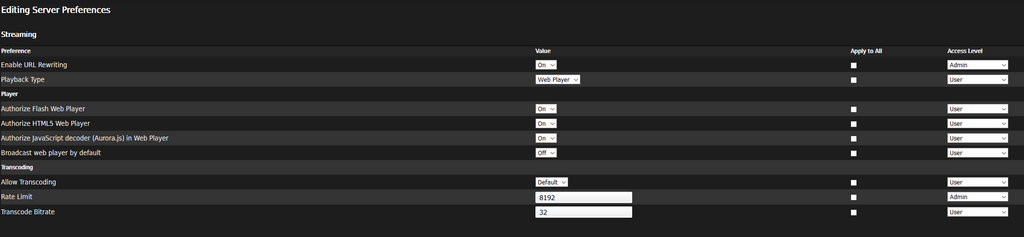
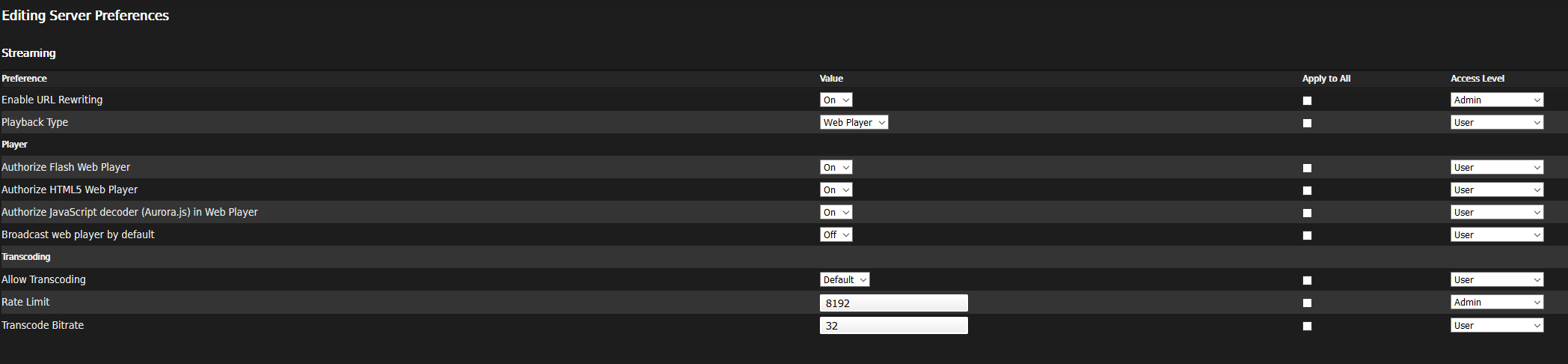
    Streaming settings
    b46568dd-5d6e-470a-a5bc-a91270367a80-image.png
    Playlist 5577b450-e7af-4cf0-979c-f9d518d73a96-image.png

    P Offline
    P Offline
    privsec
    wrote on last edited by
    #2

    So I actually found out that that I was in Stream via the dropdown, the errors are still a problem though.

    However, as of now I have the dropdown on webplayer dd556c20-fbdb-4123-9a58-2ad4d152f168-image.png

    I now get these options 0ba51f85-1ca2-457b-a88e-7359adabd64c-image.png
    Which is what I expect, however, I still cannot play files.

    When I click the play button, I Get these logs 14e3e0f8-3323-43d2-9590-ee349635919a-image.png

    P 1 Reply Last reply
    0
    • P privsec

      So I actually found out that that I was in Stream via the dropdown, the errors are still a problem though.

      However, as of now I have the dropdown on webplayer dd556c20-fbdb-4123-9a58-2ad4d152f168-image.png

      I now get these options 0ba51f85-1ca2-457b-a88e-7359adabd64c-image.png
      Which is what I expect, however, I still cannot play files.

      When I click the play button, I Get these logs 14e3e0f8-3323-43d2-9590-ee349635919a-image.png

      P Offline
      P Offline
      privsec
      wrote on last edited by
      #3

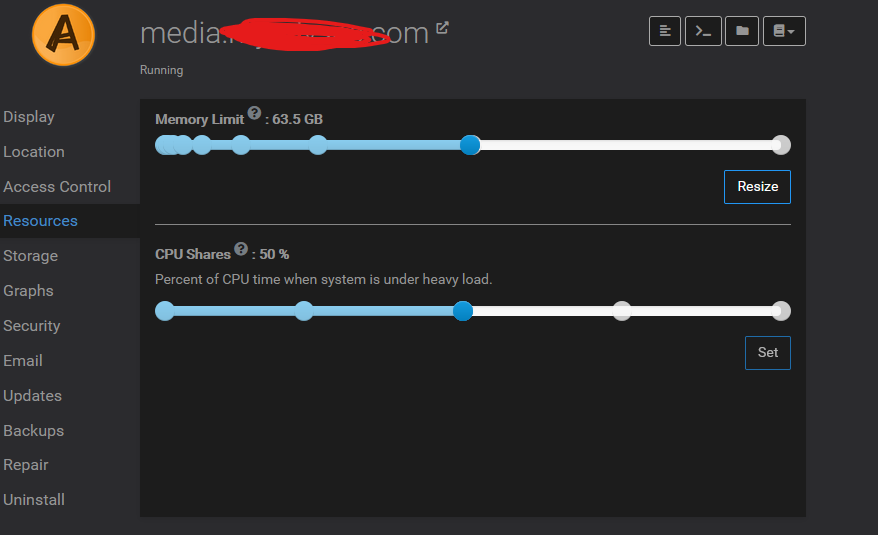
      I have my ram set to 64 gigs 3a271fff-d71c-4b5c-87e2-40aeca7e750c-image.png
      so I am now at a loss

      girishG 1 Reply Last reply
      0
      • P privsec

        I have my ram set to 64 gigs 3a271fff-d71c-4b5c-87e2-40aeca7e750c-image.png
        so I am now at a loss

        girishG Offline
        girishG Offline
        girish
        Staff
        wrote on last edited by
        #4

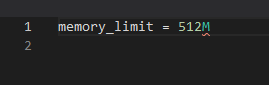
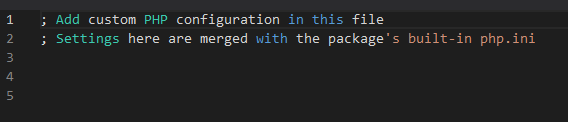
        @privsec maybe you can try adjusting php's memory limit which is 128MB by default. You can edit the php.ini using the file manager:

        memory_limit = 512M
        
        P 2 Replies Last reply
        0
        • girishG girish

          @privsec maybe you can try adjusting php's memory limit which is 128MB by default. You can edit the php.ini using the file manager:

          memory_limit = 512M
          
          P Offline
          P Offline
          privsec
          wrote on last edited by
          #5

          @girish said in Cant play audiobooks:

          @privsec maybe you can try adjusting php's memory limit which is 128MB by default. You can edit the php.ini using the file manager:

          memory_limit = 512M
          

          I'm not very adept at PHP. Is there a pro/con to having higher memory? If not, what would happen if I set it to 1000M?

          girishG 1 Reply Last reply
          0
          • P privsec

            @girish said in Cant play audiobooks:

            @privsec maybe you can try adjusting php's memory limit which is 128MB by default. You can edit the php.ini using the file manager:

            memory_limit = 512M
            

            I'm not very adept at PHP. Is there a pro/con to having higher memory? If not, what would happen if I set it to 1000M?

            girishG Offline
            girishG Offline
            girish
            Staff
            wrote on last edited by
            #6

            @privsec Usually, a single PHP script shouldn't require so much memory (like 1GB). But it really depends on the app ultimately how much memory it uses. https://github.com/ampache/ampache/wiki/FAQ#im-getting-errors-about-memory-limits-being-reached--out-of-memory seems suggest we have to try to bump it up if it gives some memory errors.

            P 1 Reply Last reply
            0
            • girishG girish

              @privsec Usually, a single PHP script shouldn't require so much memory (like 1GB). But it really depends on the app ultimately how much memory it uses. https://github.com/ampache/ampache/wiki/FAQ#im-getting-errors-about-memory-limits-being-reached--out-of-memory seems suggest we have to try to bump it up if it gives some memory errors.

              P Offline
              P Offline
              privsec
              wrote on last edited by
              #7

              @girish Wow, nice find. I couldnt find that page.

              Ok, ill try that

              1 Reply Last reply
              0
              • girishG girish

                @privsec maybe you can try adjusting php's memory limit which is 128MB by default. You can edit the php.ini using the file manager:

                memory_limit = 512M
                
                P Offline
                P Offline
                privsec
                wrote on last edited by
                #8

                @girish said in Cant play audiobooks:

                memory_limit = 512M

                It appears there is no set limit
                8932ed59-edae-4598-a6b4-b79ae2b9b51b-image.png

                jdaviescoatesJ 1 Reply Last reply
                0
                • P privsec

                  @girish said in Cant play audiobooks:

                  memory_limit = 512M

                  It appears there is no set limit
                  8932ed59-edae-4598-a6b4-b79ae2b9b51b-image.png

                  jdaviescoatesJ Offline
                  jdaviescoatesJ Offline
                  jdaviescoates
                  wrote on last edited by
                  #9

                  @privsec that's just where you overwrite defaults which are elsewhere. Put the memory limit in there and it'll increase it.

                  I use Cloudron with Gandi & Hetzner

                  P 1 Reply Last reply
                  1
                  • jdaviescoatesJ jdaviescoates

                    @privsec that's just where you overwrite defaults which are elsewhere. Put the memory limit in there and it'll increase it.

                    P Offline
                    P Offline
                    privsec
                    wrote on last edited by
                    #10

                    Ok, I added the line aaa18aee-e6a9-4df5-b945-79926c943c04-image.png

                    I restarted the app

                    It still giving me that error 😕

                    nebulonN 1 Reply Last reply
                    0
                    • P privsec

                      Ok, I added the line aaa18aee-e6a9-4df5-b945-79926c943c04-image.png

                      I restarted the app

                      It still giving me that error 😕

                      nebulonN Away
                      nebulonN Away
                      nebulon
                      Staff
                      wrote on last edited by
                      #11

                      @privsec as answered in the support ticket, for others.

                      Ampache overwrites the memory_limit value set in php.ini so in order to increase the limit, it has to be set in /app/data/config/ampache.cfg.php

                      In this particular case the mp3 file being an audio book was rather large, above 100Mb so ampache works once the value is set to memory_limit = 512M

                      Also given that it is a php app, an app restart is not required, just reload the page in the browser.

                      P 1 Reply Last reply
                      2
                      • nebulonN nebulon

                        @privsec as answered in the support ticket, for others.

                        Ampache overwrites the memory_limit value set in php.ini so in order to increase the limit, it has to be set in /app/data/config/ampache.cfg.php

                        In this particular case the mp3 file being an audio book was rather large, above 100Mb so ampache works once the value is set to memory_limit = 512M

                        Also given that it is a php app, an app restart is not required, just reload the page in the browser.
                        P Offline
                        P Offline
                        privsec
                        wrote on last edited by
                        #12

                        @nebulon Once this was set, it solved the issue.

                        This can be closed

                        1 Reply Last reply
                        0

                        Hello! It looks like you're interested in this conversation, but you don't have an account yet.

                        Getting fed up of having to scroll through the same posts each visit? When you register for an account, you'll always come back to exactly where you were before, and choose to be notified of new replies (either via email, or push notification). You'll also be able to save bookmarks and upvote posts to show your appreciation to other community members.

                        With your input, this post could be even better 💗

                        Register Login
                        Reply
                        • Reply as topic
                        Log in to reply
                        • Oldest to Newest
                        • Newest to Oldest
                        • Most Votes


                        • Login

                        • Don't have an account? Register

                        • Login or register to search.
                        • First post
                          Last post
                        0
                        • Categories
                        • Recent
                        • Tags
                        • Popular
                        • Bookmarks
                        • Search