
reverse view on email aliases
-
Maybe a "special" use case

I use a "shared" inbox for the publicly used typical mail addresses like contact, hello, abuse, invoice, sales .... The addresses are created as alias addresses from different mail domains on my Cloudron instance.
Every time I added a new domain (using the same email addresses), I had to remember to add it as an alias to the "main" domain. Sometimes I forgot an address and had to look it up in the long list of alias addresses.
The list of email domains is not very helpful, as I usually only add one catchall to each domain.
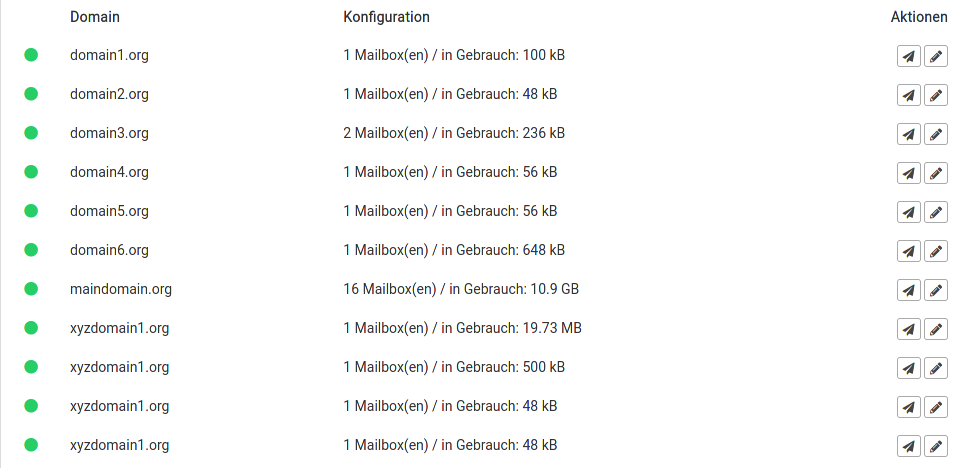
Is it possible to add a reverse view of the created email aliases to each individual domain and show them in the summary and detail list?
I know: it is a second wish
Show the sum of aliases in the overview. e.g. 1 mailbox(es) / 4 aliases / usage 500 kb -
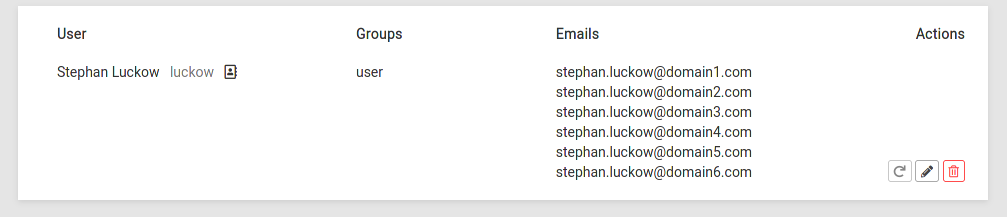
I had a similar wish a few minutes ago, figuring out how many domains a user is receiving emails for.


Hello! It looks like you're interested in this conversation, but you don't have an account yet.
Getting fed up of having to scroll through the same posts each visit? When you register for an account, you'll always come back to exactly where you were before, and choose to be notified of new replies (either via email, or push notification). You'll also be able to save bookmarks and upvote posts to show your appreciation to other community members.
With your input, this post could be even better 💗
Register Login