
Can't backup/update Minio
-
Fore some reason it is not possible to backup Minio app to another Minio app.
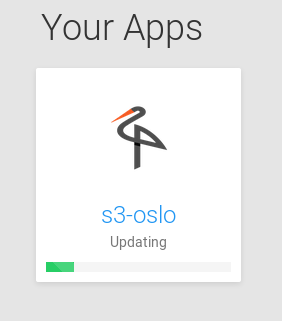
The backup/update process starts then stalls and eventually, after 4 hours, it crashes and spits out the error message below.(Hovering hover this app tells me that it is making a backup.)
Jun 13 11:44:23 node[23567]: box:backups runBackupTask: backup task taking too long. killing
Jun 13 11:44:23  node[23567]: box:shell backup-snapshot/app_928befdc-82c6-4f1e-8947-6bb3424be216 code: EPERM, signal: undefined
Jun 13 11:44:23  node[23567]: box:progress backup: 100 Backuptask crashed
Jun 13 11:44:23  node[23567]: box:apptask s3.app error backing up app: BackupsError: Backuptask crashed
Jun 13 11:44:23  node[23567]: box:apptask s3.app updating app with values: {"installationState":"installed","installationProgress":"Backuptask crashed"}
Jun 13 11:44:24  node[23567]: box:apptask Apptask completed with error { BackupsError: Backuptask crashed
Jun 13 11:44:24  node[23567]:     at /home/yellowtent/box/src/backups.js:487:29
Jun 13 11:44:24  node[23567]:     at f (/home/yellowtent/box/node_modules/once/once.js:25:25)
Jun 13 11:44:24  node[23567]:     at ChildProcess.<anonymous> (/home/yellowtent/box/src/shell.js:69:9)
Jun 13 11:44:24  node[23567]:     at emitOne (events.js:116:13)
Jun 13 11:44:24  node[23567]:     at ChildProcess.emit (events.js:211:7)
Jun 13 11:44:24  node[23567]:     at ChildProcess.kill (internal/child_process.js:395:12)
Jun 13 11:44:24  node[23567]:     at Timeout.<anonymous> (/home/yellowtent/box/src/backups.js:503:12)
Jun 13 11:44:24  node[23567]:     at ontimeout (timers.js:475:11)
Jun 13 11:44:24  node[23567]:     at tryOnTimeout (timers.js:310:5)
Jun 13 11:44:24  node[23567]:     at Timer.listOnTimeout (timers.js:270:5)
Jun 13 11:44:24  node[23567]:   name: 'BackupsError',
Jun 13 11:44:24  node[23567]:   reason: 'internal error',
Jun 13 11:44:24  node[23567]:   message: 'Backuptask crashed' }
Jun 13 11:44:24  node[23567]: box:apptask Apptask completed for 928befdc-82c6-4f1e-8947-6bb3424be216
Jun 13 11:44:24  node[23567]: box:taskmanager Task for 928befdc-82c6-4f1e-8947-6bb3424be216 pid 27623 completed with status 50
Even if I change backup to local filesystem the Minio app won't be backed up nor updated.
I started an update yesterday at ~1245 and today at 07:30 it is still "updating".How can I debug this? Which logs should I parse? How do I stop a backup job?
Error message from daily backups when Minio daily backups are enabled
{ stack: 'BackupsError: Backuptask crashed\n at /home/yellowtent/box/src/backups.js:487:29\n at f (/home/yellowtent/box/node_modules/once/once.js:25:25)\n at ChildProcess.<anonymous> (/home/yellowtent/box/src/shell.js:64:9)\n at emitTwo (events.js:126:13)\n at ChildProcess.emit (events.js:214:7)\n at Process.ChildProcess._handle.onexit (internal/child_process.js:198:12)', name: 'BackupsError', reason: 'internal error', message: 'Backuptask crashed' } -
When the filsystem backup finally gave up it exited with this error message
Jun 14 11:48:42 node[23567]: box:backups runBackupTask: backup task taking too long. killing Jun 14 11:48:42 node[23567]: box:shell backup-snapshot/app_928befdc-82c6-4f1e-8947-6bb3424be216 code: EPERM, signal: undefined Jun 14 11:48:42 node[23567]: box:progress backup: 100 Backuptask crashed Jun 14 11:48:42 node[23567]: box:apptask s3-oslo.uib.cloud update aborted because backup failed { BackupsError: Backuptask crashed Jun 14 11:48:42 node[23567]: at /home/yellowtent/box/src/backups.js:487:29 Jun 14 11:48:42 node[23567]: at f (/home/yellowtent/box/node_modules/once/once.js:25:25) Jun 14 11:48:42 node[23567]: at ChildProcess.<anonymous> (/home/yellowtent/box/src/shell.js:69:9) Jun 14 11:48:42 node[23567]: at emitOne (events.js:116:13) Jun 14 11:48:42 node[23567]: at ChildProcess.emit (events.js:211:7) Jun 14 11:48:42 node[23567]: at ChildProcess.kill (internal/child_process.js:395:12) Jun 14 11:48:42 node[23567]: at Timeout.<anonymous> (/home/yellowtent/box/src/backups.js:503:12) Jun 14 11:48:42 node[23567]: at ontimeout (timers.js:475:11) Jun 14 11:48:42 node[23567]: at tryOnTimeout (timers.js:310:5) Jun 14 11:48:42 node[23567]: at Timer.listOnTimeout (timers.js:270:5) Jun 14 11:48:42 node[23567]: name: 'BackupsError', Jun 14 11:48:42 node[23567]: reason: 'internal error', Jun 14 11:48:42 node[23567]: message: 'Backuptask crashed', Jun 14 11:48:42 node[23567]: backupError: true } Jun 14 11:48:42 node[23567]: box:apptask s3-oslo updating app with values: {"installationState":"installed","installationProgress":"","health":null,"updateConfig":null} Jun 14 11:48:43 node[23567]: box:apptask Apptask completed with error { BackupsError: Backuptask crashed Jun 14 11:48:43 node[23567]: at /home/yellowtent/box/src/backups.js:487:29 Jun 14 11:48:43 node[23567]: at f (/home/yellowtent/box/node_modules/once/once.js:25:25) Jun 14 11:48:43 node[23567]: at ChildProcess.<anonymous> (/home/yellowtent/box/src/shell.js:69:9) Jun 14 11:48:43 node[23567]: at emitOne (events.js:116:13) Jun 14 11:48:43 node[23567]: at ChildProcess.emit (events.js:211:7) Jun 14 11:48:43 node[23567]: at ChildProcess.kill (internal/child_process.js:395:12) Jun 14 11:48:43 node[23567]: at Timeout.<anonymous> (/home/yellowtent/box/src/backups.js:503:12) Jun 14 11:48:43 node[23567]: at ontimeout (timers.js:475:11) Jun 14 11:48:43 node[23567]: at tryOnTimeout (timers.js:310:5) Jun 14 11:48:43 node[23567]: at Timer.listOnTimeout (timers.js:270:5) Jun 14 11:48:43 node[23567]: name: 'BackupsError', Jun 14 11:48:43 node[23567]: reason: 'internal error', Jun 14 11:48:43 node[23567]: message: 'Backuptask crashed', Jun 14 11:48:43 node[23567]: backupError: true } Jun 14 11:48:43 node[23567]: box:apptask Apptask completed for 928befdc-82c6-4f1e-8947-6bb3424be216 Jun 14 11:48:43 node[23567]: box:taskmanager Task for 928befdc-82c6-4f1e-8947-6bb3424be216 pid 1331 completed with status 50 -
-
-



Hello! It looks like you're interested in this conversation, but you don't have an account yet.
Getting fed up of having to scroll through the same posts each visit? When you register for an account, you'll always come back to exactly where you were before, and choose to be notified of new replies (either via email, or push notification). You'll also be able to save bookmarks and upvote posts to show your appreciation to other community members.
With your input, this post could be even better 💗
Register Login