
Make "<- Back to My Apps" respect previous search based filters (not just the drop-downs)
-
Quite often I do something like e.g. search for a particular type of app, e.g. if I want to find all the instances of Element I'll type
eleinto the search box: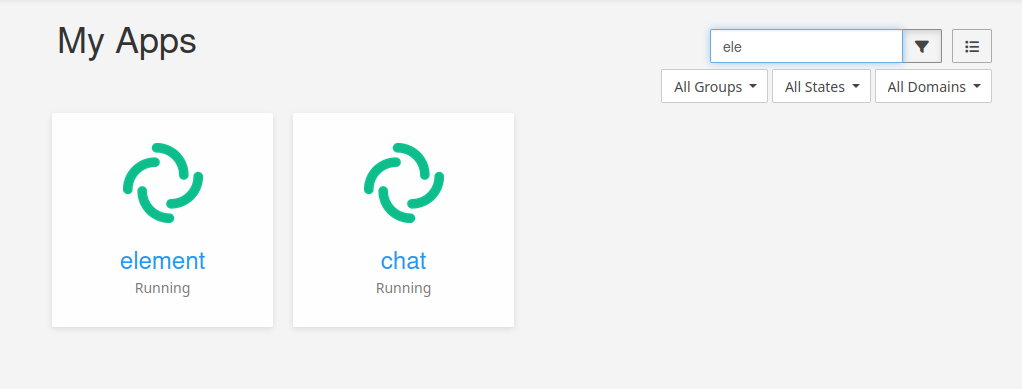
Then I'll click the little cog on one of the instances go into the settings of the app:
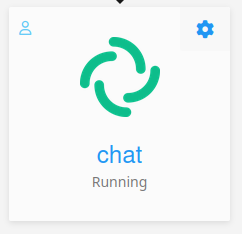
And then once I've done what I wanted to do or look at there, I'll hit the
<- Back to My Appslink top left:
I want to take me back here:
Not to my full unfiltered dashboard.
This is actually how it already works if you've filtered by the drown-down groups, states or domain filters, but not for search. It should work for search filtering too.
Thanks!

-
-
Agreed, this has been a long time nuisance and an easy fix.
Similarly for the logs/stats pages not linking to the settings of apps but to the FQDN only. Useless.
@robi said in Make "<- Back to My App" respect previous search based filters (not just the drop-downs):
Similarly for the logs/stats pages not linking to the settings of apps but to the FQDN only. Useless.
Which logs/stats pages are you referring to?
-
@robi said in Make "<- Back to My App" respect previous search based filters (not just the drop-downs):
Similarly for the logs/stats pages not linking to the settings of apps but to the FQDN only. Useless.
Which logs/stats pages are you referring to?
@jdaviescoates think backups, storage, notifications tab, etc.
-
@staff I was about to request this again but for 9.x series where this issues appears to have gotten worse. Now even the drop down filters can't be returned to either. I slightly miss the breadcrumbs, but don't mind just clicking on My Apps, or perhaps better hitting my browser back, but when I e.g. filter for "Update available" and then hit back, it's no longer filtered by "Update available" and I need to select the filter again. Mildly annoying.
Also, filters don't appear to be shown at all on mobile - is that intentional?
-
-
-
 N nebulon marked this topic as a question on
-
N nebulon has marked this topic as solved on
-
This will be fixed with next release. The filters will be stashed in the URL query, thus when using browser history navigation (like going back from apps configure view) the filters will persist.
@nebulon it's better than it was, but still not as good as it used to be pre v9.
I'm in the middle of a server migration. For some reason one of my Volumes on the new server didn't mount properly and so all the apps that were using it weren't running. I filtered by Not responding. Clicked on configure on one. Then repair. That worked. Now I want to get back to the list of Not responding apps. If I click on My Apps they are no longer filtered. I can click the browser Back button, but I have to click it twice (more if I've looked elsewhere in the app config) to get back to where I was. I used to just be able to click on <- Back to My Apps and go immediately there. That was easier and better. The only downside was it only worked for the drop-down filters. Hitting the back button multiple times on 9.1 works with search based filters which is good, but I still want to be able to get back there with one click (and tbh to not have to use the browser back button too).
-
 J jdaviescoates marked this topic as a regular topic on


Hello! It looks like you're interested in this conversation, but you don't have an account yet.
Getting fed up of having to scroll through the same posts each visit? When you register for an account, you'll always come back to exactly where you were before, and choose to be notified of new replies (either via email, or push notification). You'll also be able to save bookmarks and upvote posts to show your appreciation to other community members.
With your input, this post could be even better 💗
Register Login