
Cloudron 9.0 (beta) bug reports
-
Hi all! Congrats on v9!
One bug I discovered so far - Backup Sites is completely missing from Backups -> Sites and only displays the latest System backups?
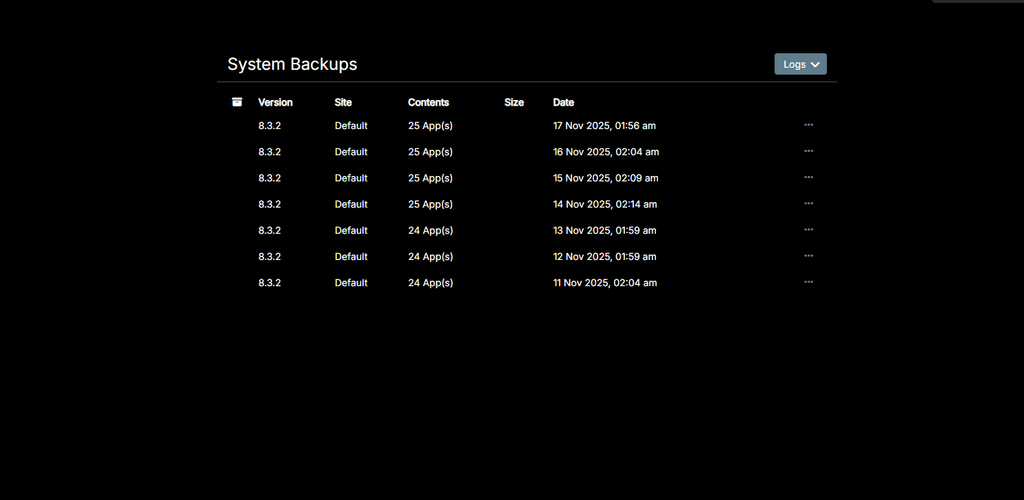
Update: I can briefly see 'Backup Sites' if I refresh the page quickly, however it disappears and only displays the above screenshot.
Browser console issue;
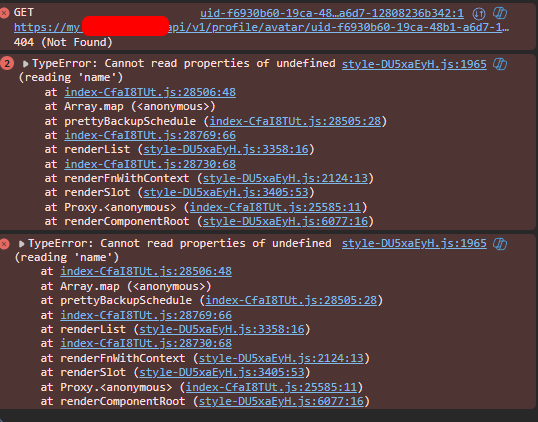
-
Update: I can briefly see 'Backup Sites' if I refresh the page quickly, however it disappears and only displays the above screenshot.
Browser console issue;
-
@dylightful are you on 9.0.10 ? I thought we fixed this bug.
Can you give the output of
mysql -uroot -ppassword -e "select schedule from box.backupSites"(run this on server via ssh, please).@girish said in Cloudron 9.0 (beta) bug reports:
mysql -uroot -ppassword -e "select schedule from box.backupSites"
Yep version 9.0.10;
Command response below. Interestingly the backup looks to have been successful, however I still cannot see the 'Backup Sites' section of backupsroot@my:~# mysql -uroot -ppassword -e "select schedule from box.backupSites" mysql: [Warning] Using a password on the command line interface can be insecure. +--------------+ | schedule | +--------------+ | 00 00 * * * | +--------------+ -
@girish said in Cloudron 9.0 (beta) bug reports:
mysql -uroot -ppassword -e "select schedule from box.backupSites"
Yep version 9.0.10;
Command response below. Interestingly the backup looks to have been successful, however I still cannot see the 'Backup Sites' section of backupsroot@my:~# mysql -uroot -ppassword -e "select schedule from box.backupSites" mysql: [Warning] Using a password on the command line interface can be insecure. +--------------+ | schedule | +--------------+ | 00 00 * * * | +--------------+@dylightful thanks! fixed in https://git.cloudron.io/platform/box/-/commit/c5f97e8bb0368e515027a33721c3b4002de54ff6 . Yes, it's a UI issue and not a backend problems. The UI had a bug parsing that cron schedule (not sure why it has a double space but maybe there was a bug in some old UI).
-
@dylightful thanks! fixed in https://git.cloudron.io/platform/box/-/commit/c5f97e8bb0368e515027a33721c3b4002de54ff6 . Yes, it's a UI issue and not a backend problems. The UI had a bug parsing that cron schedule (not sure why it has a double space but maybe there was a bug in some old UI).
@girish Thank you! Looking forward to the next update!
-
GUI bug?
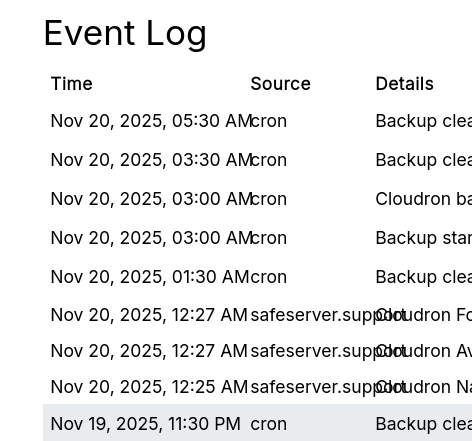
Event list in Email > Event Log: there is a list of email events but you can't scroll down to older events because somehow it has no focus on mouse over (MacOS -Safari). Only when you open an Event and close it you can scroll down the list.
-
In System > Eventlog the OIDC app logins showing this:
User ***** logged in to 8a60ee4d-7e33-4199-ab15-*****-oidcAny idea which app this is

 ?
?It would be useful to have the app name here I guess?
-
Hello @imc67
You can actually take the id or part of the ID and search for it in the dashboard.
Here: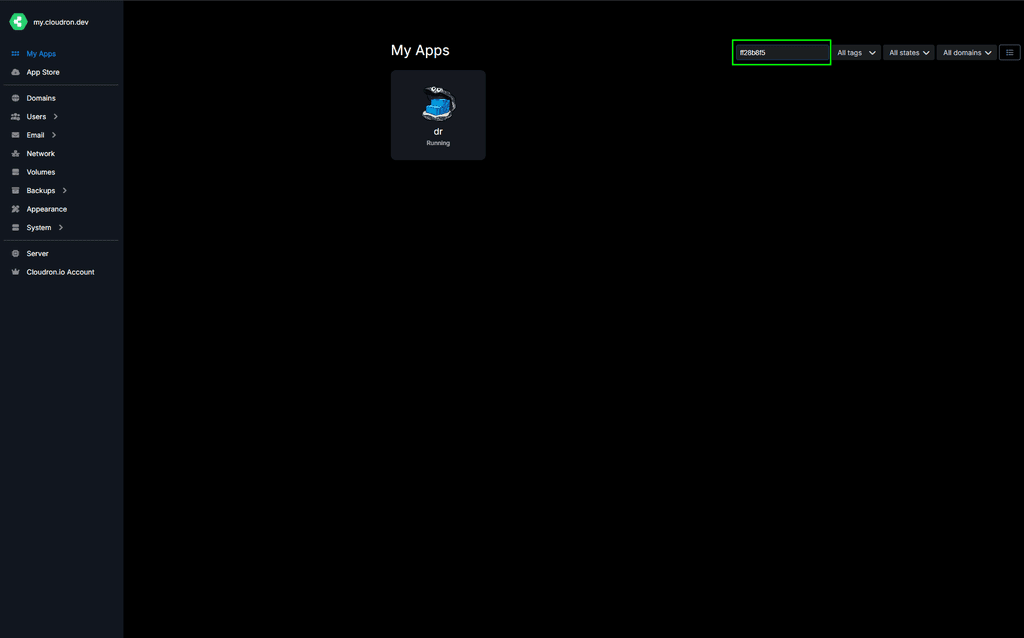
@james said in Cloudron 9.0 (beta) bug reports:
Hello @imc67
You can actually take the id or part of the ID and search for it in the dashboard.
Here:Yes ofcourse I know but for every login of the 30 users to one of the 35 apps (ID) check to corresponding name is ridiculous
In version 8 it like this:
User **** logged in to crm.****.com -
GUI bug?
In the app's Filemanager the 3 dots (menu) on file are hardly visible (MacOS+Safari)
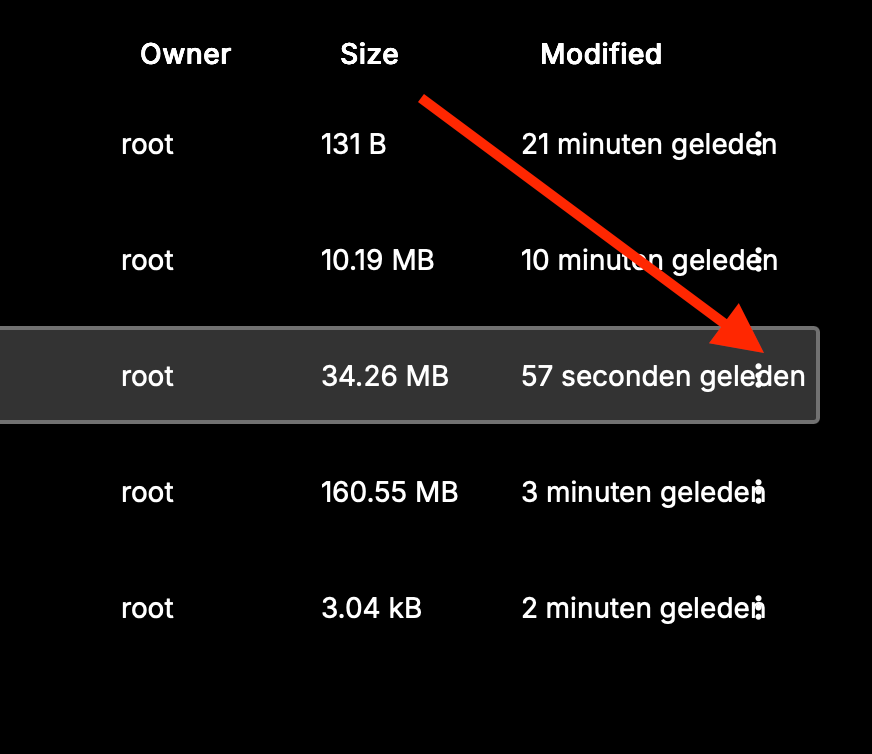 Schermafbeelding 2025-11-20 om 13.00.18
said in Cloudron 9.0 (beta) bug reports:
GUI bug?
In the app's Filemanager the 3 dots (menu) on file are hardly visible (MacOS+Safari)
Schermafbeelding 2025-11-20 om 13.00.18 -
Bug?
In System > Services > nginx > logsAll the logs start with:
Nov 21 01:00:00 *** Nov 21 01:00:00 *** -
haha. same same but different
[no timestamp] 89.xxx.xxx.xxx - - [21/Nov/2025:11:09:52 +0100] "GET /assets/...." [no timestamp] 89.xxx.xxx.xxx - - [21/Nov/2025:11:09:52 +0100] "GET /assets/...." [no timestamp] 89.xxx.xxx.xxx - - [21/Nov/2025:11:09:52 +0100] "GET /api/v1/...." [no timestamp] -
I think I might have found another bug. I am running version 9.0.11.
Let's say you install a new app on "test.example.tld", let it be WordPress Managed. You noticed you installed the wrong app, then your uninstall it. Then you need to install LAMP on the same domain.
After a few minutes working on your new LAMP project, you realize the connection is not working anymore. You check for DNS, seeing that the DNS record (A/AAAA) has been removed.
How can I debug this?






Hello! It looks like you're interested in this conversation, but you don't have an account yet.
Getting fed up of having to scroll through the same posts each visit? When you register for an account, you'll always come back to exactly where you were before, and choose to be notified of new replies (either via email, or push notification). You'll also be able to save bookmarks and upvote posts to show your appreciation to other community members.
With your input, this post could be even better 💗
Register Login