
Manual update openid-connect-generic to 3.10.1: Login with Cloudron button gone
-
I did a manual plugin update of openid-connect-generic to 3.10.1 within a Wordpress (developer) website and the result was that the Login with Cloudron button was gone!
Do we have to wait for the app update to fix something?
For now I restored the latest backup and wait with manual updates.
-
-
Been having this same issue. It seems like WordPress app package was updated with the new plugin version, but the Plugin list didn't update so I figured it'd be okay to update it manually now that the new image was used, however it still seemed to break where the Cloudron SSO was showing as unable to be used since it's dependency was inactive or removed.
I disabled the OIDC plugin and Cloudron SSO in the hopes of sort of re-triggering its usage but it just fails to load the Cloudron SSO now all together. I noticed the folder name changed for the openid-connect plugin, in case that is part of the root cause. It used to be named
openid-connect-generic(which is what Cloudron SSO is referring to still), and now it'sdaggerhart-openid-connect-generic. So I suppose the Cloudron SSO just needs to be pointing todaggerhart-openid-connect-genericinstead now?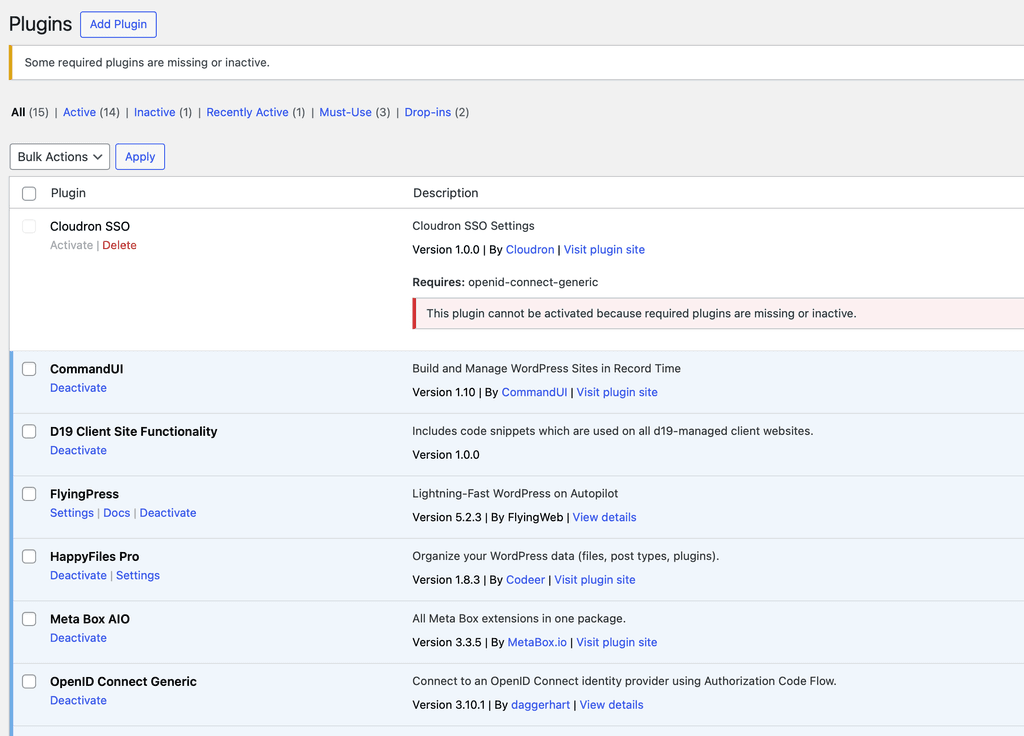
-
Update: I think the theory on the plugin name change was the right area.
In the Cloudron SSO plugin, I changed this line (line 27 in cloudron-sso.php):
* Requires Plugins: openid-connect-genericto be this instead...
* Requires Plugins: daggerhart-openid-connect-genericThen I was able to enable the Cloudron SSO plugin and this resolved the issue, I was able to login again via SSO.
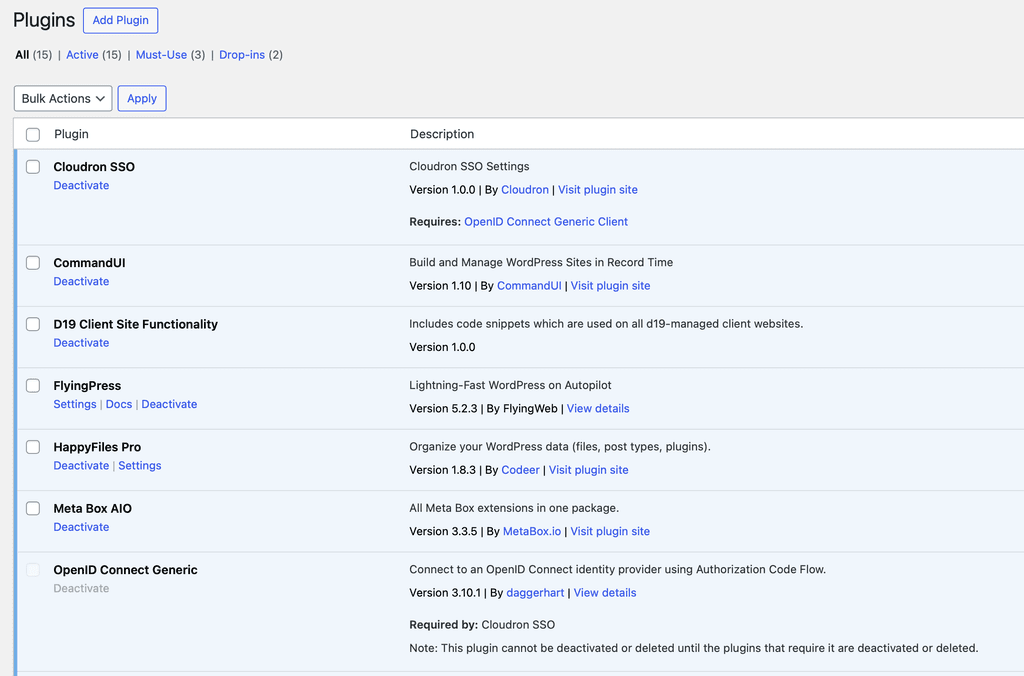
Tagging @girish for visibility.
-
-
-
-
 J james referenced this topic on




Hello! It looks like you're interested in this conversation, but you don't have an account yet.
Getting fed up of having to scroll through the same posts each visit? When you register for an account, you'll always come back to exactly where you were before, and choose to be notified of new replies (either via email, or push notification). You'll also be able to save bookmarks and upvote posts to show your appreciation to other community members.
With your input, this post could be even better 💗
Register Login