
Cloudron Event Log Time and Source columns overlap, blocking first few characters in the Source column from being legible
-
In Cloudron 9.1.5 on the Event Log page, there is an issue with the Time column overlapping with the Source column, per the screenshot below:
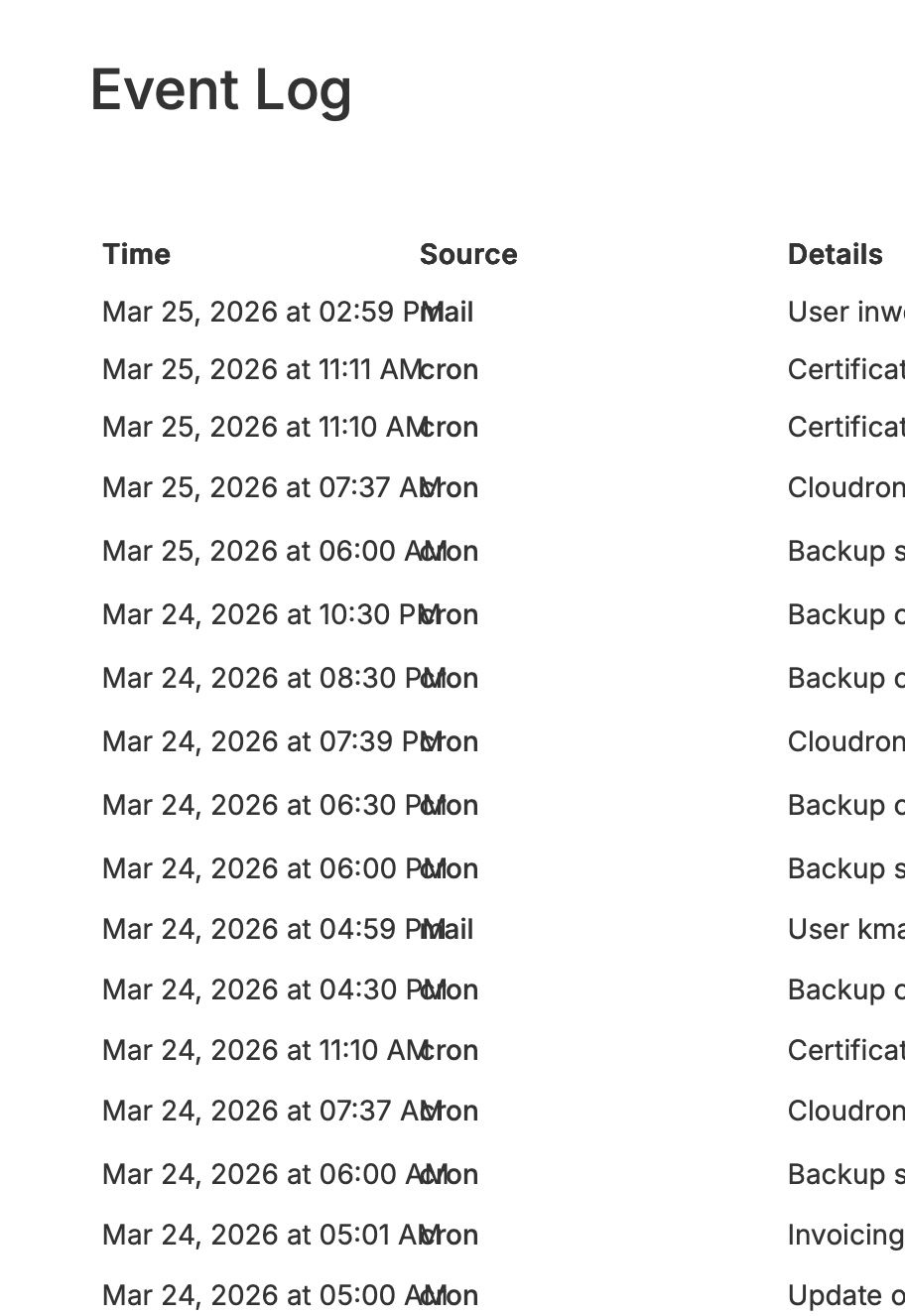
I thought this was fixed previously or reported previously but I couldn't seem to find this report yet (forgive me if this is a duplicate).
In the browser, I did something like this to fix it, hopefully this can be included in the next patch:
Instead of
<th data-v-cbe2d74a="" style="width: 160px;">Time</th>, I changed the width to190pxlike this:<th data-v-cbe2d74a="" style="width: 190px;">Time</th>which seemed to resolve it per the screenshot below:
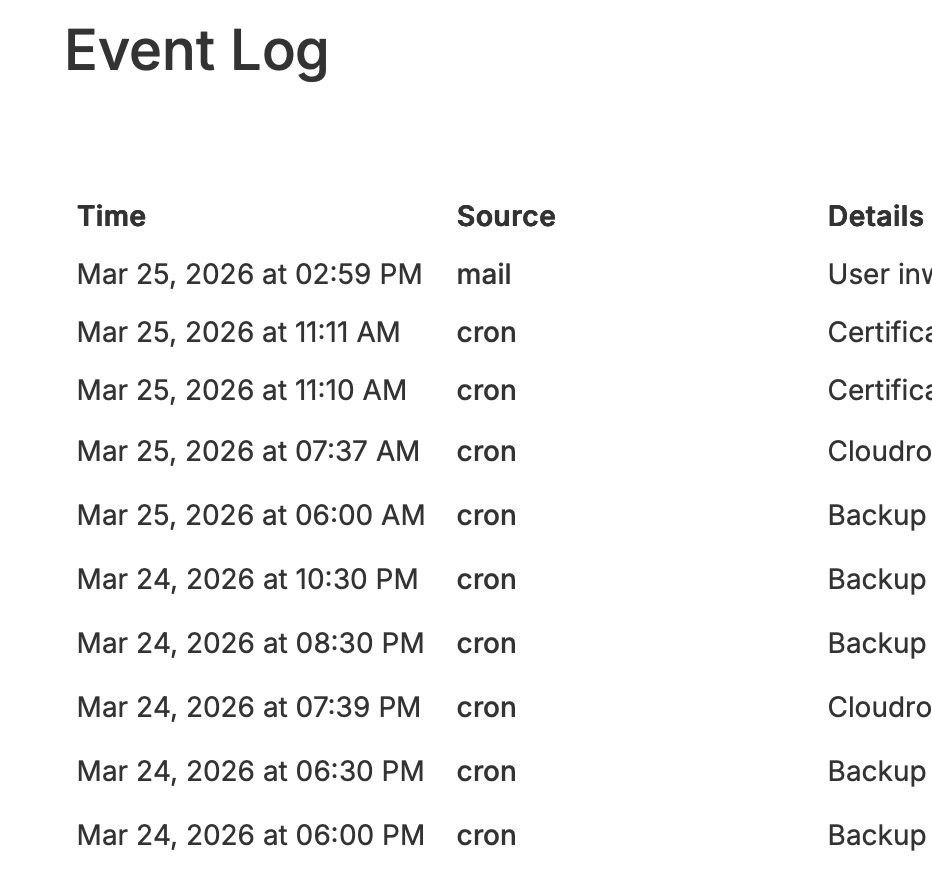
There's probably some different values that might work better, but that should at least resolve the issue where they overlap.
This was observed using Safari on macOS (26.4) by the way on a widescreen monitor, in case that helps too.

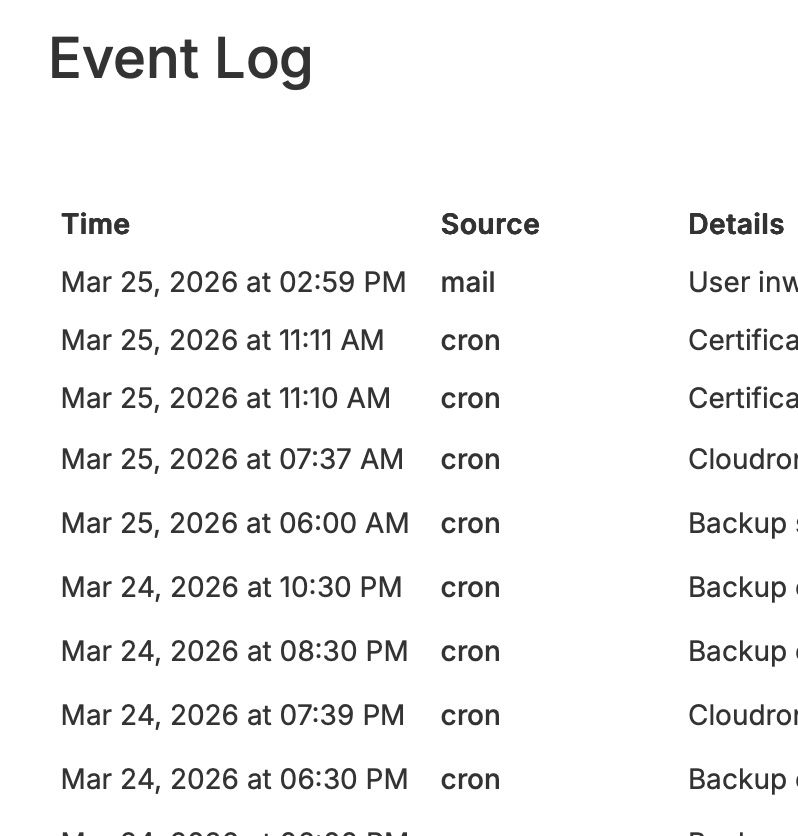
Personally, I also liked the view if I changed the following from 15% to 10% (
<th data-v-cbe2d74a="" style="width: 10%;">Source</th>) as it brought in the Details column so more details could be seen in a single line (not sure if this will work on mobile or tablets though). Just seemed like there was a ton of white space between Source and Description columns to me. Maybe a minor improvement that can be made at the same time.
-
 N nebulon has marked this topic as solved on

Hello! It looks like you're interested in this conversation, but you don't have an account yet.
Getting fed up of having to scroll through the same posts each visit? When you register for an account, you'll always come back to exactly where you were before, and choose to be notified of new replies (either via email, or push notification). You'll also be able to save bookmarks and upvote posts to show your appreciation to other community members.
With your input, this post could be even better 💗
Register Login