
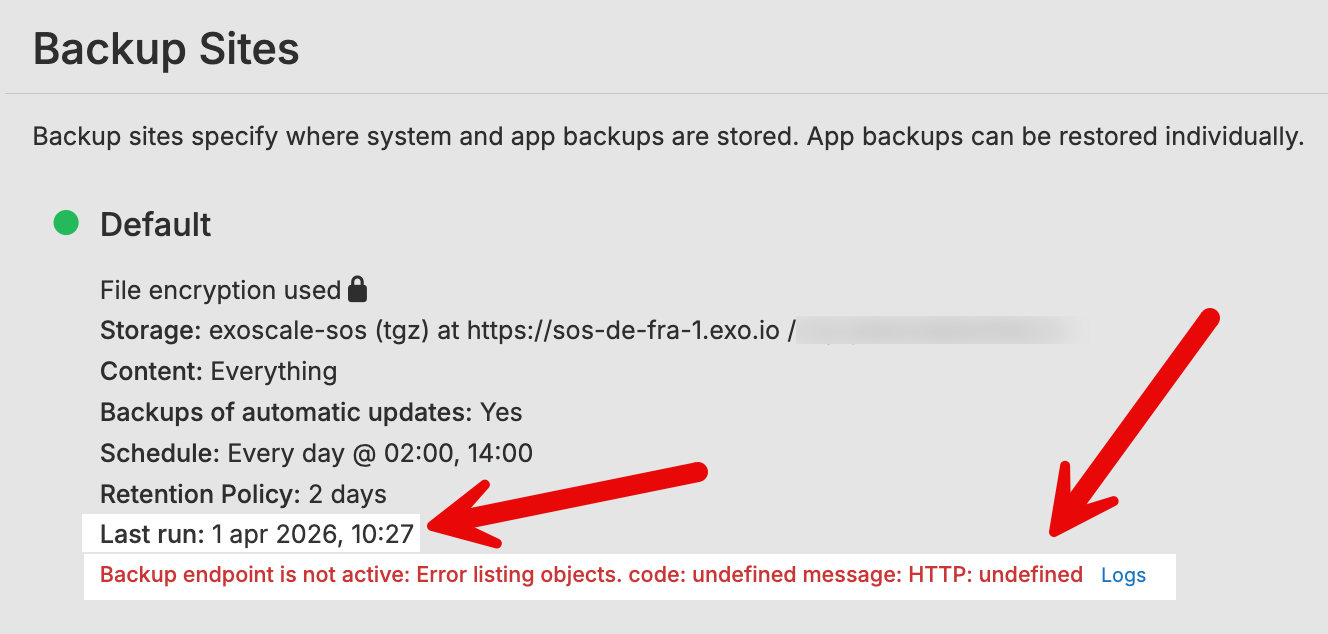
[BUG?] Backup error: Backup endpoint is not active: Error listing objects. code: undefined message: HTTP: undefined
-
Hi all,
I’m on Cloudron 9.1.5, Ubuntu 24.04.4 LTS Linux 6.8.0-106-generic
Last day Exo scale service had problems.
Now service seems to work again, but I still have this error:
Backup endpoint is not active: Error listing objects. code: undefined message: HTTP: undefined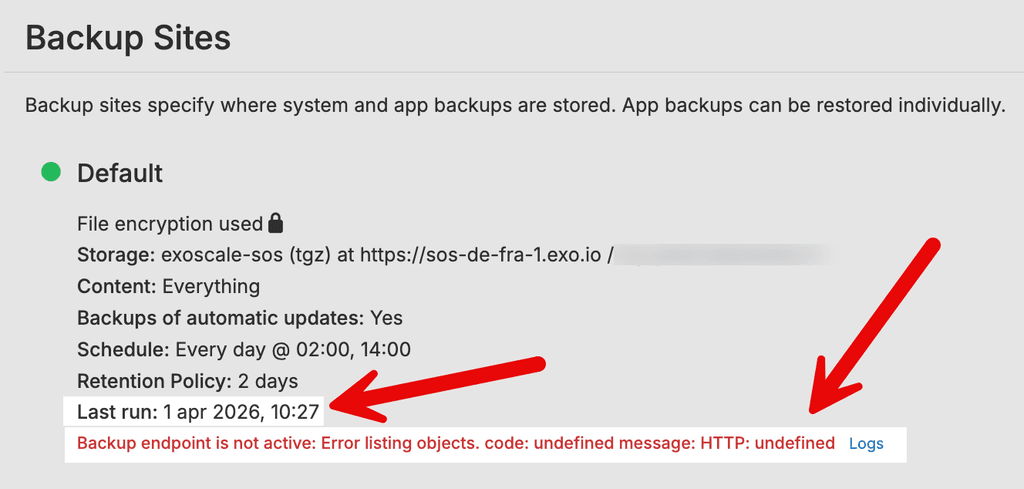
This is part of the log:
Apr 01 10:50:51 efined message: HTTP: undefined","reason":"External Error"},"percent":100}
Apr 01 10:50:51 tasks: updating task 17741 with: {"completed":true,"result":null,"error":{"message":"Backup endpoint is not active: Error listing objects. code: undefined message: HTTP: undefined","reason":"External Error"},"percent":100}
I rebooted Cloudron instance, I restarted box, I cleaned up backups (and it worked), but problem still there.
Last run date and time is updated, but backup it was not done.
I saw that @girish fixed a similar bug on 9.0 beta, maybe something similar need to be fixed?
Thanks a lot
-
Given that you get a remote error with the S3 endpoint, this very much looks like that the service is either not fully fixed or they are still in the process of applying fixes across their infra. Listing S3 objects seems pretty basic.
I would suggest to give them a bit more time.
-
Worth verifying directly whether the issue is on Exoscale's end or something in the Cloudron configuration. The "code: undefined message: HTTP: undefined" error pattern specifically means the HTTP request to S3 is not completing at all - it's not getting a 4xx/5xx response from the server, it's getting no response or a connection-level failure.
A quick test from the Cloudron host itself would help clarify. Install s3cmd and test bucket listing directly:
s3cmd --host=sos-ch-gva-2.exo.io --host-bucket="%(bucket)s.sos-ch-gva-2.exo.io" ls s3://<your-bucket>/If that also fails with a connection error, it confirms the issue is network-level between your Cloudron server and the Exoscale endpoint. Possible causes:
- DNS resolution failure for the S3 endpoint hostname
- A firewall change on your host or at Exoscale
- Their S3 service still not fully recovered in your region
Check if the hostname resolves: dig sos-ch-gva-2.exo.io
And test basic TCP connectivity: nc -zv sos-ch-gva-2.exo.io 443
If both resolve and connect fine, the problem is likely still at the API level on Exoscale's side. In that case, triggering a manual backup from the Cloudron dashboard and watching the logs in real-time will give you the full error chain: journalctl -fu box.service
If you need backups running today and Exoscale isn't cooperating, you can temporarily point the backup endpoint at a different S3-compatible service (Backblaze B2, Wasabi, etc.) to confirm your Cloudron setup itself is fine. That also rules out whether the issue is specifically with Exoscale or something in the Cloudron backup configuration.
-
@riankellyit thanks a lot for your advices, I’ll go to try to better understand, but actually problem seems to be resolved, so as @nebulon, problem seems to be S3 side. Thanks again for your patience and efforts.
-
 N nebulon has marked this topic as solved on
Hello! It looks like you're interested in this conversation, but you don't have an account yet.
Getting fed up of having to scroll through the same posts each visit? When you register for an account, you'll always come back to exactly where you were before, and choose to be notified of new replies (either via email, or push notification). You'll also be able to save bookmarks and upvote posts to show your appreciation to other community members.
With your input, this post could be even better 💗
Register Login