
Cloudron makes it easy to run web apps like WordPress, Nextcloud, GitLab on your server. Find out more or install now.


Skip to content
  • Categories
  • Recent
  • Tags
  • Popular
  • Bookmarks
  • Search
Skins
  • Light
  • Brite
  • Cerulean
  • Cosmo
  • Flatly
  • Journal
  • Litera
  • Lumen
  • Lux
  • Materia
  • Minty
  • Morph
  • Pulse
  • Sandstone
  • Simplex
  • Sketchy
  • Spacelab
  • United
  • Yeti
  • Zephyr
  • Dark
  • Cyborg
  • Darkly
  • Quartz
  • Slate
  • Solar
  • Superhero
  • Vapor

  • Default (No Skin)
  • No Skin
Collapse
Brand Logo

Cloudron Forum

Apps - Status | Demo | Docs | Install
  1. Cloudron Forum
  2. Dolibarr
  3. tcpdf error permission denied cuz invoice job create folder with root permission instead of www-data
tcpdf error permission denied cuz invoice job create folder with root permission instead of www-data

Scheduled Pinned Locked Moved Dolibarr
11 Posts 4 Posters 327 Views 4 Watching
  • Oldest to Newest
  • Newest to Oldest
  • Most Votes
Reply
  • Reply as topic
Log in to reply
This topic has been deleted. Only users with topic management privileges can see it.
  • C Crush33

    hi

    similar to this : https://forum.cloudron.io/topic/14965/which-user-for-cron-task/8

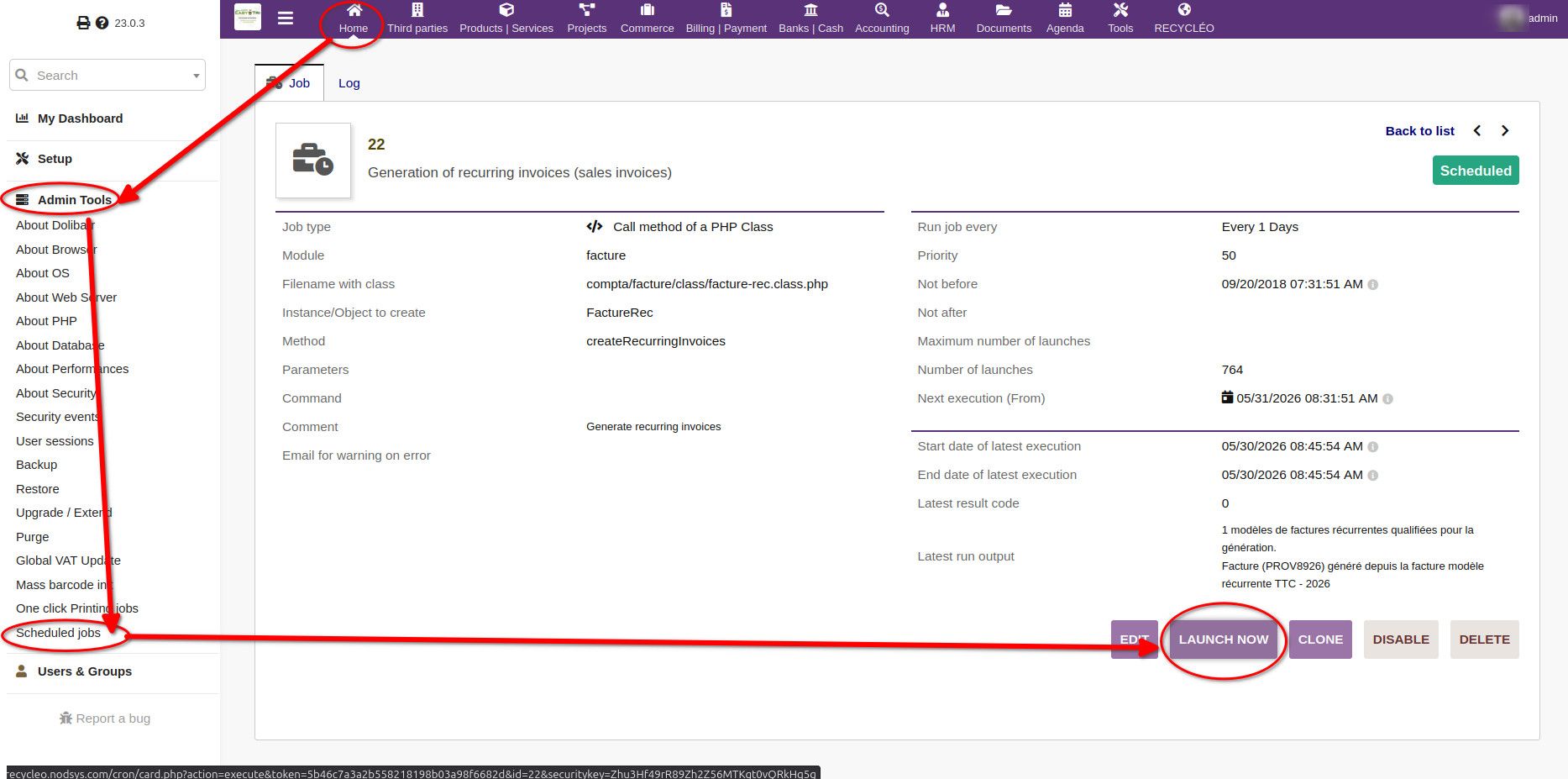
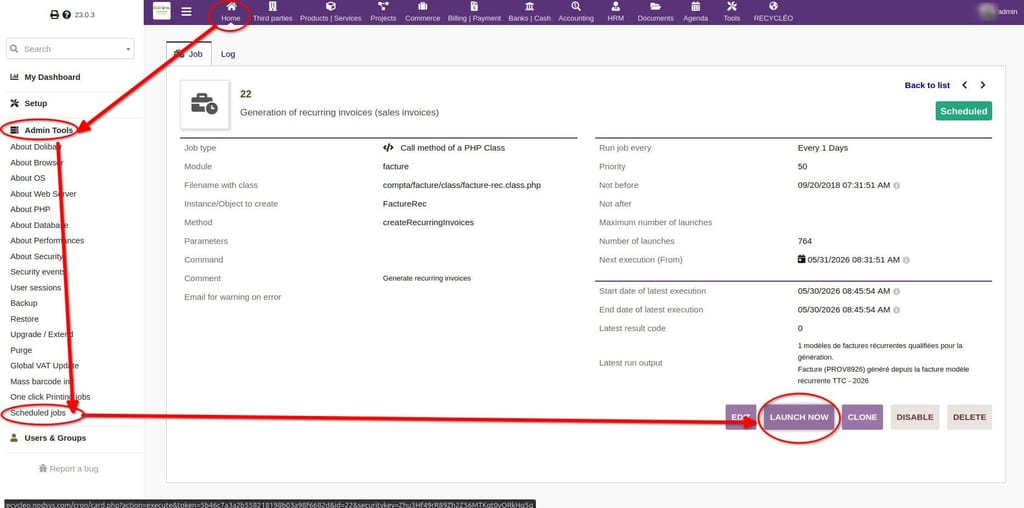
    when I click 'launch now' the job runs and create invoices...
    c7a1a45f-b670-4f66-9673-fd71d4b14961-image.jpeg

    ... but the folder generated are root-owned.
    Then I got an error when I go to the invoice page and try to generate the PDF.
    To fix I need to change the owner of the folder from root to www-data.

    jamesJ Offline
    jamesJ Offline
    james
    Staff
    wrote on last edited by
    #2

    Hello @crush33

    @Crush33 said:

    but the folder generated are root-owned

    What folder exactly? Can you give more details so we can reproduce this faster?

    1 Reply Last reply
    1
    • C Offline
      C Offline
      Crush33
      wrote on last edited by
      #3

      folder dolibarr / facture / (PROVXXXX) for example
      this folder is created when invoice is created and contain the generated PDF

      1 Reply Last reply
      0
      • jamesJ Offline
        jamesJ Offline
        james
        Staff
        wrote on last edited by
        #4

        Hello @crush33
        This should have been fixed.
        Are you using the latest version of the Dolibarr app?

        1 Reply Last reply
        1
        • C Offline
          C Offline
          Crush33
          wrote on last edited by
          #5

          yep, on multiple instances.
          Note that I do NOT use cron, I manually click on the button to generate my invoices each month.

          1 Reply Last reply
          1
          • jamesJ Offline
            jamesJ Offline
            james
            Staff
            wrote on last edited by
            #6

            Hello @crush33
            Thanks for the details.

            1 Reply Last reply
            1
            • C Offline
              C Offline
              Crush33
              wrote last edited by
              #7

              hi, any update here ? thanks for your help

              1 Reply Last reply
              0
              • jamesJ Offline
                jamesJ Offline
                james
                Staff
                wrote last edited by
                #8

                Hello @Crush33
                Sorry for the delay.
                I will look into it.

                1 Reply Last reply
                0
                • nebulonN Offline
                  nebulonN Offline
                  nebulon
                  Staff
                  wrote last edited by nebulon
                  #9

                  I was trying to reproduce this on a fresh instance, but I don't seem to even have this menu entry for Scheduled Jobs in the Admin Tools. Are you using any 3rdparty module in dolibarr?

                  Edit: found the module to enable, it is just called "Scheduled Jobs" however running the invoices job does not create any folders here to verify. If you have any more detailed description how to setup such an invoice for manual cron creation, to reproduce the problem, this would help much.

                  1 Reply Last reply
                  1
                  • M Offline
                    M Offline
                    Matth33
                    wrote last edited by
                    #10

                    i'm OP, lost my "crush" account...

                    To produce an invoice you must :

                    1. go to invoice
                    2. create a new one, put some lines of product / service in it
                    3. convert the draft in "template" it's a button down the page next to "validate" / "clone" / "delete", then it will show a new page where you can set up the recurring feature (period, start date, number of iteration etc.). Put daytime minus 1 day to be sure the system see it as "to generate"
                    4. Next go to schedule jobs module then run it, it will see the template you setup earlier as eligible for invoice creation.
                    5. invoice should be created and the folder in /dolibarr/facture/<PROVXXX> should appear with root permission on it
                    1 Reply Last reply
                    0
                    • jamesJ Offline
                      jamesJ Offline
                      james
                      Staff
                      wrote last edited by
                      #11

                      Hello @matth33
                      We can help you recover your original account.
                      If you send me your mail address that you also use for your Cloudron.io account, I can set that mail in your old account.
                      Then you can use Log in with Cloudron.io to access your account.

                      1 Reply Last reply
                      0

                      Hello! It looks like you're interested in this conversation, but you don't have an account yet.

                      Getting fed up of having to scroll through the same posts each visit? When you register for an account, you'll always come back to exactly where you were before, and choose to be notified of new replies (either via email, or push notification). You'll also be able to save bookmarks and upvote posts to show your appreciation to other community members.

                      With your input, this post could be even better 💗

                      Register Login
                      Reply
                      • Reply as topic
                      Log in to reply
                      • Oldest to Newest
                      • Newest to Oldest
                      • Most Votes


                      • Login

                      • Don't have an account? Register

                      • Login or register to search.
                      • First post
                        Last post
                      0
                      • Categories
                      • Recent
                      • Tags
                      • Popular
                      • Bookmarks
                      • Search

