
-
Hello,
I was wondering if git is available to the lamp app for deploying web projects? I use drupal and WP for various projects, and being able to deploy the code directly from a git hosting service and then run composer install to get any dependencies would be much more inline with the method I currently.
Thanks,
Jeremy
-
@jdelon02 Currently, you can only upload via SFTP. We are working on git support for the next release. Please see my comment at https://forum.cloudron.io/topic/1948/using-mongodb-instead-of-mysql-in-a-lamp-app
@girish I coulda sworn I was able to
git clone blahblahin LAMP, is that not possible anymore...?Edit: Yeah, it works for me?
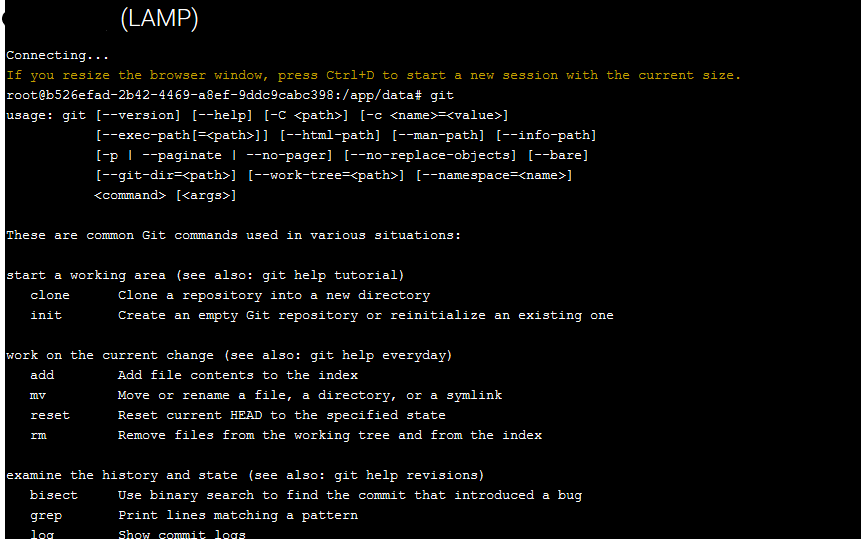
What I did in my lamp was:
cd /app/data/public
rm -rf ./.
cd ..
git clone <URL> public
Will put a git repo right in the apache web root folder.
-
@murgero You are right. I think what some users are looking for is a "git push" based workflow (like in heroku). So, your code is hosted on gitlab/gogs and they just want to do "git push lamp" and expect it to deploy to the lamp server. I guess the main advantage is that they don't need to open Cloudron terminal + also can integrate with CI/CD.
-
@murgero You are right. I think what some users are looking for is a "git push" based workflow (like in heroku). So, your code is hosted on gitlab/gogs and they just want to do "git push lamp" and expect it to deploy to the lamp server. I guess the main advantage is that they don't need to open Cloudron terminal + also can integrate with CI/CD.
I believe LAMP app supports cron, in that case use the following script to auto-pull from a git repo whenever an update is pushed to that repo:
Put in
/app/data/updateGit#!/bin/sh ## CD to the path where the app is installed. cd /app/data/public UPSTREAM=${1:-'@{u}'} LOCAL=$(git rev-parse @) REMOTE=$(git rev-parse "$UPSTREAM") BASE=$(git merge-base @ "$UPSTREAM") if [ $LOCAL = $REMOTE ]; then echo "Up-to-date" elif [ $LOCAL = $BASE ]; then echo "Need to pull" git pull elif [ $REMOTE = $BASE ]; then echo "Need to push? Some files changed / commited here, this should not have happened." else echo "Diverged?? Help!" fiThen in
/app/data/crontab:*/5 * * * * bash /app/data/updateGit 2>&1 ## Or if you wanna avoid filling logs: */5 * * * * bash /app/data/updateGit 2>&1 > /dev/nullThis will check if a pull is needed from a repo every 5 minutes. (Re: https://crontab.guru/every-5-minutes)
You can also modify the bash script to rebuild, npm install, composer install, etc when needed too.


Hello! It looks like you're interested in this conversation, but you don't have an account yet.
Getting fed up of having to scroll through the same posts each visit? When you register for an account, you'll always come back to exactly where you were before, and choose to be notified of new replies (either via email, or push notification). You'll also be able to save bookmarks and upvote posts to show your appreciation to other community members.
With your input, this post could be even better 💗
Register Login