
Install Cloudron 7.0.3 on Ubuntu 20.04.3 ESXi


-
Hello, I'm having issues getting Cloudron to start on fresh install of ubuntu, here is the install log https://1drv.ms/u/s!AmAKKDel4XhWgZEWrmD5H2bQgkB0cw?e=qu1knd
Issues appears to be with unbound service see errors.
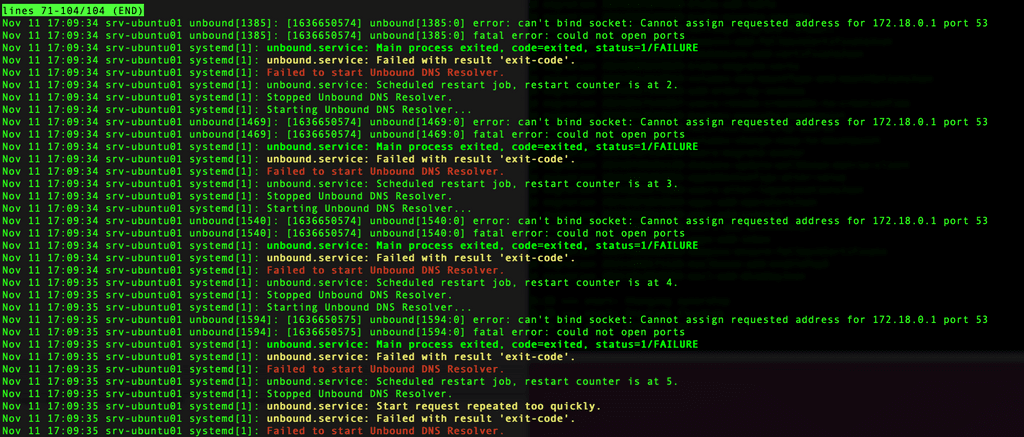
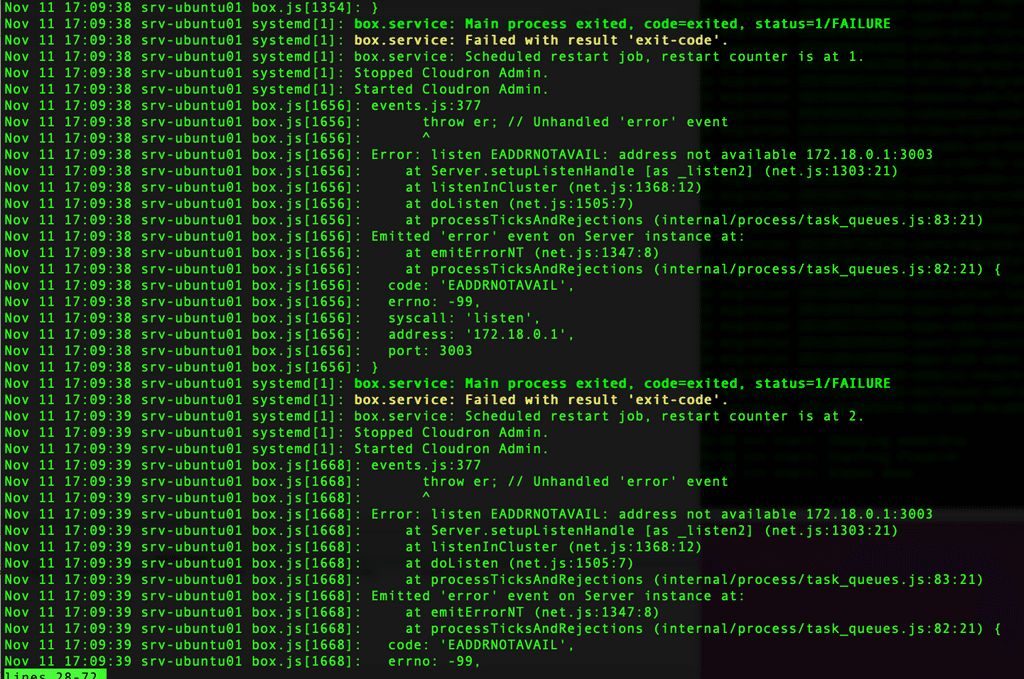
These are errors from box service.
Thank you!
-
Hello, I'm having issues getting Cloudron to start on fresh install of ubuntu, here is the install log https://1drv.ms/u/s!AmAKKDel4XhWgZEWrmD5H2bQgkB0cw?e=qu1knd
Issues appears to be with unbound service see errors.
These are errors from box service.
Thank you!
@mannyc1701 Can you check if docker is running ?
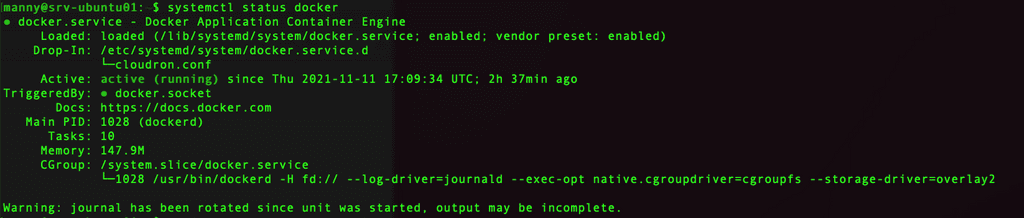
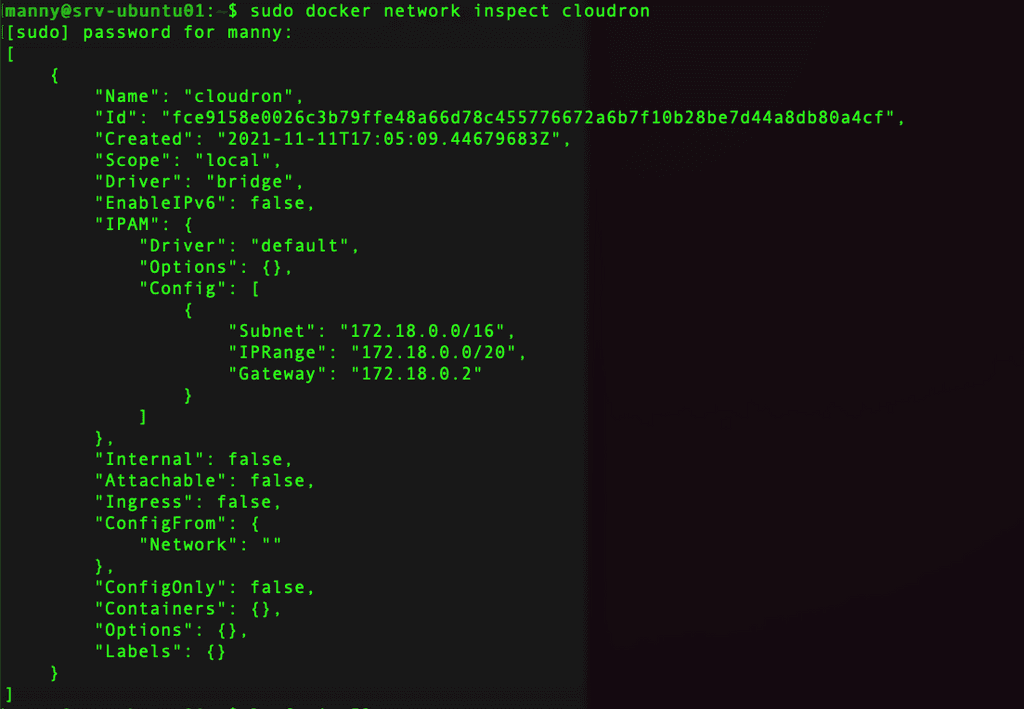
systemctl status dockerand thendocker network inspect cloudronshould print a bunch of172.18.x.xaddresses.If that is working:
lsof -i :53- this will print who is listening on port 53. Sometimes, systemd-resolved or bind9 (named) is enabled by default in some images preventing unbound from running. We actually disable this in our setup scripts, but helps to double check.
-
@mannyc1701 Can you check if docker is running ?
systemctl status dockerand thendocker network inspect cloudronshould print a bunch of172.18.x.xaddresses.If that is working:
lsof -i :53- this will print who is listening on port 53. Sometimes, systemd-resolved or bind9 (named) is enabled by default in some images preventing unbound from running. We actually disable this in our setup scripts, but helps to double check.
-
-
@mannyc1701 docker seems OK. What is the
lsof -i :53output? -
@girish Its blank, no output.

-
@girish Its blank, no output.
-
@mannyc1701 Does
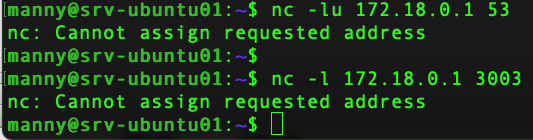
nc -lu 172.18.0.1 53work ? This tries to listen on UDP port 53. If it works, "it will just hang". Otherwise, it will printnc: Address already in useor something.And also
nc -l 172.18.0.1 3003? This tries to listen on TCP port 3003. -
@girish both show the same error, cannot assign requested address.
The box screenshot mentions this error too, address 172.18.0.1 as not available.
The local server network is 172.17.1.0/24.
@mannyc1701 I can't see anything obvious.
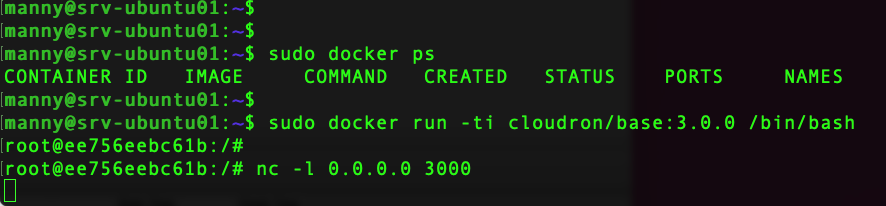
172.18.0.0is the internal docker network (internal to the VM). For some reason, services are unable to listen on that. Are other docker things running indocker ps? Maybe a VM reboot helps, not sure.Out of curiosity, you can also do:
docker run -ti cloudron/base:3.0.0 /bin/bashand then in the shell there,nc -l 0.0.0.0 3000does that work? -
@mannyc1701 I can't see anything obvious.
172.18.0.0is the internal docker network (internal to the VM). For some reason, services are unable to listen on that. Are other docker things running indocker ps? Maybe a VM reboot helps, not sure.Out of curiosity, you can also do:
docker run -ti cloudron/base:3.0.0 /bin/bashand then in the shell there,nc -l 0.0.0.0 3000does that work?@girish here are the outputs:
Prior to reboot after installation I ran ip addr output and could ping 172.18.0.1 & 172.18.0.2.
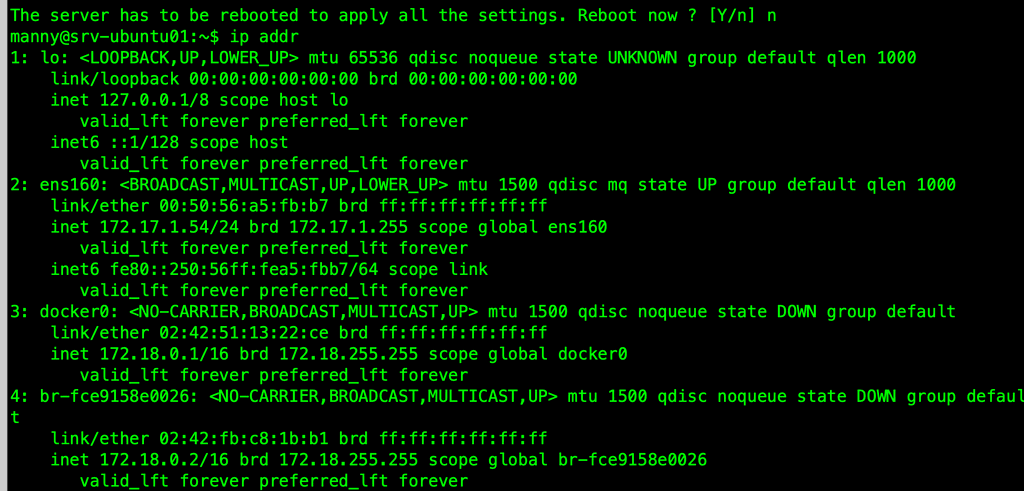
this is the output after restart.
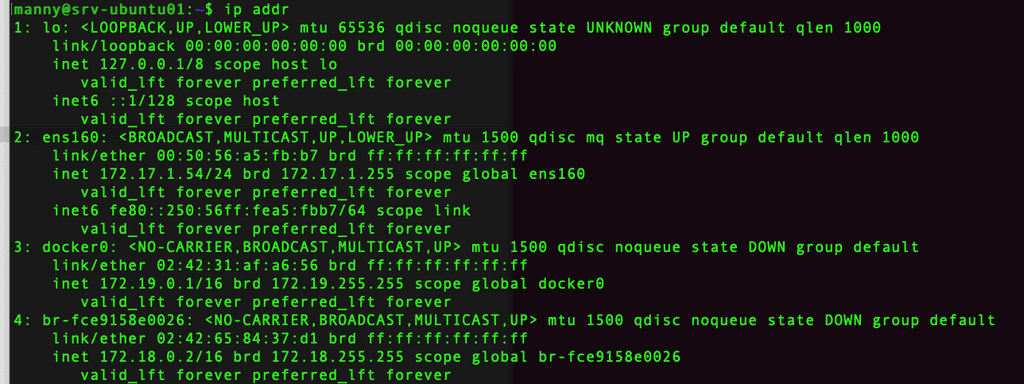
docker ip changed to 172.19.0.1, I don't if that helps, it seems ip 172.18.0.1 is in use or configured and cannot be used but I can reach 172.18.0.2 without issue. -
@girish here are the outputs:
Prior to reboot after installation I ran ip addr output and could ping 172.18.0.1 & 172.18.0.2.
this is the output after restart.
docker ip changed to 172.19.0.1, I don't if that helps, it seems ip 172.18.0.1 is in use or configured and cannot be used but I can reach 172.18.0.2 without issue.@mannyc1701 said in Install Cloudron 7.0.3 on Ubuntu 20.04.3 ESXi:
cannot be used but I can reach 172.18.0.2 without issue
Thanks for hanging in there. The above is the core issue. Our code assumes the bridge gets the IP 172.18.0.1 . I am not sure why it gets it as 172.18.0.2 in ESXi . Maybe it was just a happy accident, but we had this assumption since forever.
Can you try this then:
- First, remove all existing containers:
docker ps -aq | xargs -r docker rm -f - Delete existing
cloudronnetwork:docker network rm cloudron - Recreate
cloudronnetwork for the IP:docker network create --subnet=172.18.0.0/16 --ip-range=172.18.0.0/20 --gateway 172.18.0.1 cloudron - Make cloudron code recreate containers:
sed -e 's/48.20.0/48.19.0/' -i /home/yellowtent/platformdata/INFRA_VERSION - Does
systemctl restart unboundwork after above? If it does, you can also dosystemctl restart boxwhich should also hopefully work.
- First, remove all existing containers:
-
@mannyc1701 said in Install Cloudron 7.0.3 on Ubuntu 20.04.3 ESXi:
cannot be used but I can reach 172.18.0.2 without issue
Thanks for hanging in there. The above is the core issue. Our code assumes the bridge gets the IP 172.18.0.1 . I am not sure why it gets it as 172.18.0.2 in ESXi . Maybe it was just a happy accident, but we had this assumption since forever.
Can you try this then:
- First, remove all existing containers:
docker ps -aq | xargs -r docker rm -f - Delete existing
cloudronnetwork:docker network rm cloudron - Recreate
cloudronnetwork for the IP:docker network create --subnet=172.18.0.0/16 --ip-range=172.18.0.0/20 --gateway 172.18.0.1 cloudron - Make cloudron code recreate containers:
sed -e 's/48.20.0/48.19.0/' -i /home/yellowtent/platformdata/INFRA_VERSION - Does
systemctl restart unboundwork after above? If it does, you can also dosystemctl restart boxwhich should also hopefully work.
- First, remove all existing containers:
-
@girish That did it, Thank you so much for helping me get this going!
@mannyc1701 thanks, I pushed a fix as well for next release - https://git.cloudron.io/cloudron/box/-/commit/fdefc780b4f687ec5ff508b1a37270492612f2a3

Hello! It looks like you're interested in this conversation, but you don't have an account yet.
Getting fed up of having to scroll through the same posts each visit? When you register for an account, you'll always come back to exactly where you were before, and choose to be notified of new replies (either via email, or push notification). You'll also be able to save bookmarks and upvote posts to show your appreciation to other community members.
With your input, this post could be even better 💗
Register Login