
Hi @james - that's correct
L
lukasp
@lukasp
Posts
-
Cloudron 10.0.4: Cannot add a second backup site – "Add" button missing -
Cloudron 10.0.4: Cannot add a second backup site – "Add" button missing -
Cloudron 10.0.4: Cannot add a second backup site – "Add" button missingFunny... Then I guess I found a bug...
My subscription: Pro Yearly
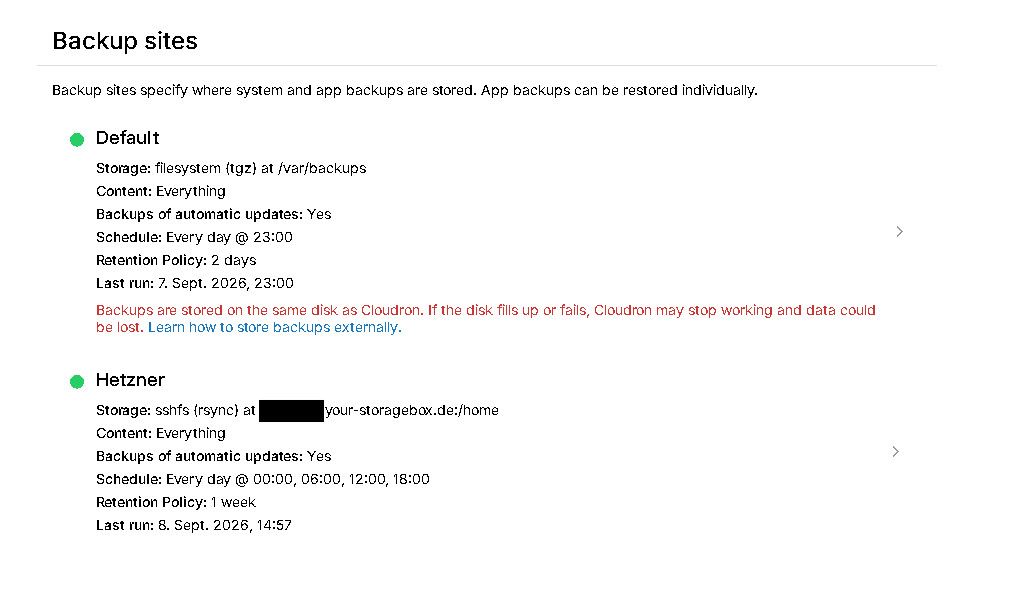
But I was able to create the other Backup now:
-
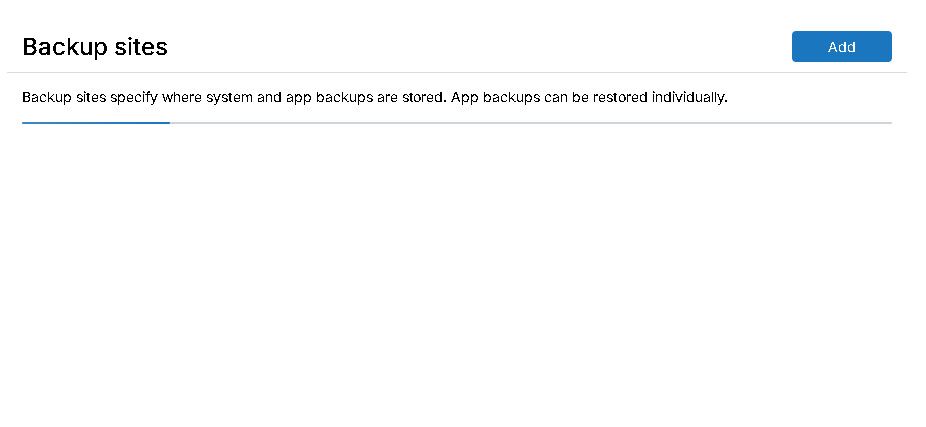
Cloudron 10.0.4: Cannot add a second backup site – "Add" button missingLittle update, the button is there, but only for a short time after refreshing the site...
-
Cloudron 10.0.4: Cannot add a second backup site – "Add" button missingHi Cloudron team,
I'm running Cloudron 10.0.4 and I'm trying to configure an external backup location in addition to my existing local backup location.
My current backup configuration looks like this:
Backup site: Default
Storage: filesystem (tgz)
Path: /var/backups
Content: Everything
Schedule: Daily at 23:00
Retention: 2 daysThe problem is that I cannot add another backup site.
Under:
Backup → Backup Sites
I only see the existing Default backup site. There is no "Add" button or any other option to create another backup site.
I have already checked the following:
Cloudron version: 10.0.4
Logged-in user: lukas
User role: Superadmin
cloudron-support --troubleshoot: 32 PASS / 0 WARN / 0 FAIL / 1 SKIP
cloudron-support --owner-login confirms that lukas is the owner
The existing Default backup site is working normallyThe skipped check is:
Domain expiry check – RDAP lookup for hallecloud.de failed (TLD may not support RDAP, or network unreachable)I've attached a screenshot of the Backup Sites page. As you can see, the page only contains the Default site and there is no option to add another one.

Is this expected behavior in Cloudron 10.0.4, or could there be an issue with my installation/UI?
I'd like to add an external backup target, preferably Cloudflare R2, while keeping the existing local backup as a second backup target.
Thanks!
-
Netcup CloudDNS SupportThat is interesting...
-
Netcup CloudDNS SupportHello Cloudron Team,
I am currently setting up Cloudron on a VPS at Netcup and ran into an issue with the Netcup DNS integration.
My Netcup account uses CloudDNS. The domain is configured with the current Netcup CloudDNS nameservers:
netcup.firstns.cc
netcup.secondns.at
netcup.thirdns.de
netcup.fourthns.systems
netcup.fifthns.comCloudron 10.0.3 does not initially recognize these nameservers as Netcup nameservers. The current implementation in src/dns/netcup.js appears to still check for the legacy Netcup nameservers / dns.netcup.net.
I temporarily modified this check to accept the current CloudDNS nameservers. After doing so, the next error was:
Netcup DNS error [5028] Can not update (all) DNS records for zone.
The zone hallecloud.de could not be found.After looking into this, it appears that the current Cloudron integration uses the legacy Netcup DNS API.
Netcup now distinguishes between:
Legacy DNS: Legacy API Key + Legacy API Password
CloudDNS: API Key
My CloudDNS account therefore provides a CloudDNS API key, but does not have the legacy API credentials expected by the current Cloudron integration.
The Netcup documentation also appears to confirm this distinction.
My questions:Is support for the current Netcup CloudDNS API planned for the Netcup DNS provider in Cloudron?
If not, is there currently a recommended way to use CloudDNS with Cloudron through the current API?
As a workaround, I switched to Cloudflare.
However, native CloudDNS support would obviously be much more convenient, especially because Cloudron could then automatically manage DNS records when installing applications or making DNS-related changes.
It seems that the existing Netcup integration would primarily need to be adapted to the new CloudDNS authentication method and the current CloudDNS nameservers.
Thank you for looking into this. I would appreciate any information on whether CloudDNS support is planned or whether there is another recommended approach.
Best regards
Lukas -
RustDesk - TeamViewer/AnyDesk alternative -
RustDesk - TeamViewer/AnyDesk alternativeI would be happy to see this in near future
