
Backup Region (DigitalOcean Spaces) not available
-
It seems that the Backup options don't provide a full list of regions for the DigitalOcean Spaces.
See: https://docs.digitalocean.com/products/spaces/details/availability/
Cloudron options:
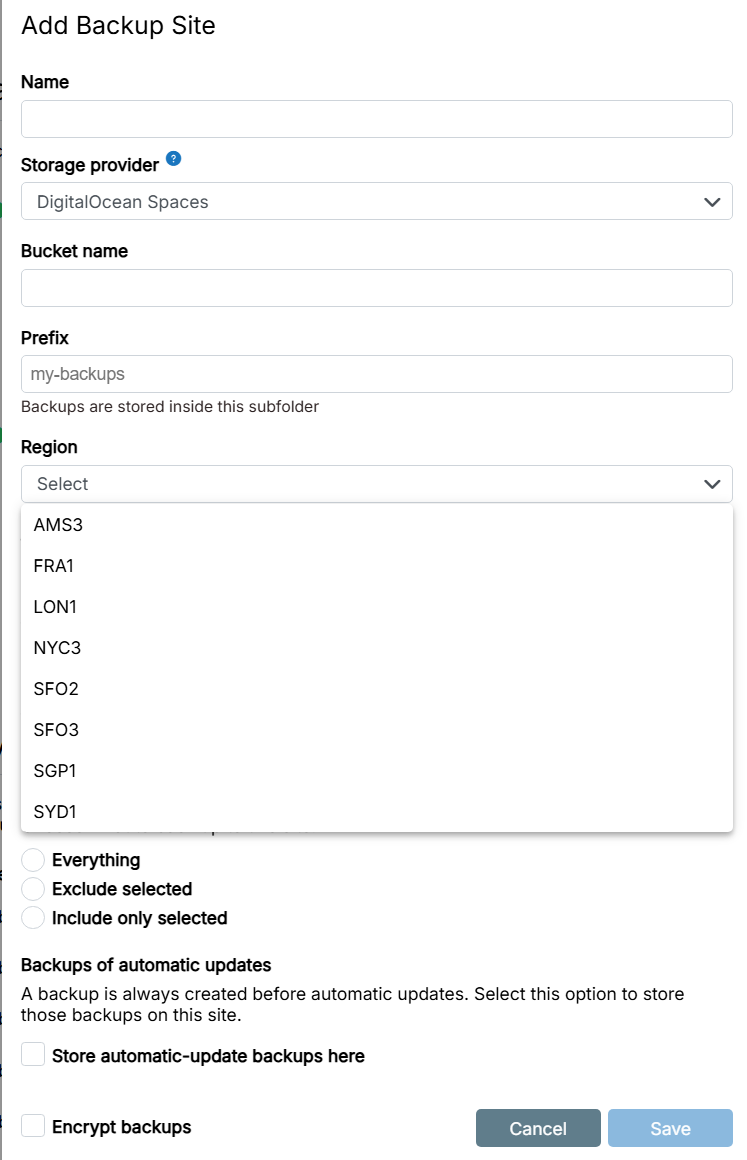
PS: Currently, i have been able to work around this by using the "S3 API (v4)" option instead, but it would be nice if the native dialog for DO Spaces included the entire list of available regions.
-
 G girish has marked this topic as solved on
Hello! It looks like you're interested in this conversation, but you don't have an account yet.
Getting fed up of having to scroll through the same posts each visit? When you register for an account, you'll always come back to exactly where you were before, and choose to be notified of new replies (either via email, or push notification). You'll also be able to save bookmarks and upvote posts to show your appreciation to other community members.
With your input, this post could be even better 💗
Register Login