
NetBird - FOSS noconf Mesh VPN using Wireguard, alternative to ZeroTier, Tailscale, OmniEdge, Netmaker etc
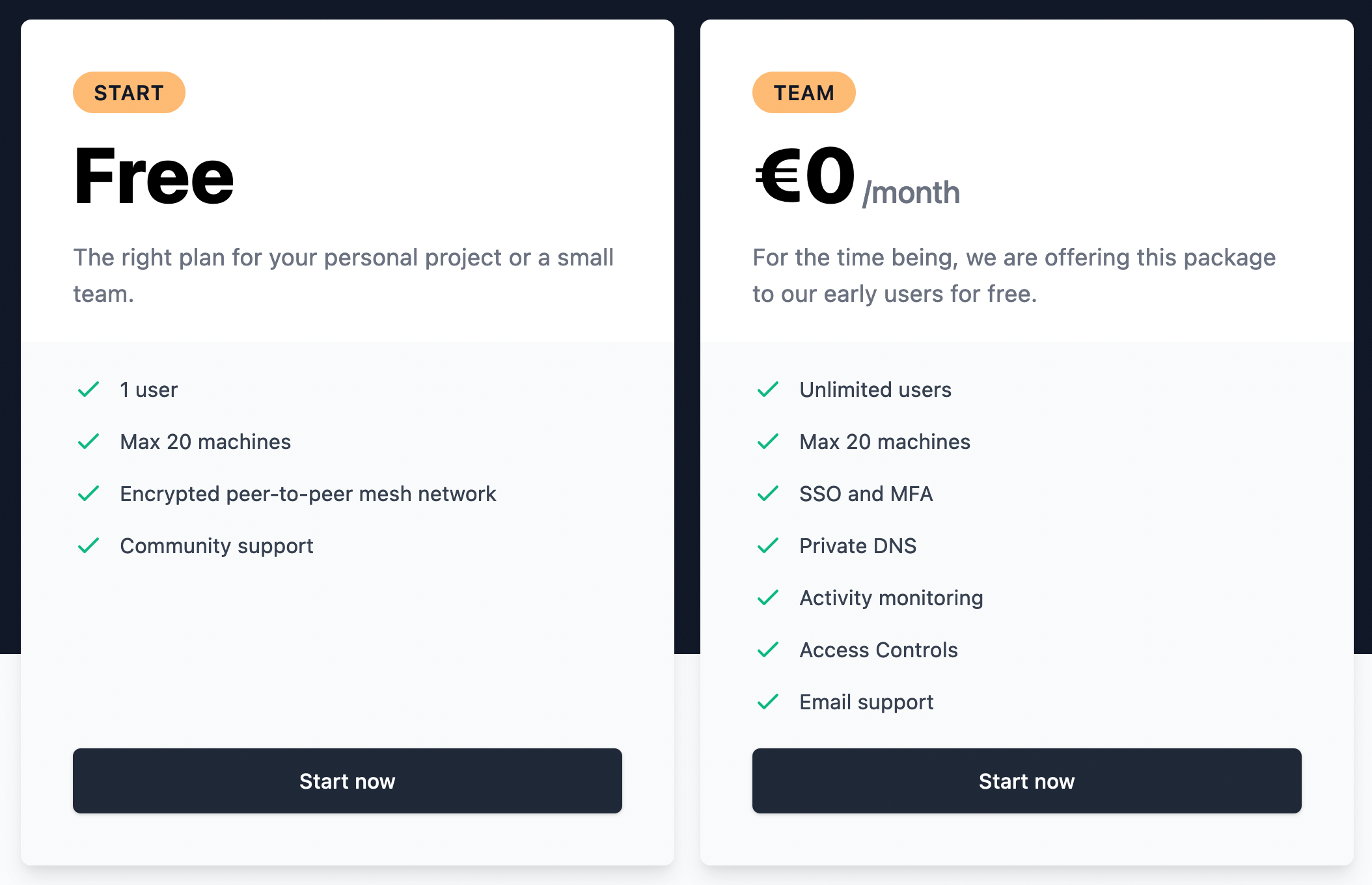
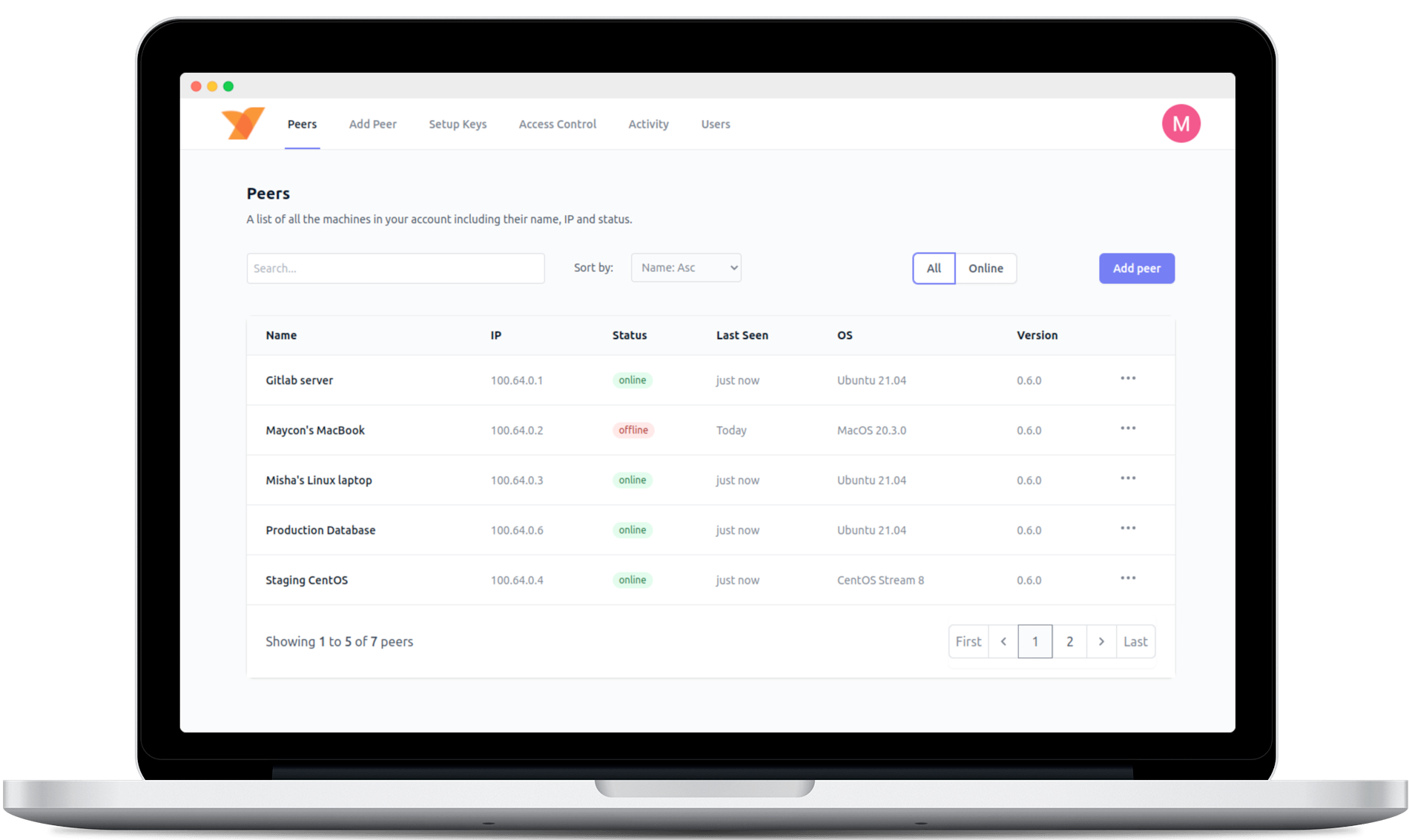
-
@marcusquinn still not working here.
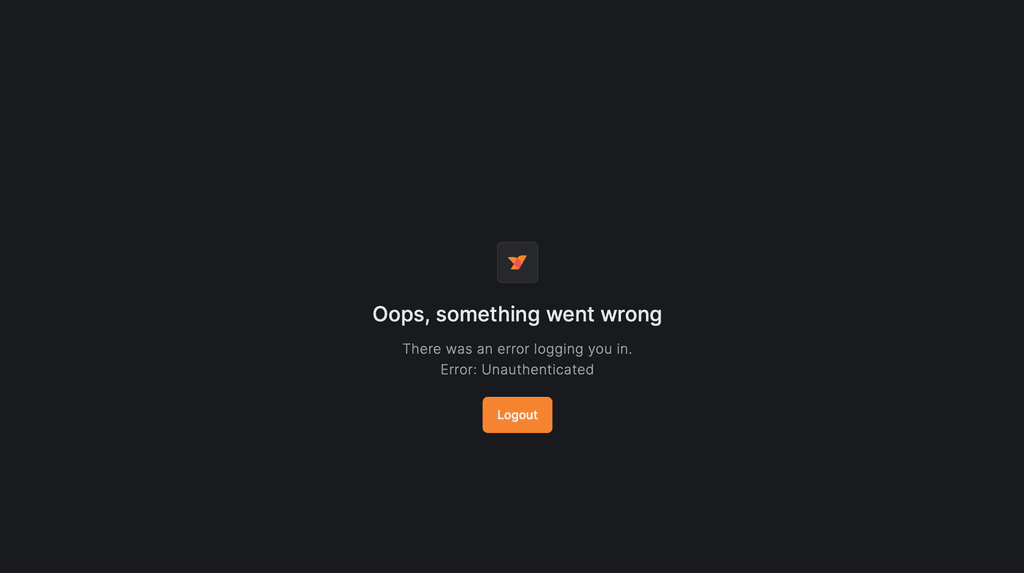 No possibility to create an account via Dashboard on initial start. Also had to change stun port because default is already in use here.
@sponch Can you try again from the latest release, please?
Web Design & Development: https://www.evergreen.je
Technology & Apps: https://www.marcusquinn.com -
I got the same as @sponch did earlier.
Getting the same after the latest version.Also FYI UDP port 3478 cannot be used (reserved).
Ticking the STUN NAT Traversal box and setting and saving 3479 superficially works, but on going back to 'Location' in app portal, 3479 has not been saved, it's reverted to 3478 and the tick box to enable custom port has been unticked.I don't think the app CloudronManifest.json is using the cloudron turn addon, which might (not sure) allow port 3478 to be used.
-
@sponch Can you try again from the latest release, please?
@marcusquinn hey, its working now thanks! Do you think it's possible to include the proxy cluster in the installation? it's quite a pain to install that afterwards

-
@sponch said it worked so I went back, dug deeper, my browser cache was the culprit
So yes, management app incl login working.
Thank you @marcusquinnI can't get a peer connected using
netbird up -m https://netbird.domain.tld:443 -k <app_generated_secret_key>Indie app dev, huge fan of Cloudron PaaS, scratching my itches : communityapps.appx.uk
-
@sponch said it worked so I went back, dug deeper, my browser cache was the culprit
So yes, management app incl login working.
Thank you @marcusquinnI can't get a peer connected using
netbird up -m https://netbird.domain.tld:443 -k <app_generated_secret_key>@timconsidine should it not be
netbird up --management-url https://netbird.xxx.tld --setup-key xxx -
@timconsidine should it not be
netbird up --management-url https://netbird.xxx.tld --setup-key xxx@sponch yes,, I am just using the short forms
-mand-k-m, --management-url string Management Service URL [http|https]://[host]:[port] (default "https://api.netbird.io:443") -k, --setup-key string Setup key obtained from the Management Service Dashboard (used to register peer)I don't get a client connecting to the management app with long or short forms. Did you ?
-
Netbird is not an easy app to package - so big kudos to @marcusquinn for doing it.
I continued to struggle with getting a client device to connect to the published Community App package.
So I built my own package and (eventually after many attempts!) got the app UI and client connections working.The key difference is the client transport model:
- @marcusquinn package sends native NetBird management/signal traffic over the normal Cloudron app URL on standard
443 - it does not expose a dedicated native TCP port
- it also does not use the Cloudron
tlsaddon for a separate native listener - native gRPC is proxied through nginx behind Cloudron’s standard HTTPS path
- does not use Cloudron’s turn addon STUN/TURN service; it uses NetBird’s own exposed STUN UDP port instead.
My package now takes a different approach :
- web UI/API/OIDC stay on the normal app URL
- native NetBird clients use a dedicated port:
https://<domain>:33073 - Cloudron
tlsis used for that native port - nginx terminates TLS/HTTP2 on the native port and forwards gRPC internally
- standard
443is treated as web-only, not as the native client path - STUN comes from Cloudron’s
turnaddon rather than NetBird’s own exposed UDP listener
So the packaging difference is basically:
“everything over Cloudron 443 (marcus)” vs “web on 443, native clients on dedicated 33073 (mine)”My code is at : https://forgejo.tcjc.uk/cca/cloudron-netbird
My CloudronVersions.json for installation is at : https://communityapps.appx.uk/cloudron-netbird/CloudronVersions.jsonI am not listing my package on ca.cloudron.io because that right goes to @marcusquinn (and 2 listed packages is just confusing to others).
But it is available at the CloudronVersions link above. - @marcusquinn package sends native NetBird management/signal traffic over the normal Cloudron app URL on standard
-
Sounds great. Is the Reverse Proxy working „out of the box“ this way? (By adding custom Domains)
@sponch if I understand question, yes, just install as e.g. netbird.domain.tld and client connects as ‘netbird up -m https://netbird.domain.tld:33073 -k <setup key from app ui>
-
Ah. No, thinking about the Reverse Proxy. (Custom public domains pointing to a Netbird device). The proxy is a non default opition during installation and can be also installed afterwards manually. You can find it in Dashboard under Reverse Proxy -> Custer
If not instaded -
Ah. No, thinking about the Reverse Proxy. (Custom public domains pointing to a Netbird device). The proxy is a non default opition during installation and can be also installed afterwards manually. You can find it in Dashboard under Reverse Proxy -> Custer
If not instaded@sponch ah, sorry, misunderstood, my mistake.
I've only used Netbird previously as a peer registration solution.I see the Reverse Proxy in the left sidebar of the management app.
But I don't think it is enabled or working despite saying 'Create Service'.NetBird Reverse Proxy feature This is a separate NetBird feature for exposing services behind peers to the public internet through NetBird, with auth/TLS rules. NetBird documents it as requiring: - a NetBird reverse-proxy component/cluster - Traefik with TLS passthrough in front of it NetBird says self-hosted deployments must use Traefik for this feature because TLS passthrough is required [source: NetBird Reverse Proxy docs].I will have to look into whether this is possible. It might not be on Cloudron, so if it is important for your use case, a more traditional VPS docker plus Traefik might be needed.
Indie app dev, huge fan of Cloudron PaaS, scratching my itches : communityapps.appx.uk
-
@sponch ah, sorry, misunderstood, my mistake.
I've only used Netbird previously as a peer registration solution.I see the Reverse Proxy in the left sidebar of the management app.
But I don't think it is enabled or working despite saying 'Create Service'.NetBird Reverse Proxy feature This is a separate NetBird feature for exposing services behind peers to the public internet through NetBird, with auth/TLS rules. NetBird documents it as requiring: - a NetBird reverse-proxy component/cluster - Traefik with TLS passthrough in front of it NetBird says self-hosted deployments must use Traefik for this feature because TLS passthrough is required [source: NetBird Reverse Proxy docs].I will have to look into whether this is possible. It might not be on Cloudron, so if it is important for your use case, a more traditional VPS docker plus Traefik might be needed.
hi @timconsidine, thanks. I've already got that extra VPS with proxy running - just could save some bugs a month if could replace it with a cloudron version of netbird

-
"Cloudron does not currently expose the kind of per-app TLS passthrough on 443 that NetBird Reverse Proxy needs."
It's a cool feature, though, so I'm going to have a think about a workaround.
EDIT #1 : The only Netbird-like alternative supporting this Reverse Proxy functionality is Tunnet, according to my research. But it is much younger than Netbird.
EDIT #2 : Because Cloudron platform (not base image) owns 443, unless/until there is more traffic pass-through from the platform nginx, I don't think Netbird Reverse Proxy is deliverable on Cloudron. Don't hold your breathe !
Indie app dev, huge fan of Cloudron PaaS, scratching my itches : communityapps.appx.uk
-
"Cloudron does not currently expose the kind of per-app TLS passthrough on 443 that NetBird Reverse Proxy needs."
It's a cool feature, though, so I'm going to have a think about a workaround.
EDIT #1 : The only Netbird-like alternative supporting this Reverse Proxy functionality is Tunnet, according to my research. But it is much younger than Netbird.
EDIT #2 : Because Cloudron platform (not base image) owns 443, unless/until there is more traffic pass-through from the platform nginx, I don't think Netbird Reverse Proxy is deliverable on Cloudron. Don't hold your breathe !
@timconsidine maybe something the team can address for v10+.
-
@timconsidine maybe something the team can address for v10+.
-
AI's reply. Not tested, but seems good:
@timconsidine @sponch thanks for investigating and documenting the transport issue.
I’ve now published v2.0.16, which adopts the dedicated native-client transport model:
- Dashboard, API and OIDC remain on normal Cloudron HTTPS/443.
- NetBird management, signal and relay traffic use a dedicated TLS/HTTP2 TCP port.
- The default external port is 33073, but use whichever TCP port is configured in Cloudron.
Client example:
sudo netbird up
--management-url https://netbird.example.com:33073
--setup-key YOUR_SETUP_KEYThe selected TCP port must be reachable through the server firewall. NetBird’s own configurable UDP STUN port is also retained. I did not use Cloudron’s TURN addon because its relay credential model is incompatible with NetBird’s built-in relay.
Internally, the native listener maps to container port 33074, because current NetBird releases reserve 33073 for their legacy gRPC listener.
Reverse Proxy clusters are still not included. That feature requires raw TLS passthrough on public port 443, which Cloudron does not currently provide per app. The dedicated client port fixes peer registration but does not remove that separate platform constraint.
Release: https://github.com/marcusquinn/cloudron-netbird-app/releases/tag/v2.0.16
Community app: https://ca.cloudron.io/app/netbirdLocal runtime tests passed first-run setup, TLS validation, HTTP/2 negotiation, restart and persistence checks. I still need confirmation from a real Cloudron installation, so please let me know whether a native client now registers successfully.
Web Design & Development: https://www.evergreen.je
Technology & Apps: https://www.marcusquinn.com -
AI's reply. Not tested, but seems good:
@timconsidine @sponch thanks for investigating and documenting the transport issue.
I’ve now published v2.0.16, which adopts the dedicated native-client transport model:
- Dashboard, API and OIDC remain on normal Cloudron HTTPS/443.
- NetBird management, signal and relay traffic use a dedicated TLS/HTTP2 TCP port.
- The default external port is 33073, but use whichever TCP port is configured in Cloudron.
Client example:
sudo netbird up
--management-url https://netbird.example.com:33073
--setup-key YOUR_SETUP_KEYThe selected TCP port must be reachable through the server firewall. NetBird’s own configurable UDP STUN port is also retained. I did not use Cloudron’s TURN addon because its relay credential model is incompatible with NetBird’s built-in relay.
Internally, the native listener maps to container port 33074, because current NetBird releases reserve 33073 for their legacy gRPC listener.
Reverse Proxy clusters are still not included. That feature requires raw TLS passthrough on public port 443, which Cloudron does not currently provide per app. The dedicated client port fixes peer registration but does not remove that separate platform constraint.
Release: https://github.com/marcusquinn/cloudron-netbird-app/releases/tag/v2.0.16
Community app: https://ca.cloudron.io/app/netbirdLocal runtime tests passed first-run setup, TLS validation, HTTP/2 negotiation, restart and persistence checks. I still need confirmation from a real Cloudron installation, so please let me know whether a native client now registers successfully.
@marcusquinn thank you !
Will test tomorrow.





Hello! It looks like you're interested in this conversation, but you don't have an account yet.
Getting fed up of having to scroll through the same posts each visit? When you register for an account, you'll always come back to exactly where you were before, and choose to be notified of new replies (either via email, or push notification). You'll also be able to save bookmarks and upvote posts to show your appreciation to other community members.
With your input, this post could be even better 💗
Register Login