
Few problems with Matomo
-
I have come across these problem after installing Matomo.
-
After first-time logging in with
admin:changeme, I opened the personal settings page. I changed the default emailadmin@server.localtoadmin@mydomain. Then, I tried to change the default password, which told me that LDAP users cannot change their passwords. Maybe becauseadminconflicts with existing LDAP user. Problem: **I could continue to log in withadmin:changmeas well as withadmin:MyLDAPpassworld. -
The file manager runs into a problem while trying to view/edit
matomo.js. The issue repeats with all all*.jsfiles. Other files with different extention, likephp.iniare good to view/edit. -
This is a minor one - new version is available - 4.1.0.
Founder / Coder • My Apps
-
-
I have come across these problem after installing Matomo.
-
After first-time logging in with
admin:changeme, I opened the personal settings page. I changed the default emailadmin@server.localtoadmin@mydomain. Then, I tried to change the default password, which told me that LDAP users cannot change their passwords. Maybe becauseadminconflicts with existing LDAP user. Problem: **I could continue to log in withadmin:changmeas well as withadmin:MyLDAPpassworld. -
The file manager runs into a problem while trying to view/edit
matomo.js. The issue repeats with all all*.jsfiles. Other files with different extention, likephp.iniare good to view/edit. -
This is a minor one - new version is available - 4.1.0.
-
It looks like matomo does not like it if you reuse the same password for LDAP user and admin user. We have a similar issue with Rocket.Chat LDAP integration as well. I will put a note in our docs about this. If you provide a different email for admin, which is not in your LDAP, it works. You can always create temporary emails like
admin+matomo@mydomain -
What is the error? I am able to edit here on Firefox.
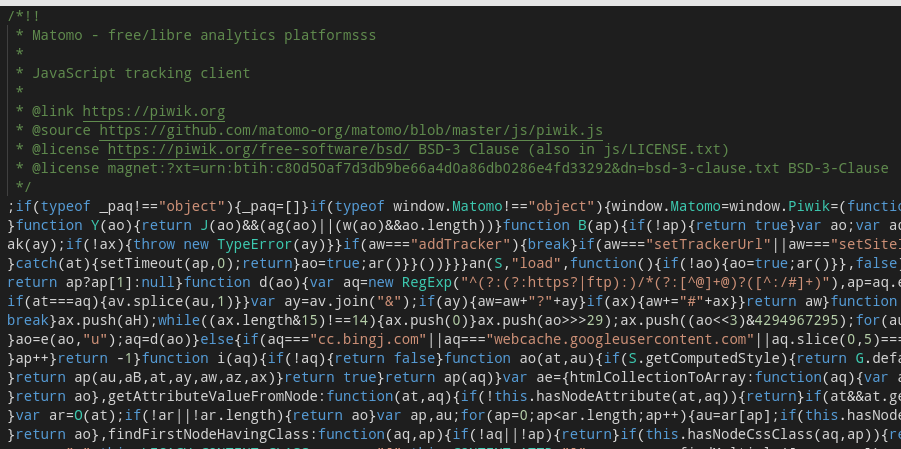
-
For 4.1.0, we are working on the update.
-
-
I have come across these problem after installing Matomo.
-
After first-time logging in with
admin:changeme, I opened the personal settings page. I changed the default emailadmin@server.localtoadmin@mydomain. Then, I tried to change the default password, which told me that LDAP users cannot change their passwords. Maybe becauseadminconflicts with existing LDAP user. Problem: **I could continue to log in withadmin:changmeas well as withadmin:MyLDAPpassworld. -
The file manager runs into a problem while trying to view/edit
matomo.js. The issue repeats with all all*.jsfiles. Other files with different extention, likephp.iniare good to view/edit. -
This is a minor one - new version is available - 4.1.0.
-
-
For what it's worth, if this helps at all, I have always logged in with the default admin account but then set my LDAP user as a super admin, then logged out and logged back in as the LDAP user and as a super admin I removed the default admin account. That way I effectively replace the default admin account with my own LDAP user.



Hello! It looks like you're interested in this conversation, but you don't have an account yet.
Getting fed up of having to scroll through the same posts each visit? When you register for an account, you'll always come back to exactly where you were before, and choose to be notified of new replies (either via email, or push notification). You'll also be able to save bookmarks and upvote posts to show your appreciation to other community members.
With your input, this post could be even better 💗
Register Login