
An update (or something) seems to have broken styling...

-
See https://podcast.uniteddiversity.coop
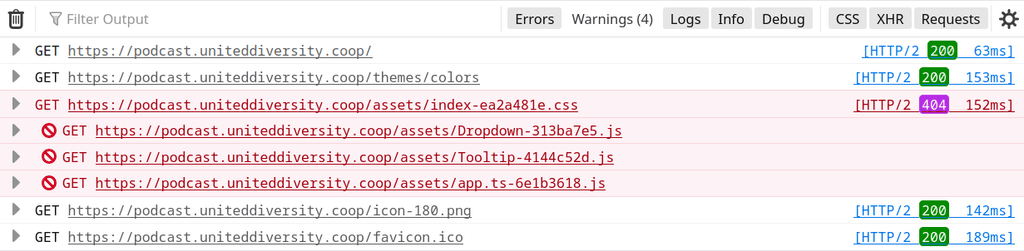
I see this:

Although strangely enough I just went and installed a fresh instance and it seems to be working fine, see https://podcasting.uniteddiversity.coop
I'll probably just throw away the broken one as I hadn't actually even started using it, so nothing to loose, but figured I'd report it anyway
-
Seems like a content-type issue on that instance:
Loading module from “https://podcast.uniteddiversity.coop/assets/Dropdown-313ba7e5.js” was blocked because of a disallowed MIME type (“text/html”). -
@nebulon odd. Pretty sure that's nothing I've added myself.
-
mh. Nothing useful, but I get a 404
-
@jdaviescoates said in An update (or something) seems to have broken styling...:
(all I'd done was change the name, essentially nothing else).
aha, such information is quite useful though, also is the broken app on the latest version? Trying to reproduce this.
-
This is how it worked for me: Install Castopod, make a backup, clone from the backup under a different domain.
Boom.
-
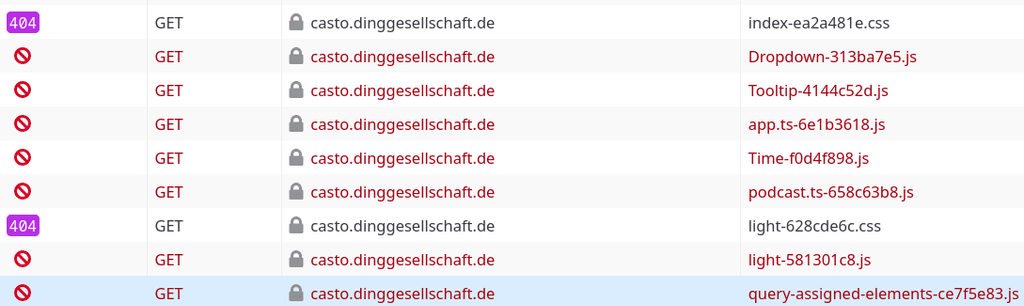
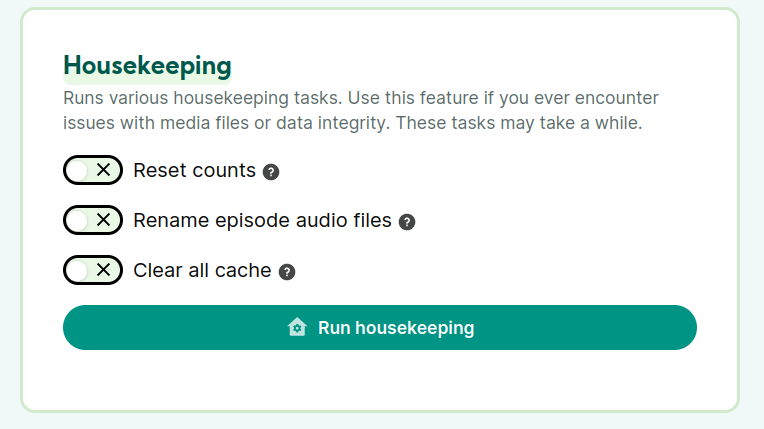
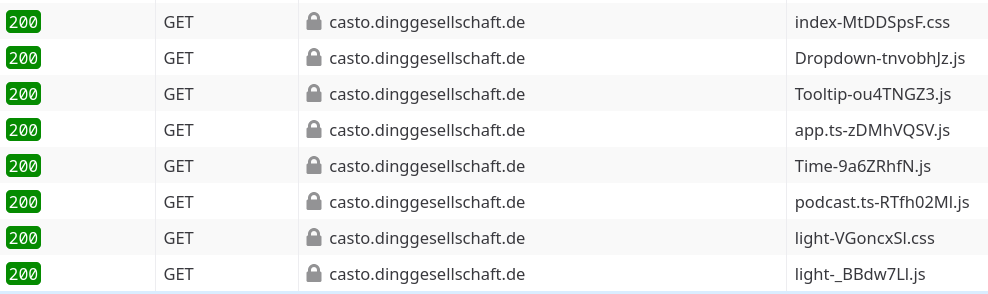
It's a problem with the cache. If you log into the admin interface and try to find Settings->General, there is a section for housekeeping. Select Cache and confirm. A second later it looks fine again.
-
 N nebulon referenced this topic on
-
It's a problem with the cache. If you log into the admin interface and try to find Settings->General, there is a section for housekeeping. Select Cache and confirm. A second later it looks fine again.
@luckow said in An update (or something) seems to have broken styling...:
It's a problem with the cache. If you log into the admin interface and try to find Settings->General, there is a section for housekeeping. Select Cache and confirm. A second later it looks fine again.
I followed this and now everything is fine.
my context was a clean install, nothing specific done to the config
just one podcast created with a bunch of episodes, what is clear to me is that this came after an upgrade (not sure which one tho) maybe there is a way to trigger the house cleaning (cache) once after upgrades ? -
Yeah, something is wrong with the package.
I've literally done nothing to this and the same thing has happened:
-
@jdaviescoates I have pushed a new package now to clear the cache. Does it help?
@girish yep, that seems to have done it

-
N nebulon marked this topic as a question on
-
N nebulon has marked this topic as solved on





Hello! It looks like you're interested in this conversation, but you don't have an account yet.
Getting fed up of having to scroll through the same posts each visit? When you register for an account, you'll always come back to exactly where you were before, and choose to be notified of new replies (either via email, or push notification). You'll also be able to save bookmarks and upvote posts to show your appreciation to other community members.
With your input, this post could be even better 💗
Register Login