
Email config
-
Seems I am having a senior moment
How do you set up an SMTP config in Typebot ?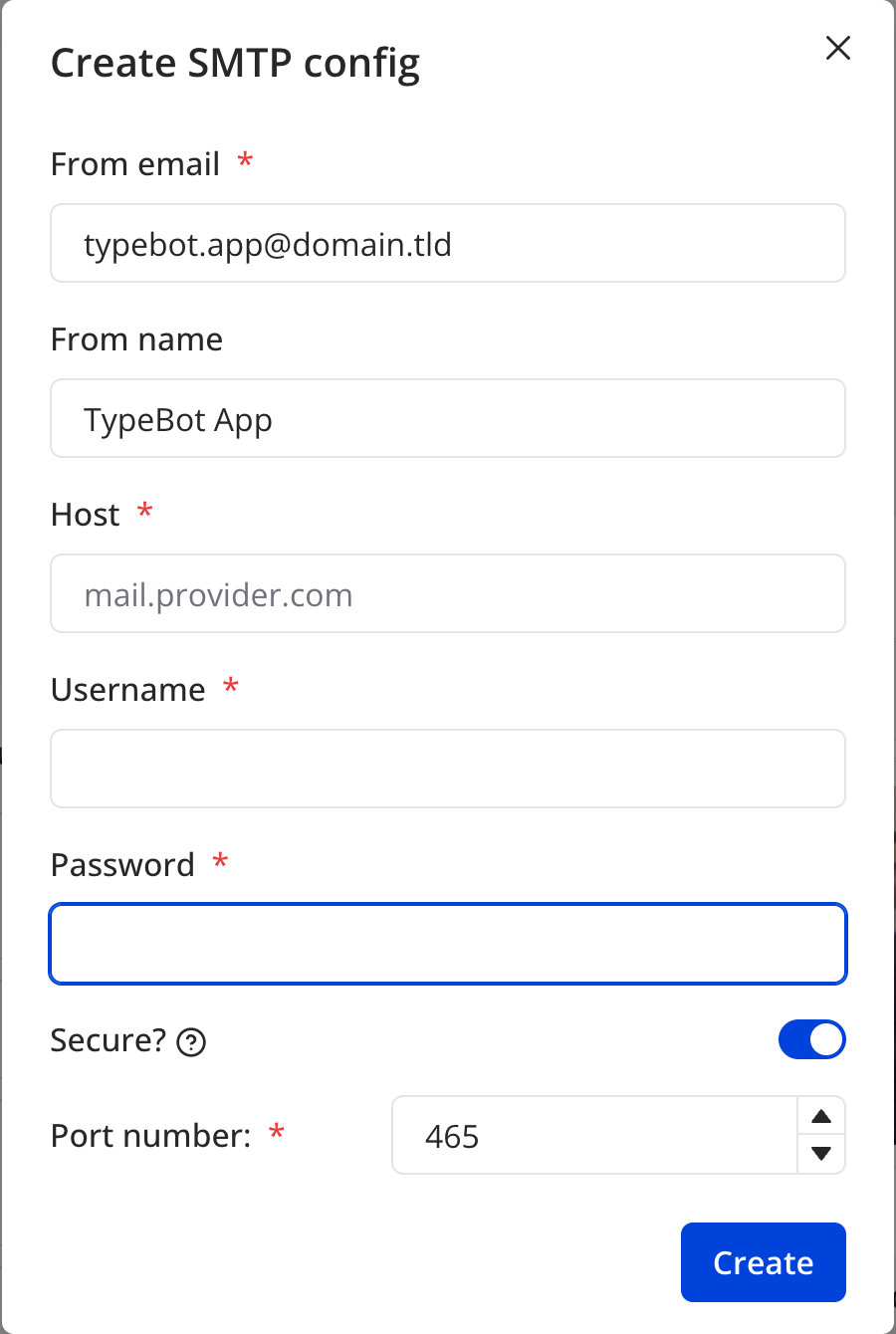
I have tried with my Cloudron's server as host, and username / password from my primary user.
App is set in email to outbound only.
Tried also with an inbound-enabled account. -
This post is deleted!
-
This post is deleted!
-
 T timconsidine marked this topic as a question on
-
T timconsidine has marked this topic as solved on
-
Seems that adding an account in
env.shdoes work.@timconsidine It's already pre-setup to use Cloudron Mail Server. Does that not work?
export SMTP_USERNAME="$CLOUDRON_MAIL_SMTP_USERNAME" export SMTP_PASSWORD="$CLOUDRON_MAIL_SMTP_PASSWORD" export SMTP_HOST="$CLOUDRON_MAIL_SMTP_SERVER" export SMTP_PORT="$CLOUDRON_MAIL_SMTP_PORT" export SMTP_AUTH_DISABLED=true -
My install did not seem to have a configured email account until I set those details manually in
env.sh.
I just got the form as in original post.
When I tried to enter provided data, I got a UI message along lines of "config not created, can't send test email".
When I put the necessary details in env.sh, it worked. -
@timconsidine It's already pre-setup to use Cloudron Mail Server. Does that not work?
export SMTP_USERNAME="$CLOUDRON_MAIL_SMTP_USERNAME" export SMTP_PASSWORD="$CLOUDRON_MAIL_SMTP_PASSWORD" export SMTP_HOST="$CLOUDRON_MAIL_SMTP_SERVER" export SMTP_PORT="$CLOUDRON_MAIL_SMTP_PORT" export SMTP_AUTH_DISABLED=true@girish said in Email config:
@timconsidine It's already pre-setup to use Cloudron Mail Server. Does that not work?
export SMTP_USERNAME="$CLOUDRON_MAIL_SMTP_USERNAME" export SMTP_PASSWORD="$CLOUDRON_MAIL_SMTP_PASSWORD" export SMTP_HOST="$CLOUDRON_MAIL_SMTP_SERVER" export SMTP_PORT="$CLOUDRON_MAIL_SMTP_PORT" export SMTP_AUTH_DISABLED=true -
Thanks for answering, you made my day.

Hello! It looks like you're interested in this conversation, but you don't have an account yet.
Getting fed up of having to scroll through the same posts each visit? When you register for an account, you'll always come back to exactly where you were before, and choose to be notified of new replies (either via email, or push notification). You'll also be able to save bookmarks and upvote posts to show your appreciation to other community members.
With your input, this post could be even better 💗
Register Login