
Timeout error when using one cloudron to connect to another cloudron LDAP
-
Hello, I'm having trouble connecting one cloudron to another cloudron's LDAP server. I've configured the following so far:
- Enable ipv6 on both servers.
- Confirm they works via: curl -6 http://ifconfig.me
- Enable ipv6 on the cloudron network page.
- Add AAAA records for "my" (I don't know know how to get cloudron to automatically create this, so I did it manually.
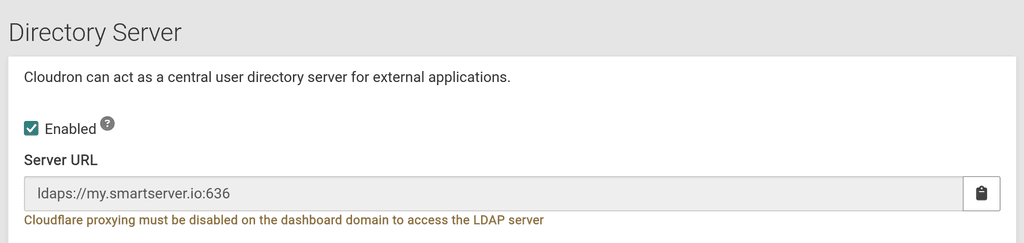
- Enable LDAP directory on cloudron A.
- Whitelist the ipv4 and 6 addresses of cloudron B on cloudron A.
- Attempt to connect cloudron B to cloudron A using the standard menus.
I'm getting a timeout error. Using sudo tcpdump -i any port 389 or port 636, I've confirmed there's data going out from cloudron B, but the same command in cloudron A doesn't return anything.
What am I missing here?
-
If you do
iptables -t filter -L CLOUDRON, do you see it added to the firewall? You should see a line like:ACCEPT tcp -- anywhere anywhere match-set cloudron_ldap_allowlist src tcp dpt:3004You can then do
ipset list cloudron_ldap_allowlistto see it's members. -
 G girish marked this topic as a question on
-
G girish has marked this topic as solved on
Hello! It looks like you're interested in this conversation, but you don't have an account yet.
Getting fed up of having to scroll through the same posts each visit? When you register for an account, you'll always come back to exactly where you were before, and choose to be notified of new replies (either via email, or push notification). You'll also be able to save bookmarks and upvote posts to show your appreciation to other community members.
With your input, this post could be even better 💗
Register Login