
New UI Sneak peak and review
-
HI all,
Im frooodle the creator of Stirling-PDF
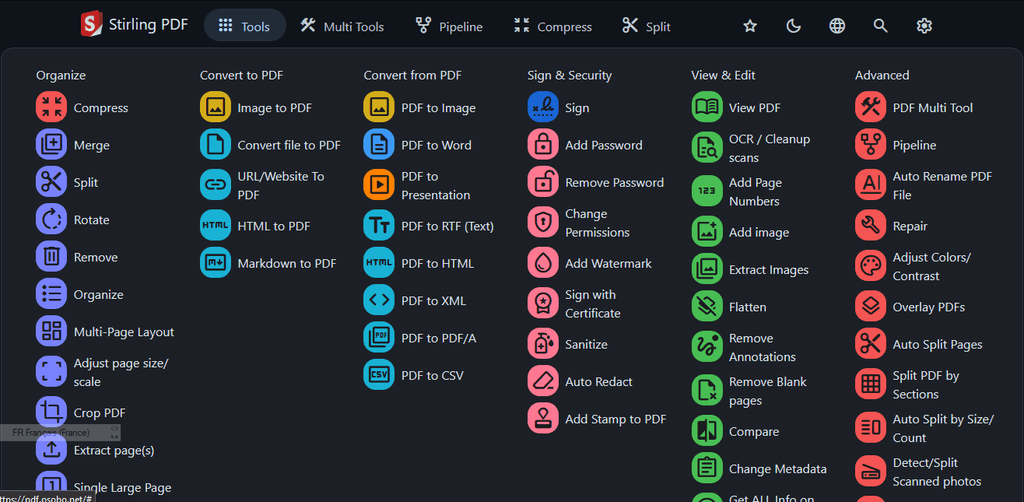
We are currently redesigning the UI for Stirling-PDF and wanted to get any thoughts and recommendations on the UI change.
We currently have a docker imagefrooodle/s-pdf:testNewDesign
But also just a test website up here for people to try
http://stirlingpdf.io:8088/ (or http://185.252.234.121:8088/ if Domain doesnt work)Please let me know what you think, there is a new on hover Tools navbar and cleaner headers and logos on each page with other tweeks to general interface
-
Thanks for posting here!
And the new interface looks better! The new icons and colours help to get a better overview.
I do think, however, some categorization of the tools could help a lot in finding all those helpful features?
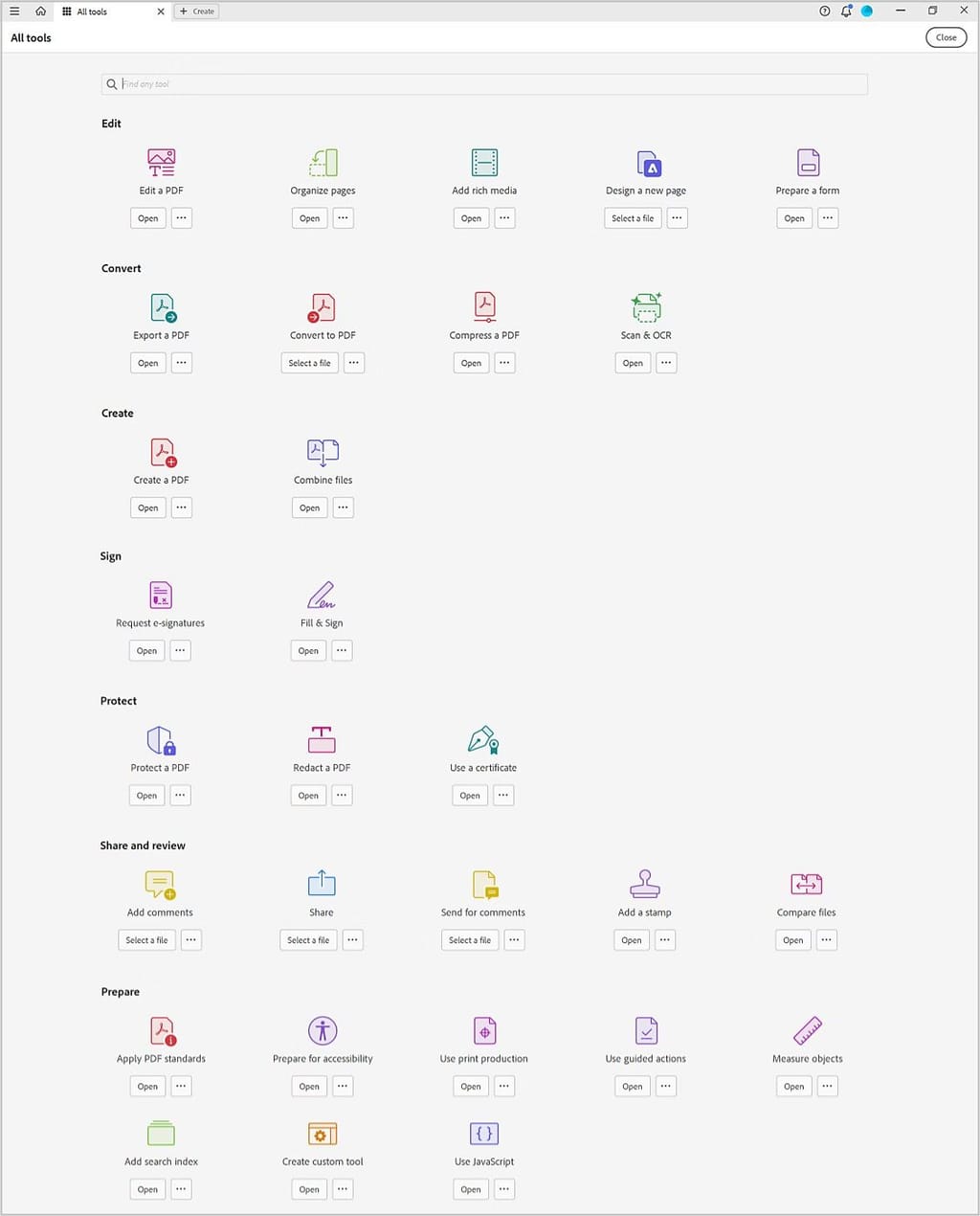
Maybe „borrow“ from Acrobat?
-
Thanks for posting here!
And the new interface looks better! The new icons and colours help to get a better overview.
I do think, however, some categorization of the tools could help a lot in finding all those helpful features?
Maybe „borrow“ from Acrobat?
@necrevistonnezr I dislike our grouping but I think that one doesnt make full sense either... I am not sure what the perfect order of things is at the moment.
At least we have a favouriting system and searchbar to help
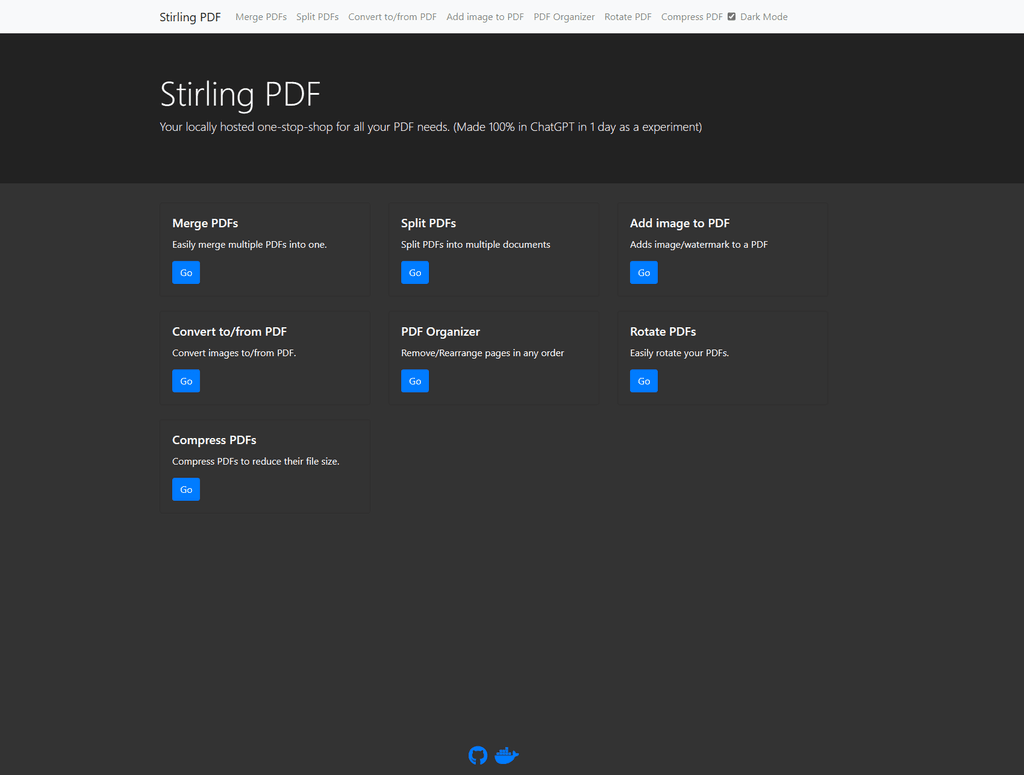
(Although i do think our homepage needs some grouping now that each function is coloured)
-
I like the new UI. (=
-
HI all,
Im frooodle the creator of Stirling-PDF
We are currently redesigning the UI for Stirling-PDF and wanted to get any thoughts and recommendations on the UI change.
We currently have a docker imagefrooodle/s-pdf:testNewDesign
But also just a test website up here for people to try
http://stirlingpdf.io:8088/ (or http://185.252.234.121:8088/ if Domain doesnt work)Please let me know what you think, there is a new on hover Tools navbar and cleaner headers and logos on each page with other tweeks to general interface
@froodle Nice work!
Personally, I'l prefer a toggle for a List View, if not too much to ask.
think the icons would benefit from a rounded box around them, to make them more like app icon buttons.
Lastly, not sure if it works from the UI, but drag & drop for uploading files to process would be super cool
-
At least here the links to the new design demo shows quite something else at least at the moment. So it went through a few redesigns?
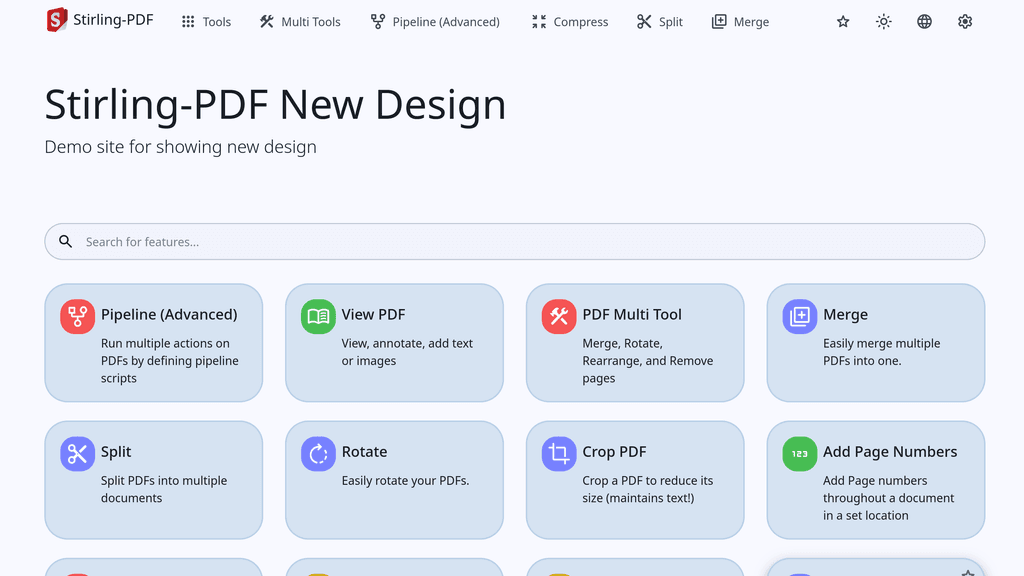
Personally I prefer the screenshot @necrevistonnezr had posted initially, much less noisy.
@nebulon That was a screenshot from Acrobat
 ....
.... -
@froodle Nice work!
Personally, I'l prefer a toggle for a List View, if not too much to ask.
think the icons would benefit from a rounded box around them, to make them more like app icon buttons.
Lastly, not sure if it works from the UI, but drag & drop for uploading files to process would be super cool
@marcusquinn toggle for list view is a good idea, ill add to todo list, this new UI update just released by the way
-
@froodle Great stuff! Any plans to get into the whole AI "Chat with your PDFs?
-
@necrevistonnezr I dislike our grouping but I think that one doesnt make full sense either... I am not sure what the perfect order of things is at the moment.
At least we have a favouriting system and searchbar to help(Although i do think our homepage needs some grouping now that each function is coloured)
@froodle said in New UI Sneak peak and review:
@necrevistonnezr I dislike our grouping but I think that one doesnt make full sense either... I am not sure what the perfect order of things is at the moment.
How about the following categories:
Multi-Tools
- PDF Multi Tool
- Pipeline
Edit Layout
- Organize
- Remove
- Merge
- Multi-Page Layout
- Split
- Split PDF by Sections
- Auto Split Pages
- Auto Split by Size/Count
- Extract page(s)
- Rotate
- Crop PDF
- Adjust page size/scale
- Single Large Page
- Remove Blank pages
- Overlay PDFs
Edit Content
- Add image
- Add Page Numbers
- Add Watermark
- Add Stamp to PDF
- Change Metadata
- Remove Annotations
- Flatten
OCR / Scan
- OCR / Cleanup scans
- Detect/Split Scanned photos
- Adjust Colors/Contrast
Convert
- Convert file to PDF
- Image to PDF
- HTML to PDF
- Markdown to PDF
- URL/Website To PDF
- PDF to Image
- PDF to HTML
- PDF to Word
- PDF to Presentation
- PDF to CSV
- PDF to RTF (Text)
- PDF to PDF/A
- PDF to XML
- Compress
- Extract Images
Protection & Security
- Add Password
- Remove Password
- Change Permissions
- Auto Redact
- Sanitize
- Show Javascript
Sign
- Sign
- Sign with Certificate
Other
- View PDF
- Repair
- Compare
- Auto Rename PDF File
- Get ALL Info on PDF
-
Dear Cloudron @staff,
Stirling PDF with new GUI worked fine for me up to version 2.11.0
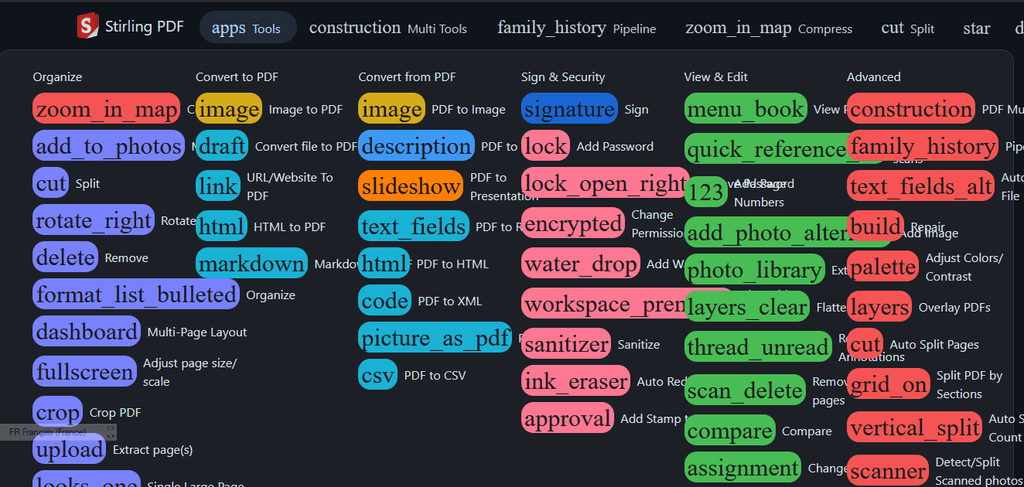
But with today's update to version 2.11.1 all the icons are gone...
Did I missed something ?
Thank you for your support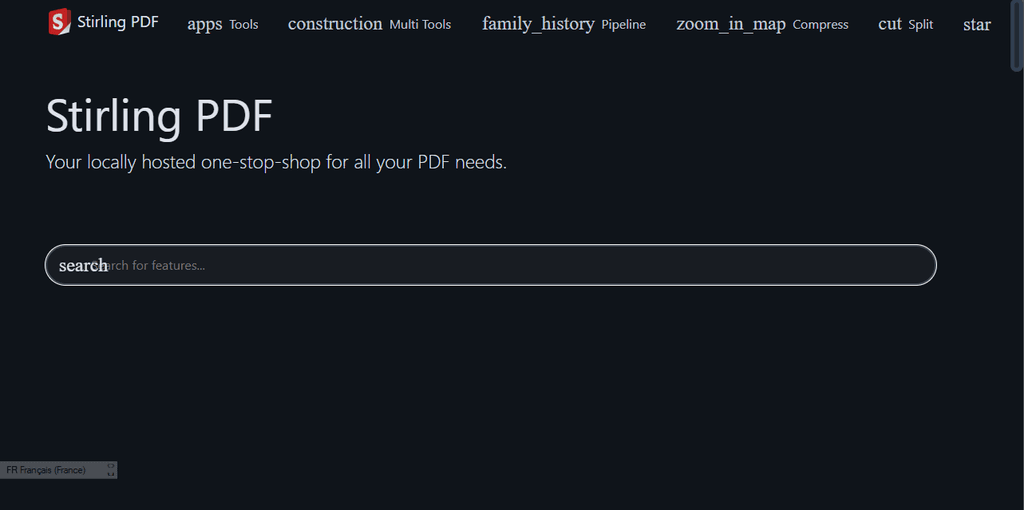
@osobo said in New UI Sneak peak and review:
Dear Cloudron @staff,
Stirling PDF with new GUI was working fine for me up to version 2.11.0
But with today's update to version 2.11.1 all the icons are gone...
Did I missed something ?
Thank you for your supportWorks fine for me here in Edge / Brave. Maybe a browser cache issue? A privacy / adblock extension?
-
@osobo said in New UI Sneak peak and review:
Dear Cloudron @staff,
Stirling PDF with new GUI was working fine for me up to version 2.11.0
But with today's update to version 2.11.1 all the icons are gone...
Did I missed something ?
Thank you for your supportWorks fine for me here in Edge / Brave. Maybe a browser cache issue? A privacy / adblock extension?
-
Ah, I see that under "Tools" there's already some categorization? Or is that new?
-
Ah, I see that under "Tools" there's already some categorization? Or is that new?








Hello! It looks like you're interested in this conversation, but you don't have an account yet.
Getting fed up of having to scroll through the same posts each visit? When you register for an account, you'll always come back to exactly where you were before, and choose to be notified of new replies (either via email, or push notification). You'll also be able to save bookmarks and upvote posts to show your appreciation to other community members.
With your input, this post could be even better 💗
Register Login