
Flarum - next-generation forum
-
@TheMeerkat did you upvote ?
@timconsidine I did, yes.
-
@gog122 said in Flarum - next-generation forum:
So will Flarum be added ?
All you can do is upvote, express your interest, and pray to the Cloudron gods.

-
@gog122 said in Flarum - next-generation forum:
So will Flarum be added ?
All you can do is upvote, express your interest, and pray to the Cloudron gods.
@TheMeerkat You can do much more than that!
From sponsoring the packaging, having someone else package it, to getting it started by packaging it yourself.. there is a wide spectrum of options to moving the ball forward.

-
@TheMeerkat @gog122 Flarum works on Cloudron with the LAMP App out of the box:
https://forum.cloudron.io/topic/13446/template-flarum-modern-fast-free-community-software
-
@TheMeerkat @gog122 Flarum works on Cloudron with the LAMP App out of the box:
https://forum.cloudron.io/topic/13446/template-flarum-modern-fast-free-community-software
@simong said in Flarum - next-generation forum:
@gog122 Flarum works on Cloudron with the LAMP App out of the box.
- Install LAMP
- open the Terminal and enter this command:
composer create-project --no-interaction flarum/flarum:^1.8.0 /app/data/flarum && sed -i 's|/app/data/public|/app/data/flarum/public|g' /app/data/apache/app.conf && cd /app/data/flarum && composer require flarum/extension-manager:"*" && (read -p "Admin-User: " username && read -p "Admin-Password: " password && read -p "Admin-Email: " email && read -p "Forum-Name: " forum_title && php -r "file_put_contents('flarum-config.json', json_encode(['debug' => false, 'baseUrl' => 'https://' . getenv('CLOUDRON_APP_DOMAIN'), 'databaseConfiguration' => ['driver' => 'mysql', 'host' => getenv('CLOUDRON_MYSQL_HOST'), 'port' => 3306, 'database' => getenv('CLOUDRON_MYSQL_DATABASE'), 'username' => getenv('CLOUDRON_MYSQL_USERNAME'), 'password' => getenv('CLOUDRON_MYSQL_PASSWORD'), 'prefix' => ''], 'adminUser' => ['username' => '$username', 'password' => '$password', 'email' => '$email'], 'settings' => ['forum_title' => '$forum_title', 'mail_driver' => 'smtp', 'mail_host' => getenv('CLOUDRON_MAIL_SMTP_SERVER'), 'mail_port' => getenv('CLOUDRON_MAIL_SMTP_PORT'), 'mail_encryption' => '', 'mail_username' => getenv('CLOUDRON_MAIL_SMTP_USERNAME'), 'mail_password' => getenv('CLOUDRON_MAIL_SMTP_PASSWORD'), 'mail_from' => getenv('CLOUDRON_MAIL_FROM')]], JSON_PRETTY_PRINT));" && php flarum install --file=flarum-config.json && sed -i -e "s/'host' => '.*'/'host' => getenv('CLOUDRON_MYSQL_HOST')/g" -e "s/'database' => '.*'/'database' => getenv('CLOUDRON_MYSQL_DATABASE')/g" -e "s/'username' => '.*'/'username' => getenv('CLOUDRON_MYSQL_USERNAME')/g" -e "s/'password' => '.*'/'password' => getenv('CLOUDRON_MYSQL_PASSWORD')/g" -e "s/'url' => '.*'/'url' => 'https:\/\/'.getenv('CLOUDRON_APP_DOMAIN')/g" config.php && rm flarum-config.json)- restart the app and open the website
Updates can be done via the Extension Manager in the Admin UI.
Nice, thanks!
Just for fun I thought I'd give that a try. It prompted me to set-up Admin user/ pw/ email and forum name, then I restarted and... it worked!
https://flarum.uniteddiversity.coop
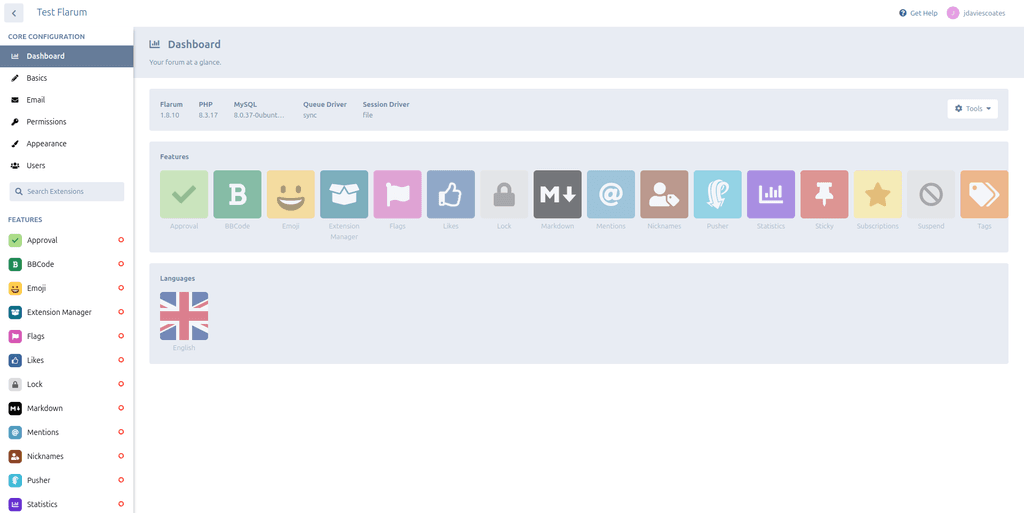
I was able to register as a new user and login and start a discussion:
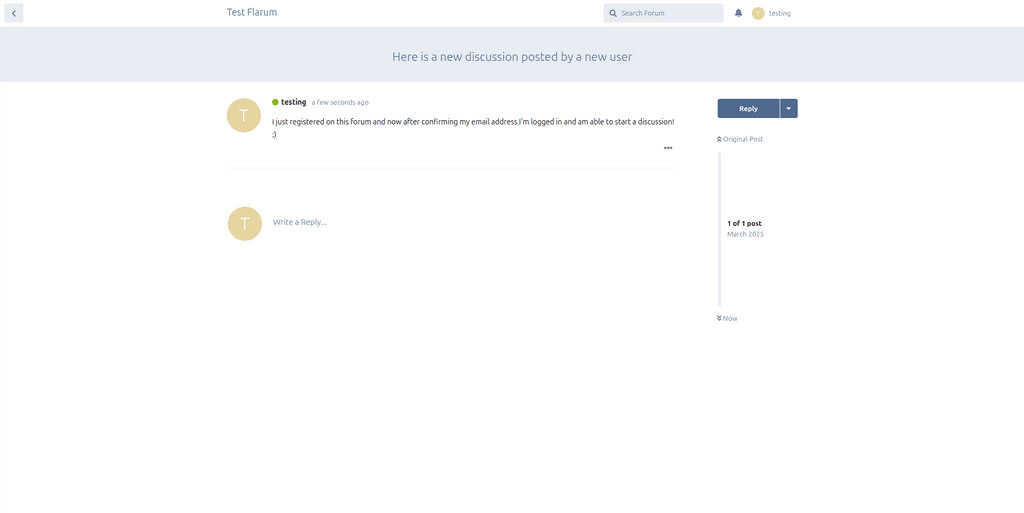
I'll delete this soon, but good to know it's that easy if I ever/ want or need one!
-
@simong said in Flarum - next-generation forum:
@gog122 Flarum works on Cloudron with the LAMP App out of the box.
- Install LAMP
- open the Terminal and enter this command:
composer create-project --no-interaction flarum/flarum:^1.8.0 /app/data/flarum && sed -i 's|/app/data/public|/app/data/flarum/public|g' /app/data/apache/app.conf && cd /app/data/flarum && composer require flarum/extension-manager:"*" && (read -p "Admin-User: " username && read -p "Admin-Password: " password && read -p "Admin-Email: " email && read -p "Forum-Name: " forum_title && php -r "file_put_contents('flarum-config.json', json_encode(['debug' => false, 'baseUrl' => 'https://' . getenv('CLOUDRON_APP_DOMAIN'), 'databaseConfiguration' => ['driver' => 'mysql', 'host' => getenv('CLOUDRON_MYSQL_HOST'), 'port' => 3306, 'database' => getenv('CLOUDRON_MYSQL_DATABASE'), 'username' => getenv('CLOUDRON_MYSQL_USERNAME'), 'password' => getenv('CLOUDRON_MYSQL_PASSWORD'), 'prefix' => ''], 'adminUser' => ['username' => '$username', 'password' => '$password', 'email' => '$email'], 'settings' => ['forum_title' => '$forum_title', 'mail_driver' => 'smtp', 'mail_host' => getenv('CLOUDRON_MAIL_SMTP_SERVER'), 'mail_port' => getenv('CLOUDRON_MAIL_SMTP_PORT'), 'mail_encryption' => '', 'mail_username' => getenv('CLOUDRON_MAIL_SMTP_USERNAME'), 'mail_password' => getenv('CLOUDRON_MAIL_SMTP_PASSWORD'), 'mail_from' => getenv('CLOUDRON_MAIL_FROM')]], JSON_PRETTY_PRINT));" && php flarum install --file=flarum-config.json && sed -i -e "s/'host' => '.*'/'host' => getenv('CLOUDRON_MYSQL_HOST')/g" -e "s/'database' => '.*'/'database' => getenv('CLOUDRON_MYSQL_DATABASE')/g" -e "s/'username' => '.*'/'username' => getenv('CLOUDRON_MYSQL_USERNAME')/g" -e "s/'password' => '.*'/'password' => getenv('CLOUDRON_MYSQL_PASSWORD')/g" -e "s/'url' => '.*'/'url' => 'https:\/\/'.getenv('CLOUDRON_APP_DOMAIN')/g" config.php && rm flarum-config.json)- restart the app and open the website
Updates can be done via the Extension Manager in the Admin UI.
Nice, thanks!
Just for fun I thought I'd give that a try. It prompted me to set-up Admin user/ pw/ email and forum name, then I restarted and... it worked!
https://flarum.uniteddiversity.coop
I was able to register as a new user and login and start a discussion:
I'll delete this soon, but good to know it's that easy if I ever/ want or need one!
-
@jdaviescoates is there a dark mode?
-
@robi doesn't look like it. Perhaps via extensions.
@jdaviescoates It seems it does, it's just not obvious in Settings.
It's in the > Administration > Appearance menu
or
/admin#/appearance -
@jdaviescoates It seems it does, it's just not obvious in Settings.
It's in the > Administration > Appearance menu
or
/admin#/appearance@robi ah, I didn't even look in admin, assumed it'd be a user level setting
-
There's a write up on how to install it using the LAMP app here - https://forum.cloudron.io/topic/13446/template-flarum-modern-fast-free-community-software




Hello! It looks like you're interested in this conversation, but you don't have an account yet.
Getting fed up of having to scroll through the same posts each visit? When you register for an account, you'll always come back to exactly where you were before, and choose to be notified of new replies (either via email, or push notification). You'll also be able to save bookmarks and upvote posts to show your appreciation to other community members.
With your input, this post could be even better 💗
Register Login