
DNS failure
-
Hello, since a few days, my backups are failing and I am getting "Email not configured properly".
Turns out that name resolution does not work at all.I tried to troubleshot unbound as per the Cloudron docs, but that won't work, as I discovered the /etc/netplan folder is completely empty.
I am running on a small VPS on vpshostingservice.co, Ubuntu 22.04. Cloudron 7.7.2 - I cannot upgrade because this is happening
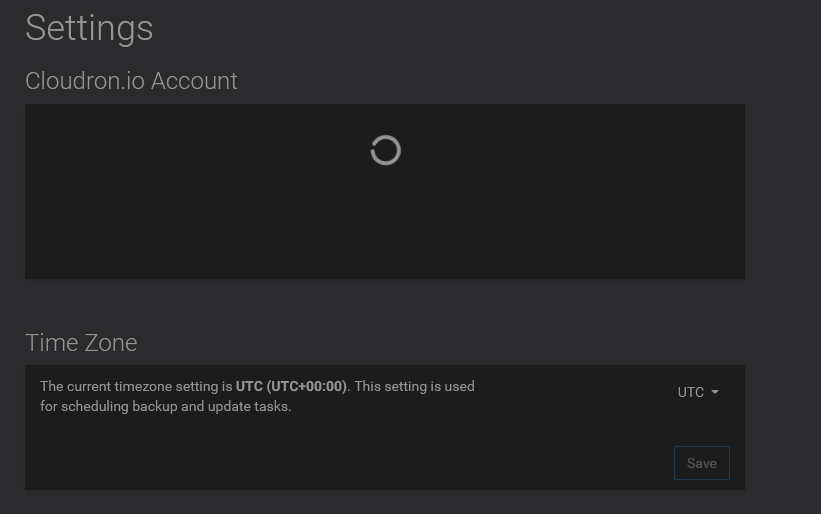
Kindly assist.
-
Hello, since a few days, my backups are failing and I am getting "Email not configured properly".
Turns out that name resolution does not work at all.I tried to troubleshot unbound as per the Cloudron docs, but that won't work, as I discovered the /etc/netplan folder is completely empty.
I am running on a small VPS on vpshostingservice.co, Ubuntu 22.04. Cloudron 7.7.2 - I cannot upgrade because this is happening
Kindly assist.
-
@vansens if possible, create a test VPS on the service provider and check what they set up the default DNS to. alternately, ask their support . The quick fix while you are figuring this is simply use
nameserver 1.1.1.1in your /etc/resolv.conf -
Hey thanks for the quick reply. I am looking at another VM at the same provider, and there is nothing in /etc/netplan either.
In the working machine's resolv.conf I see this:
nameserver 8.8.8.8
nameserver 1.1.1.1
In my Cloudron's resolv.conf, I see this:
nameserver 127.0.0.53
options edns0 trust-ad
search .
Do I overwrite it with your suggestion ("simply use nameserver 1.1.1.1") or do I append it?
-
Hey thanks for the quick reply. I am looking at another VM at the same provider, and there is nothing in /etc/netplan either.
In the working machine's resolv.conf I see this:
nameserver 8.8.8.8
nameserver 1.1.1.1
In my Cloudron's resolv.conf, I see this:
nameserver 127.0.0.53
options edns0 trust-ad
search .
Do I overwrite it with your suggestion ("simply use nameserver 1.1.1.1") or do I append it?
-
@vansens OK, so in 7.7.2, unbound is still in use. And the 127.0.0.53 in resolv.conf is correct . Can you check if
- unbound is running? Services -> unbound -> restart . Make sure it's green
- In /etc/resolv.conf, you should have
nameserver 127.0.0.1. - then, try resolving using
host www.cloudron.io 127.0.0.1(via ssh) . does this work?
If the above two work, then the appstore pages should also load.
-
Hi @joseph, after restarting Unbound, my resolve.conf looks like this:
nameserver 127.0.0.53
options edns0 trust-ad
search .
Name resolution and the appstore work if I change the IP to 127.0.0.1, but not if I leave it at 127.0.0.53
With that temporary manual fix, I was able to upgrade to 8.0.3. Name resolution is not working. However, unbound is working now.If I reboot with 8.0.3, the /etc/resolv.conf reads 127.0.0.53 again.
My apps are not working now, because they need to download some icons:
An error occurred during the configure operation: Network Error: Network error downloading icon : getaddrinfo EAI_AGAIN api.cloudron.ioHow do I fix this please?
-
@vansens 127.0.0.53 is correct in Cloudron 8. I think the issue might be that systemd-resolved has no DNS servers to work with. The nameservers usually come via dhcp or static configuration in
/etc/netplan/50-cloud-init.yaml. In that, you can add a static DNS like this (important: merge the setting below with the existing netplan). Then, after a reboot it should work.ethernets: eth0: nameservers: addresses: - 8.8.8.8 - 1.1.1.1Above, we are using Cloudflare and Google DNS. Ideally, you should use your server provider's DNS (if they provide one)
-
J joseph marked this topic as a question on
-
J joseph has marked this topic as solved on
-
J jadudm referenced this topic on
Hello! It looks like you're interested in this conversation, but you don't have an account yet.
Getting fed up of having to scroll through the same posts each visit? When you register for an account, you'll always come back to exactly where you were before, and choose to be notified of new replies (either via email, or push notification). You'll also be able to save bookmarks and upvote posts to show your appreciation to other community members.
With your input, this post could be even better 💗
Register Login