
-
Hello everyone,
I recently installed EspoCRM on my Cloudron server at relations.starsmediaworks.com. Below is a summary of the installation process and the current status:
Installation Overview:
The Docker image for EspoCRM was successfully pulled and installed.
MySQL addon configuration was completed successfully, with the connection parameters set correctly.
The reverse proxy configuration was successfully established, utilizing a Let's Encrypt SSL certificate.Current Status:
The application is running, and I can access the main interface.
Some log entries indicate a 404 error for the favicon.ico file; however, this does not seem to impact overall functionality.
There are CRIT messages in the logs stating that the Supervisor is running as root, which could pose security risks. I am considering changing this to a specific user.Next Steps:
I am looking to configure the dashboard properly and ensure all necessary modules are activated.
If anyone has suggestions or insights on configuring the dashboard or addressing the CRIT messages, I would appreciate your assistance.
Thank you for your support!Here is a Video of the current Status:
https://www.loom.com/share/0617ad1e7b3247dda8004b8552faa9ef?sid=c01fe90c-8013-4424-a798-5df4d1d85bdfBest regards,
Guntram Bechtold -
J joseph moved this topic from Support on
-
Hello everyone,
I recently installed EspoCRM on my Cloudron server at relations.starsmediaworks.com. Below is a summary of the installation process and the current status:
Installation Overview:
The Docker image for EspoCRM was successfully pulled and installed.
MySQL addon configuration was completed successfully, with the connection parameters set correctly.
The reverse proxy configuration was successfully established, utilizing a Let's Encrypt SSL certificate.Current Status:
The application is running, and I can access the main interface.
Some log entries indicate a 404 error for the favicon.ico file; however, this does not seem to impact overall functionality.
There are CRIT messages in the logs stating that the Supervisor is running as root, which could pose security risks. I am considering changing this to a specific user.Next Steps:
I am looking to configure the dashboard properly and ensure all necessary modules are activated.
If anyone has suggestions or insights on configuring the dashboard or addressing the CRIT messages, I would appreciate your assistance.
Thank you for your support!Here is a Video of the current Status:
https://www.loom.com/share/0617ad1e7b3247dda8004b8552faa9ef?sid=c01fe90c-8013-4424-a798-5df4d1d85bdfBest regards,
Guntram Bechtold@guntrambechtold said in Installation and Current Status of EspoCRM on Cloudron:
There are CRIT messages in the logs stating that the Supervisor is running as root, which could pose security risks. I am considering changing this to a specific user.
You can ignore these, it's not a problem. Apps in Cloudron are run inside containers and the root inside the containers is not "previliged". On top of this, the EspoCRM app itself is run as a normal user and not root.
-
Hello everyone,
I recently installed EspoCRM on my Cloudron server at relations.starsmediaworks.com. Below is a summary of the installation process and the current status:
Installation Overview:
The Docker image for EspoCRM was successfully pulled and installed.
MySQL addon configuration was completed successfully, with the connection parameters set correctly.
The reverse proxy configuration was successfully established, utilizing a Let's Encrypt SSL certificate.Current Status:
The application is running, and I can access the main interface.
Some log entries indicate a 404 error for the favicon.ico file; however, this does not seem to impact overall functionality.
There are CRIT messages in the logs stating that the Supervisor is running as root, which could pose security risks. I am considering changing this to a specific user.Next Steps:
I am looking to configure the dashboard properly and ensure all necessary modules are activated.
If anyone has suggestions or insights on configuring the dashboard or addressing the CRIT messages, I would appreciate your assistance.
Thank you for your support!Here is a Video of the current Status:
https://www.loom.com/share/0617ad1e7b3247dda8004b8552faa9ef?sid=c01fe90c-8013-4424-a798-5df4d1d85bdfBest regards,
Guntram Bechtold@guntrambechtold it's a bit tricky. If you click on sign in, this is the oidc method.
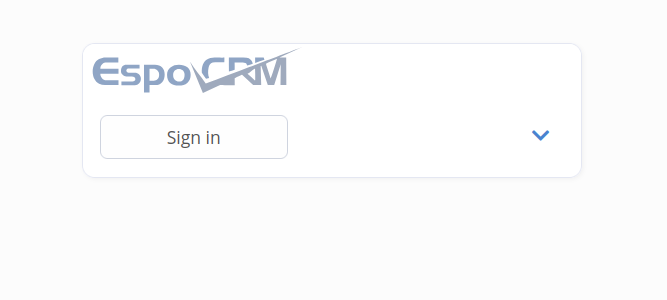
You will be logged in as a normal user (without anything on the dashboard).
To configure your espocrm instance, you have to log in as the default admin. (admin:changeme).
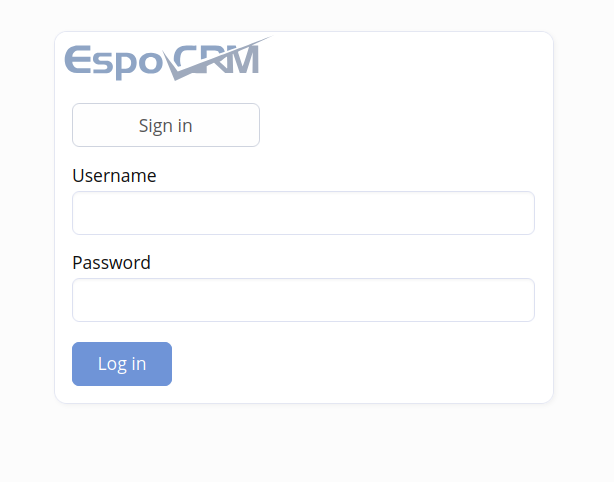
Give it a try at https://espocrm.demo.cloudron.io/
-
Yes, that worked perfectly. Thank you!
-
 N nebulon marked this topic as a question on
-
N nebulon has marked this topic as solved on

Hello! It looks like you're interested in this conversation, but you don't have an account yet.
Getting fed up of having to scroll through the same posts each visit? When you register for an account, you'll always come back to exactly where you were before, and choose to be notified of new replies (either via email, or push notification). You'll also be able to save bookmarks and upvote posts to show your appreciation to other community members.
With your input, this post could be even better 💗
Register Login