
Starting a conversation
-
-
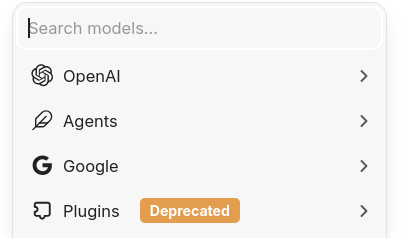
I had some difficulty with this initially.
That button showed only "Agents" but after a couple of re-start of the app, I was then able to see models in the dropdown.
Well, 2 of the 3 sources I set api keys for (OpenRouter models do not display currently).Indie app dev, scratching my itches : communityapps.appx.uk, portfolio at myca.appx.uk
-
-
Imho it is best to copy the librechat.example.yaml from here https://github.com/danny-avila/LibreChat/blob/main/librechat.example.yaml into your librechat.yaml and then copy the examples for your custom AI endpoints into it (eg https://www.librechat.ai/docs/configuration/librechat_yaml/ai_endpoints/mistral). Btw: openai & gemini also work for me without librechat.yaml.
-
Wow, not as easy as the local version, then. Bit of an annoyance having to maintain that.
-
I had some difficulty with this initially.
That button showed only "Agents" but after a couple of re-start of the app, I was then able to see models in the dropdown.
Well, 2 of the 3 sources I set api keys for (OpenRouter models do not display currently).@timconsidine @luckow Anything else you did, other than a few app restarts, as that's not working for me to show Anthropic, Google, or OpenAI
-
 M marcusquinn referenced this topic on


Hello! It looks like you're interested in this conversation, but you don't have an account yet.
Getting fed up of having to scroll through the same posts each visit? When you register for an account, you'll always come back to exactly where you were before, and choose to be notified of new replies (either via email, or push notification). You'll also be able to save bookmarks and upvote posts to show your appreciation to other community members.
With your input, this post could be even better 💗
Register Login