
Vikunja - Desktop App error Could not find or use Vikunja installation
-
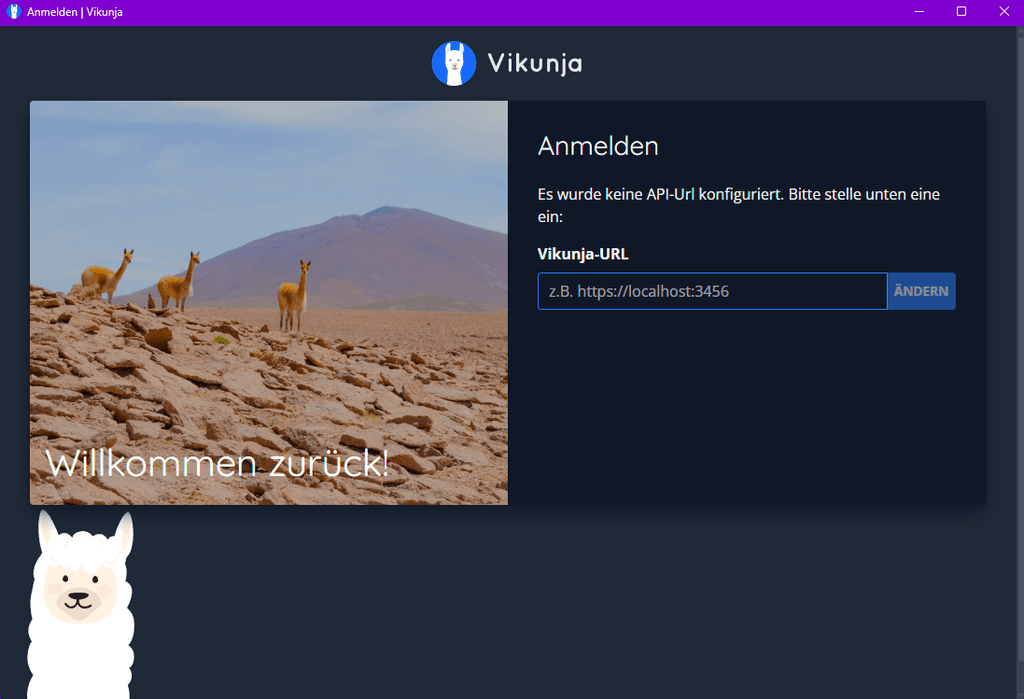
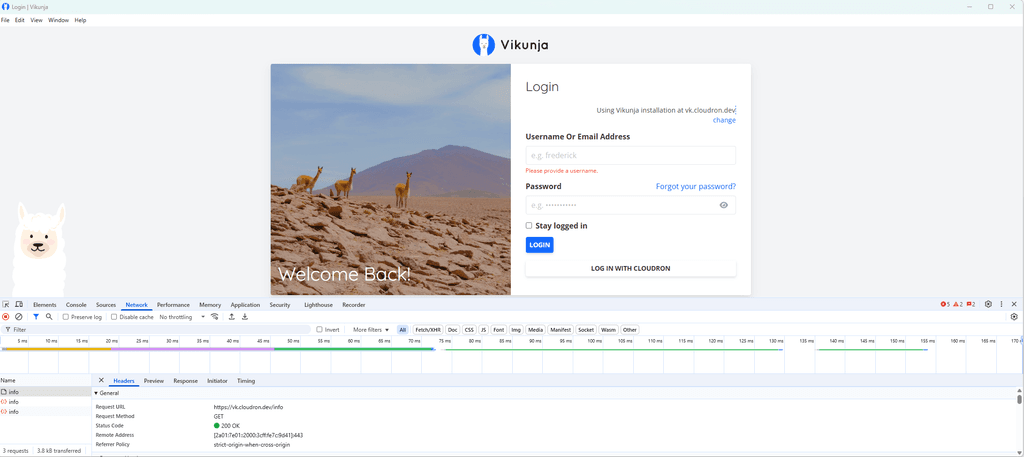
Hrrrrrmmmm I can't reach the API via desktop app. Browsing https://domain.com/api/v1/info gives me the correct response but the app's login screen always states "no installation found".
curl -X GET https://domain.com/api/v1/info
{"version":"v0.24.6","frontend_url":"https://domain.com/"~~~
I tried:
https://domain.com:3456/api/v1/
https://domain.com/api/v1/
https://domain.comWhat did you guys do to make it work?

-
Hrrrrrmmmm I can't reach the API via desktop app. Browsing https://domain.com/api/v1/info gives me the correct response but the app's login screen always states "no installation found".
curl -X GET https://domain.com/api/v1/info
{"version":"v0.24.6","frontend_url":"https://domain.com/"~~~
I tried:
https://domain.com:3456/api/v1/
https://domain.com/api/v1/
https://domain.comWhat did you guys do to make it work?
-
Hello @subven
I was not even able to install the Dekstop App on Windows for version 0.24.6 since the.exeis missng and it's just aVikunja Desktop-v0.24.6.exe.blockmaphttps://dl.vikunja.io/desktop/0.24.6/Even when I use the older 0.24.4 or the new RC-2 I can see the error.
But, what is odd, with both versions, I can see in the Cloudron Log that the request in fact do respond:Oct 22 16:57:27 2025-10-22T14:57:27Z: WEB ▶ -REDACTED- GET 200 /info 357.427µs - Mozilla/5.0 (Windows NT 10.0; Win64; x64) AppleWebKit/537.36 (KHTML, like Gecko) vikunja-desktop/v1.0.0-rc2 Chrome/138.0.7204.235 Electron/37.3.1 Safari/537.36 Oct 22 16:57:27 2025-10-22T14:57:27Z: WEB ▶ -REDACTED- GET 200 /api/v1/info 235.855µs - Mozilla/5.0 (Windows NT 10.0; Win64; x64) AppleWebKit/537.36 (KHTML, like Gecko) vikunja-desktop/v1.0.0-rc2 Chrome/138.0.7204.235 Electron/37.3.1 Safari/537.36 Oct 22 16:57:27 2025-10-22T14:57:27Z: WEB ▶ -REDACTED- GET 200 /api/v1/notifications?page=1 9.349822ms - Mozilla/5.0 (Windows NT 10.0; Win64; x64) AppleWebKit/537.36 (KHTML, like Gecko) Chrome/141.0.0.0 Safari/537.36 -
I'm using desktop v.2.1.0 and encountering an OIDC error on the login page.
I added the cors enable true origins * code above and restarted the app with no effect on the error.
OpenID Error
redirect_uri did not match any of the client's registered redirect_uris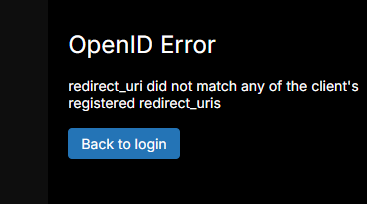
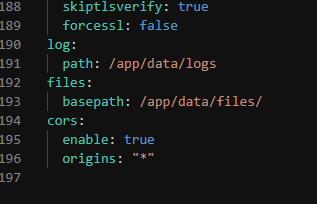
Vikunja 2.0.0 on Cloudron io.vikunja.cloudronapp@1.20.0.
Cloudron version 9.0.17 | Ubuntu 24.04 LTS Linux 6.8.0-101-generic
-
BTW, if I click on "Back to login", and log in with my username/password, it'll log into Cloudron and show me my dashboard!

On a positive note, I have a Cloudron dashboard desktop app now

-
Hello @humptydumpty
I was able to debug the Vikunja Desktop Electron app.
An app update will available soon to fix the issue.
Some technical details for interested users.
The
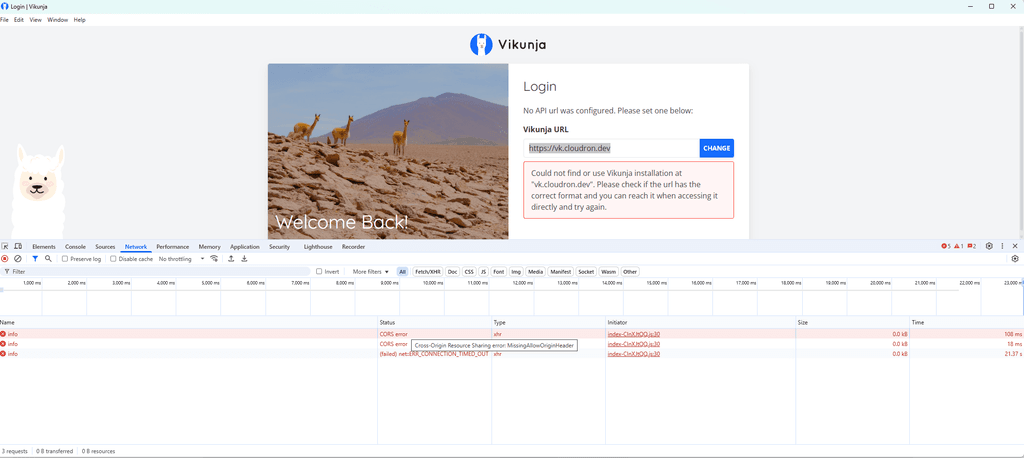
corschange now seems to be unnecessary since the default was changed to:CorsOrigins.setDefault([]string{"http://127.0.0.1:*", "http://localhost:*"})Please ensure to always write the full URL in the Vikunja Desktop app e.g.:
https://vinkunja.cloudron.dev.
When just using e.g.:vikunja.cloudron.devan automatic redirection fromhttptohttpsis done and the Vinkunja Desktop app will run into an internal CORS error (which is displayed no where) and the app will silently fail, and it will look like it does nothing to the end user.I also was able to figure out the OIDC issue from the desktop app.
The Desktop app useshttp://127.0.0.1:$SOME_RANDOM_PORT/auth/openid/cloudronas the callback URL.
Needed to read up on the rfc8252 section 7.3 - Loopback Interface Redirection to understand how these random ports are handled.
Since I was very confused when the Desktop app used a random port e.g.:10054and theCloudronManifest.jsonallowedhttp://127.0.0.1:45735/auth/openid/cloudron(the default port used from the app https://github.com/go-vikunja/vikunja/blob/ec11643c24b0f00c55ec5a60328b54e2c3a69962/desktop/main.js#L29) and the callback URL still worked.
Thought at first this was some security issue, because, I did not explicitly allow port10054but did allow45735.
But rfc8252 section 7.3 - Loopback Interface Redirection explains that behaviour since:The authorization server MUST allow any port to be specified at the
time of the request for loopback IP redirect URIs, to accommodate
clients that obtain an available ephemeral port from the operating
system at the time of the request. -
Hello @humptydumpty
I was able to debug the Vikunja Desktop Electron app.
An app update will available soon to fix the issue.
Some technical details for interested users.
The
corschange now seems to be unnecessary since the default was changed to:CorsOrigins.setDefault([]string{"http://127.0.0.1:*", "http://localhost:*"})Please ensure to always write the full URL in the Vikunja Desktop app e.g.:
https://vinkunja.cloudron.dev.
When just using e.g.:vikunja.cloudron.devan automatic redirection fromhttptohttpsis done and the Vinkunja Desktop app will run into an internal CORS error (which is displayed no where) and the app will silently fail, and it will look like it does nothing to the end user.I also was able to figure out the OIDC issue from the desktop app.
The Desktop app useshttp://127.0.0.1:$SOME_RANDOM_PORT/auth/openid/cloudronas the callback URL.
Needed to read up on the rfc8252 section 7.3 - Loopback Interface Redirection to understand how these random ports are handled.
Since I was very confused when the Desktop app used a random port e.g.:10054and theCloudronManifest.jsonallowedhttp://127.0.0.1:45735/auth/openid/cloudron(the default port used from the app https://github.com/go-vikunja/vikunja/blob/ec11643c24b0f00c55ec5a60328b54e2c3a69962/desktop/main.js#L29) and the callback URL still worked.
Thought at first this was some security issue, because, I did not explicitly allow port10054but did allow45735.
But rfc8252 section 7.3 - Loopback Interface Redirection explains that behaviour since:The authorization server MUST allow any port to be specified at the
time of the request for loopback IP redirect URIs, to accommodate
clients that obtain an available ephemeral port from the operating
system at the time of the request.





Hello! It looks like you're interested in this conversation, but you don't have an account yet.
Getting fed up of having to scroll through the same posts each visit? When you register for an account, you'll always come back to exactly where you were before, and choose to be notified of new replies (either via email, or push notification). You'll also be able to save bookmarks and upvote posts to show your appreciation to other community members.
With your input, this post could be even better 💗
Register Login