Cloudron makes it easy to run web apps like WordPress, Nextcloud, GitLab on your server. Find out more or install now.


Skip to content
  • Categories
  • Recent
  • Tags
  • Popular
  • Bookmarks
  • Search
Skins
  • Light
  • Brite
  • Cerulean
  • Cosmo
  • Flatly
  • Journal
  • Litera
  • Lumen
  • Lux
  • Materia
  • Minty
  • Morph
  • Pulse
  • Sandstone
  • Simplex
  • Sketchy
  • Spacelab
  • United
  • Yeti
  • Zephyr
  • Dark
  • Cyborg
  • Darkly
  • Quartz
  • Slate
  • Solar
  • Superhero
  • Vapor

  • Default (No Skin)
  • No Skin
Collapse
Brand Logo

Cloudron Forum

Apps - Status | Demo | Docs | Install
  1. Cloudron Forum
  2. Support
  3. Old system backups are not listed

Old system backups are not listed

Scheduled Pinned Locked Moved Solved Support
updatebackup
11 Posts 4 Posters 641 Views 4 Watching
  • Oldest to Newest
  • Newest to Oldest
  • Most Votes
Reply
  • Reply as topic
Log in to reply
This topic was forked from Cloudron 9.0.8 Backup to site sshfs rsync hetzner storagebox joseph
This topic has been deleted. Only users with topic management privileges can see it.
  • J Offline
    J Offline
    joseph
    Staff
    wrote on last edited by
    #2

    Backup Sites view only lists the system backups and not all the backups on the site . System backup is anything which has the platform backup. Listing app and platform backups separately in the list would be quite confusing, I think . App backups list is listing the app backups.

    fsmetadata.json:ENOENT can you check if the file is on the disk?

    1 Reply Last reply
    0
    • archosA Offline
      archosA Offline
      archos
      wrote on last edited by archos
      #3

      Thanks, but my situation is a bit different.

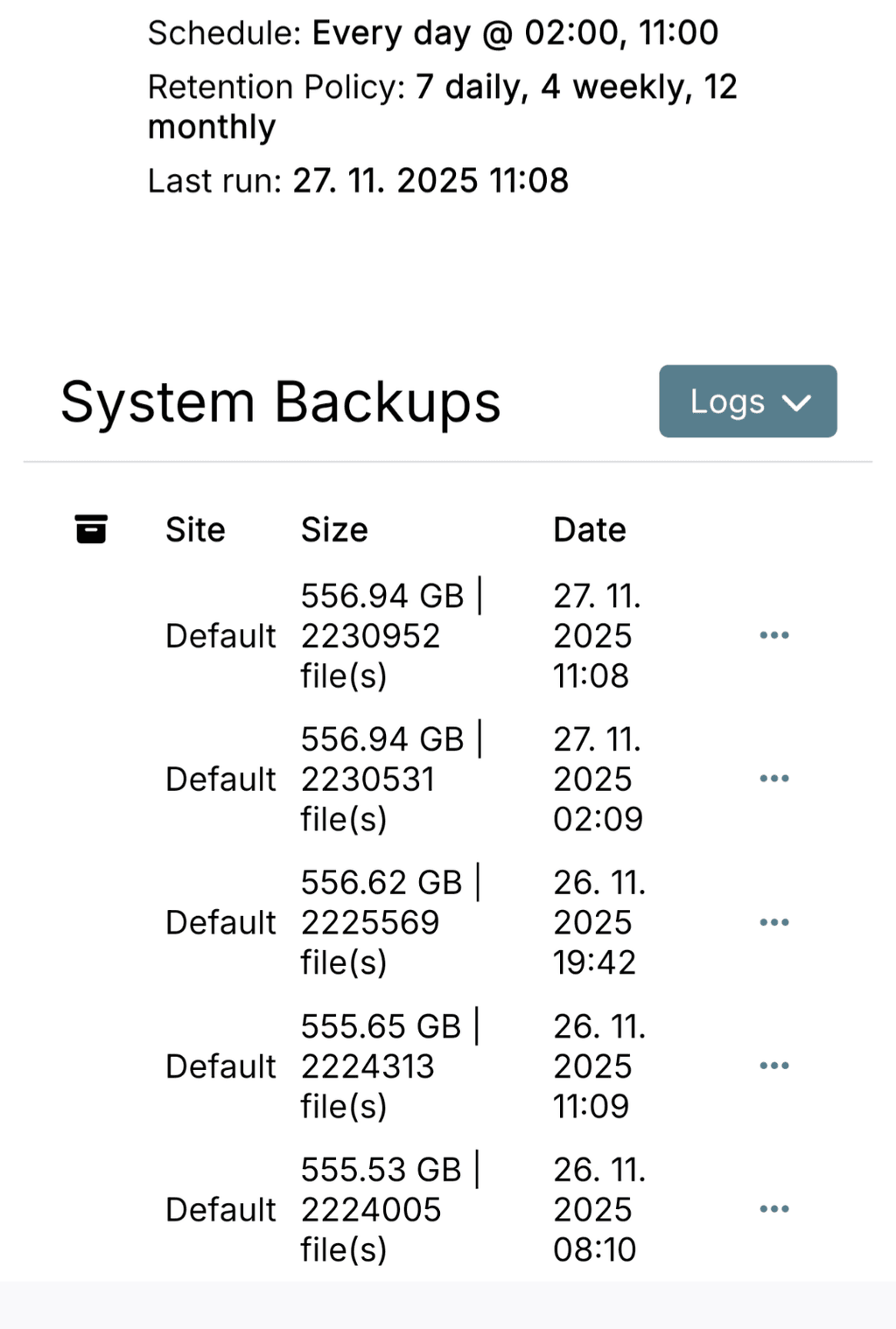
      I keep 7 daily, 4 weekly and 12 monthly backups.
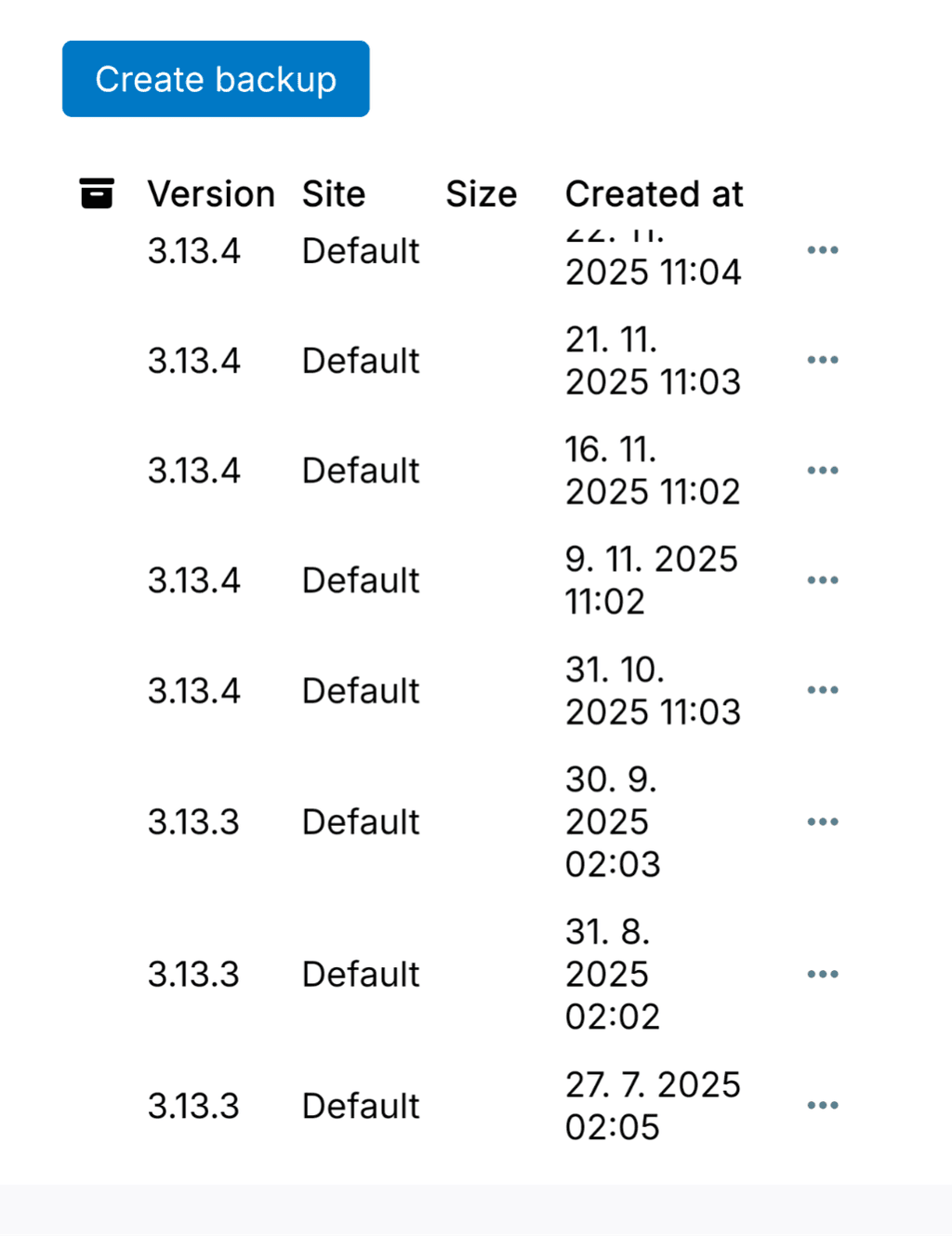
      The older system backups from before the Cloudron update do not appear in Backup Sites at all, even though:

      the backup folders are physically present on the storage (I checked),

      the older app backups do show up under each app,

      but the system backups are completely missing from Backup Sites.

      So the backups exist on the storage, but Cloudron does not list the older system backups anymore.5507.png5508.png

      1 Reply Last reply
      0
      • archosA Offline
        archosA Offline
        archos
        wrote on last edited by
        #4

        Hi, just a quick follow-up.

        Even after updating to 9.0.13, the issue is still not resolved.
        The older backups are visible under each app, but the apps cannot be restored from them.
        And in Backups / Sites, I only see the backups created after updating to version 9.0.12 — all older system backups remain missing.

        The backup folders do physically exist on the storage.

        J 1 Reply Last reply
        0
        • J joseph forked this topic on
        • archosA archos

          Hi, just a quick follow-up.

          Even after updating to 9.0.13, the issue is still not resolved.
          The older backups are visible under each app, but the apps cannot be restored from them.
          And in Backups / Sites, I only see the backups created after updating to version 9.0.12 — all older system backups remain missing.

          The backup folders do physically exist on the storage.

          J Offline
          J Offline
          joseph
          Staff
          wrote on last edited by
          #5

          @archos I wonder if the backupcleaner removed the entries from the database by mistake. Have you tried searching for the old backup in the eventlog? Maybe it hits one of the backupcleaner tasks . Just a thought.

          archosA 1 Reply Last reply
          0
          • E Offline
            E Offline
            ekevu123
            wrote on last edited by
            #6

            @archos Did this occur while upgrading from Cloudron 8 into the 9 series?

            archosA 1 Reply Last reply
            0
            • E ekevu123

              @archos Did this occur while upgrading from Cloudron 8 into the 9 series?

              archosA Offline
              archosA Offline
              archos
              wrote on last edited by
              #7

              @ekevu123 said in Old system backups are not listed:

              Did this occur while upgrading from Cloudron 8 into the 9 series?

              Yes, it happened when upgrading from Cloudron 8 to the 9.x series.
              Everything was working fine on Cloudron 8.

              1 Reply Last reply
              0
              • E Offline
                E Offline
                ekevu123
                wrote on last edited by
                #8

                @girish You wanted to know when this happens again somewhere

                1 Reply Last reply
                0
                • J joseph

                  @archos I wonder if the backupcleaner removed the entries from the database by mistake. Have you tried searching for the old backup in the eventlog? Maybe it hits one of the backupcleaner tasks . Just a thought.

                  archosA Offline
                  archosA Offline
                  archos
                  wrote on last edited by archos
                  #9

                  @joseph said in Old system backups are not listed:

                  wonder if the backupcleaner removed the entries from the database by mistake. Have you tried searching for the old backup in the eventlog? Maybe it hits one of the backupcleaner tasks . Just a thought.
                  Thanks, Joseph.

                  I checked the Event Log, but I don’t see any entries from backupcleaner or anything indicating that older backups were removed or pruned.
                  All older backup folders are still present on the storage, but Cloudron simply doesn't list the system backups created before the upgrade to 9.x.

                  To clarify:

                  • Older app backups are visible under each app,
                  • but older system backups are missing entirely,
                  • and restoring an older app backup fails with the fsmetadata.json ENOENT error.

                  So it doesn't look like backupcleaner deleted the files – it just seems Cloudron no longer recognizes the old backups after the upgrade.

                  Let me know if there is anything else I should check.

                  J 1 Reply Last reply
                  0
                  • archosA archos

                    @joseph said in Old system backups are not listed:

                    wonder if the backupcleaner removed the entries from the database by mistake. Have you tried searching for the old backup in the eventlog? Maybe it hits one of the backupcleaner tasks . Just a thought.
                    Thanks, Joseph.

                    I checked the Event Log, but I don’t see any entries from backupcleaner or anything indicating that older backups were removed or pruned.
                    All older backup folders are still present on the storage, but Cloudron simply doesn't list the system backups created before the upgrade to 9.x.

                    To clarify:

                    • Older app backups are visible under each app,
                    • but older system backups are missing entirely,
                    • and restoring an older app backup fails with the fsmetadata.json ENOENT error.

                    So it doesn't look like backupcleaner deleted the files – it just seems Cloudron no longer recognizes the old backups after the upgrade.

                    Let me know if there is anything else I should check.

                    J Offline
                    J Offline
                    joseph
                    Staff
                    wrote on last edited by
                    #10

                    @archos said in Old system backups are not listed:

                    and restoring an older app backup fails with the fsmetadata.json ENOENT error.

                    Does this file exist in the storage?

                    1 Reply Last reply
                    0
                    • jamesJ Offline
                      jamesJ Offline
                      james
                      Staff
                      wrote last edited by
                      #11

                      Hello @archos
                      Since you did not reply since 05.12.2025 I am marking this topic as solved.

                      1 Reply Last reply
                      0
                      • jamesJ james has marked this topic as solved
                      Reply
                      • Reply as topic
                      Log in to reply
                      • Oldest to Newest
                      • Newest to Oldest
                      • Most Votes


                      • Login

                      • Don't have an account? Register

                      • Login or register to search.
                      • First post
                        Last post
                      0
                      • Categories
                      • Recent
                      • Tags
                      • Popular
                      • Bookmarks
                      • Search