
Old system backups are not listed
-
I have the same issue after updating Cloudron.
I had to re-attach the backup storage and new backups are working, but:
the older backups are physically present on the StorageBox,
I can see them in each app’s backup list,
but they do not appear under Backup Sites,
and trying to restore them results in an
Task error Retry a failed installation, configuration, update, restore, or backup task. An error occurred during the restore operation: External Error: Error loading fsmetadata.json:ENOENT: no such file or directory, open '/home/yellowtent/appsdata/bebc848c-f9a9-41f9-aeb1-b1d8bf200d73/fsmetadata.json' -
Backup Sites view only lists the system backups and not all the backups on the site . System backup is anything which has the platform backup. Listing app and platform backups separately in the list would be quite confusing, I think . App backups list is listing the app backups.
fsmetadata.json:ENOENTcan you check if the file is on the disk? -
Thanks, but my situation is a bit different.
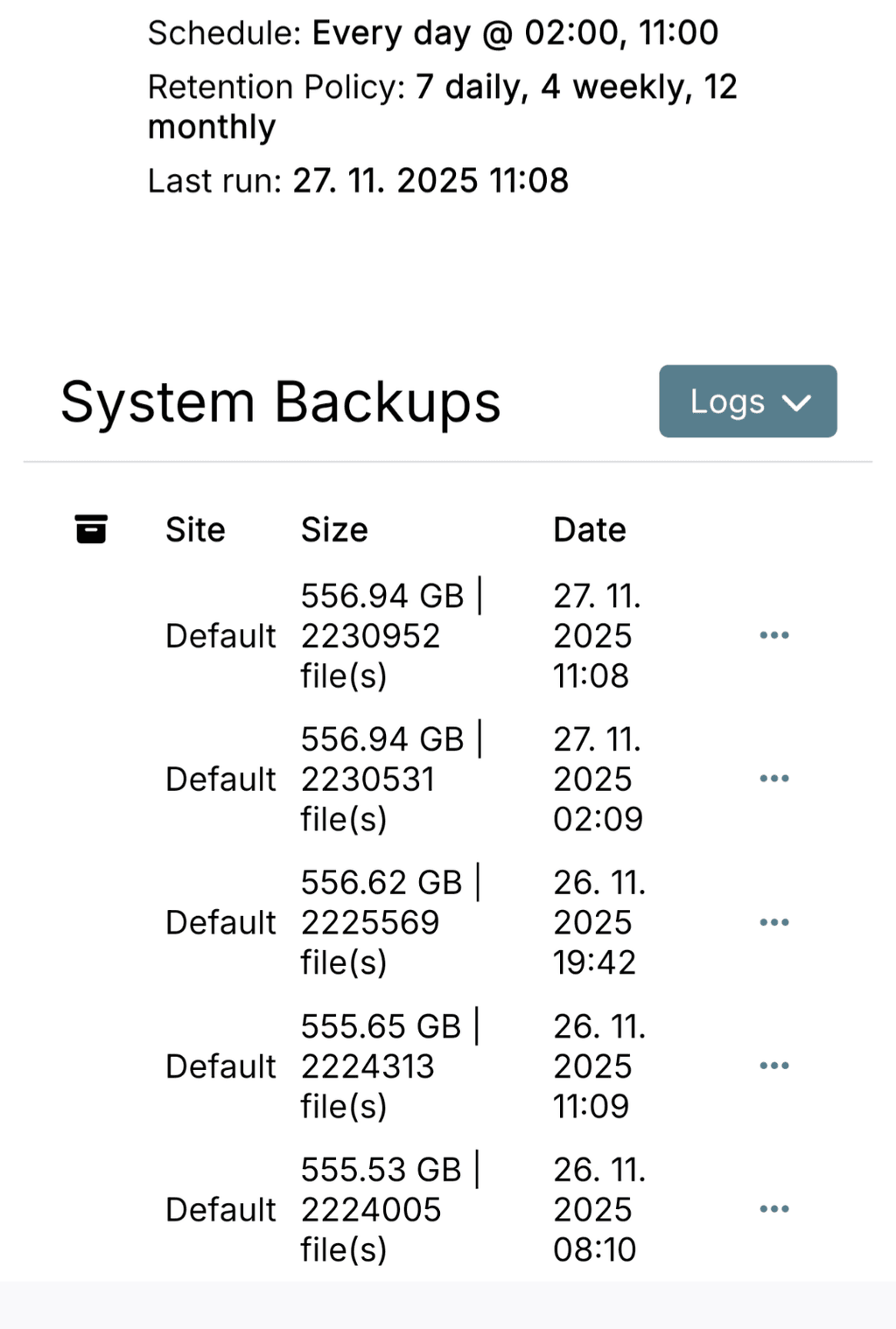
I keep 7 daily, 4 weekly and 12 monthly backups.
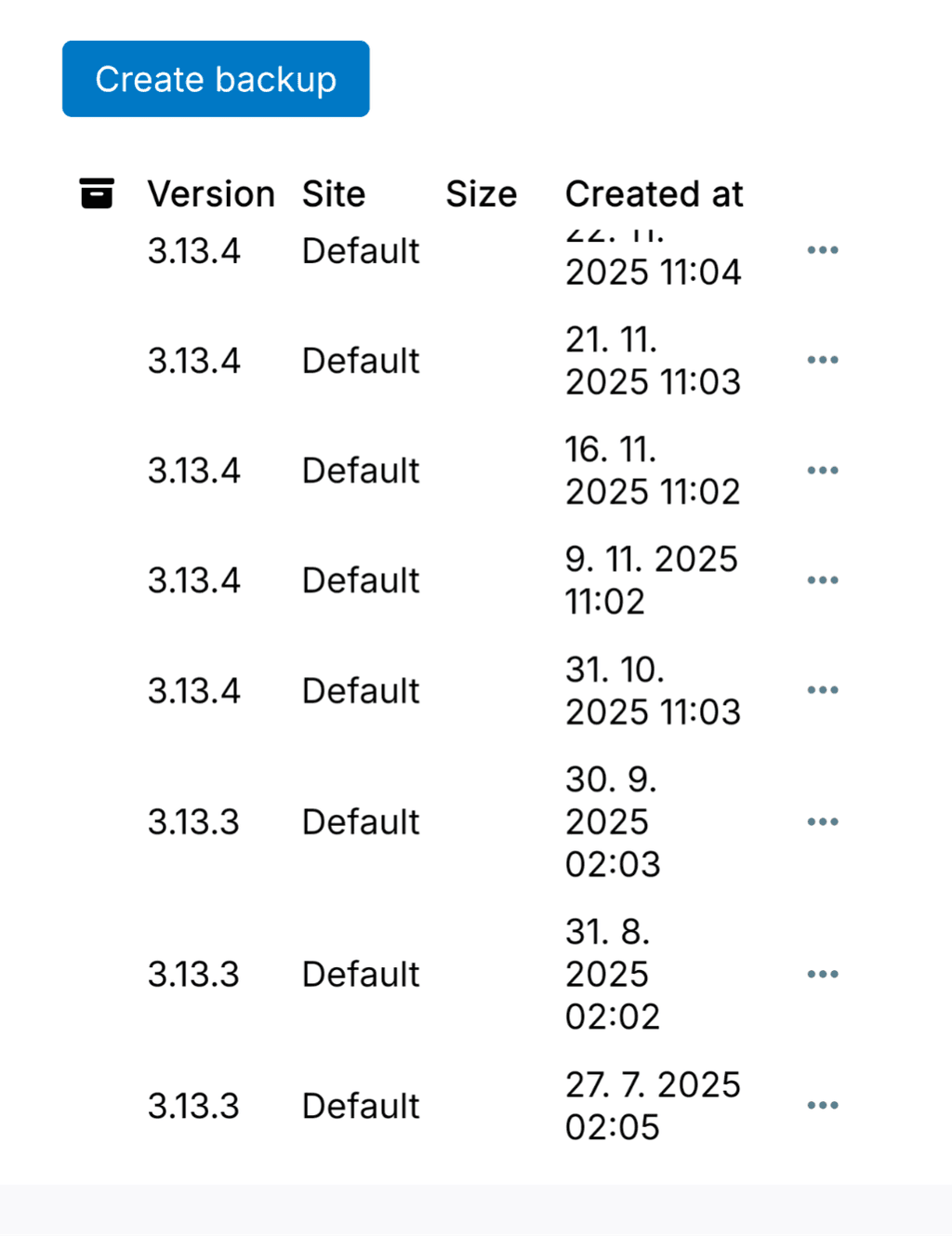
The older system backups from before the Cloudron update do not appear in Backup Sites at all, even though:the backup folders are physically present on the storage (I checked),
the older app backups do show up under each app,
but the system backups are completely missing from Backup Sites.
So the backups exist on the storage, but Cloudron does not list the older system backups anymore.
-
Hi, just a quick follow-up.
Even after updating to 9.0.13, the issue is still not resolved.
The older backups are visible under each app, but the apps cannot be restored from them.
And in Backups / Sites, I only see the backups created after updating to version 9.0.12 — all older system backups remain missing.The backup folders do physically exist on the storage.
-
J joseph forked this topic on
-
Hi, just a quick follow-up.
Even after updating to 9.0.13, the issue is still not resolved.
The older backups are visible under each app, but the apps cannot be restored from them.
And in Backups / Sites, I only see the backups created after updating to version 9.0.12 — all older system backups remain missing.The backup folders do physically exist on the storage.
-
@ekevu123 said in Old system backups are not listed:
Did this occur while upgrading from Cloudron 8 into the 9 series?
Yes, it happened when upgrading from Cloudron 8 to the 9.x series.
Everything was working fine on Cloudron 8. -
@archos I wonder if the backupcleaner removed the entries from the database by mistake. Have you tried searching for the old backup in the eventlog? Maybe it hits one of the backupcleaner tasks . Just a thought.
@joseph said in Old system backups are not listed:
wonder if the backupcleaner removed the entries from the database by mistake. Have you tried searching for the old backup in the eventlog? Maybe it hits one of the backupcleaner tasks . Just a thought.
Thanks, Joseph.I checked the Event Log, but I don’t see any entries from backupcleaner or anything indicating that older backups were removed or pruned.
All older backup folders are still present on the storage, but Cloudron simply doesn't list the system backups created before the upgrade to 9.x.To clarify:
- Older app backups are visible under each app,
- but older system backups are missing entirely,
- and restoring an older app backup fails with the
fsmetadata.jsonENOENT error.
So it doesn't look like backupcleaner deleted the files – it just seems Cloudron no longer recognizes the old backups after the upgrade.
Let me know if there is anything else I should check.
-
@joseph said in Old system backups are not listed:
wonder if the backupcleaner removed the entries from the database by mistake. Have you tried searching for the old backup in the eventlog? Maybe it hits one of the backupcleaner tasks . Just a thought.
Thanks, Joseph.I checked the Event Log, but I don’t see any entries from backupcleaner or anything indicating that older backups were removed or pruned.
All older backup folders are still present on the storage, but Cloudron simply doesn't list the system backups created before the upgrade to 9.x.To clarify:
- Older app backups are visible under each app,
- but older system backups are missing entirely,
- and restoring an older app backup fails with the
fsmetadata.jsonENOENT error.
So it doesn't look like backupcleaner deleted the files – it just seems Cloudron no longer recognizes the old backups after the upgrade.
Let me know if there is anything else I should check.
-
 J james has marked this topic as solved on

Hello! It looks like you're interested in this conversation, but you don't have an account yet.
Getting fed up of having to scroll through the same posts each visit? When you register for an account, you'll always come back to exactly where you were before, and choose to be notified of new replies (either via email, or push notification). You'll also be able to save bookmarks and upvote posts to show your appreciation to other community members.
With your input, this post could be even better 💗
Register Login