Cloudron makes it easy to run web apps like WordPress, Nextcloud, GitLab on your server. Find out more or install now.


Skip to content
  • Categories
  • Recent
  • Tags
  • Popular
  • Bookmarks
  • Search
Skins
  • Light
  • Brite
  • Cerulean
  • Cosmo
  • Flatly
  • Journal
  • Litera
  • Lumen
  • Lux
  • Materia
  • Minty
  • Morph
  • Pulse
  • Sandstone
  • Simplex
  • Sketchy
  • Spacelab
  • United
  • Yeti
  • Zephyr
  • Dark
  • Cyborg
  • Darkly
  • Quartz
  • Slate
  • Solar
  • Superhero
  • Vapor

  • Default (No Skin)
  • No Skin
Collapse
Brand Logo

Cloudron Forum

Apps | Demo | Docs | Install
  1. Cloudron Forum
  2. OpenWebUI
  3. how to configure Ollama in OpenWebUI

how to configure Ollama in OpenWebUI
Scheduled Pinned Locked Moved OpenWebUI
8 Posts 3 Posters 84 Views 3 Watching
  • Oldest to Newest
  • Newest to Oldest
  • Most Votes
Reply
  • Reply as topic
Log in to reply
This topic has been deleted. Only users with topic management privileges can see it.
  • H Offline
    H Offline
    harryz
    wrote last edited by
    #1

    Hi guys,
    Could you please guide me how to configure Ollama in OpenWebUI so that I can download a model to test?
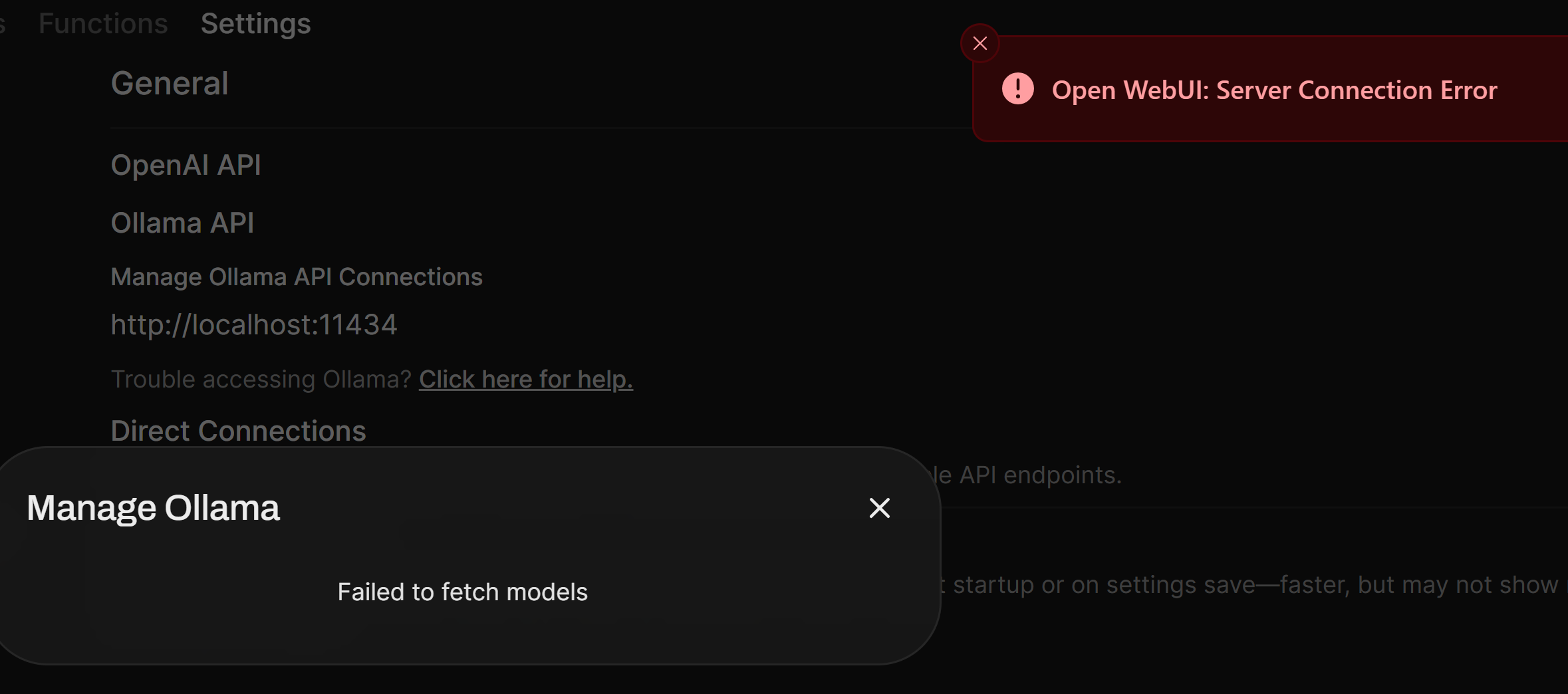
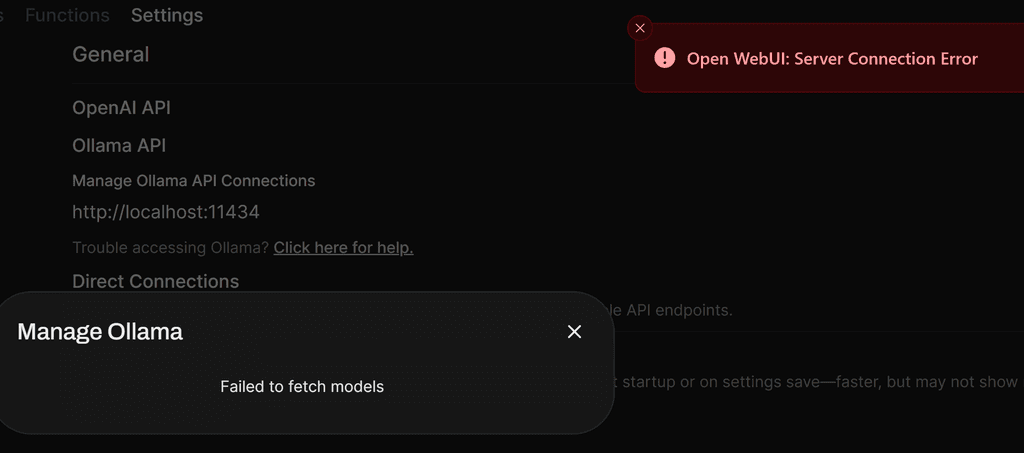
    I am having below error after I installed OpenWebUI.
    I tried to change localhost to my OpenWebUi domain but still same error. My OpenWebUI domain is behind cloudflare proxy.
    658c6dcc-4966-4742-96c7-0e8b3beb5460-image.png

    1 Reply Last reply
    1
    • jamesJ Online
      jamesJ Online
      james
      Staff
      wrote last edited by james
      #2

      Hello @harryz
      The OpenWebUI Cloudron app no longer comes bundles with an internal ollama server.
      Sorry, the documentation is outdated and I will update it accordingly.


      Please install the Ollama app.
      Inside the Ollama app web terminal you can run this command to pull a modell:

      ollama pull tinyllama
      

      In the Ollama app web terminal also run:

      cat /app/data/.api_key
      

      Note down this key, you will need it.


      Then you need to configure the OpenWebUI app.
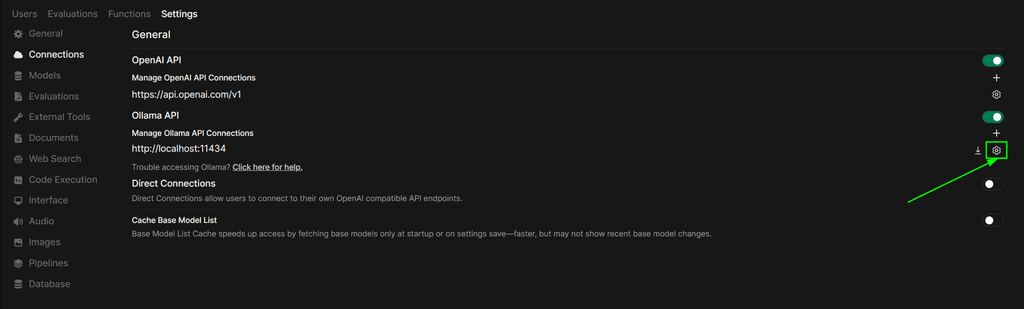
      Login as an admin and navigate to https://YOUR.DOMAIN.TLD/admin/settings/connections:
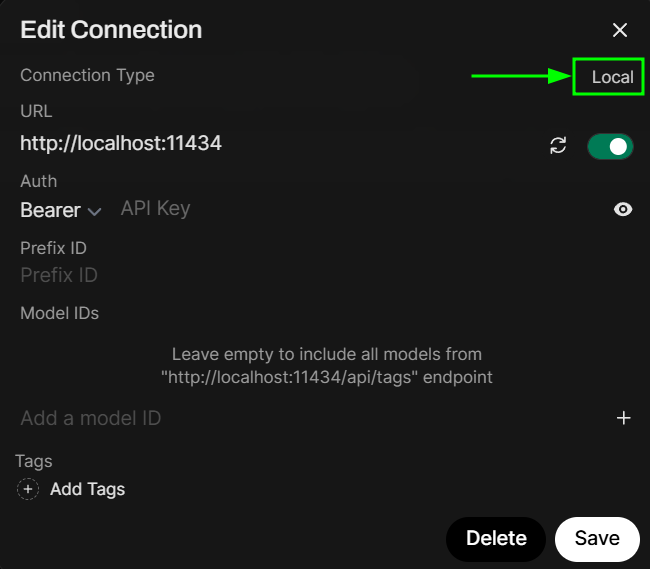
      Press the configuration button for Ollama:
      3942698c-53b8-4d6e-9ff6-082ccc8bf98f-image.png

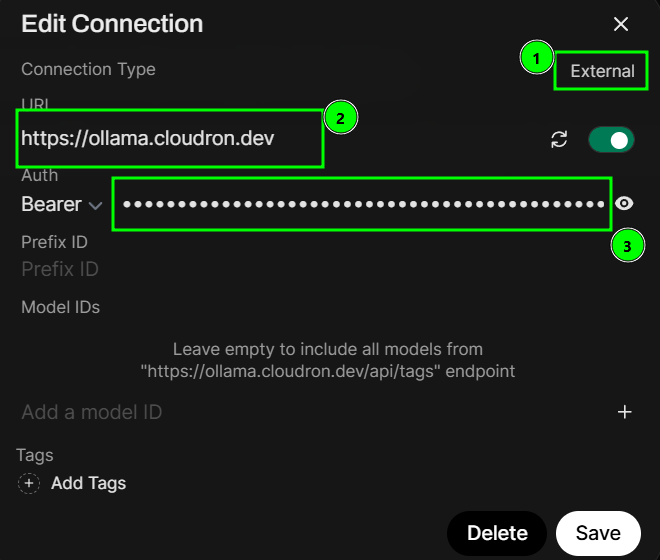
      Click on local to change it to external:
      8b8e92ce-61ea-427e-b558-64dc97a17470-image.png

      Now when it shows external (1) configure the URL to your Ollama app url and paste the key from before into Auth
      8fe3dc2a-53bb-40e5-85b4-5c3cac1c5c17-image.png

      You can press the 'reload' icon to verify the connection:

      908ae333-8664-4068-85c5-01b7b7468b47-image.png

      If you see the success message in the top right, you should be good to go and click the Save button.
      1cd29bad-20fc-4c61-9f13-b381136b6586-image.png

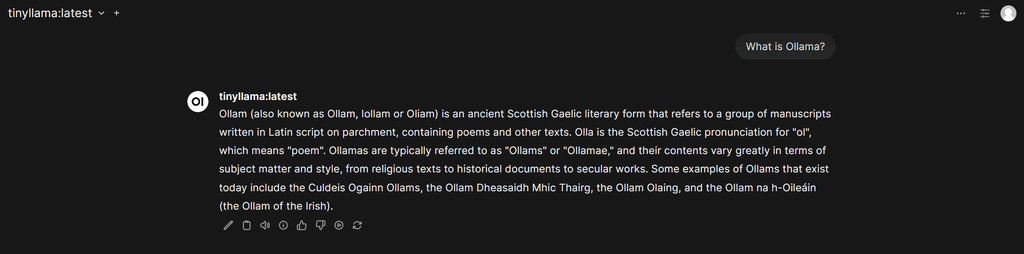
      Now you can use your own Ollama server and modells in OpenWebUI:
      d8686e0a-8b90-4eb7-b91e-77961aa14ab8-image.png

      1 Reply Last reply
      2
      • H Offline
        H Offline
        harryz
        wrote last edited by
        #3

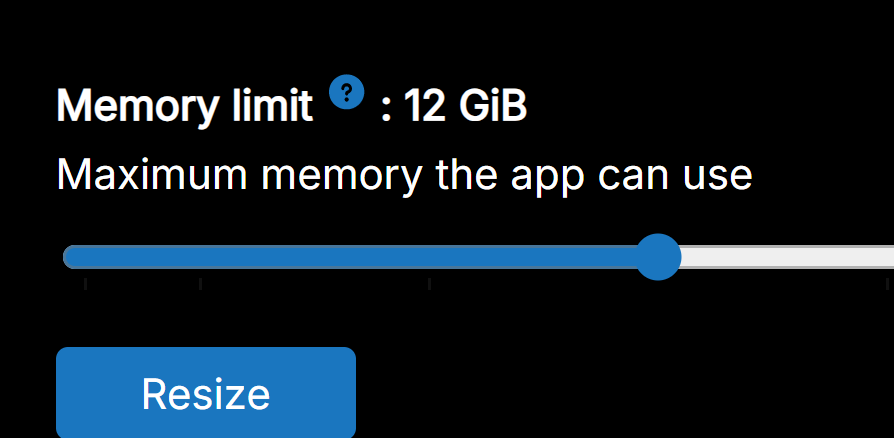
        Thank you, James. You saved my day. However, how can I increase system memory for OpenWebUI. I already resize Memory Limit for OpenWebUI app to 16GB but system memory in this case is a different setting?
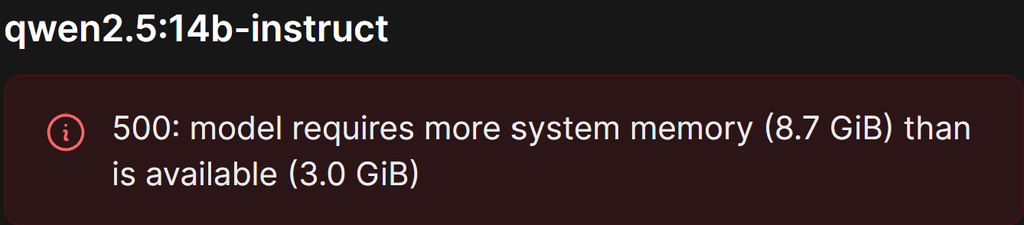
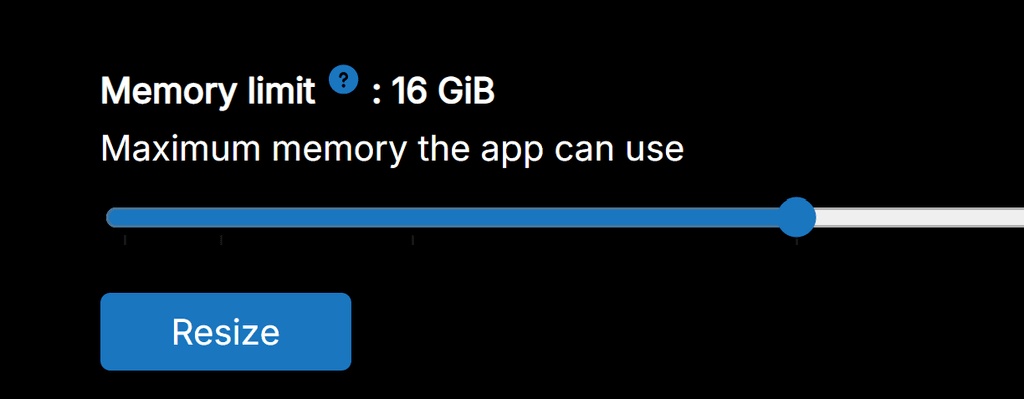
        image.png
        image.png

        H 1 Reply Last reply
        0
        • H harryz

          Thank you, James. You saved my day. However, how can I increase system memory for OpenWebUI. I already resize Memory Limit for OpenWebUI app to 16GB but system memory in this case is a different setting?

          image.png
          image.png

          H Offline
          H Offline
          harryz
          wrote last edited by
          #4

          My Ollama app has 12GB Memory. cdf26014-b501-4e34-90b7-4669e923a19c-image.png

          said in how to configure Ollama in OpenWebUI:

          Thank you, James. You saved my day. However, how can I increase system memory for OpenWebUI. I already resize Memory Limit for OpenWebUI app to 16GB but system memory in this case is a different setting?

          image.png
          image.png

          I 1 Reply Last reply
          1
          • H harryz

            My Ollama app has 12GB Memory. cdf26014-b501-4e34-90b7-4669e923a19c-image.png

            said in how to configure Ollama in OpenWebUI:

            Thank you, James. You saved my day. However, how can I increase system memory for OpenWebUI. I already resize Memory Limit for OpenWebUI app to 16GB but system memory in this case is a different setting?

            image.png
            image.png

            I Offline
            I Offline
            IniBudi
            wrote last edited by
            #5

            @harryz is it fast using 16GB for generating answer in Ollama?

            1 Reply Last reply
            0
            • jamesJ Online
              jamesJ Online
              james
              Staff
              wrote last edited by james
              #6

              Hello @harryz
              How much RAM does your server have?
              How much RAM is used already?

              In the ollama web temrinal run:

              free -h
              

              and post the output please.

              H 1 Reply Last reply
              0
              • jamesJ james

                Hello @harryz
                How much RAM does your server have?
                How much RAM is used already?

                In the ollama web temrinal run:

                free -h
                

                and post the output please.

                H Offline
                H Offline
                harryz
                wrote last edited by
                #7

                Hi James, please refer below, thanks.

                cb9cbbdb-e88f-4b25-b60e-8fa039021b48-image.png

                @james said in how to configure Ollama in OpenWebUI:

                Hello @harryz
                How much RAM does your server have?
                How much RAM is used already?

                In the ollama web temrinal run:

                free -h
                

                and post the output please.

                1 Reply Last reply
                0
                • jamesJ Online
                  jamesJ Online
                  james
                  Staff
                  wrote last edited by
                  #8

                  Hello @harryz
                  There is your problem.
                  The model requires 8.7 GB and your system only has 7.9 GB of free memory left.

                  1 Reply Last reply
                  0
                  Reply
                  • Reply as topic
                  Log in to reply
                  • Oldest to Newest
                  • Newest to Oldest
                  • Most Votes


                  • Login

                  • Don't have an account? Register

                  • Login or register to search.
                  • First post
                    Last post
                  0
                  • Categories
                  • Recent
                  • Tags
                  • Popular
                  • Bookmarks
                  • Search