Cloudron makes it easy to run web apps like WordPress, Nextcloud, GitLab on your server. Find out more or install now.


Skip to content
  • Categories
  • Recent
  • Tags
  • Popular
  • Bookmarks
  • Search
Skins
  • Light
  • Brite
  • Cerulean
  • Cosmo
  • Flatly
  • Journal
  • Litera
  • Lumen
  • Lux
  • Materia
  • Minty
  • Morph
  • Pulse
  • Sandstone
  • Simplex
  • Sketchy
  • Spacelab
  • United
  • Yeti
  • Zephyr
  • Dark
  • Cyborg
  • Darkly
  • Quartz
  • Slate
  • Solar
  • Superhero
  • Vapor

  • Default (No Skin)
  • No Skin
Collapse
Brand Logo

Cloudron Forum

Apps - Status | Demo | Docs | Install
  1. Cloudron Forum
  2. Support
  3. Volumes page does not show the volumes settings (file manager)

Volumes page does not show the volumes settings (file manager)
Scheduled Pinned Locked Moved Unsolved Support
volumesdashboard
1 Posts 1 Posters 4 Views 1 Watching
  • Oldest to Newest
  • Newest to Oldest
  • Most Votes
Reply
  • Reply as topic
Log in to reply
This topic has been deleted. Only users with topic management privileges can see it.
  • SansGuidonS Offline
    SansGuidonS Offline
    SansGuidon
    wrote last edited by
    #1

    6f3398e0-0218-4638-97f4-ee066cb45dd3-image.png
    Hey
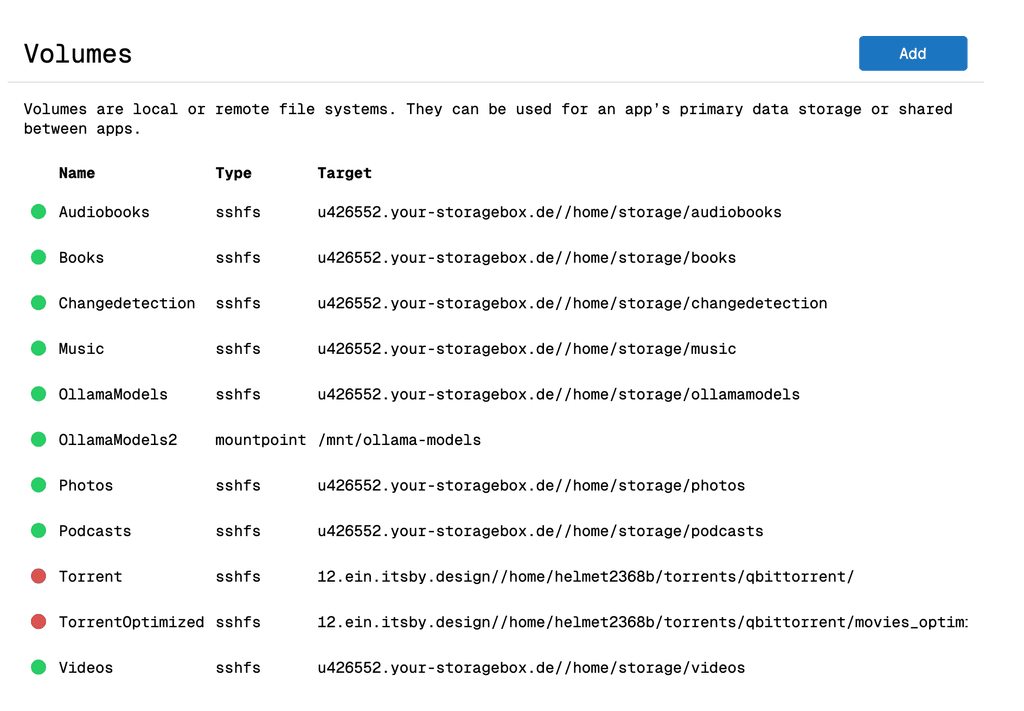
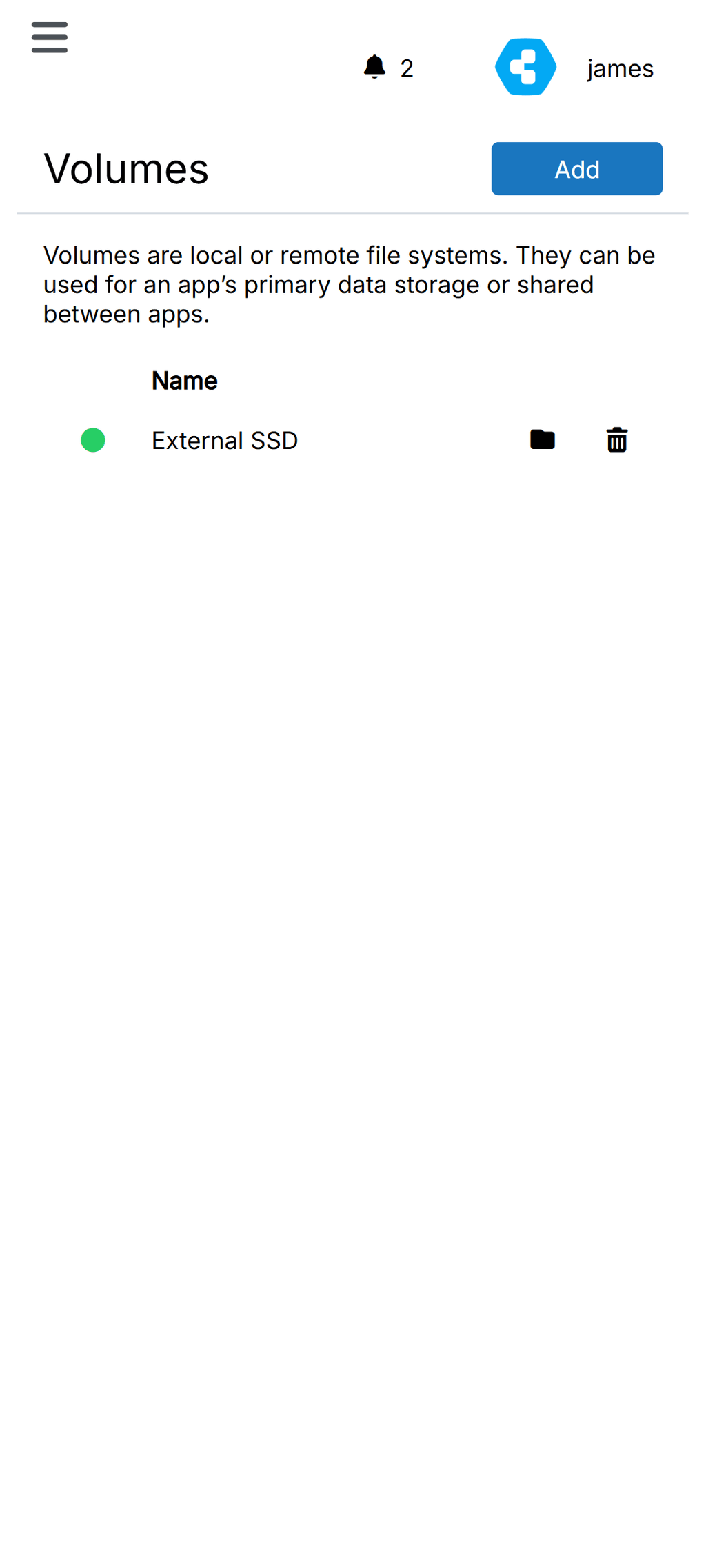
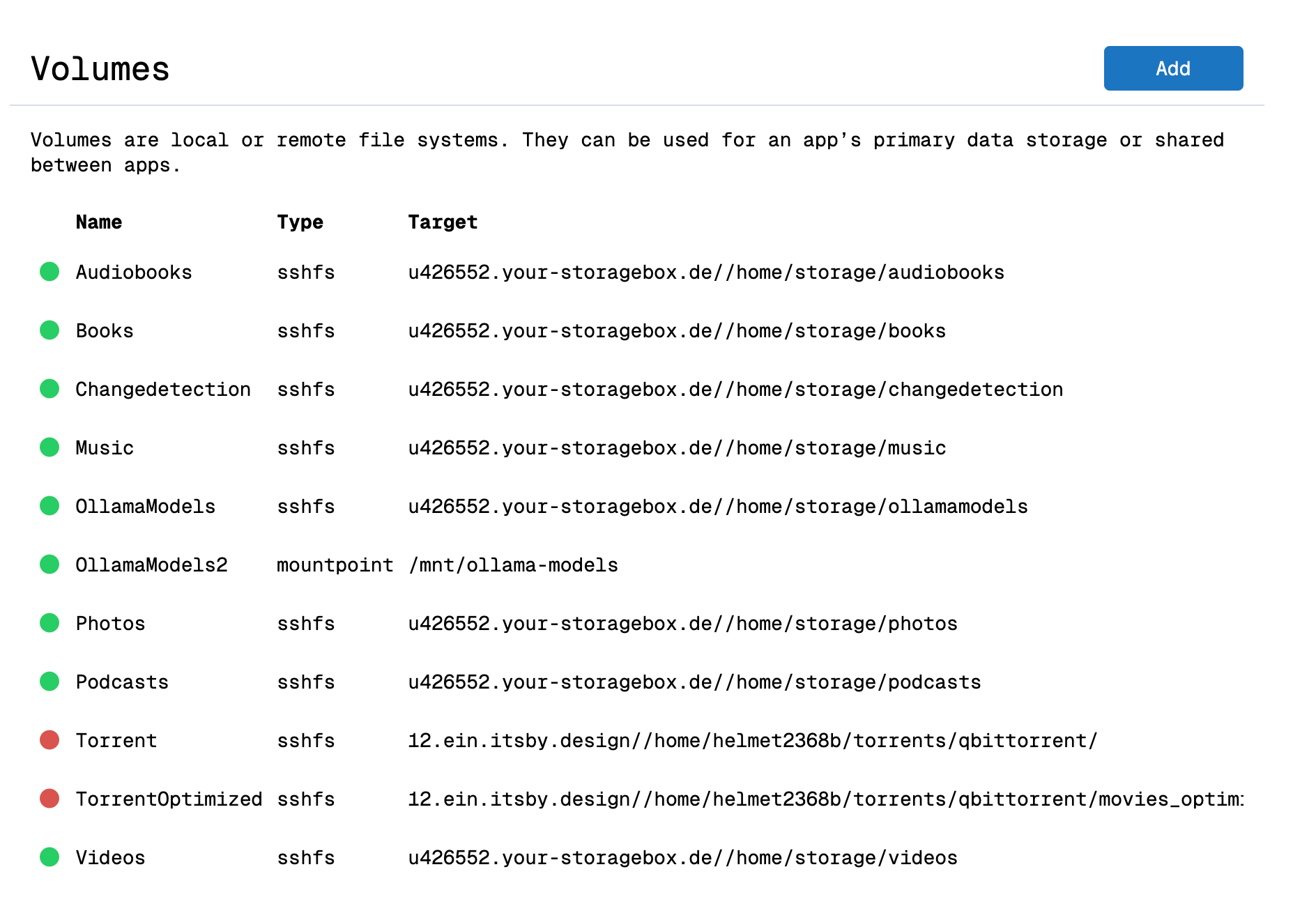
    On Desktop, on Cloudron 9.0.17, it seems we need to scroll to the right in order to access the file manager settings, that's even more annoying on mobile 😜

    This was probably already mentioned in the early feedback for Cloudron 9 but I cannot recall if it was taken into account.
    Thanks anyway! 🙏

    About me / Now

    1 Reply Last reply
    1
    Reply
    • Reply as topic
    Log in to reply
    • Oldest to Newest
    • Newest to Oldest
    • Most Votes


    • Login

    • Don't have an account? Register

    • Login or register to search.
    • First post
      Last post
    0
    • Categories
    • Recent
    • Tags
    • Popular
    • Bookmarks
    • Search