
Update on community packages
-
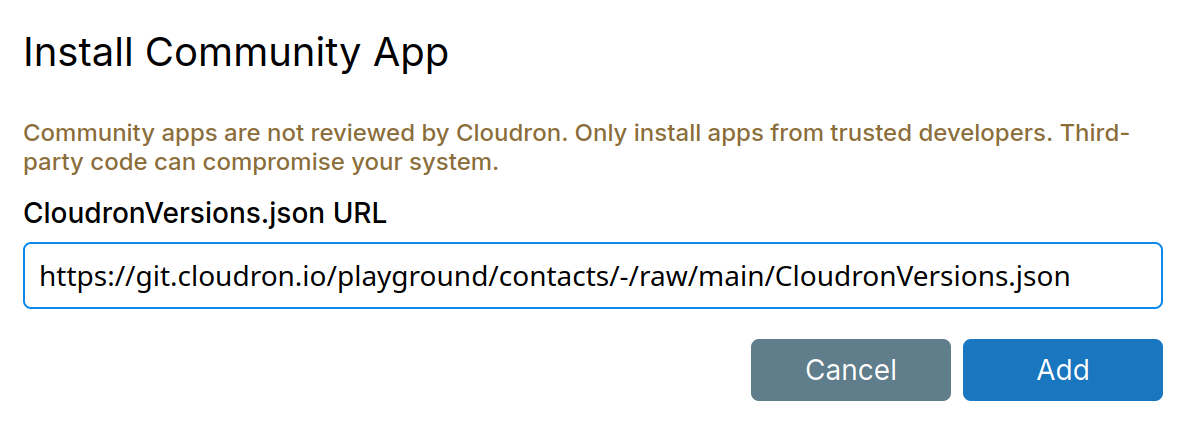
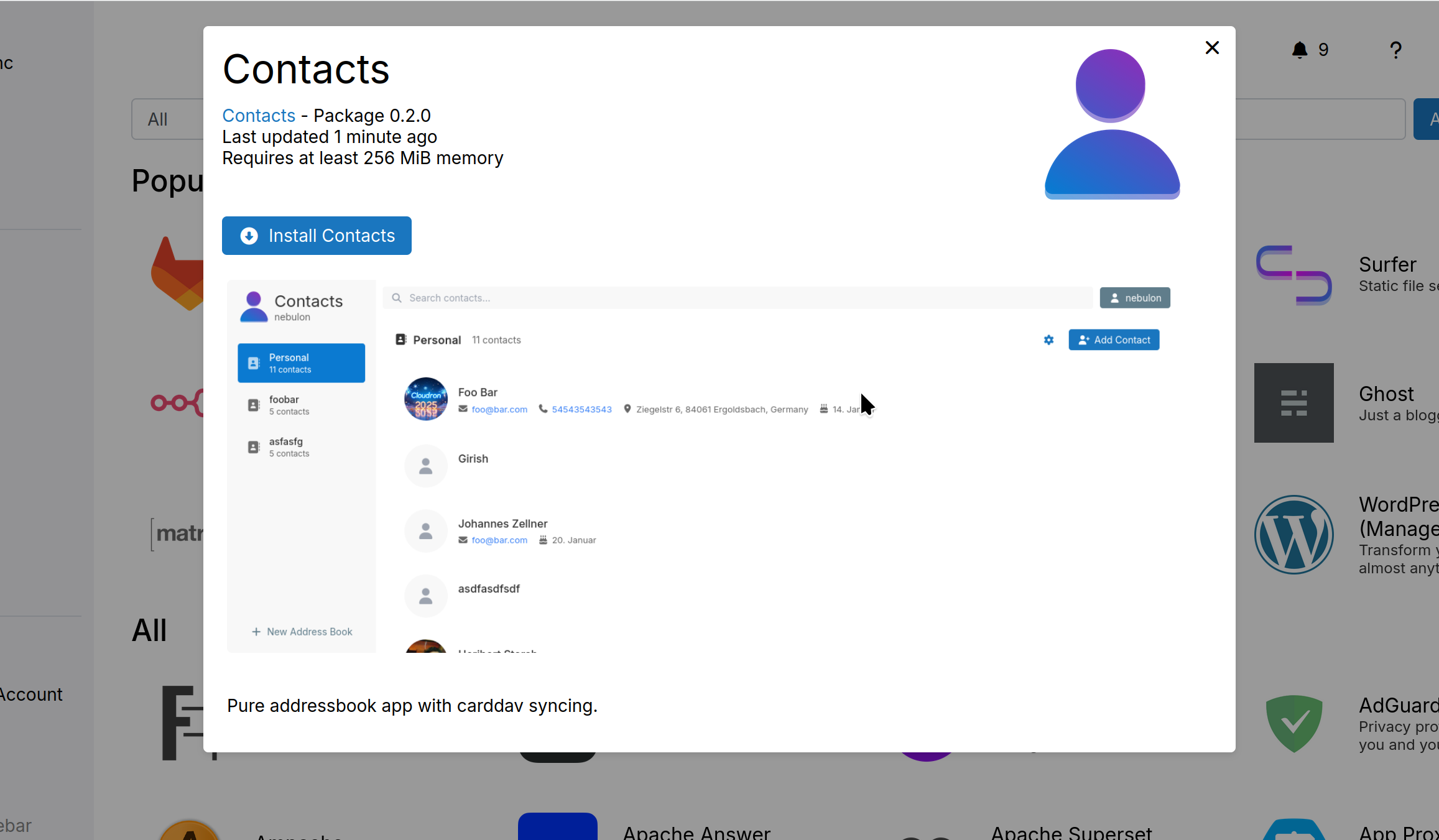
We would like to add support for Community packages as part of 9.1. The idea is that a 3rd party developer can create a cloudron package and provide it to other users with no intervention by cloudron team. I have implemented most of the stuff. Here's how it will look like:
- The CLI tool gained some new commands - cloudron versions init/add/update/list. This just manipulates a file named CloudronVersions.json .
- CloudronVersions.json has to be uploaded somewhere (or serve it straight from git repo).
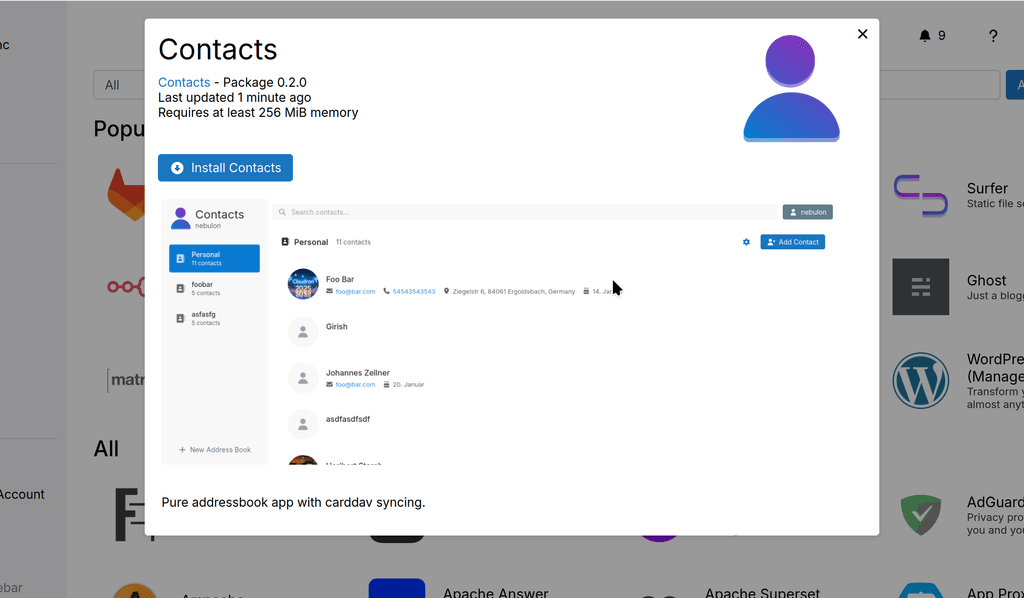
- There is a button in the App store view to install a community app.
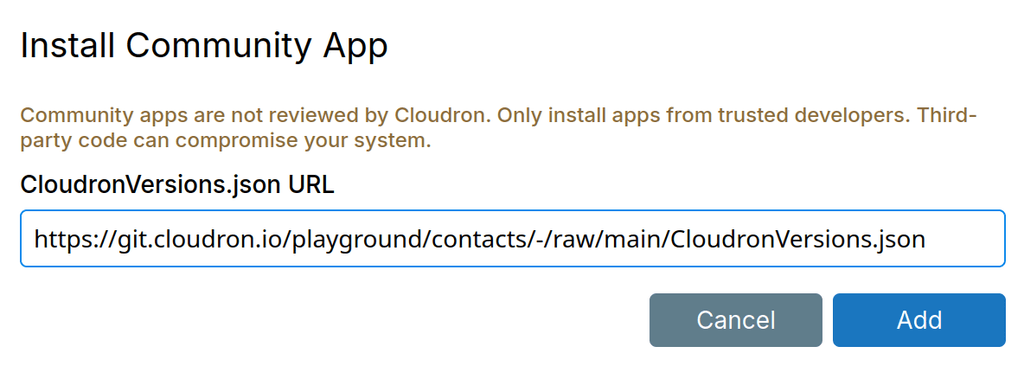
- Test with a URL like
https://git.cloudron.io/playground/contacts/-/raw/main/CloudronVersions.json - After this, it will show the app and install just like any other app.
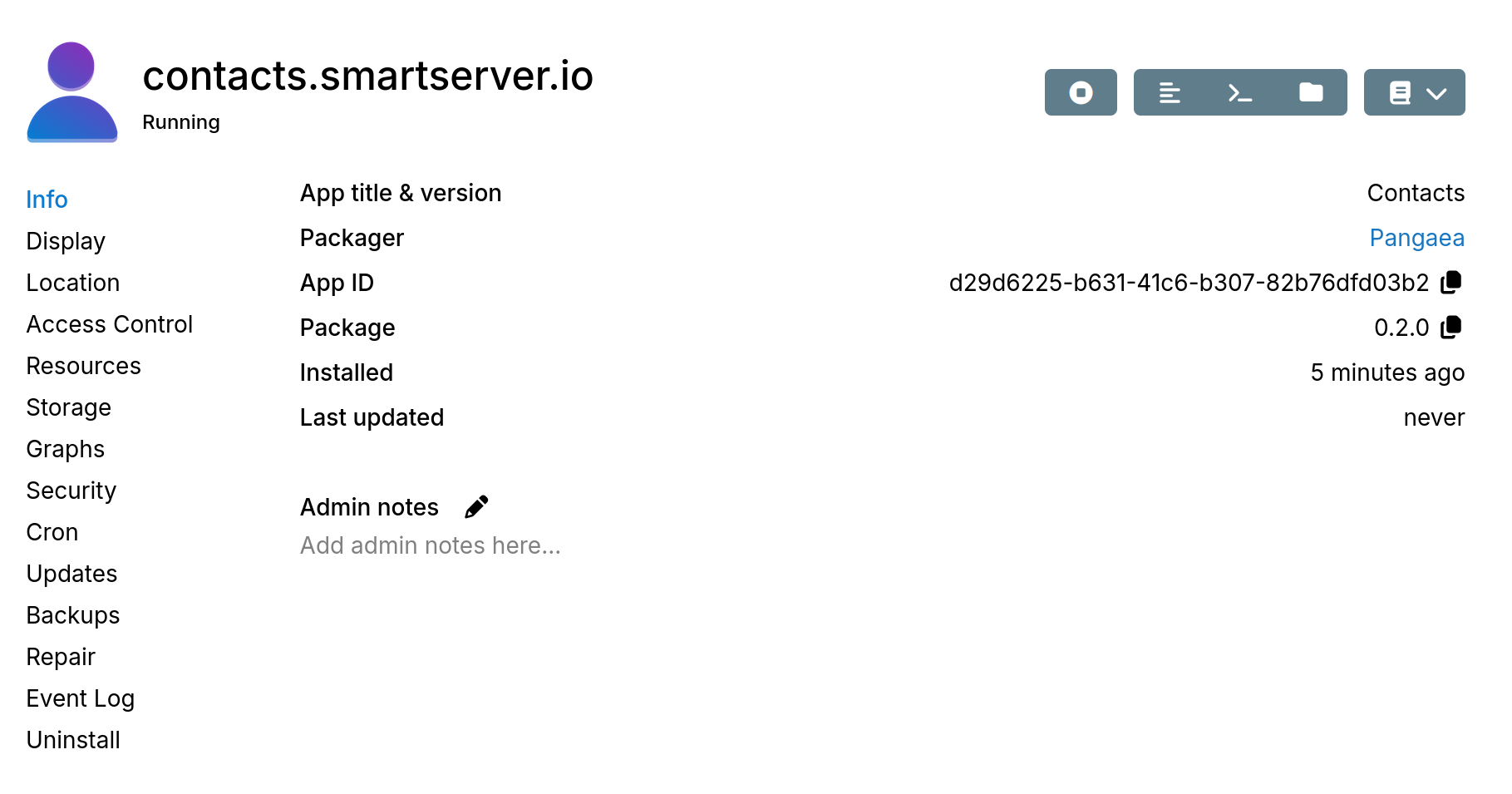
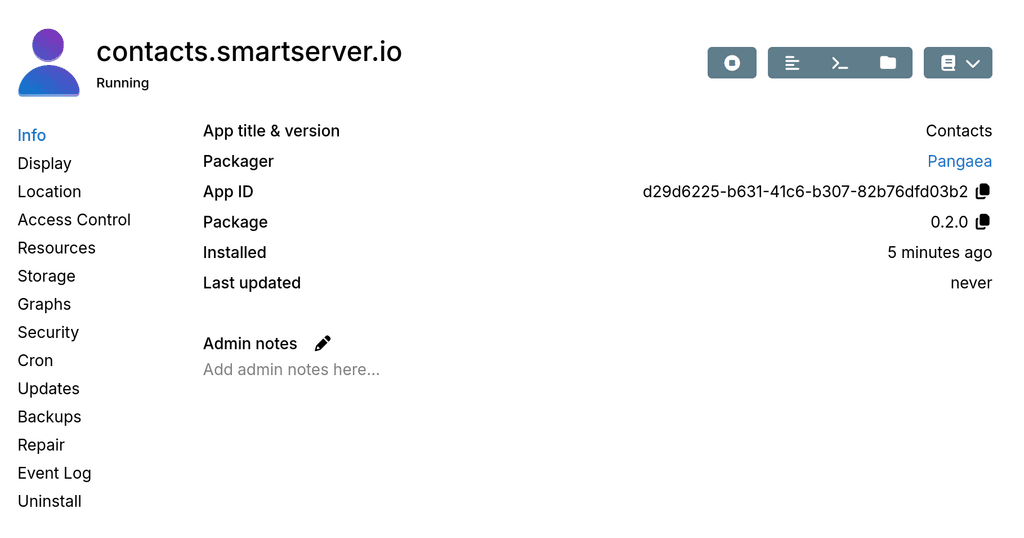
- A new packager name appears in the Info
Other than that, updates etc works like a normal app.
-
We would like to add support for Community packages as part of 9.1. The idea is that a 3rd party developer can create a cloudron package and provide it to other users with no intervention by cloudron team. I have implemented most of the stuff. Here's how it will look like:
- The CLI tool gained some new commands - cloudron versions init/add/update/list. This just manipulates a file named CloudronVersions.json .
- CloudronVersions.json has to be uploaded somewhere (or serve it straight from git repo).
- There is a button in the App store view to install a community app.
- Test with a URL like
https://git.cloudron.io/playground/contacts/-/raw/main/CloudronVersions.json - After this, it will show the app and install just like any other app.
- A new packager name appears in the Info
Other than that, updates etc works like a normal app.
@girish awesome, thank you so much.
Very smooth and integrated in UI
So, making sure I understand it correctly, for a CustomApp, the packager really just needs to add
CloudronVersions.jsonto their repo (in addition to CloudronManifest.json, Dockerfile etc.) ? Neat !You said in a separate post you would defer the question of a catalogue of custom apps : is that still the thinking ?
TBH, with your neat approach, I am questioning whether a catalogue is needed. Every custom app (well, 99.999%) has a topic in the forum's AppWishlist category, and the packager can just post a message there with the repo details, including the relevant CloudronVersions.json file.
Indie app dev, scratching my itches : communityapps.appx.uk, portfolio at myca.appx.uk
-
@girish awesome, thank you so much.
Very smooth and integrated in UISo, making sure I understand it correctly, for a CustomApp, the packager really just needs to add
CloudronVersions.jsonto their repo (in addition to CloudronManifest.json, Dockerfile etc.) ? Neat !You said in a separate post you would defer the question of a catalogue of custom apps : is that still the thinking ?
TBH, with your neat approach, I am questioning whether a catalogue is needed. Every custom app (well, 99.999%) has a topic in the forum's AppWishlist category, and the packager can just post a message there with the repo details, including the relevant CloudronVersions.json file.
@timconsidine said in Update on community packages:
So, making sure I understand it correctly, for a CustomApp, the packager really just needs to add CloudronVersions.json to their repo (in addition to CloudronManifest.json, Dockerfile etc.) ? Neat !
Yes, correct.
cloudron versions addsimply creates CloudronVersions.json with the current manifest and current build information. Hopefully, it's all as obvious as I am making it sound
From the installation point of view, the repo can be closed, docker image can be private. Only the CloudronVersions.json has to be public.
I have added two new fields on the manifest - packagerName and packagerUrl.
Going forward, the icon in manifest will be deprecated. We will use iconUrl instead.
You said in a separate post you would defer the question of a catalogue of custom apps : is that still the thinking ?
Yes, let's think about how people discover these versions files once we have released this.
-
I would ask, for simplicity, that you require the developer to put the JSON in a fixed/predictable path, and allow the user to paste the URL for the main GH repo. Asking users to find the "raw" link is likely hard/confusing. Put the onus on the person packaging, not the person installing?
-
We would like to add support for Community packages as part of 9.1. The idea is that a 3rd party developer can create a cloudron package and provide it to other users with no intervention by cloudron team. I have implemented most of the stuff. Here's how it will look like:
- The CLI tool gained some new commands - cloudron versions init/add/update/list. This just manipulates a file named CloudronVersions.json .
- CloudronVersions.json has to be uploaded somewhere (or serve it straight from git repo).
- There is a button in the App store view to install a community app.
- Test with a URL like
https://git.cloudron.io/playground/contacts/-/raw/main/CloudronVersions.json - After this, it will show the app and install just like any other app.
- A new packager name appears in the Info
Other than that, updates etc works like a normal app.
@girish I absolutely love this idea but is there a way to maybe host a community store? Like Arch's AUR for example that way it can be searchable too - you can allow "verified devs" for an extra layer of security or something
--
https://urgero.org
~ Professional Nerd. Freelance Programmer. ~ -
@girish I absolutely love this idea but is there a way to maybe host a community store? Like Arch's AUR for example that way it can be searchable too - you can allow "verified devs" for an extra layer of security or something
-
-
I would ask, for simplicity, that you require the developer to put the JSON in a fixed/predictable path, and allow the user to paste the URL for the main GH repo. Asking users to find the "raw" link is likely hard/confusing. Put the onus on the person packaging, not the person installing?
-
@girish said in Update on community packages:
Depending on how many packages
my CustomAppGateway has ~25 apps, and there are more currently out there not added to it, and with 9.1, I would expect the numbers to double at least.
I have no hesitancy with deferring 'app discovery' in favour of getting the core functionality available and working.
I feel we will need a discovery place of some kind, relying on a forum post in an AppWishList topic might be viable as short and medium term. But catalogue / CUR / "awesome" style git package is likely needed longer term. And it's more polished / prettier

-
Sorry, maybe a stupid question, but I didn't find the answer anywhere. Don't we have any "Guide" on how to create the new Community Apps for Cloudron? How do I know how the CloudronVersions.json have to be configured. What are the requirements? Are there limitations? When I look at existing CloudronVersions.json it seems that Community Apps do not need to use the Cloudron Base Image anymore? Questions over questions
-
Hello @kubernetes
In the announcement https://forum.cloudron.io/topic/15174/community-apps we have linked the documentation.
Follow the Packaging documentation and Publishing. -
Hello @kubernetes
If you find something unclear of lacking in the documentation, please let me know so we can improve further.
-
Hello @kubernetes
If you find something unclear of lacking in the documentation, please let me know so we can improve further.
Spread the word

Post about new packages in the App Packaging & Development category of the forum.
Personally I think that category should remain more technical, devs needing assistance / having questions.
You published a different category : https://forum.cloudron.io/category/220/community-apps
I think that is where the word should be spread.
Just my 2p.
-
-
Hello @kubernetes
If you find something unclear of lacking in the documentation, please let me know so we can improve further.
If you find something unclear of lacking in the documentation ...
Just getting my head around the workflow, and I like to "spell things out" :
- build the Community App (previously known as a Custom App)

(my 'old fashioned' approach : docker build, docker push, cloudron install, probably keep doing that because my build script does it, don't fix what ain't broke)
- make a
CloudronVersions.jsonfile
same folder as project dev folder (Dockerfile, start.sh, CloudronManifest.json, README.md, POSTINSTALL.md etc.)cloudron versions initcloudron versions add- maybe add to my build script
- why "CloudronVersions" in the plural ?

I guess Cloudron thinking is that a Community App might have v1.0.0, v1.0.1, v2.0.0
Very complete approach, lovely
but withcloudron versions revokeI wonder if this will ever be in true in practice (I would likely revoke every old version).
- upload CloudronVersions.json to static hosting
gotcha
but if I have 10Customoops Community Apps, what is Cloudron team envisioning :-
that I will have 10 Surfer apps (app1.tim.uk, app2.tim.uk, etc) ?
-
Or 1 sectioned Surfer app (communityapps.tim.uk) ?
-
Or no Surfer apps and just stick CloudronVersions.json in the relevant git repo (urls to files from git are not always clear) ?
-
I guess you probably don't care, but I'm intrigued what your expectations are
-
Cloudron CLI help typo ?
% cloudron versions --help
Usage: cloudron-versions [options] [command]
Hyphenated ?
Indie app dev, scratching my itches : communityapps.appx.uk, portfolio at myca.appx.uk
- build the Community App (previously known as a Custom App)
-
If you find something unclear of lacking in the documentation ...
Just getting my head around the workflow, and I like to "spell things out" :
- build the Community App (previously known as a Custom App)
(my 'old fashioned' approach : docker build, docker push, cloudron install, probably keep doing that because my build script does it, don't fix what ain't broke)
- make a
CloudronVersions.jsonfile
same folder as project dev folder (Dockerfile, start.sh, CloudronManifest.json, README.md, POSTINSTALL.md etc.)cloudron versions initcloudron versions add- maybe add to my build script
- why "CloudronVersions" in the plural ?
I guess Cloudron thinking is that a Community App might have v1.0.0, v1.0.1, v2.0.0
Very complete approach, lovely
but withcloudron versions revokeI wonder if this will ever be in true in practice (I would likely revoke every old version).
- upload CloudronVersions.json to static hosting
gotcha
but if I have 10Customoops Community Apps, what is Cloudron team envisioning :-
that I will have 10 Surfer apps (app1.tim.uk, app2.tim.uk, etc) ?
-
Or 1 sectioned Surfer app (communityapps.tim.uk) ?
-
Or no Surfer apps and just stick CloudronVersions.json in the relevant git repo (urls to files from git are not always clear) ?
-
I guess you probably don't care, but I'm intrigued what your expectations are
-
Cloudron CLI help typo ?
% cloudron versions --help
Usage: cloudron-versions [options] [command]
Hyphenated ?
upload CloudronVersions.json to static hosting
I think if the packaging code is public, it makes much sense to keep it in version control itself. If packaging code is private, you can upload it to surfer. In the case latter case, I would just have 1 surfer instance for all the apps that I would publish.
Cloudron CLI help typo ?
This is quirk of commander. Which incidentally, I just fixed yesterday - https://git.cloudron.io/platform/cloudron-cli/-/commit/a926a848400de22ddaae30f2139e0556e9461f80
- build the Community App (previously known as a Custom App)
-
% cloudron versions add
Error: Bad changelog format or missing changelog for this version
'CHANGELOG' is present :
* 1.0.0
- Initial release
But I don't see any mention in cloudron docs what format is expected.
Maybe error is because this test community app has a CloudronManifest.json entry of :
"changelog": "file://CHANGELOG",Does 'cloudron versions add' not recognise/support this way of doing it ?
EDIT : I changed CloudronManifest.json to read :
"changelog": "v1.0.0 - Initial release",Then 'cloudron versions add' worked
Not suggesting anything needs fixing as such. But potential mismatch of usage. Simple text string is easier - but it won't be practical for complex changelog descriptions.
And this cheat works :
"changelog": "see CHANGELOG",Not sure I should be cheating, but ...
'cloudron versions add' seems to handle 'file://POSTINSTALL.md' but not 'file://CHANGELOG'
Being creative, I tried this, thinking POSTINSTALL.md worked with file name extension.
"changelog": "file://CHANGELOG.md",But it does not.
Seems like 'cloudron versions' treats the entries differently.Indie app dev, scratching my itches : communityapps.appx.uk, portfolio at myca.appx.uk
-
% cloudron versions add
Error: Bad changelog format or missing changelog for this version
'CHANGELOG' is present :
* 1.0.0
- Initial release
But I don't see any mention in cloudron docs what format is expected.
Maybe error is because this test community app has a CloudronManifest.json entry of :
"changelog": "file://CHANGELOG",Does 'cloudron versions add' not recognise/support this way of doing it ?
EDIT : I changed CloudronManifest.json to read :
"changelog": "v1.0.0 - Initial release",Then 'cloudron versions add' worked
Not suggesting anything needs fixing as such. But potential mismatch of usage. Simple text string is easier - but it won't be practical for complex changelog descriptions.
And this cheat works :
"changelog": "see CHANGELOG",Not sure I should be cheating, but ...
'cloudron versions add' seems to handle 'file://POSTINSTALL.md' but not 'file://CHANGELOG'
Being creative, I tried this, thinking POSTINSTALL.md worked with file name extension.
"changelog": "file://CHANGELOG.md",But it does not.
Seems like 'cloudron versions' treats the entries differently. -
@girish
Ah, looking at output of 'cloudron versions add' in CloudronVersions.json, I see !There is background processing/expectations, pulling only the changlog content for that version.
Neat ! But opaque pending docs clarification.
Still not sure how it will work in practice with long changelog entries, but good discipline and neat handling.
Indie app dev, scratching my itches : communityapps.appx.uk, portfolio at myca.appx.uk
-
@girish
Ah, looking at output of 'cloudron versions add' in CloudronVersions.json, I see !There is background processing/expectations, pulling only the changlog content for that version.
Neat ! But opaque pending docs clarification.
Still not sure how it will work in practice with long changelog entries, but good discipline and neat handling.
@timconsidine it's following the same format as our existing appstore apps. For example, one of our longtime packages - https://git.cloudron.io/packages/gitlab-app/-/blob/master/CHANGELOG?ref_type=heads








Hello! It looks like you're interested in this conversation, but you don't have an account yet.
Getting fed up of having to scroll through the same posts each visit? When you register for an account, you'll always come back to exactly where you were before, and choose to be notified of new replies (either via email, or push notification). You'll also be able to save bookmarks and upvote posts to show your appreciation to other community members.
With your input, this post could be even better 💗
Register Login