
App File Manager : Safari boots me out with OpenID Error invalid session
-
Since upgrading to 9.0.17 (maybe 9.0.15), I am encountering consistent and repetitive cases where an app's File Manager browser tab will boot me out to a screen which says :
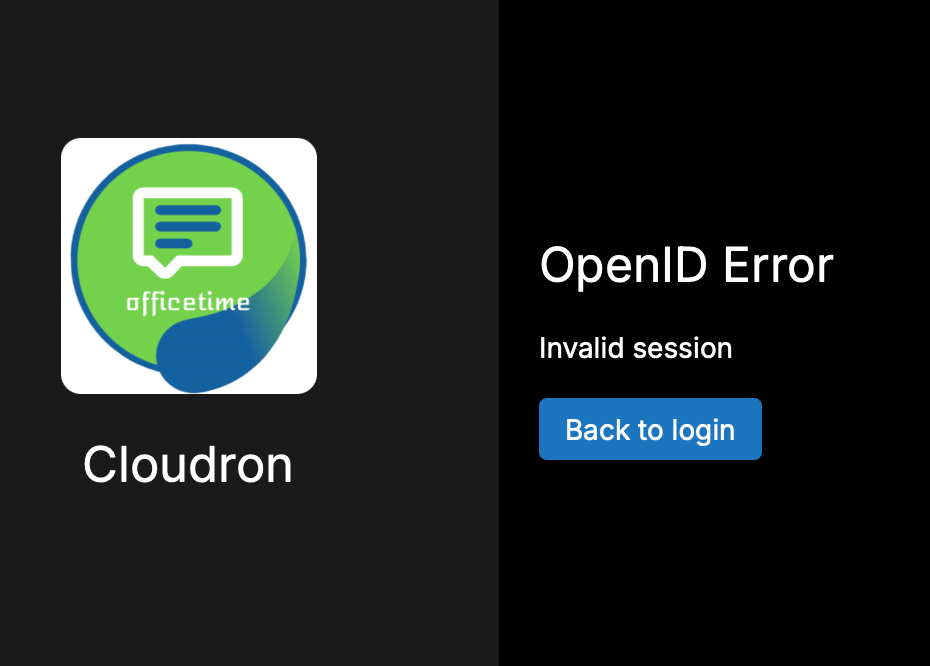
Logging in as invited returns me to the My Apps list, open an app, open its File Manager, and it's not long (sorry, not measured) before we go through the dance again.
Bizarrely :
- it's only File Manager tabs for an app which does this. An app's Terminal tab will stay active for a long time, maybe reconnects but doesn't boot me out.
- the main Dashboard never does this (I have it as a pinned tab, and an app's terminal and file manager open as new tabs)
- it has not (yet) done this to me in Private Window
Emptied caches, removed website data (all sites and just the my.cloudron domain), restarted Safari multiple times.
Can't find other reports of this.
Maybe everyone else is using Chrome or Firefox.Not urgent or critical, just annoying and disruptive.
Any ideas ?
Am I being an idiot ? -
I can't quite see how this might be related to the filemanager. The dashboard, filemanager, logsviewer, terminal all use the token after login from the localStorage itself, so unless you logout that token should actually be long-lived.
Mabye some browser extension purges localStorage and sessionStorage for the filemanager tab or so?
-
I can't quite see how this might be related to the filemanager. The dashboard, filemanager, logsviewer, terminal all use the token after login from the localStorage itself, so unless you logout that token should actually be long-lived.
Mabye some browser extension purges localStorage and sessionStorage for the filemanager tab or so?
@nebulon I agree - it doesn't seem right.
But what I can't answer is why I have never (yet) experienced a "boot out" from an opened terminal window, but it is 90+% guaranteed with a File Manager tab.
I struggle to believe that Safari would choose to distinguish between terminal window tab and file manager tab in terms of session auth. So I moved down the chain of suspicion to File Manager.
I am experimenting with using Safari Private mode, but it's not ideal workflow.
I am VERY open to being told that Safari installation is fsck-ed but I have upgraded Safari through OS updates, as well as stopping/starting/cleaning.
Mystery, hey ?!
-
-
Interesting @nebulon.
But I don't think Safari would reject (clear a resource) for a File Manager session within 30 seconds once it has been authenticated.It's not urgent or critical, but definitely screwy.
-
-
 G girish has marked this topic as solved on


Hello! It looks like you're interested in this conversation, but you don't have an account yet.
Getting fed up of having to scroll through the same posts each visit? When you register for an account, you'll always come back to exactly where you were before, and choose to be notified of new replies (either via email, or push notification). You'll also be able to save bookmarks and upvote posts to show your appreciation to other community members.
With your input, this post could be even better 💗
Register Login