
WebP Conversion plugin for WP errors

-
Hi there, I'm trying to install some automatic WebP conversion plugins and they're having issues. I tried with the free Webp converter for media plugin and get an error where it can't change .htaccess rules:

Another plugin, Imagify, has the following error:
The backup folder /app/data/wp-content/uploads/backup/ cannot be created or is not writable by the server, original images cannot be saved!Is this something I can create manually, or is this not a good idea given that I'm on the "managed" wordpress app and not the dev one?
-
Hi there, I'm trying to install some automatic WebP conversion plugins and they're having issues. I tried with the free Webp converter for media plugin and get an error where it can't change .htaccess rules:
Another plugin, Imagify, has the following error:
The backup folder /app/data/wp-content/uploads/backup/ cannot be created or is not writable by the server, original images cannot be saved!Is this something I can create manually, or is this not a good idea given that I'm on the "managed" wordpress app and not the dev one?
-
@ianhyzy yes, you can create that directory using the file manager if that's what the plugin requires. This is safe to do since it's inside /app/data .
-
@ianhyzy yes, you can create that directory using the file manager if that's what the plugin requires. This is safe to do since it's inside /app/data .
-
@ianhyzy yes, you can create that directory using the file manager if that's what the plugin requires. This is safe to do since it's inside /app/data .
-
@girish I made the folder but the plugin is still saying it doesn't have permission - is there anything special I need to do to give the wordpress user permission?
-
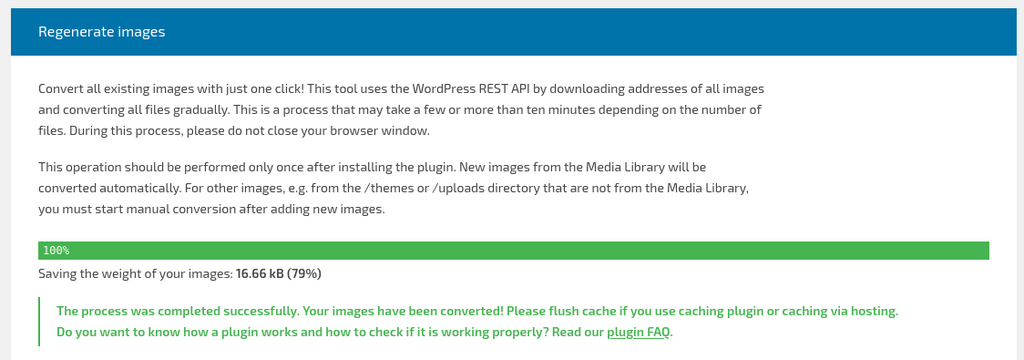
The imagify also seems to work. That plugin uploads to some service it seems (not 100% sure but looks like it).
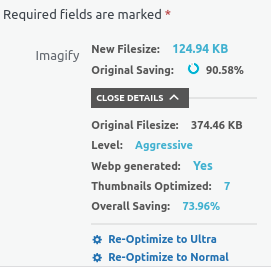
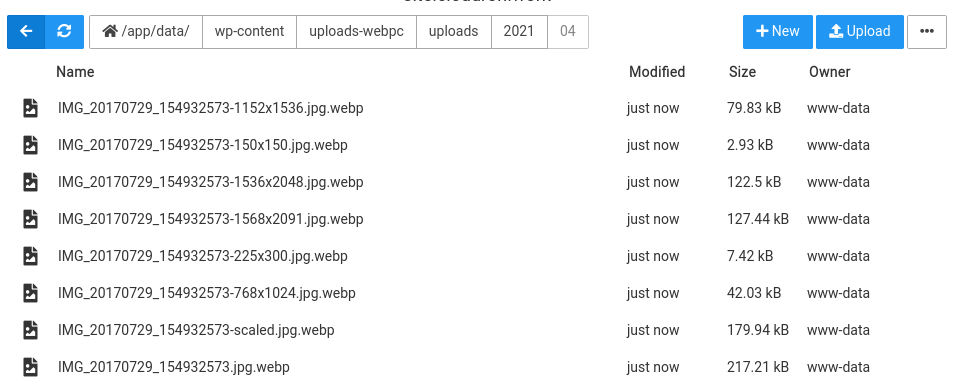
It also replaced inserted images at webp links using htaccess. I did not have to create any directory by hand, it created it automatically for me.
Can you try restarting the app and try again? I wonder if the permissions of the data directory somehow got messed up.
-
The imagify also seems to work. That plugin uploads to some service it seems (not 100% sure but looks like it).
It also replaced inserted images at webp links using htaccess. I did not have to create any directory by hand, it created it automatically for me.
Can you try restarting the app and try again? I wonder if the permissions of the data directory somehow got messed up.


Hello! It looks like you're interested in this conversation, but you don't have an account yet.
Getting fed up of having to scroll through the same posts each visit? When you register for an account, you'll always come back to exactly where you were before, and choose to be notified of new replies (either via email, or push notification). You'll also be able to save bookmarks and upvote posts to show your appreciation to other community members.
With your input, this post could be even better 💗
Register Login