Cloudron makes it easy to run web apps like WordPress, Nextcloud, GitLab on your server. Find out more or install now.


Skip to content
  • Categories
  • Recent
  • Tags
  • Popular
  • Bookmarks
  • Search
Skins
  • Light
  • Brite
  • Cerulean
  • Cosmo
  • Flatly
  • Journal
  • Litera
  • Lumen
  • Lux
  • Materia
  • Minty
  • Morph
  • Pulse
  • Sandstone
  • Simplex
  • Sketchy
  • Spacelab
  • United
  • Yeti
  • Zephyr
  • Dark
  • Cyborg
  • Darkly
  • Quartz
  • Slate
  • Solar
  • Superhero
  • Vapor

  • Default (No Skin)
  • No Skin
Collapse
Brand Logo

Cloudron Forum

Apps - Status | Demo | Docs | Install
  1. Cloudron Forum
  2. Lychee
  3. php.ini how to set post max size?

php.ini how to set post max size?

Scheduled Pinned Locked Moved Solved Lychee
10 Posts 3 Posters 5.7k Views 3 Watching
  • Oldest to Newest
  • Newest to Oldest
  • Most Votes
Reply
  • Reply as topic
Log in to reply
This topic has been deleted. Only users with topic management privileges can see it.
  • T Offline
    T Offline
    teamcrw
    wrote on last edited by
    #1

    Hi,

    did anyone manage to set post max size and/or upload max size etc. in the php.ini?

    I did this via the file browser in Cloudron like this:

    ; Add custom PHP configuration in this file
    ; Settings here are merged with the package's built-in php.ini
    post_max_size = 100000M
    upload_max_size = 100000M
    upload_max_filesize = 100000M

    But i still get the upload error "php post max size limit is too small".

    I'm probably editing the wrong php.ini ? I'm editing the one that i see in the file browser in cloudron in the lychee settings /lychee/php.ini

    Thanks in advance i will appreciate any help

    girishG 1 Reply Last reply
    0
    • T teamcrw

      Hi,

      did anyone manage to set post max size and/or upload max size etc. in the php.ini?

      I did this via the file browser in Cloudron like this:

      ; Add custom PHP configuration in this file
      ; Settings here are merged with the package's built-in php.ini
      post_max_size = 100000M
      upload_max_size = 100000M
      upload_max_filesize = 100000M

      But i still get the upload error "php post max size limit is too small".

      I'm probably editing the wrong php.ini ? I'm editing the one that i see in the file browser in cloudron in the lychee settings /lychee/php.ini

      Thanks in advance i will appreciate any help

      girishG Offline
      girishG Offline
      girish
      Staff
      wrote on last edited by
      #2

      @teamcrw there was a bug in the package. I have pushed an update now. Can you update and check?

      T 1 Reply Last reply
      0
      • girishG girish

        @teamcrw there was a bug in the package. I have pushed an update now. Can you update and check?

        T Offline
        T Offline
        teamcrw
        wrote on last edited by
        #3

        @girish

        updated, restartet the app, set php.ini as in my previous comment, uploaded a 1GB .mp4 file and got an "unknown error from server".

        Here's the log:

        2021-10-21 10:32:54 -- notice -- App\Metadata\Extractor::extract -- 126 -- Falling back to native adapter.
        2021-10-21 10:32:54 -- error -- App\Metadata\Extractor::extract -- 121 -- Unable to probe /app/code/public/uploads/big/cb19f836c2830ff88ff45694565da65b.mp4
        2021-10-21 10:30:13 -- notice -- App\Metadata\Extractor::extract -- 126 -- Falling back to native adapter.

        murgeroM girishG 2 Replies Last reply
        0
        • T teamcrw

          @girish

          updated, restartet the app, set php.ini as in my previous comment, uploaded a 1GB .mp4 file and got an "unknown error from server".

          Here's the log:

          2021-10-21 10:32:54 -- notice -- App\Metadata\Extractor::extract -- 126 -- Falling back to native adapter.
          2021-10-21 10:32:54 -- error -- App\Metadata\Extractor::extract -- 121 -- Unable to probe /app/code/public/uploads/big/cb19f836c2830ff88ff45694565da65b.mp4
          2021-10-21 10:30:13 -- notice -- App\Metadata\Extractor::extract -- 126 -- Falling back to native adapter.

          murgeroM Offline
          murgeroM Offline
          murgero
          App Dev
          wrote on last edited by
          #4

          @teamcrw You should also increase script execution time if you are upload large files like that.

          --
          https://urgero.org
          ~ Professional Nerd. Freelance Programmer. ~

          T 1 Reply Last reply
          0
          • murgeroM murgero

            @teamcrw You should also increase script execution time if you are upload large files like that.

            T Offline
            T Offline
            teamcrw
            wrote on last edited by
            #5

            @murgero

            i changed max_execution_time = 200 to max_execution_time = 200000, this didn't help.

            I also changed memory_limit = 256M to memory_limit = 2048M (i have enough RAM left on the server to do this). This didn't help either.

            murgeroM 1 Reply Last reply
            0
            • T teamcrw

              @murgero

              i changed max_execution_time = 200 to max_execution_time = 200000, this didn't help.

              I also changed memory_limit = 256M to memory_limit = 2048M (i have enough RAM left on the server to do this). This didn't help either.

              murgeroM Offline
              murgeroM Offline
              murgero
              App Dev
              wrote on last edited by
              #6

              @teamcrw Did you change the app's resources as well (will need to be 4GB since cloudron splits RAM 50/50 with swap)

              --
              https://urgero.org
              ~ Professional Nerd. Freelance Programmer. ~

              T 1 Reply Last reply
              0
              • murgeroM murgero

                @teamcrw Did you change the app's resources as well (will need to be 4GB since cloudron splits RAM 50/50 with swap)

                T Offline
                T Offline
                teamcrw
                wrote on last edited by teamcrw
                #7

                @murgero

                I already had the app ressources set to 2GB, i have now set it to 4GB, didn't change anything.

                1 Reply Last reply
                0
                • T teamcrw

                  @girish

                  updated, restartet the app, set php.ini as in my previous comment, uploaded a 1GB .mp4 file and got an "unknown error from server".

                  Here's the log:

                  2021-10-21 10:32:54 -- notice -- App\Metadata\Extractor::extract -- 126 -- Falling back to native adapter.
                  2021-10-21 10:32:54 -- error -- App\Metadata\Extractor::extract -- 121 -- Unable to probe /app/code/public/uploads/big/cb19f836c2830ff88ff45694565da65b.mp4
                  2021-10-21 10:30:13 -- notice -- App\Metadata\Extractor::extract -- 126 -- Falling back to native adapter.

                  girishG Offline
                  girishG Offline
                  girish
                  Staff
                  wrote on last edited by girish
                  #8

                  @teamcrw Do you think you can try with a new install? Maybe there is some update issue, I can check after you can verify the below.

                  This is what I did

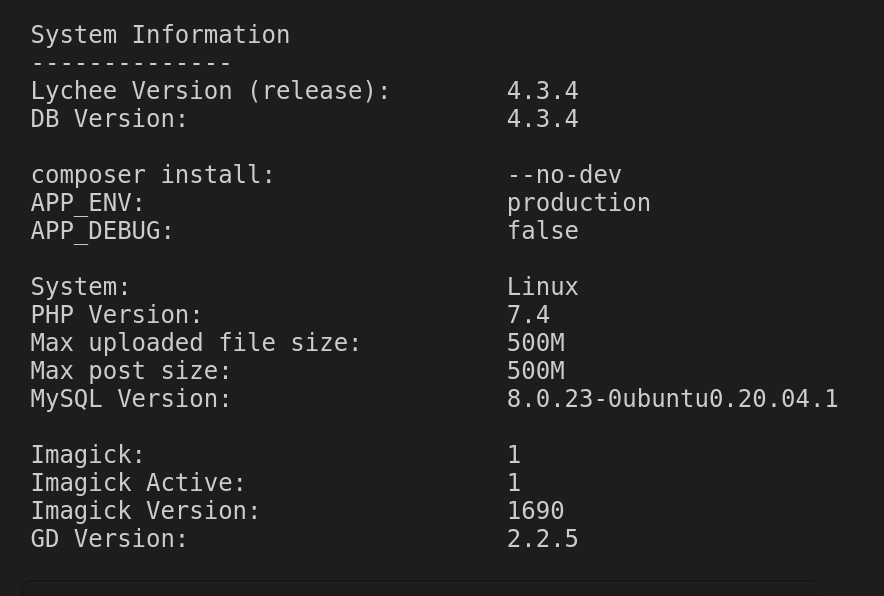
                  • Installed a new package
                  • Setup user and checked the Diag view.

                  8e9097af-e0d1-4073-87c0-fd2a55e3f862-image.png

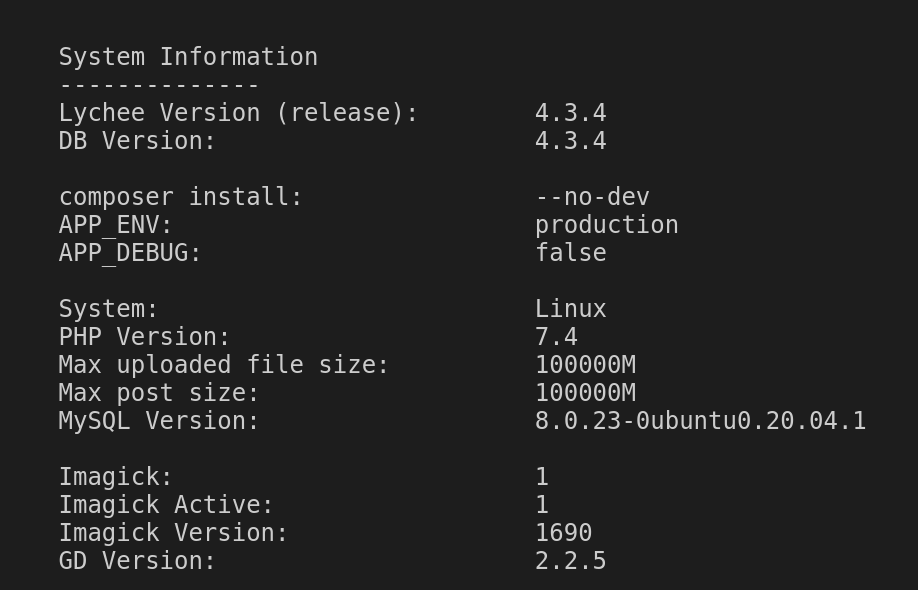
                  • Then, I go to File Manager and edit the /app/data/php.ini like below:
                  ; Add custom PHP configuration in this file
                  ; Settings here are merged with the package's built-in php.ini
                  
                  
                  post_max_size = 100000M
                  upload_max_size = 100000M
                  upload_max_filesize = 100000M
                  
                  • Restart the app

                  • Check the diag view again:
                    5eed9f25-3732-4f2d-86a2-f0dae08a3920-image.png

                  T 1 Reply Last reply
                  0
                  • girishG girish

                    @teamcrw Do you think you can try with a new install? Maybe there is some update issue, I can check after you can verify the below.

                    This is what I did

                    • Installed a new package
                    • Setup user and checked the Diag view.

                    8e9097af-e0d1-4073-87c0-fd2a55e3f862-image.png

                    • Then, I go to File Manager and edit the /app/data/php.ini like below:
                    ; Add custom PHP configuration in this file
                    ; Settings here are merged with the package's built-in php.ini
                    
                    
                    post_max_size = 100000M
                    upload_max_size = 100000M
                    upload_max_filesize = 100000M
                    
                    • Restart the app

                    • Check the diag view again:
                      5eed9f25-3732-4f2d-86a2-f0dae08a3920-image.png

                    T Offline
                    T Offline
                    teamcrw
                    wrote on last edited by teamcrw
                    #9

                    @girish

                    First, thank you for your time and for helping me out.

                    So, i did a fresh install of lychee, and did exactly the same as you.
                    In Diag View it shows the same as yours, see:
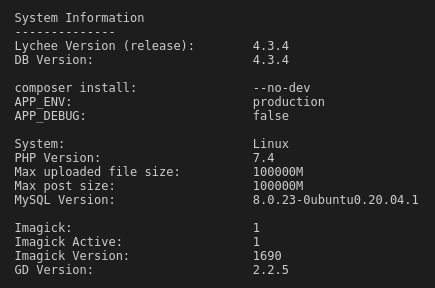
                    Screenshot from 2021-10-22 11-51-56.png

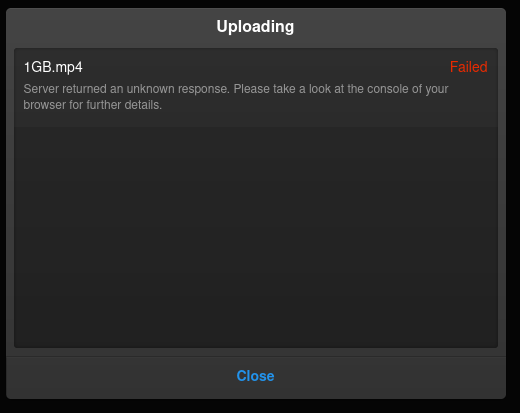
                    But i still get this error:

                    Screenshot from 2021-10-22 11-55-57.png

                    UPDATE: I also tried different browsers. Same error.

                    girishG 1 Reply Last reply
                    0
                    • T teamcrw

                      @girish

                      First, thank you for your time and for helping me out.

                      So, i did a fresh install of lychee, and did exactly the same as you.
                      In Diag View it shows the same as yours, see:

                      Screenshot from 2021-10-22 11-51-56.png

                      But i still get this error:

                      Screenshot from 2021-10-22 11-55-57.png

                      UPDATE: I also tried different browsers. Same error.

                      girishG Offline
                      girishG Offline
                      girish
                      Staff
                      wrote on last edited by
                      #10

                      @teamcrw I think the issue is not related the php settings. When the settings are low, it says so in the UI like below:
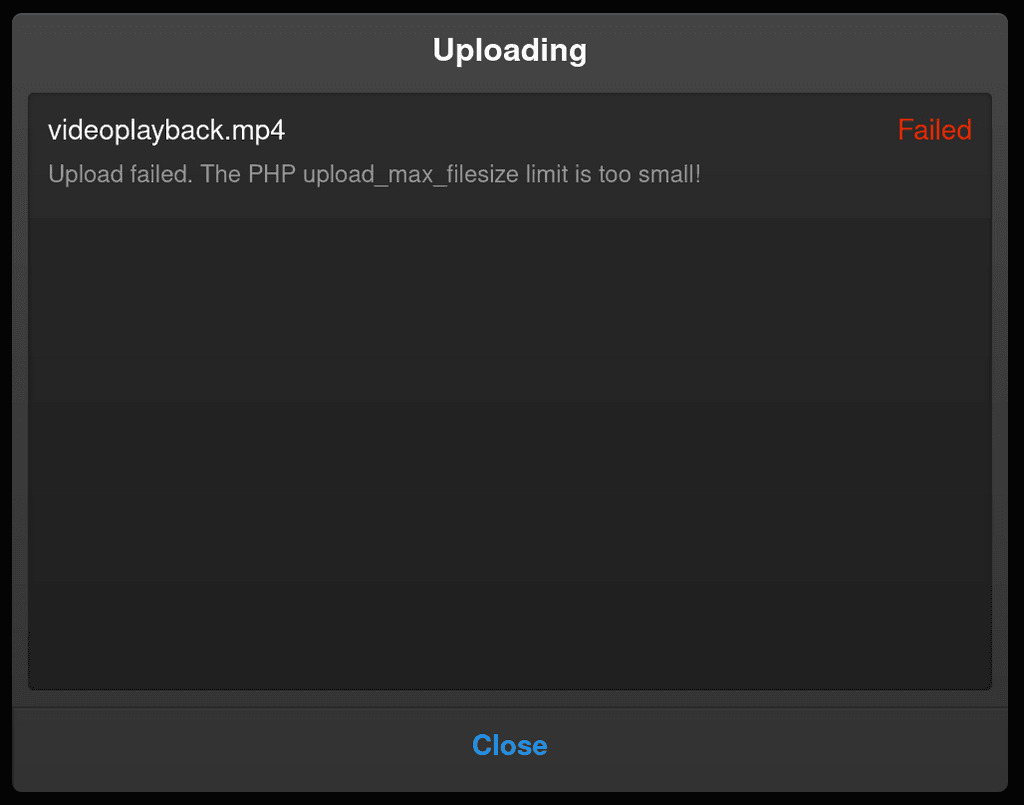
                      da9bd484-a37c-49d0-9c60-ea76a692d250-image.png

                      I am wondering if the issue is max_execution_time per https://lycheeorg.github.io/docs/faq.html#i-cant-upload-large-photos . The default value is set to 200, so that's under 3 minutes (can set it to 0 also to disable). Can you set it to much larger value and try? How long does your upload of 1GB take?

                      You can also set APP_DEBUG=true in the env file and then restart the app. Check for errors in the browser and also Show Logs in the lychee UI after upload fails.

                      1 Reply Last reply
                      0
                      • girishG girish has marked this topic as solved on

                      Hello! It looks like you're interested in this conversation, but you don't have an account yet.

                      Getting fed up of having to scroll through the same posts each visit? When you register for an account, you'll always come back to exactly where you were before, and choose to be notified of new replies (either via email, or push notification). You'll also be able to save bookmarks and upvote posts to show your appreciation to other community members.

                      With your input, this post could be even better 💗

                      Register Login
                      Reply
                      • Reply as topic
                      Log in to reply
                      • Oldest to Newest
                      • Newest to Oldest
                      • Most Votes


                      • Login

                      • Don't have an account? Register

                      • Login or register to search.
                      • First post
                        Last post
                      0
                      • Categories
                      • Recent
                      • Tags
                      • Popular
                      • Bookmarks
                      • Search