Cloudron makes it easy to run web apps like WordPress, Nextcloud, GitLab on your server. Find out more or install now.


Skip to content
  • Categories
  • Recent
  • Tags
  • Popular
  • Bookmarks
  • Search
Skins
  • Light
  • Brite
  • Cerulean
  • Cosmo
  • Flatly
  • Journal
  • Litera
  • Lumen
  • Lux
  • Materia
  • Minty
  • Morph
  • Pulse
  • Sandstone
  • Simplex
  • Sketchy
  • Spacelab
  • United
  • Yeti
  • Zephyr
  • Dark
  • Cyborg
  • Darkly
  • Quartz
  • Slate
  • Solar
  • Superhero
  • Vapor

  • Default (No Skin)
  • No Skin
Collapse
Brand Logo

Cloudron Forum

Apps - Status | Demo | Docs | Install
  1. Cloudron Forum
  2. Support
  3. No graphs on any of the apps

No graphs on any of the apps


Scheduled Pinned Locked Moved Solved Support
16 Posts 8 Posters 5.0k Views 8 Watching
  • Oldest to Newest
  • Newest to Oldest
  • Most Votes
Reply
  • Reply as topic
Log in to reply
This topic has been deleted. Only users with topic management privileges can see it.
  • L Offline
    L Offline
    Locutus
    wrote on last edited by
    #1

    I do not see any graphs when entering into the settings of each graph. This seems to happen on all the apps.
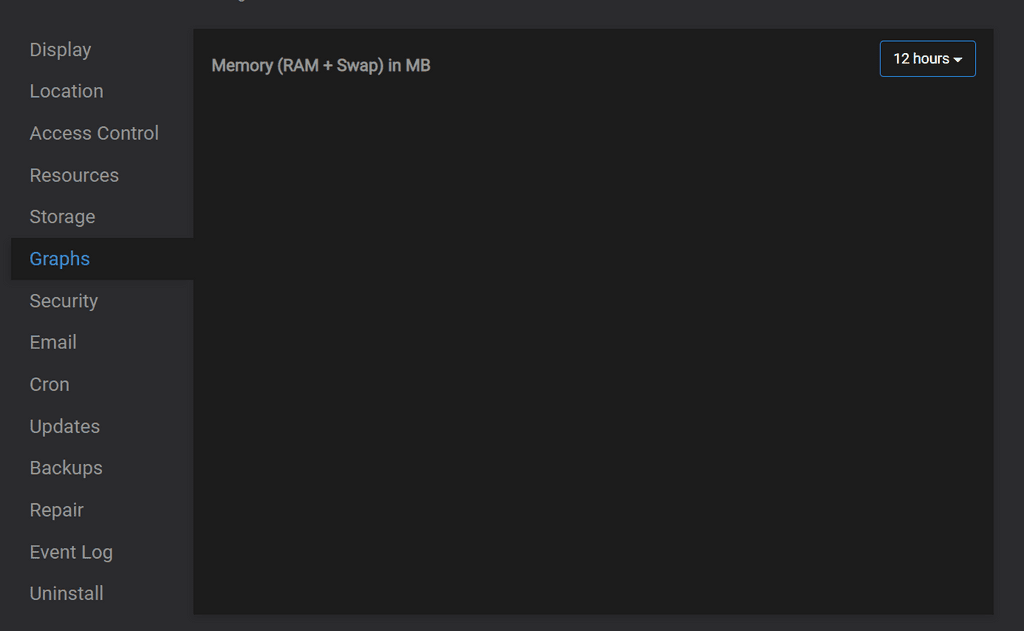
    b778922e-9d3d-45a2-bc5d-68d6e8ff166c-image.png

    Graphite is running and is allocated enough memory.

    937964da-a82e-4928-be2a-1190908676bb-image.png
    fccc1eca-9355-44a7-aeb0-b4869693bec3-image.png

    And collectd is running normally.

    115cb77b-608a-453a-8770-4358436add33-image.png

    I am running on 22.04 / Cloudron 7.2.5. The graphs on the system info page show correctly.

    Any ideas?

    1 Reply Last reply
    0
    • nebulonN Offline
      nebulonN Offline
      nebulon
      Staff
      wrote on last edited by
      #2

      Do you see any errors in the browser console? There should be some REST call to the /graphs api which could fail in case?

      1 Reply Last reply
      0
      • nebulonN nebulon marked this topic as a question on
      • L Offline
        L Offline
        Locutus
        wrote on last edited by
        #3

        Quite a few.

        474a793d-47ce-4ec0-aad5-41e529212c94-image.png

        The Angular error gets repeated a lot, and then:

        74de56a3-07b3-4fdb-8b38-b8c605c65e76-image.png

        61b4a15d-412e-4515-8c62-3cba54342b5c-image.png

        Again, the Angular error gets repeated a lot. All with a similar error but different line codes.

        This happens on a different browser as well. No blocking of any kind.

        1 Reply Last reply
        0
        • nebulonN Offline
          nebulonN Offline
          nebulon
          Staff
          wrote on last edited by
          #4

          oh indeed that is a regression in the current release and only fixed for the next one 😕

          E 1 Reply Last reply
          0
          • nebulonN nebulon

            oh indeed that is a regression in the current release and only fixed for the next one 😕

            E Offline
            E Offline
            ekevu123
            wrote on last edited by
            #5

            @nebulon I am having the same issue. So, no quick solution in sight before the next release?

            1 Reply Last reply
            0
            • nebulonN Offline
              nebulonN Offline
              nebulon
              Staff
              wrote on last edited by
              #6

              If you send a mail to support@cloudron.io with your dashboard domain and enable remote SSH for us, I can locally patch it for the moment.

              L 1 Reply Last reply
              0
              • nebulonN nebulon

                If you send a mail to support@cloudron.io with your dashboard domain and enable remote SSH for us, I can locally patch it for the moment.

                L Offline
                L Offline
                Locutus
                wrote on last edited by
                #7

                @nebulon Just did. Thanks again.

                1 Reply Last reply
                0
                • nebulonN Offline
                  nebulonN Offline
                  nebulon
                  Staff
                  wrote on last edited by
                  #8

                  Just to keep everyone updated. The root cause is something else, which I haven't found yet. But essentially graphite returns empty responses to the graph calls.

                  jdaviescoatesJ 1 Reply Last reply
                  1
                  • nebulonN nebulon

                    Just to keep everyone updated. The root cause is something else, which I haven't found yet. But essentially graphite returns empty responses to the graph calls.

                    jdaviescoatesJ Offline
                    jdaviescoatesJ Offline
                    jdaviescoates
                    wrote on last edited by
                    #9

                    @nebulon graphs seem to be still working for me on Ubuntu 18.04 with Cloudron 7.2.5

                    ( although not sure why they aren't going back further than about 9 hours )
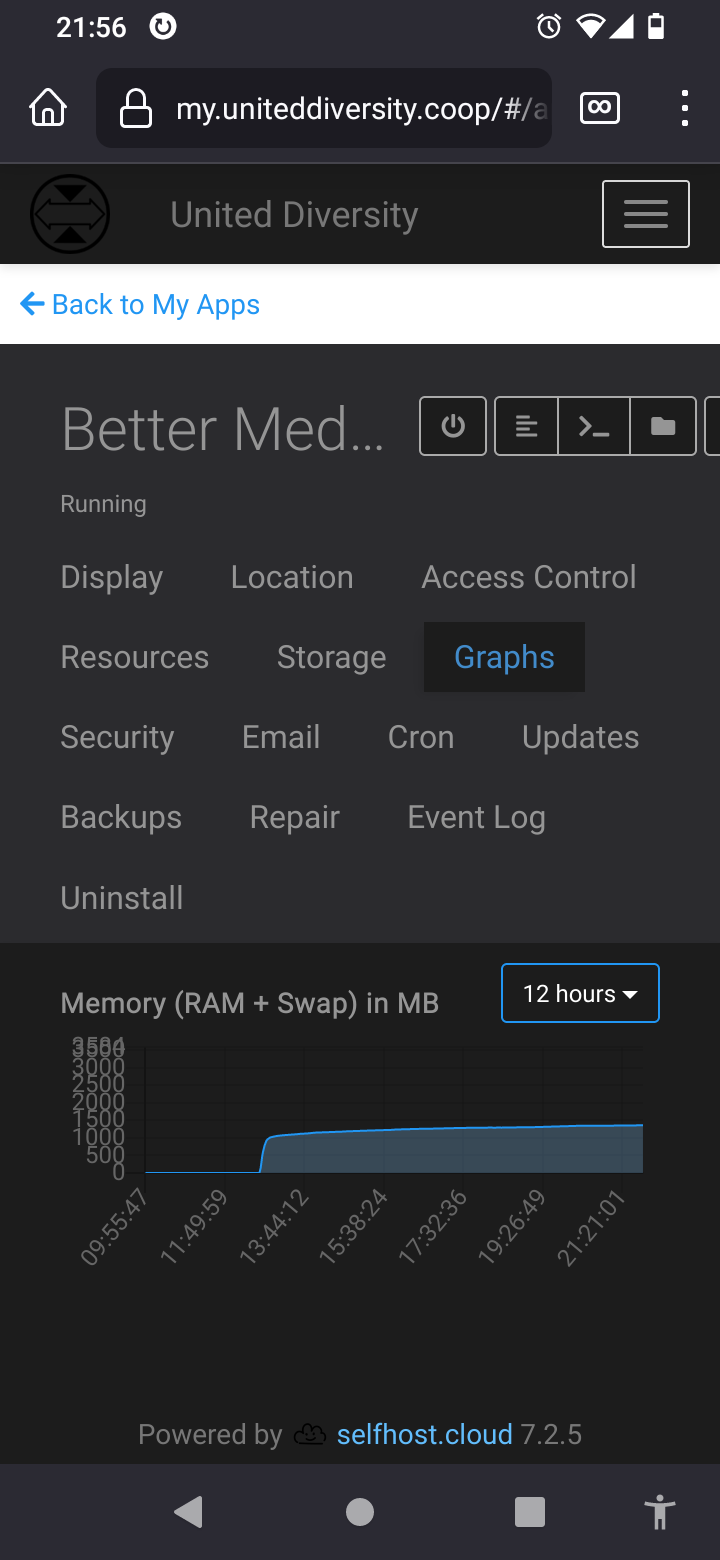
                    Screenshot_20220727-215603_Firefox.png

                    I use Cloudron with Gandi & Hetzner

                    jdaviescoatesJ 1 Reply Last reply
                    0
                    • jdaviescoatesJ jdaviescoates

                      @nebulon graphs seem to be still working for me on Ubuntu 18.04 with Cloudron 7.2.5

                      ( although not sure why they aren't going back further than about 9 hours )

                      Screenshot_20220727-215603_Firefox.png

                      jdaviescoatesJ Offline
                      jdaviescoatesJ Offline
                      jdaviescoates
                      wrote on last edited by jdaviescoates
                      #10

                      @jdaviescoates said in No graphs on any of the apps:

                      ( although not sure why they aren't going back further than about 9 hours )

                      perhaps this is when I resized the app with more RAM and that's why?

                      I use Cloudron with Gandi & Hetzner

                      1 Reply Last reply
                      0
                      • Q Offline
                        Q Offline
                        qilin
                        wrote on last edited by qilin
                        #11

                        I am on 22.04 and having the same issue too with all my apps. I have restarted collectd both via the Cloudron gui and via the command line with no change.

                        Furthermore, if I use the in-app terminal it displays pixelated and unreadable:

                        Terminal_apps.png

                        I am not sure if this might be related or not but I did not have these issues on 20.04. Strangely enough the in-app terminal logs display correctly and are readable.

                        Q 1 Reply Last reply
                        0
                        • Q qilin

                          I am on 22.04 and having the same issue too with all my apps. I have restarted collectd both via the Cloudron gui and via the command line with no change.

                          Furthermore, if I use the in-app terminal it displays pixelated and unreadable:

                          Terminal_apps.png

                          I am not sure if this might be related or not but I did not have these issues on 20.04. Strangely enough the in-app terminal logs display correctly and are readable.

                          Q Offline
                          Q Offline
                          qilin
                          wrote on last edited by
                          #12

                          @qilin

                          The above issue with the terminal being pixelated has been solved.

                          I will just wait for the next update for the progress on the graph issue.

                          1 Reply Last reply
                          0
                          • girishG Offline
                            girishG Offline
                            girish
                            Staff
                            wrote on last edited by
                            #13

                            I can confirm that graphs don't work at all in Ubuntu 22. Working on a fix.

                            A humptydumptyH 2 Replies Last reply
                            2
                            • girishG girish

                              I can confirm that graphs don't work at all in Ubuntu 22. Working on a fix.

                              A Offline
                              A Offline
                              ApplegateR
                              wrote on last edited by ApplegateR
                              #14

                              @girish
                              Screenshot_20220806-154525_Samsung Internet.jpg
                              I had same issues... is there way Workaround?
                              Edited -
                              I just read your comment you work on it. Thank you for all your guy work

                              Richard Applegate
                              Anthem Coffee and Tea
                              Joe Coffee
                              IT/Administrator Server/Network

                              1 Reply Last reply
                              0
                              • girishG girish

                                I can confirm that graphs don't work at all in Ubuntu 22. Working on a fix.

                                humptydumptyH Offline
                                humptydumptyH Offline
                                humptydumpty
                                wrote on last edited by humptydumpty
                                #15

                                @girish said in No graphs on any of the apps:

                                I can confirm that graphs don't work at all in Ubuntu 22. Working on a fix.

                                On my 22.04 server, the graph in the app settings does not show. However, the graph for the server resources (CR dash > System Info) works fine. Don't they both use the same "method/code/insert-proper-terminology" for displaying in the browser?

                                girishG 1 Reply Last reply
                                1
                                • humptydumptyH humptydumpty

                                  @girish said in No graphs on any of the apps:

                                  I can confirm that graphs don't work at all in Ubuntu 22. Working on a fix.

                                  On my 22.04 server, the graph in the app settings does not show. However, the graph for the server resources (CR dash > System Info) works fine. Don't they both use the same "method/code/insert-proper-terminology" for displaying in the browser?

                                  girishG Offline
                                  girishG Offline
                                  girish
                                  Staff
                                  wrote on last edited by
                                  #16

                                  @humptydumpty said in No graphs on any of the apps:

                                  On my 22.04 server, the graph in the app settings does not show

                                  This is fixed in the next release. The upcoming release is a bit delayed but we are working on getting it out next week or so. (Sorry, some of the mail features are quite time consuming to implement).

                                  1 Reply Last reply
                                  3
                                  • girishG girish has marked this topic as solved on

                                  Hello! It looks like you're interested in this conversation, but you don't have an account yet.

                                  Getting fed up of having to scroll through the same posts each visit? When you register for an account, you'll always come back to exactly where you were before, and choose to be notified of new replies (either via email, or push notification). You'll also be able to save bookmarks and upvote posts to show your appreciation to other community members.

                                  With your input, this post could be even better 💗

                                  Register Login
                                  Reply
                                  • Reply as topic
                                  Log in to reply
                                  • Oldest to Newest
                                  • Newest to Oldest
                                  • Most Votes


                                  • Login

                                  • Don't have an account? Register

                                  • Login or register to search.
                                  • First post
                                    Last post
                                  0
                                  • Categories
                                  • Recent
                                  • Tags
                                  • Popular
                                  • Bookmarks
                                  • Search