The mobile app might require the very latest Immich, which is pending for Cloudron, but will come as soon as we have confidence with the pgvector extension Immich requires in Postgresql.
Actually no data should be lost. The extension is only for face/object detection as such and thumbnails as well as other meta info is unrelated, but without the postgres extension enabled, the app just won't start fully which is why it appears that things are gone. After enabling the extension you can manually retrigger all jobs directly or just wait for the app to catch up.
The checkbox is a temporary workaround. The upstream pgevectors extension will be making a release in the coming weeks which will make that checkbox redundant. https://github.com/tensorchord/pgvecto.rs/issues/253 is the upstream issue.
That is unfortunately to be expected currently. It needs an extension which can be enabled https://docs.cloudron.io/apps/immich/#pgvectors
We will mention this in the postinstall also then.
Newer Immich versions require Cloudron v7.6.3 due to new requirements in the app. There is already a thread for this at https://forum.cloudron.io/topic/10665/breaking-changes-in-next-immich-version-v1-91-0
Can confirm that the update to Immich v1.91.4 is going well.
If you are running Immich, just think about how much work and time and effort Cloudron has saved us by supporting this application. No headaches. Just one-click.
Thank you so much for Cloudron!
@rollermy said in Add Hetzner Storage for Media:
Maybe off topic: I have cloudron and immich as the only app installed on https://contabo.com/en/storage-vps/. The 400GB is what made me go for it.
yes a very good idea, but in my case I need around 600GB so with NFS storage I'm cheaper.
Maybe I setup Cloudron on my Intel NUC at Home to run Immich...
By now we fixed a few issues with OpenID on cloudron and iOS. Those are part of Cloudron 7.6.
At least in my tests I was able to use the iOS app now just fine.
Looks like this is still not working well https://github.com/immich-app/immich/issues/3943
Also though it might be not of too much use actually given https://caniuse.com/?search=HEIC
This is fixed with latest package now. Main issue for search was that we were not using gunicorn for the machine-learning server https://git.cloudron.io/cloudron/immich-app/-/commit/b3d7e6472049893da824321a6c9a54c66a266113#d5643d061218cf12077953ba0b30bc40a0eddb06_5_5
The matplotlib is also fixed, but it was also only a warning.
I just performed a manual migration of one of my instances. This is a bit technical but should work.
Pre-conditions are:
the immich app instance is on the latest package version 1.55.1
local account (most likely the first and thus admin account) has the same email as the one you want to login with OIDC (this is how immich does the user mapping)
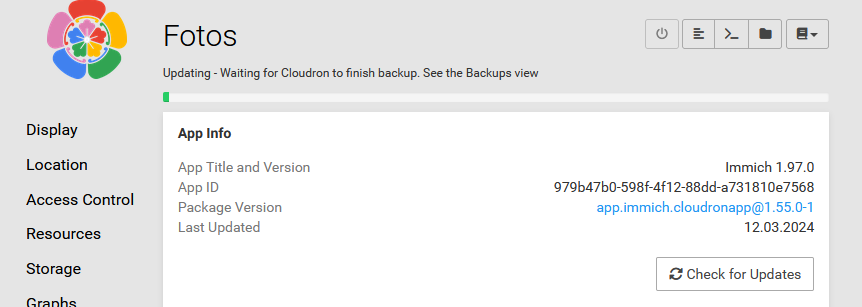
have the app instance id on Cloudron available. That can be seen in the update section of the app configure view in your Cloudron dashboard and looks something like 2c016381-840c-4707-945e-189896fbb3f9
Once those are met, proceed with:
Create app backup
SSH into the server
Run mysql -uroot -ppassword box -e "update apps set sso=1 where id='INSERT-APP-ID-HERE'" - root and password are literal like this, only insert the app id and hit enter
Go to the app's configure view in your Cloudron dashboard and in the location tab simply submit the form without changing anything (this is just a way to make the platform rebuild the container)
Once the app is up, you can relogin with OIDC and the user mapping should work.