
Can't access Cloudron Dashboard from the same network
-
-
@girish Thanks.
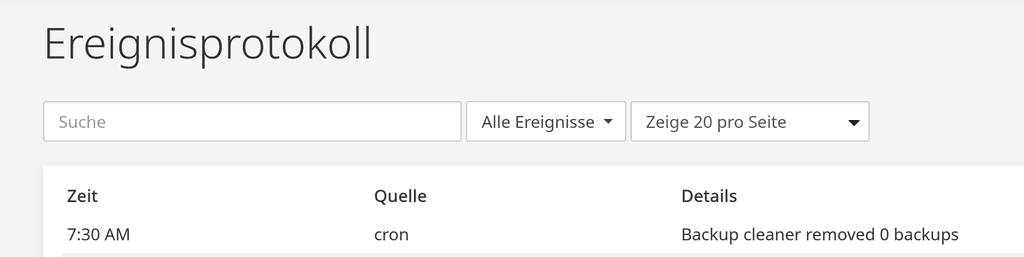
ONE MAJOR ISSUE STILL PERSISTS : in your screenshot, the box in the middle ("1 selected") is 2-3 pixels lower that the other boxes ("Search" and "Show 20 per page"). IT NEEDS TO BE FIXED, IT DRIVES ME CRAZY!

-
@girish Such fix will fix connectivity with the IMAP server as well, correct? I just realized that I can’t connect to that, either…?
-
@necrevistonnezr ha, I have fought that pixel battle before... and lost. It's do with that multiselect combo not being a real select box but some custom angular component
@girish said in Can't access Cloudron Dashboard from the same network:
@necrevistonnezr ha, I have fought that pixel battle before... and lost.

 Thanks for making the effort
-
-
-
Fixed in https://git.cloudron.io/cloudron/box/-/commit/dca9246450579cb21d0eab3ec2c7647dd6f56d89 . Will make a new release 8.0.6
@girish said in Can't access Cloudron Dashboard from the same network:
Fixed in https://git.cloudron.io/cloudron/box/-/commit/dca9246450579cb21d0eab3ec2c7647dd6f56d89 . Will make a new release 8.0.6
Update just installed and it works - splendid!
-
Hmmm, I still get email issues from time to time?
-
For me, it still only works after adding the current IP to Adguard.
I don’t think it’s the rest of the setup (homeserver, Fritz!Box 7530 on the 7.9.xx firmware) as this has remained unchanged for years.FWIW (though after having added the IP to Adguard)
[###@cloudron M]$ sudo cloudron-support --troubleshoot [sudo] password for ###: Vendor: AZW Product: EQ Linux: 6.8.0-45-generic Ubuntu: noble 24.04 Processor: Intel(R) N100 x 4 RAM: 16144308KB Disk: /dev/mapper/ubuntu--vg-ubuntu--lv 203G [OK] node version is correct [OK] IPv6 is enabled [OK] docker is running [OK] MySQL is running [OK] nginx is running [OK] dashboard cert is valid [OK] dashboard is reachable via loopback [OK] box v8.0.6 is running [OK] netplan is good [OK] DNS is resolving via systemd-resolved [OK] Dashboard is reachable via domain name [OK] Domain ckfl.net is valid and has not expired [OK] unbound is running [###@cloudron M]$ -
@necrevistonnezr Can you go to AdGuard's Location view and just click Save without making any changes? This will re-create the AdGuard container with the correct DNS configuration. 8.0.5 (unstable) -> 8.0.6 does not automatically recreate containers. But 8.0.4 (current stable) -> 8.0.6 does recreate all containers automatically.
-
Whe I do this:
Error : External Error - Unable to detect IPv4. API server (ipv4.api.cloudron.io) unreachableOn the server:
[###@cloudron M]$ curl ipv4.api.cloudron.io <html> <head><title>301 Moved Permanently</title></head> <body> <center><h1>301 Moved Permanently</h1></center> <hr><center>nginx/1.18.0 (Ubuntu)</center> </body> </html> -
After a reboot, it seems fine for now. Let’s see if it persists




Hello! It looks like you're interested in this conversation, but you don't have an account yet.
Getting fed up of having to scroll through the same posts each visit? When you register for an account, you'll always come back to exactly where you were before, and choose to be notified of new replies (either via email, or push notification). You'll also be able to save bookmarks and upvote posts to show your appreciation to other community members.
With your input, this post could be even better 💗
Register Login