
Volume Mount point change with restore where does data for a missing volume go?
-
I restored cloudron from a backup and had mounted a drive based on the sdX path (perhaps a mistake).
- It seems there's no way to update an existing Volumes mount point, is that right?
- somehow the apps are restoring but still have their storage location as the defunct volume. The physical drive is now mounted as a new volume, and I can move them, but I'm curious: where's the data go for the apps that are assigned storage to a missing volume? Does it just go on the main drive instead?
-
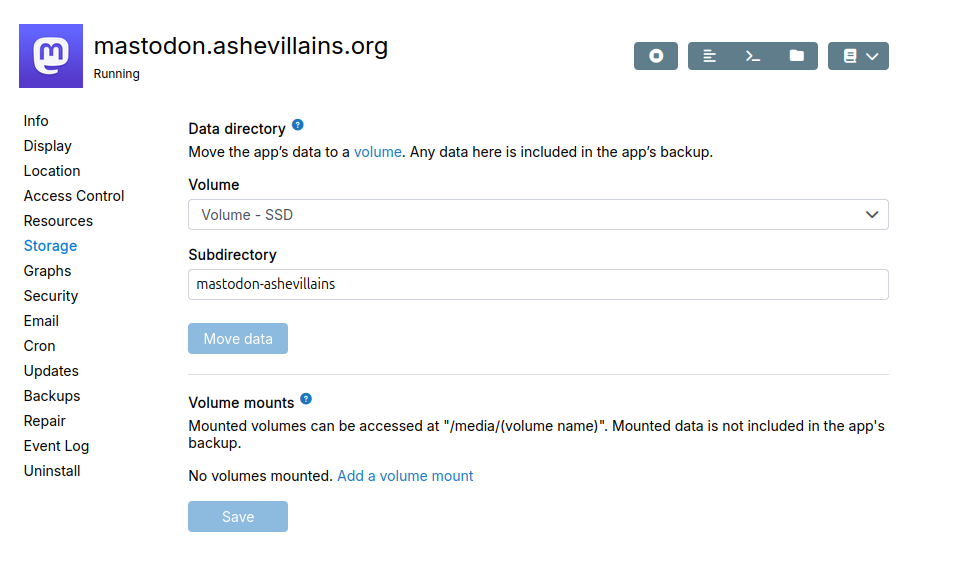
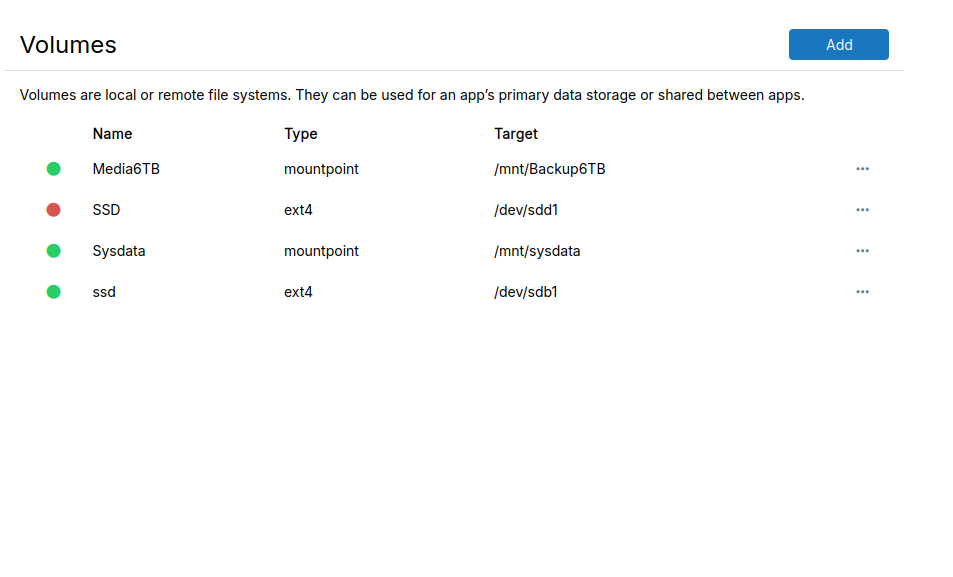
What's interesting is even though it says it failed to mount, I can still see the files in the file manager, however the edit dates appear different than in the desktop file manager and some files don't line up like the cache is remembered:
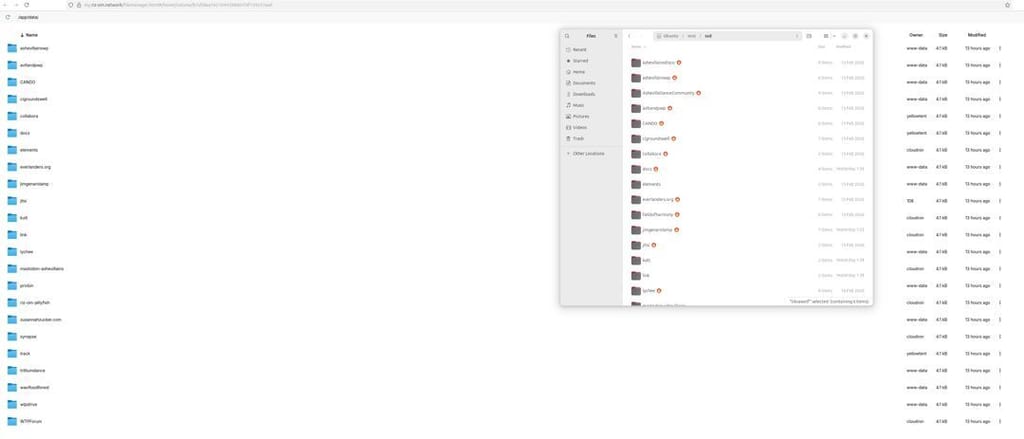
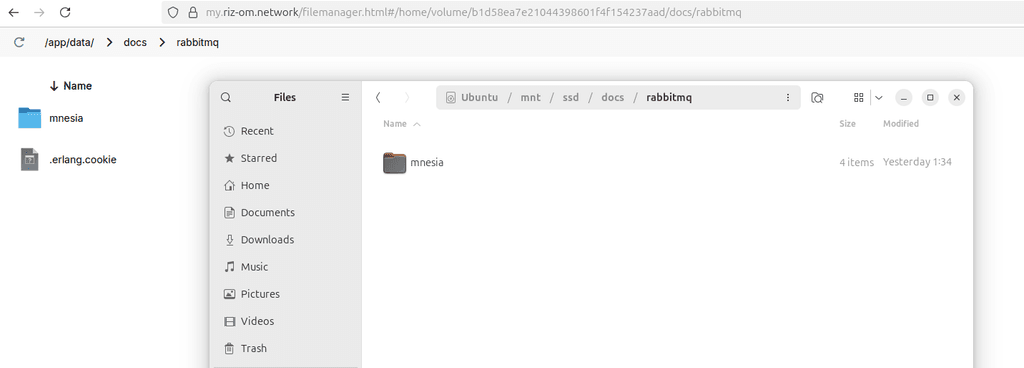
That's all kinda nice really, and that the apps can actually run, but it's not clear where they actually exist.
I am not able to select SSD as a place to move them to either, which makes sense.
I'm mostly just curious what happens in case like this, and it appears that as I guessed it does just go on the root drive in a mount point with the volume name, which is a nice solution and lucky I have enough space:
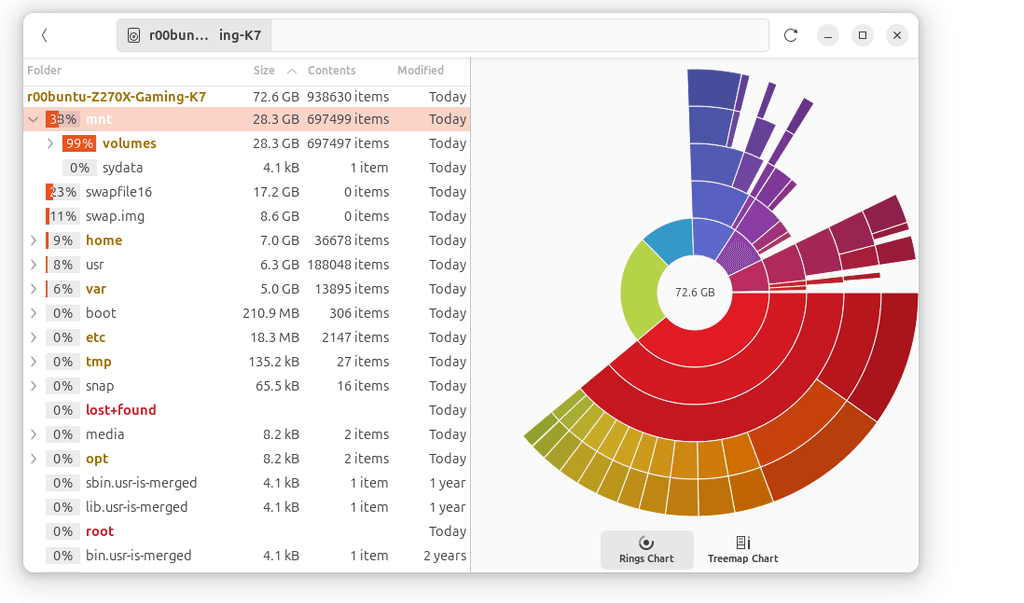
In this case it could have been cool to not need to manually move all of them, and instead re-assign the mount point to the same physical drive, though then I might have run into an issue with the files already existing (which is what happens if I try to move them to the ddrive they were previous on on the new mount point). But having it all work despite it missing and moving them to a another spot or deleting the files and moving them is ok, just a bit labor intensive.
-
This is indeed a bug. If a volume is missing during restore, the app should simply error when restoring. Currently, it is restoring to the volume's mount path. Given that the volume is missing/somewhere else, it ends up in the root filesystem. Will get this fixed.
-
Honestly, it's a very convenient bug. I kind of like that it attempts to restore to the other location. However, it would be a problem if the file system was too small to support that.
It would be great if, when it errors, there's a clear way to resolve the error.
-
 G girish has marked this topic as solved on



Hello! It looks like you're interested in this conversation, but you don't have an account yet.
Getting fed up of having to scroll through the same posts each visit? When you register for an account, you'll always come back to exactly where you were before, and choose to be notified of new replies (either via email, or push notification). You'll also be able to save bookmarks and upvote posts to show your appreciation to other community members.
With your input, this post could be even better 💗
Register Login