
Complete restore of Cloudron Backups
-
Hi
I have now switched all my trivial sites and business critical systems over to container hosting provisioned by Cloudron. It's great!
Last step on this journey is to verify and test; perform a complete restore of the backup of the platform.
I currently take backups of cloudron every 6 hours and all containers every 6 hours. It seems to work pretty great, no errors.However I am not sure how to proceed when doing a full restore of the entire Cloudron instance.
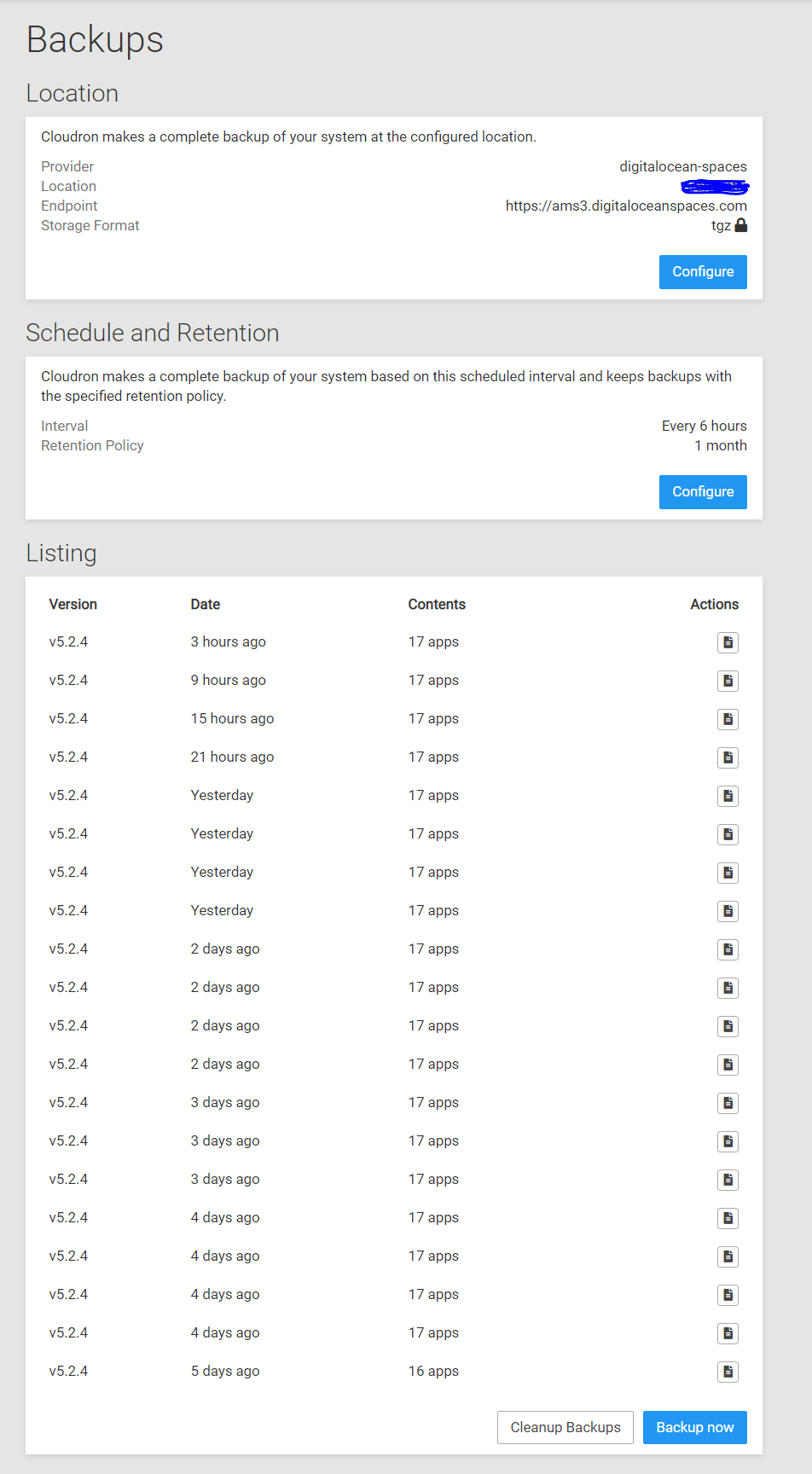
Here is my backup config:
I don't see any restore backups functionality in the web frontend of Cloudron.
Okay. Do I download the backup archive, uncompress the file and upload the contents to my server manually?
Where should I place those files?I can download backup json configuration file, what's it for?
My end goal is to set up a daily sync between the backup location and a failover server on a different private cloud provider, maybe even to an on-prem machine in the office, just to be sure. These restored systems will contain the entire Cloudron instance restored from backups and it will be performed daily. But first I need to understand the various moving parts here.
I found some documentation here, but this was not enough for me to help myself with this topic.Cloudron fan
Paying Customer -
Hi
I have now switched all my trivial sites and business critical systems over to container hosting provisioned by Cloudron. It's great!
Last step on this journey is to verify and test; perform a complete restore of the backup of the platform.
I currently take backups of cloudron every 6 hours and all containers every 6 hours. It seems to work pretty great, no errors.However I am not sure how to proceed when doing a full restore of the entire Cloudron instance.
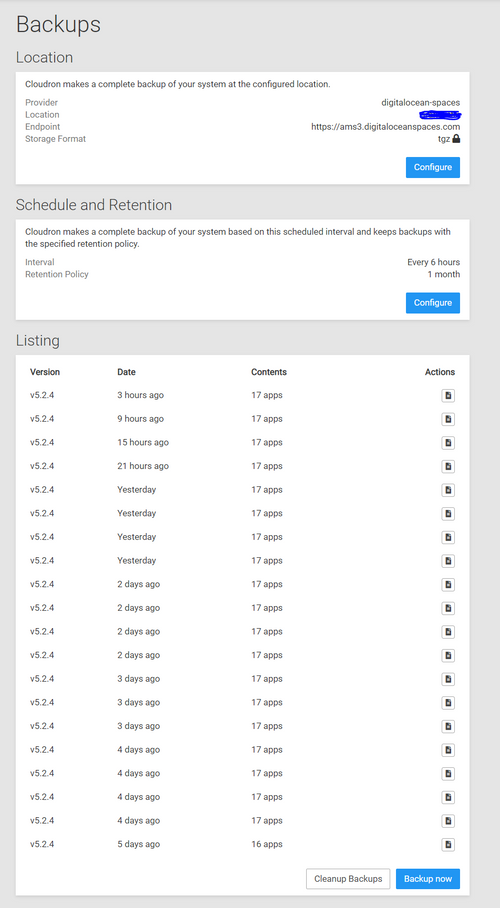
Here is my backup config:
I don't see any restore backups functionality in the web frontend of Cloudron.
Okay. Do I download the backup archive, uncompress the file and upload the contents to my server manually?
Where should I place those files?I can download backup json configuration file, what's it for?
My end goal is to set up a daily sync between the backup location and a failover server on a different private cloud provider, maybe even to an on-prem machine in the office, just to be sure. These restored systems will contain the entire Cloudron instance restored from backups and it will be performed daily. But first I need to understand the various moving parts here.
I found some documentation here, but this was not enough for me to help myself with this topic.@makemrproper Hi there ! Have you taken a look at https://cloudron.io/documentation/backups/#restore-cloudron ?
-
Yes @mehdi is right here, to test a whole Cloudron backup, one would have to restore to a fresh server. Depending on the DNS settings though, this might overwrite the DNS records after restore to match the new server's IP.
Your plan to have an up-to-date server on the side for failover is not easily facilitated that way.
-
If you have a floating IP (in DigitalOcean lingo), elastic IP (AWS) or equivalent, you can make Cloudron use the floating IP (Network -> Interface -> Enter the floating IP). Then you can restore Cloudron to another server, and then when restoring is done, you can switch the floating IP to this new server.



Hello! It looks like you're interested in this conversation, but you don't have an account yet.
Getting fed up of having to scroll through the same posts each visit? When you register for an account, you'll always come back to exactly where you were before, and choose to be notified of new replies (either via email, or push notification). You'll also be able to save bookmarks and upvote posts to show your appreciation to other community members.
With your input, this post could be even better 💗
Register Login