
Adding fonts to NextCloud + Collabora
-
Any chance of another look at this please @nebulon — these little things really help with user happiness, and the latest version is well worth the effort for making out go-to online office suite with Nextcloud.
-
-
-
 N nebulon has marked this topic as solved on
-
Thanks for bringing this up again. I have published a new app package which supports adding fonts now. After copying the TTF fonts into the folder, the app has to be restarted as mentioned in https://docs.cloudron.io/apps/collabora/#adding-fonts
-
@nebulon
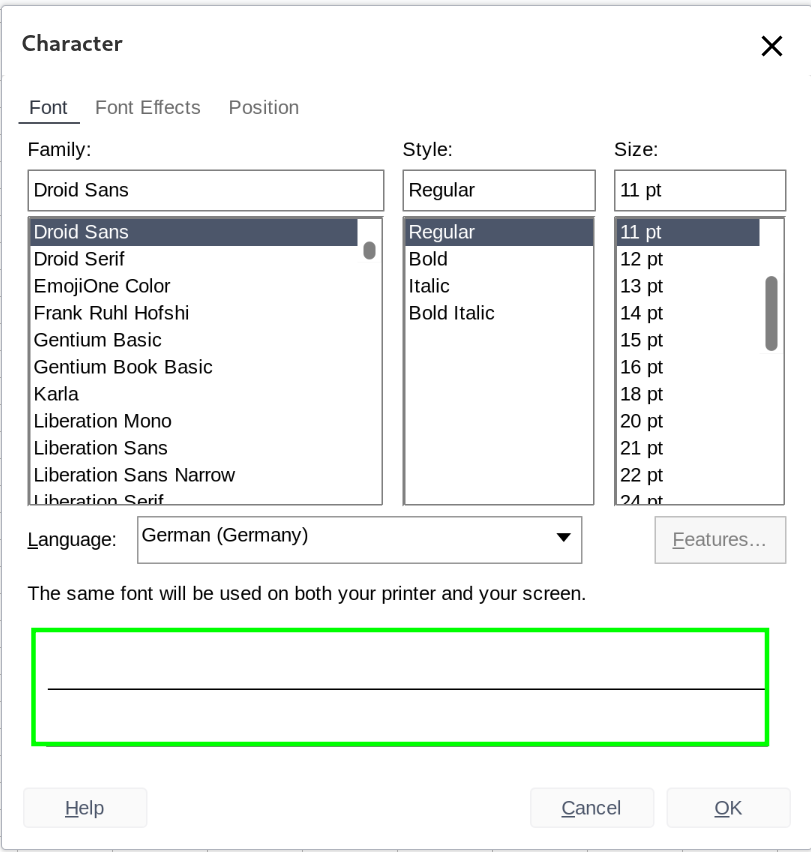
For some reason all the fonts I added like that show in in Collabora in Nextcloud but are invisible.

Ever encountered something like that? -
@BrutalBirdie what does invisible mean? Where are they invisible? Does
fc-match <fontname>correctly recognize the font in the webterminal?root@7cca863b-c650-4447-9dba-c4653dafe333:/app/code# fc-match "Droid Sans" DejaVuSans.ttf: "DejaVu Sans" "Book"Looks wrong to me...
root@7cca863b-c650-4447-9dba-c4653dafe333:/app/code# ls -lah /app/data/
total 20K
drwxr-xr-x 3 root     root 4.0K Aug 21 21:00 .
drwxr-xr-x 1 root     root 4.0K Sep 19 21:01 ..
-rw-r--r-- 1 cloudron root 7.0K Oct 10 12:17 coolwsd.xml
drwxr-xr-x 6 root     root 4.0K Oct 10 14:00 fonts
root@7cca863b-c650-4447-9dba-c4653dafe333:/app/code# ls -lah /app/data/fonts/
total 24K
drwxr-xr-x 6 root root 4.0K Oct 10 14:00 .
drwxr-xr-x 3 root root 4.0K Aug 21 21:00 ..
drwxr-xr-x 2 root root 4.0K Oct 10 14:00 DroidSans
drwxr-xr-x 2 root root 4.0K Oct 10 14:00 DroidSerif
drwxr-xr-x 2 root root 4.0K Oct 10 14:00 NunitoSans
drwxr-xr-x 2 root root 4.0K Oct 10 14:00 OpenSans
root@7cca863b-c650-4447-9dba-c4653dafe333:/app/code# ls -lah /app/data/fonts/DroidSans/
total 96K
drwxr-xr-x 2 root root 4.0K Oct 10 14:00 .
drwxr-xr-x 6 root root 4.0K Oct 10 14:00 ..
-rw-r--r-- 1 root root  42K Oct  9 13:47 DroidSans-Bold.ttf
-rw-r--r-- 1 root root  41K Oct  9 13:47 DroidSans.ttf
root@7cca863b-c650-4447-9dba-c4653dafe333:/app/code# fc-match DroidSans DejaVuSans.ttf: "DejaVu Sans" "Book"fc-match --allDoes also not include the fonts.
Also having the.ttffiles plain in no sub folder in/app/data/fontsyields the same results.The fonts works tho on the local system.
-
-
N nebulon has marked this topic as unsolved on
-
@BrutalBirdie While playing around to overcome this error. I found an alternative solution. It doesn't fix the collabora CODE font issue mentioned here, but makes it possible to add fonts to a Nextcloud instance hosted via cloudron.
It works with Nextclouds' ability to add fonts as remote_fonts therefore do the following:
- Add the desired fonts at https://[YOUR.NEXTCLOUD.DOMAIN]/settings/admin/richdocuments
- Switch to the apps-filemanager of your cloudrons Nextcloud. Create the folder ~/apps/richdocuments/settings
- Find out in which [APP-DATA-DIRECTORY] Nextcloud saves the richdocuments-data inside the directory ~/data (e.g. appdata_ocv42l2jdx7f)
- in the newly created folder, create a file fonts.json (so ~/apps/richdocuments/settings/fonts.json exists) with the content
{ "kind": "fontconfiguration", "server": "[YOUR.NEXTCLOUD.DOMAIN]", "fonts": [ { "uri": "https://[YOUR.NEXTCLOUD.DOMAIN]/[APP-DATA-DIRECTORY]/richdocuments/fonts/[FONTNAME-1].ttf" }, { "uri": "https://[YOUR.NEXTCLOUD.DOMAIN]/[APP-DATA-DIRECTORY]/richdocuments/fonts/[FONTNAME-2].ttf" } ] }- restart the collabora app
- restart the Nextcloud app
Additional, remove any font added to the collabora fonts directory...
Edit: After trial and erroring even more, I found nextcloud updating the fontlist only if ~/apps/richdocuments/settings/fonts.json is again saved.
Edit-2: Unfortunatly after a collabora update nextcloud needs to be restarted again to make the font changes again available…
@nebulon maybe this might solve the issue?
cheers -
 J james has marked this topic as solved on
-
 S subven referenced this topic on



Hello! It looks like you're interested in this conversation, but you don't have an account yet.
Getting fed up of having to scroll through the same posts each visit? When you register for an account, you'll always come back to exactly where you were before, and choose to be notified of new replies (either via email, or push notification). You'll also be able to save bookmarks and upvote posts to show your appreciation to other community members.
With your input, this post could be even better 💗
Register Login