Cloudron makes it easy to run web apps like WordPress, Nextcloud, GitLab on your server. Find out more or install now.


Skip to content
  • Categories
  • Recent
  • Tags
  • Popular
  • Bookmarks
  • Search
Skins
  • Light
  • Brite
  • Cerulean
  • Cosmo
  • Flatly
  • Journal
  • Litera
  • Lumen
  • Lux
  • Materia
  • Minty
  • Morph
  • Pulse
  • Sandstone
  • Simplex
  • Sketchy
  • Spacelab
  • United
  • Yeti
  • Zephyr
  • Dark
  • Cyborg
  • Darkly
  • Quartz
  • Slate
  • Solar
  • Superhero
  • Vapor

  • Default (No Skin)
  • No Skin
Collapse
Brand Logo

Cloudron Forum

Apps - Status | Demo | Docs | Install
  1. Cloudron Forum
  2. Support
  3. remotePath must be a string

remotePath must be a string
Scheduled Pinned Locked Moved Solved Support
restore
14 Posts 6 Posters 4.8k Views 6 Watching
  • Oldest to Newest
  • Newest to Oldest
  • Most Votes
Reply
  • Reply as topic
Log in to reply
This topic has been deleted. Only users with topic management privileges can see it.
  • 32463 3246

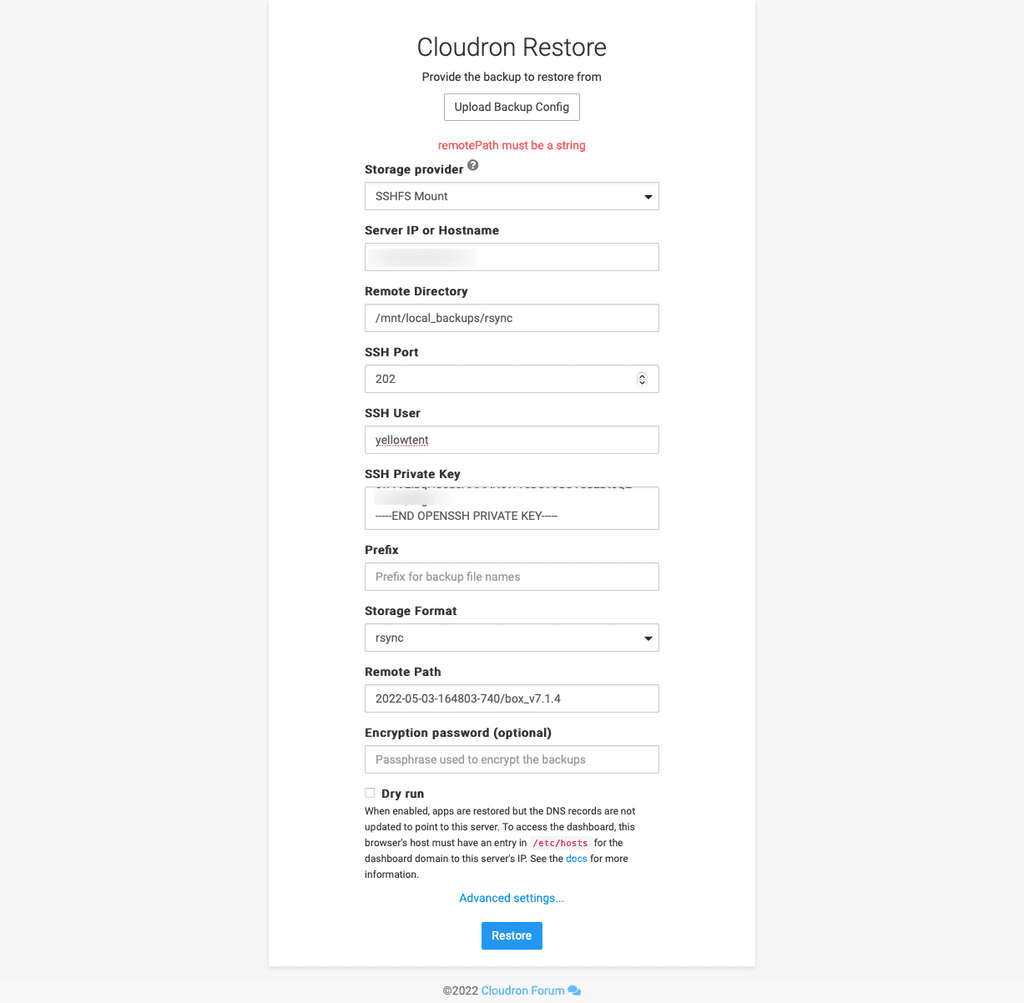
    What?! Why are error messages always unhelpfully vague 😭

    Cloudron-Restore.png

    Also, can you make it easier to understand which fields are required?

    girishG Offline
    girishG Offline
    girish
    Staff
    wrote on last edited by
    #2

    @3246 See https://forum.cloudron.io/topic/6920/issue-restoring-backup-remotepath-must-be-a-string . You have to re-install with cloudron-setup --version 7.1.4 . This is a bug in 7.2.0

    32463 1 Reply Last reply
    2
    • girishG girish

      @3246 See https://forum.cloudron.io/topic/6920/issue-restoring-backup-remotepath-must-be-a-string . You have to re-install with cloudron-setup --version 7.1.4 . This is a bug in 7.2.0

      32463 Offline
      32463 Offline
      3246
      wrote on last edited by
      #3

      @girish ARGH! How can I upgrade my previous to 7.2.0?

      👉 Find our more www.bebraver.online

      girishG 1 Reply Last reply
      0
      • 32463 3246

        @girish ARGH! How can I upgrade my previous to 7.2.0?

        girishG Offline
        girishG Offline
        girish
        Staff
        wrote on last edited by
        #4

        @3246 You have to update it manually at the moment. Settings -> Check For Updates . Unless, you have a reason to, don't update it yet. We released it for making some cloudron.io related changes. It is stable though.

        32463 1 Reply Last reply
        3
        • girishG girish marked this topic as a question on
        • girishG girish has marked this topic as solved on
        • girishG girish

          @3246 You have to update it manually at the moment. Settings -> Check For Updates . Unless, you have a reason to, don't update it yet. We released it for making some cloudron.io related changes. It is stable though.

          32463 Offline
          32463 Offline
          3246
          wrote on last edited by
          #5

          @girish sorry, still getting this error.

          I have updated the source Cloudron to 7.2.0, run a backup and now try to import it to the destination.

          Yet, the error persists. What else do I need to do?

          👉 Find our more www.bebraver.online

          girishG 1 Reply Last reply
          0
          • d19dotcaD Offline
            d19dotcaD Offline
            d19dotca
            wrote on last edited by d19dotca
            #6

            I wonder if this is at all related in some way to the issue I had on Restore process of IPv4 must be a string error.
            https://forum.cloudron.io/topic/6911/restore-cloudron-ipv4-must-be-a-string-when-using-static-ip-config/1

            --
            Dustin Dauncey
            www.d19.ca

            1 Reply Last reply
            0
            • 32463 3246

              @girish sorry, still getting this error.

              I have updated the source Cloudron to 7.2.0, run a backup and now try to import it to the destination.

              Yet, the error persists. What else do I need to do?

              girishG Offline
              girishG Offline
              girish
              Staff
              wrote on last edited by
              #7

              @3246 This is a bug in 7.2.0 . You can apply this patch:

              • Edit /home/yellowtent/box/dashboard/dist/js .
              • Line 1677 has the restore function. Change backupId to remotePath
              • There's a told of 3 places to replace - the function arguments and in the data object.
              • Then, refresh restore UI in the browser and it should work.
                  Client.prototype.restore = function (backupConfig, remotePath, version, sysinfoConfig, skipDnsSetup, setupToken, callback) {
                      var data = {
                          backupConfig: backupConfig,
                          remotePath: remotePath,
              
              32463 E 2 Replies Last reply
              1
              • girishG girish

                @3246 This is a bug in 7.2.0 . You can apply this patch:

                • Edit /home/yellowtent/box/dashboard/dist/js .
                • Line 1677 has the restore function. Change backupId to remotePath
                • There's a told of 3 places to replace - the function arguments and in the data object.
                • Then, refresh restore UI in the browser and it should work.
                    Client.prototype.restore = function (backupConfig, remotePath, version, sysinfoConfig, skipDnsSetup, setupToken, callback) {
                        var data = {
                            backupConfig: backupConfig,
                            remotePath: remotePath,
                
                32463 Offline
                32463 Offline
                3246
                wrote on last edited by 3246
                #8

                @girish thank you.

                To clarify:

                I edit /home/yellowtent/box/dashboard/dist/js/restore.js and replace backupId with remotePath?

                Is there a way you can make that patch available for me to just pull from git or elsewhere?

                👉 Find our more www.bebraver.online

                1 Reply Last reply
                0
                • girishG girish

                  @3246 This is a bug in 7.2.0 . You can apply this patch:

                  • Edit /home/yellowtent/box/dashboard/dist/js .
                  • Line 1677 has the restore function. Change backupId to remotePath
                  • There's a told of 3 places to replace - the function arguments and in the data object.
                  • Then, refresh restore UI in the browser and it should work.
                      Client.prototype.restore = function (backupConfig, remotePath, version, sysinfoConfig, skipDnsSetup, setupToken, callback) {
                          var data = {
                              backupConfig: backupConfig,
                              remotePath: remotePath,
                  
                  E Offline
                  E Offline
                  echokos
                  wrote on last edited by echokos
                  #9

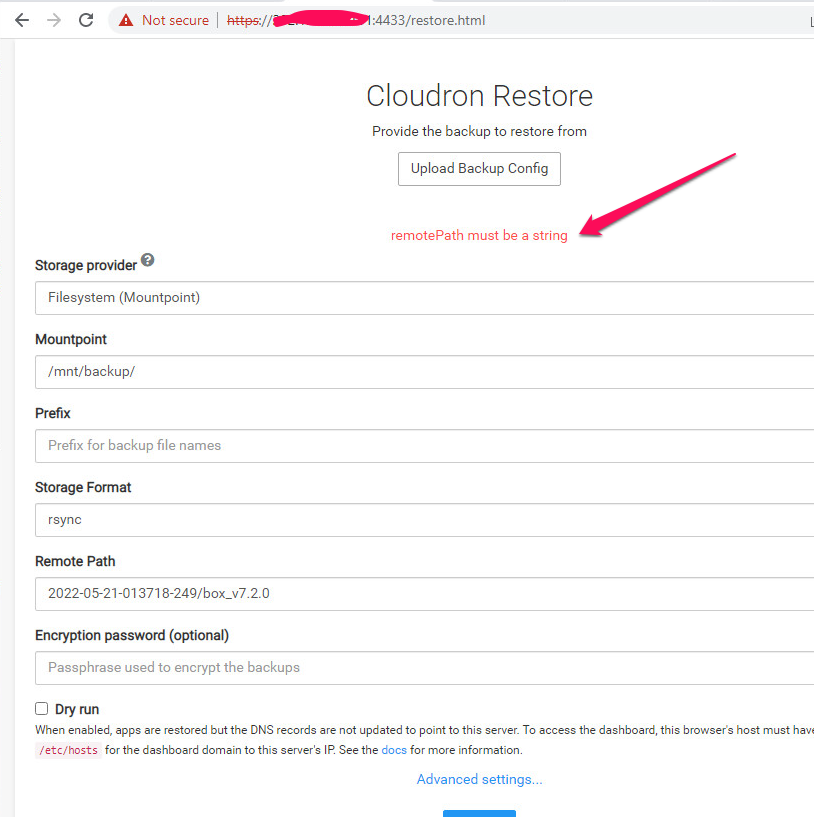
                  @girish This isn't working. Trying to move servers - have a 7.2.0 backup and installed at Hetzner with version 7.2.0. The restore path properly fills in from the backup, but cannot get around the "remotePath must be a string" error message even after editing the function mentioned in restore.js and rebooting the server.

                  EDIT: Nevermind. I've reverted everything to using 7.1.4 and it was fine. I saw your note on the top of this to force the new server to install 7.1.4 but I had been doing the opposite and using 7.2.0.
                  girishG M 2 Replies Last reply
                  2
                  • E echokos

                    @girish This isn't working. Trying to move servers - have a 7.2.0 backup and installed at Hetzner with version 7.2.0. The restore path properly fills in from the backup, but cannot get around the "remotePath must be a string" error message even after editing the function mentioned in restore.js and rebooting the server.

                    EDIT: Nevermind. I've reverted everything to using 7.1.4 and it was fine. I saw your note on the top of this to force the new server to install 7.1.4 but I had been doing the opposite and using 7.2.0.

                    girishG Offline
                    girishG Offline
                    girish
                    Staff
                    wrote on last edited by
                    #10

                    @echokos ah, glad you got that sorted out.

                    We will get out 7.2.1 in a few days to fix these regressions.

                    M 1 Reply Last reply
                    3
                    • E echokos

                      @girish This isn't working. Trying to move servers - have a 7.2.0 backup and installed at Hetzner with version 7.2.0. The restore path properly fills in from the backup, but cannot get around the "remotePath must be a string" error message even after editing the function mentioned in restore.js and rebooting the server.

                      EDIT: Nevermind. I've reverted everything to using 7.1.4 and it was fine. I saw your note on the top of this to force the new server to install 7.1.4 but I had been doing the opposite and using 7.2.0.

                      M Offline
                      M Offline
                      mikewen8888
                      wrote on last edited by mikewen8888
                      #11

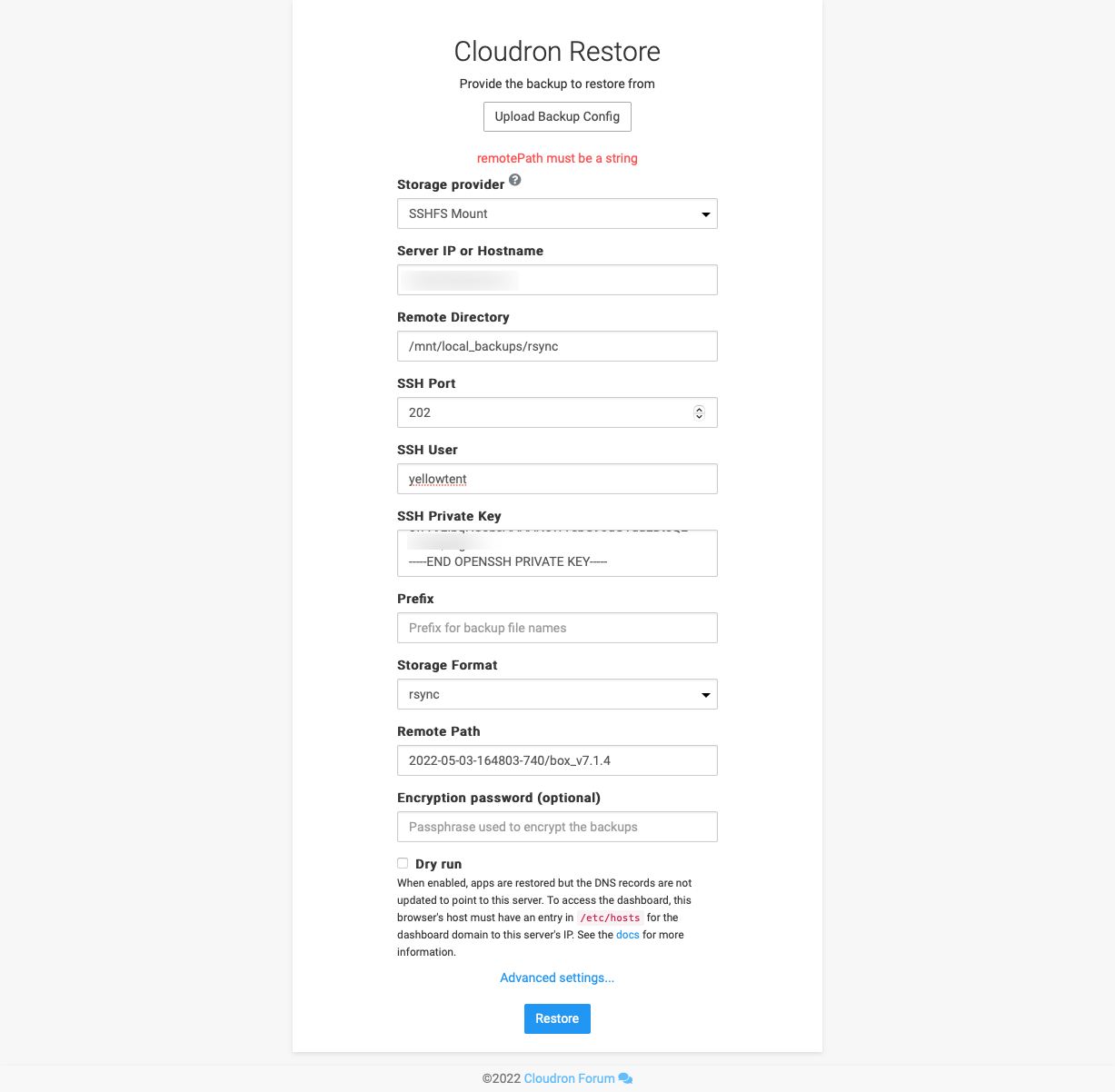
                      cloudron02.png

                      @echokos said in remotePath must be a string:

                      @girish This isn't working. Trying to move servers - have a 7.2.0 backup and installed at Hetzner with version 7.2.0. The restore path properly fills in from the backup, but cannot get around the "remotePath must be a string" error message even after editing the function mentioned in restore.js and rebooting the server.

                      EDIT: Nevermind. I've reverted everything to using 7.1.4 and it was fine. I saw your note on the top of this to force the new server to install 7.1.4 but I had been doing the opposite and using 7.2.0.

                      @echokos what do you mean by reverted everything using 7.14?

                      did you revert old server to 7.1.4 and take a backup?
                      or did you use 7.2.0 backup and used it on 7.1.4 new installation?

                      i have 7.2.0 backup today from 7.2.0 server, and try to simulate restore process, having on different server (install it today, so I assume it is on the same version, but get that remotePath must be a string problem

                      already did what @girish said about replacing those 3 backupId into remotePath, but the problem persist

                      btw: how to check cloudron version? in GUI or CLI?

                      1 Reply Last reply
                      0
                      • girishG girish

                        @echokos ah, glad you got that sorted out.

                        We will get out 7.2.1 in a few days to fix these regressions.

                        M Offline
                        M Offline
                        mikewen8888
                        wrote on last edited by
                        #12

                        @girish said in remotePath must be a string:

                        @echokos ah, glad you got that sorted out.

                        We will get out 7.2.1 in a few days to fix these regressions.

                        @girish any time line for 7.2.1 release? If soon I probably wait the restore simulation process until this bug is fixed


                        girishG 1 Reply Last reply
                        1
                        • M mikewen8888

                          @girish said in remotePath must be a string:

                          @echokos ah, glad you got that sorted out.

                          We will get out 7.2.1 in a few days to fix these regressions.

                          @girish any time line for 7.2.1 release? If soon I probably wait the restore simulation process until this bug is fixed

                          girishG Offline
                          girishG Offline
                          girish
                          Staff
                          wrote on last edited by
                          #13

                          @mikewen8888 Yes, it's due for next week. Probably around tuesday. Sorry for the bug!

                          1 Reply Last reply
                          2
                          • ajtatumA Offline
                            ajtatumA Offline
                            ajtatum
                            wrote on last edited by
                            #14

                            Just to let anyone else know, I ran into the same issue with 7.2.0 when migrating servers and made the change that @girish mentioned and it still didn't work until I restarted docker (systemctl restart docker) and then it worked!

                            1 Reply Last reply
                            1

                            Hello! It looks like you're interested in this conversation, but you don't have an account yet.

                            Getting fed up of having to scroll through the same posts each visit? When you register for an account, you'll always come back to exactly where you were before, and choose to be notified of new replies (either via email, or push notification). You'll also be able to save bookmarks and upvote posts to show your appreciation to other community members.

                            With your input, this post could be even better 💗

                            Register Login
                            Reply
                            • Reply as topic
                            Log in to reply
                            • Oldest to Newest
                            • Newest to Oldest
                            • Most Votes


                            • Login

                            • Don't have an account? Register

                            • Login or register to search.
                            • First post
                              Last post
                            0
                            • Categories
                            • Recent
                            • Tags
                            • Popular
                            • Bookmarks
                            • Search