
Access Control
-
I want the opposite. I want user to have to login to access this page. Setting it to "Only allow the following users and groups" to use Cloudron does nothing to stop the app from being hit by another computer on the internet.
-
I want the opposite. I want user to have to login to access this page. Setting it to "Only allow the following users and groups" to use Cloudron does nothing to stop the app from being hit by another computer on the internet.
@EntityPacket said in Access Control:
does nothing to stop the app from being hit by another computer on the internet
But all they see is a login page, isn't it?
-
No, takes you straight into the app.
-
 N nebulon marked this topic as a question on
-
It's working now. I must have been mistaken. My bad.
-
N nebulon has marked this topic as solved on
-
Hi, is there a tutorial on how to open IT tools for public access without the need to log in?
-
@IniBudi when installing choose 'Leave user management to the app and then after installing change
enableLogininconfig/settings.ymlto false. -
@joseph how to access the config/settings.yml file? I can't find it on SSH sever, is there a clue?
-
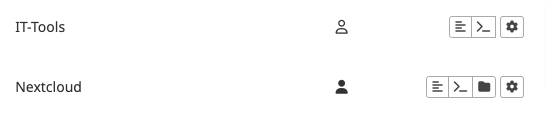
However there's no file manager feature on IT-Tools, is it?
-
@IniBudi
 sorry, I got the app mixed up with Stirling-PDF .
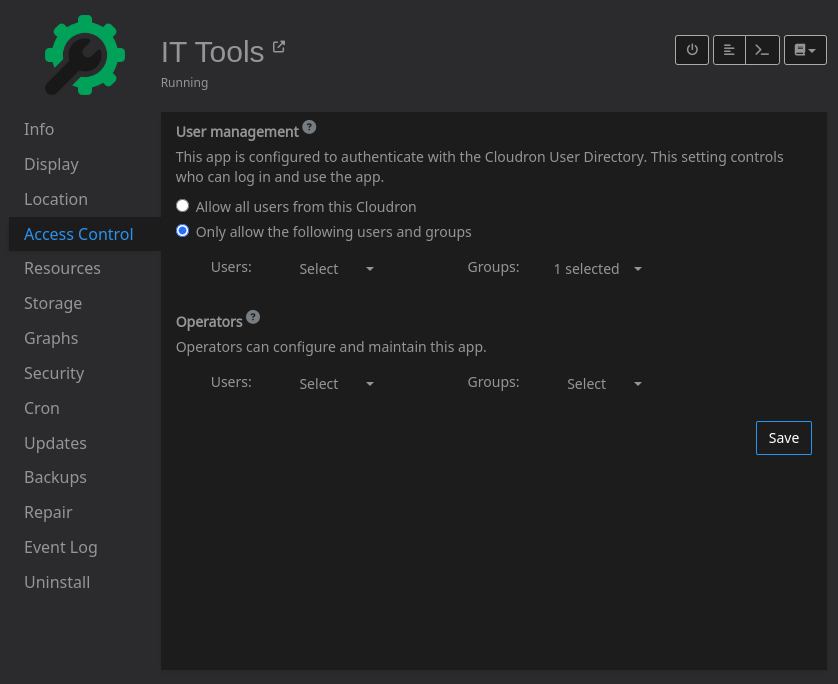
When you install IT-Tools, simply choose 'Leave user management to the app' and that makes it public.

Hello! It looks like you're interested in this conversation, but you don't have an account yet.
Getting fed up of having to scroll through the same posts each visit? When you register for an account, you'll always come back to exactly where you were before, and choose to be notified of new replies (either via email, or push notification). You'll also be able to save bookmarks and upvote posts to show your appreciation to other community members.
With your input, this post could be even better 💗
Register Login