I'll do an OS upgrade which probably will fix this issue
 C
C
caleno
@caleno
Posts
-
Update 8.0.3 - Failed: HttpError: ER_BAD_FIELD_ERROR: Unknown column 'apps.cpuQuota' in 'field list' -
Update 8.0.3 - Failed: HttpError: ER_BAD_FIELD_ERROR: Unknown column 'apps.cpuQuota' in 'field list'mysql> ALTER TABLE apps RENAME COLUMN cpuShares to cpuQuota; ERROR 1064 (42000): You have an error in your SQL syntax; check the manual that corresponds to your MySQL server version for the right syntax to use near 'COLUMN cpuShares to cpuQuota' at line 1 mysql> ^DByeroot:~# mysql --version mysql Ver 14.14 Distrib 5.7.42, for Linux (x86_64) using EditLine wrapperMhmm, I thought I had done an OS upgrade
root:~# lsb_release -a
No LSB modules are available.
Distributor ID:	Ubuntu
Description:	Ubuntu 20.04.6 LTS
Release:	20.04
Codename:	focal
Is 20.04 still supported?
-
Update 8.0.3 - Failed: HttpError: ER_BAD_FIELD_ERROR: Unknown column 'apps.cpuQuota' in 'field list'Upgrade 8.0.3 failed which resulted in en empty cloduron
box.log with multiple ER_BAD_FIELD_ERROR messages
HttpError: ER_BAD_FIELD_ERROR: Unknown column 'apps.cpuQuota' in 'field list'
    at BoxError.toHttpError (/home/yellowtent/box/src/boxerror.js:106:16)
    at listByUser (/home/yellowtent/box/src/routes/apps.js:111:37)
    at process.processTicksAndRejections (node:internal/process/task_queues:95:5) {
  status: 500,
  internalError: BoxError: ER_BAD_FIELD_ERROR: Unknown column 'apps.cpuQuota' in 'field list'
      at Query.queryCallback (/home/yellowtent/box/src/database.js:91:38)
      at Query.<anonymous> (/home/yellowtent/box/node_modules/mysql/lib/Connection.js:526:10)
      at Query._callback (/home/yellowtent/box/node_modules/mysql/lib/Connection.js:488:16)
      at Sequence.end (/home/yellowtent/box/node_modules/mysql/lib/protocol/sequences/Sequence.js:83:24)
      at Query.ErrorPacket (/home/yellowtent/box/node_modules/mysql/lib/protocol/sequences/Query.js:92:8)
      at Protocol._parsePacket (/home/yellowtent/box/node_modules/mysql/lib/protocol/Protocol.js:291:23)
      at Parser._parsePacket (/home/yellowtent/box/node_modules/mysql/lib/protocol/Parser.js:433:10)
      at Parser.write (/home/yellowtent/box/node_modules/mysql/lib/protocol/Parser.js:43:10)
      at Protocol.write (/home/yellowtent/box/node_modules/mysql/lib/protocol/Protocol.js:38:16)
      at Socket.<anonymous> (/home/yellowtent/box/node_modules/mysql/lib/Connection.js:88:28) {
    reason: 'Database Error',
    details: {},
    nestedError: Error: ER_BAD_FIELD_ERROR: Unknown column 'apps.cpuQuota' in 'field list'
        at Sequence._packetToError (/home/yellowtent/box/node_modules/mysql/lib/protocol/sequences/Sequence.js:47:14)
        at Query.ErrorPacket (/home/yellowtent/box/node_modules/mysql/lib/protocol/sequences/Query.js:79:18)
        at Protocol._parsePacket (/home/yellowtent/box/node_modules/mysql/lib/protocol/Protocol.js:291:23)
        at Parser._parsePacket (/home/yellowtent/box/node_modules/mysql/lib/protocol/Parser.js:433:10)
        at Parser.write (/home/yellowtent/box/node_modules/mysql/lib/protocol/Parser.js:43:10)
        at Protocol.write (/home/yellowtent/box/node_modules/mysql/lib/protocol/Protocol.js:38:16)
        at Socket.<anonymous> (/home/yellowtent/box/node_modules/mysql/lib/Connection.js:88:28)
        at Socket.<anonymous> (/home/yellowtent/box/node_modules/mysql/lib/Connection.js:526:10)
        at Socket.emit (node:events:518:28)
        at addChunk (node:internal/streams/readable:559:12)
        --------------------
        at Pool.query (/home/yellowtent/box/node_modules/mysql/lib/Pool.js:199:23)
        at /home/yellowtent/box/src/database.js:96:31
        at new Promise (<anonymous>)
        at Object.query (/home/yellowtent/box/src/database.js:87:12)
        at list (/home/yellowtent/box/src/apps.js:1124:36)
        at process.processTicksAndRejections (node:internal/process/task_queues:95:5)
        at async Object.listByUser (/home/yellowtent/box/src/apps.js:1141:20) {
      code: 'ER_BAD_FIELD_ERROR',
      errno: 1054,
      sqlMessage: "Unknown column 'apps.cpuQuota' in 'field list'",
      sqlState: '42S22',
      index: 0,
      sql: 'SELECT apps.id,apps.appStoreId,apps.installationState,apps.errorJson,apps.runState,apps.health,apps.containerId,apps.manifestJson,apps.accessRestrictionJson,apps.memoryLimit,apps.cpuQuota,apps.label,apps.notes,apps.tagsJson,apps.taskId,apps.reverseProxyConfigJson,apps.s
ervicesConfigJson,apps.operatorsJson,apps.sso,apps.debugModeJson,apps.enableBackup,apps.proxyAuth,apps.containerIp,apps.crontab,apps.creationTime,apps.updateTime,apps.enableAutomaticUpdate,apps.upstreamUri,apps.checklistJson,apps.enableMailbox,apps.mailboxDisplayName,apps.mailboxNa
me,apps.mailboxDomain,apps.enableInbox,apps.inboxName,apps.inboxDomain,apps.enableTurn,apps.enableRedis,apps.storageVolumeId,apps.storageVolumePrefix,apps.ts,apps.healthTime,(apps.icon IS NOT NULL) AS hasIcon,(apps.appStoreIcon IS NOT NULL) AS hasAppStoreIcon, hostPorts, environmen
tVariables, portTypes, portCounts, envNames, envValues, subdomains, domains, subdomainTypes, subdomainEnvironmentVariables, subdomainCertificateJsons, volumeIds, volumeReadOnlys FROM apps LEFT JOIN (SELECT id, GROUP_CONCAT(CAST(appPortBindings.hostPort AS CHAR(6))) AS hostPorts, GR
OUP_CONCAT(appPortBindings.environmentVariable) AS environmentVariables, GROUP_CONCAT(appPortBindings.type) AS portTypes, GROUP_CONCAT(CAST(appPortBindings.count AS CHAR(6))) AS portCounts FROM apps LEFT JOIN appPortBindings ON apps.id = appPortBindings.appId GROUP BY apps.id) AS q
1 on q1.id = apps.id LEFT JOIN (SELECT id, JSON_ARRAYAGG(appEnvVars.name) AS envNames, JSON_ARRAYAGG(appEnvVars.value) AS envValues FROM apps LEFT JOIN appEnvVars ON apps.id = appEnvVars.appId GROUP BY apps.id) AS q2 on q2.id = apps.id LEFT JOIN (SELECT id, JSON_ARRAYAGG(locations.
subdomain) AS subdomains, JSON_ARRAYAGG(locations.domain) AS domains, JSON_ARRAYAGG(locations.type) AS subdomainTypes, JSON_ARRAYAGG(locations.environmentVariable) AS subdomainEnvironmentVariables, JSON_ARRAYAGG(locations.certificateJson) AS subdomainCertificateJsons FROM apps LEFT
 JOIN locations ON apps.id = locations.appId GROUP BY apps.id) AS q3 on q3.id = apps.id LEFT JOIN (SELECT id, JSON_ARRAYAGG(appMounts.volumeId) AS volumeIds, JSON_ARRAYAGG(appMounts.readOnly) AS volumeReadOnlys FROM apps LEFT JOIN appMounts ON apps.id = appMounts.appId GROUP BY app
s.id) AS q4 on q4.id = apps.id ORDER BY apps.id'
    },
    code: 'ER_BAD_FIELD_ERROR',
    sqlMessage: "Unknown column 'apps.cpuQuota' in 'field list'"
  },
  details: {}
}
When I run start.sh I get this message
[ERROR] AssertionError [ERR_ASSERTION]: ifError got unwanted exception: You have an error in your SQL syntax; check the manual that corresponds to your MySQL server version for the right syntax to use near 'COLUMN cpuShares to cpuQuota' at line 1
    at /home/yellowtent/box/node_modules/db-migrate/lib/commands/on-complete.js:15:14
    at tryCatcher (/home/yellowtent/box/node_modules/bluebird/js/release/util.js:16:23)
    at Promise.successAdapter (/home/yellowtent/box/node_modules/bluebird/js/release/nodeify.js:22:30)
    at Promise._settlePromise (/home/yellowtent/box/node_modules/bluebird/js/release/promise.js:601:21)
    at Promise._settlePromiseCtx (/home/yellowtent/box/node_modules/bluebird/js/release/promise.js:641:10)
    at _drainQueueStep (/home/yellowtent/box/node_modules/bluebird/js/release/async.js:97:12)
    at _drainQueue (/home/yellowtent/box/node_modules/bluebird/js/release/async.js:86:9)
    at Async._drainQueues (/home/yellowtent/box/node_modules/bluebird/js/release/async.js:102:5)
    at Async.drainQueues [as _onImmediate] (/home/yellowtent/box/node_modules/bluebird/js/release/async.js:15:14)
    at process.processImmediate (node:internal/timers:478:21)
    at Packet.asError (/home/yellowtent/box/node_modules/mysql2/lib/packets/packet.js:728:17)
    at Query.execute (/home/yellowtent/box/node_modules/mysql2/lib/commands/command.js:29:26)
    at Connection.handlePacket (/home/yellowtent/box/node_modules/mysql2/lib/connection.js:456:32)
    at PacketParser.onPacket (/home/yellowtent/box/node_modules/mysql2/lib/connection.js:85:12)
    at PacketParser.executeStart (/home/yellowtent/box/node_modules/mysql2/lib/packet_parser.js:75:16)
    at Socket.<anonymous> (/home/yellowtent/box/node_modules/mysql2/lib/connection.js:92:25)
    at Socket.emit (node:events:518:28)
    at addChunk (node:internal/streams/readable:559:12)
    at readableAddChunkPushByteMode (node:internal/streams/readable:510:3)
    at Readable.push (node:internal/streams/readable:390:5)
    at TCP.onStreamRead (node:internal/stream_base_commons:190:23)
2024-08-14T07:05:02 ==> start: DB migration failed
Please advise
Br,
Lennart -
Community support for Humhub -
Custom app install complains about subdomain -
Custom app install complains about subdomain -
Custom app install complains about subdomain -
Changed app to use bare domain, stuck Waiting for DNS propagation@girish No I've not patched manually, I have assumed
sorry
I assumed the latest update was with the CNAME/A-record fix was live.The thing was that my home server has been offline for a while and when I started it up it updated to from v7.0.4 to v7.1.3 then v7.1.3 to v7.1.4.
After that the DNS propagation didnt work any longer, as it had done before.
-
Changed app to use bare domain, stuck Waiting for DNS propagation@girish After update I get error when propagating DNS. Or at least I thinks it is related because it worked before.
It is a subdomain pointing to a CNAME (duckdns) and it complains on all nsX.hyp.net.
Apr 09 11:33:38 box:dns/waitfordns resolveIp: Checking if xxx has A record at xxxx
Apr 09 11:33:38 box:dns/waitfordns resolveIp: Checking if xxx has CNAME record at xxxx
Apr 09 11:33:38 box:dns/waitfordns resolveIp: Resolving xxx CNAME record xxx
Apr 09 11:33:38 box:dns/waitfordns isChangeSynced: NS ns1.hyp.net (151.249.124.1) errored when resolve xxx (A): Error: queryA EREFUSED xxx
Apr 09 11:33:38 box:dns/waitfordns waitForDns: xxx at ns ns1.hyp.net: not done
Apr 09 11:33:38 box:dns/waitfordns Attempt 7 failed. Will retry: ETRYAGAIN
Final error message
An error occurred during the install operation: DNS Error: DNS A Record is not synced yet: ETRYAGAIN -
Plausible (Analytics Platform)Any news on this?
I would also like to se Plausible in Cloudron app store.
They have gained much traction lately and are GDPR compliant which is nice.I've tried their service and I liked it so now I am looking for self hosting option.
Plausible on Cloudron would be nice.
-
pq: null value in column "port" violates not-null constraint -
pq: null value in column "port" violates not-null constraintMar 08 11:00:17 (/source/database/database.go:439) Mar 08 11:00:17 [2021-03-08 10:00:17] pq: null value in column "port" violates not-null constraint Mar 08 11:00:17 ERRO[0000] pq: null value in column "port" violates not-null constraint device="map[arch:amd64 num_cpu:8]" os="map[name:linux]" runtime="map[go_maxprocs:8 go_numcgocalls:1 go_numroutines:14 name:go version:go1.15.6]" type=notifierI see this error in two installations on different serveres.
Anyone knows what is wrong?
-
How to authenticate in gitlab pipline?@caleno said in How to authenticate in gitlab pipline?:
I have token auth activated or at least configured and I can still log inn with Cloudron username and password + 2fa.
I'd like the token auth to work via Gitlab and maybe the case above points to a configuration issue.
I have to investigate further.
BTW. Maybe it is just working for the UI.
-
How to authenticate in gitlab pipline?I have token auth activated or at least configured and I can still log inn with Cloudron username and password + 2fa.
I'd like the token auth to work via Gitlab and maybe the case above points to a configuration issue.
I have to investigate further.
-
How to authenticate in gitlab pipline?If I understand it correctly the gitlab integration makes gitlab the authority for docker registry submitting jwt tokens for authentication. To create these tokens you either make a access token deploy token or a personal token (especially if you are using 2fa) and one should be able to authenticate to the registry, correct?
I've tried all sorts of tokens and changing the docker-client in authproxy and nginxconfig without success.
Has anyone manged to get this working? ><
-
App removed from store? -
App removed from store? -
Can't backup/update Minio -
Can't backup/update MinioWhen the filsystem backup finally gave up it exited with this error message
Jun 14 11:48:42 node[23567]: box:backups runBackupTask: backup task taking too long. killing Jun 14 11:48:42 node[23567]: box:shell backup-snapshot/app_928befdc-82c6-4f1e-8947-6bb3424be216 code: EPERM, signal: undefined Jun 14 11:48:42 node[23567]: box:progress backup: 100 Backuptask crashed Jun 14 11:48:42 node[23567]: box:apptask s3-oslo.uib.cloud update aborted because backup failed { BackupsError: Backuptask crashed Jun 14 11:48:42 node[23567]: at /home/yellowtent/box/src/backups.js:487:29 Jun 14 11:48:42 node[23567]: at f (/home/yellowtent/box/node_modules/once/once.js:25:25) Jun 14 11:48:42 node[23567]: at ChildProcess.<anonymous> (/home/yellowtent/box/src/shell.js:69:9) Jun 14 11:48:42 node[23567]: at emitOne (events.js:116:13) Jun 14 11:48:42 node[23567]: at ChildProcess.emit (events.js:211:7) Jun 14 11:48:42 node[23567]: at ChildProcess.kill (internal/child_process.js:395:12) Jun 14 11:48:42 node[23567]: at Timeout.<anonymous> (/home/yellowtent/box/src/backups.js:503:12) Jun 14 11:48:42 node[23567]: at ontimeout (timers.js:475:11) Jun 14 11:48:42 node[23567]: at tryOnTimeout (timers.js:310:5) Jun 14 11:48:42 node[23567]: at Timer.listOnTimeout (timers.js:270:5) Jun 14 11:48:42 node[23567]: name: 'BackupsError', Jun 14 11:48:42 node[23567]: reason: 'internal error', Jun 14 11:48:42 node[23567]: message: 'Backuptask crashed', Jun 14 11:48:42 node[23567]: backupError: true } Jun 14 11:48:42 node[23567]: box:apptask s3-oslo updating app with values: {"installationState":"installed","installationProgress":"","health":null,"updateConfig":null} Jun 14 11:48:43 node[23567]: box:apptask Apptask completed with error { BackupsError: Backuptask crashed Jun 14 11:48:43 node[23567]: at /home/yellowtent/box/src/backups.js:487:29 Jun 14 11:48:43 node[23567]: at f (/home/yellowtent/box/node_modules/once/once.js:25:25) Jun 14 11:48:43 node[23567]: at ChildProcess.<anonymous> (/home/yellowtent/box/src/shell.js:69:9) Jun 14 11:48:43 node[23567]: at emitOne (events.js:116:13) Jun 14 11:48:43 node[23567]: at ChildProcess.emit (events.js:211:7) Jun 14 11:48:43 node[23567]: at ChildProcess.kill (internal/child_process.js:395:12) Jun 14 11:48:43 node[23567]: at Timeout.<anonymous> (/home/yellowtent/box/src/backups.js:503:12) Jun 14 11:48:43 node[23567]: at ontimeout (timers.js:475:11) Jun 14 11:48:43 node[23567]: at tryOnTimeout (timers.js:310:5) Jun 14 11:48:43 node[23567]: at Timer.listOnTimeout (timers.js:270:5) Jun 14 11:48:43 node[23567]: name: 'BackupsError', Jun 14 11:48:43 node[23567]: reason: 'internal error', Jun 14 11:48:43 node[23567]: message: 'Backuptask crashed', Jun 14 11:48:43 node[23567]: backupError: true } Jun 14 11:48:43 node[23567]: box:apptask Apptask completed for 928befdc-82c6-4f1e-8947-6bb3424be216 Jun 14 11:48:43 node[23567]: box:taskmanager Task for 928befdc-82c6-4f1e-8947-6bb3424be216 pid 1331 completed with status 50 -
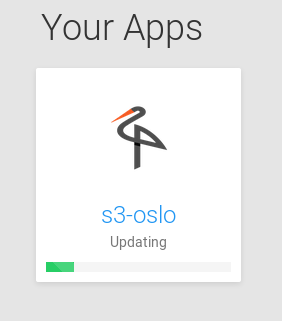
Can't backup/update MinioFore some reason it is not possible to backup Minio app to another Minio app.
The backup/update process starts then stalls and eventually, after 4 hours, it crashes and spits out the error message below.(Hovering hover this app tells me that it is making a backup.)
Jun 13 11:44:23 node[23567]: box:backups runBackupTask: backup task taking too long. killing
Jun 13 11:44:23  node[23567]: box:shell backup-snapshot/app_928befdc-82c6-4f1e-8947-6bb3424be216 code: EPERM, signal: undefined
Jun 13 11:44:23  node[23567]: box:progress backup: 100 Backuptask crashed
Jun 13 11:44:23  node[23567]: box:apptask s3.app error backing up app: BackupsError: Backuptask crashed
Jun 13 11:44:23  node[23567]: box:apptask s3.app updating app with values: {"installationState":"installed","installationProgress":"Backuptask crashed"}
Jun 13 11:44:24  node[23567]: box:apptask Apptask completed with error { BackupsError: Backuptask crashed
Jun 13 11:44:24  node[23567]:     at /home/yellowtent/box/src/backups.js:487:29
Jun 13 11:44:24  node[23567]:     at f (/home/yellowtent/box/node_modules/once/once.js:25:25)
Jun 13 11:44:24  node[23567]:     at ChildProcess.<anonymous> (/home/yellowtent/box/src/shell.js:69:9)
Jun 13 11:44:24  node[23567]:     at emitOne (events.js:116:13)
Jun 13 11:44:24  node[23567]:     at ChildProcess.emit (events.js:211:7)
Jun 13 11:44:24  node[23567]:     at ChildProcess.kill (internal/child_process.js:395:12)
Jun 13 11:44:24  node[23567]:     at Timeout.<anonymous> (/home/yellowtent/box/src/backups.js:503:12)
Jun 13 11:44:24  node[23567]:     at ontimeout (timers.js:475:11)
Jun 13 11:44:24  node[23567]:     at tryOnTimeout (timers.js:310:5)
Jun 13 11:44:24  node[23567]:     at Timer.listOnTimeout (timers.js:270:5)
Jun 13 11:44:24  node[23567]:   name: 'BackupsError',
Jun 13 11:44:24  node[23567]:   reason: 'internal error',
Jun 13 11:44:24  node[23567]:   message: 'Backuptask crashed' }
Jun 13 11:44:24  node[23567]: box:apptask Apptask completed for 928befdc-82c6-4f1e-8947-6bb3424be216
Jun 13 11:44:24  node[23567]: box:taskmanager Task for 928befdc-82c6-4f1e-8947-6bb3424be216 pid 27623 completed with status 50
Even if I change backup to local filesystem the Minio app won't be backed up nor updated.
I started an update yesterday at ~1245 and today at 07:30 it is still "updating".How can I debug this? Which logs should I parse? How do I stop a backup job?
Error message from daily backups when Minio daily backups are enabled
{ stack: 'BackupsError: Backuptask crashed\n    at /home/yellowtent/box/src/backups.js:487:29\n    at f (/home/yellowtent/box/node_modules/once/once.js:25:25)\n    at ChildProcess.<anonymous> (/home/yellowtent/box/src/shell.js:64:9)\n    at emitTwo (events.js:126:13)\n    at ChildProcess.emit (events.js:214:7)\n    at Process.ChildProcess._handle.onexit (internal/child_process.js:198:12)',
  name: 'BackupsError',
  reason: 'internal error',
  message: 'Backuptask crashed' }