https://docs.codex.so/codex-docs
Open soure notion alternative power by editor.io block text editor. really straight forward.
https://docs.codex.so/codex-docs
Open soure notion alternative power by editor.io block text editor. really straight forward.
Generally most apps cannot run on the basic memory allowance in my experience. Next cloud needs 1 for a few users and with a lot of users I've gone up to 4.
Mesibo Messenger is an open-source app with real-time messaging, voice, and video call features. We have released the entire source code of Mesibo Android, iOS, and JavaScript Apps on GitHub, where it can be continuously updated. You can download the entire source code, customize, and reuse in your own mesibo based applications without any restrictions.
Features
One-on-one messaging and Group chat
High quality voice and video calling
Rich messaging (text, picture, video, audio, other files)
Encryption
Location sharing
Message status and typing indicators
Online status (presence) and real-time profile update
Push notifications
Host it anywhere - in your private data cneter, Amazon aws, Google Cloud, Microsoft Azure, Alibaba cloud, etc. You can even run it alongside your webserver. Mesibo On-Premise platform is distributed as a docker image so that you can run it on almost all the hosting providers.
I use Cloudns.net for my DNS services. It allows me to provide a white label client panel to my clients and provides many of the services cloudflare and DnS made easy does for a fraction of the cost. They have a robust and easy api. I would love to see it added to cloudron.
This is awesome guys!! good work!
@girish this is awesome news!! I've been waiting for this
Soapbox is a frontend for Pleroma. Soapbox focuses on user experience, discoverability, and providing monetization avenues for server hosts and content creators. It's brandable and has built in chat.
I was afraid of that. I was seeing if the API supported user creation, but it doesn't seem to either. Darn.
Call out to anyone interested in helping with a custom white label kutt package. I'll get more info from the Kutt devs.
Thanks
@girish any chance there is an update on this...
Do I need to connect some kind of object storage to Cal. The profile images don't seem to save after uploading and saving them.
Did anything ever come of this? IS there an app for user registration?
Hello there,
I am looking for extended support for managing cloudron for a real estate brokerage. Using it together with nextcloud to mange the companies employees and agents etc. Is there any company that you can recommend? We have about 800 agents and a staff of 20.
Is this something that is supported yet?? I see it was mentioned once. It would make me ever so happy if it was...
I was wondering if this was ever packaged. I didn’t see it in the git repository. Would love to try this out.
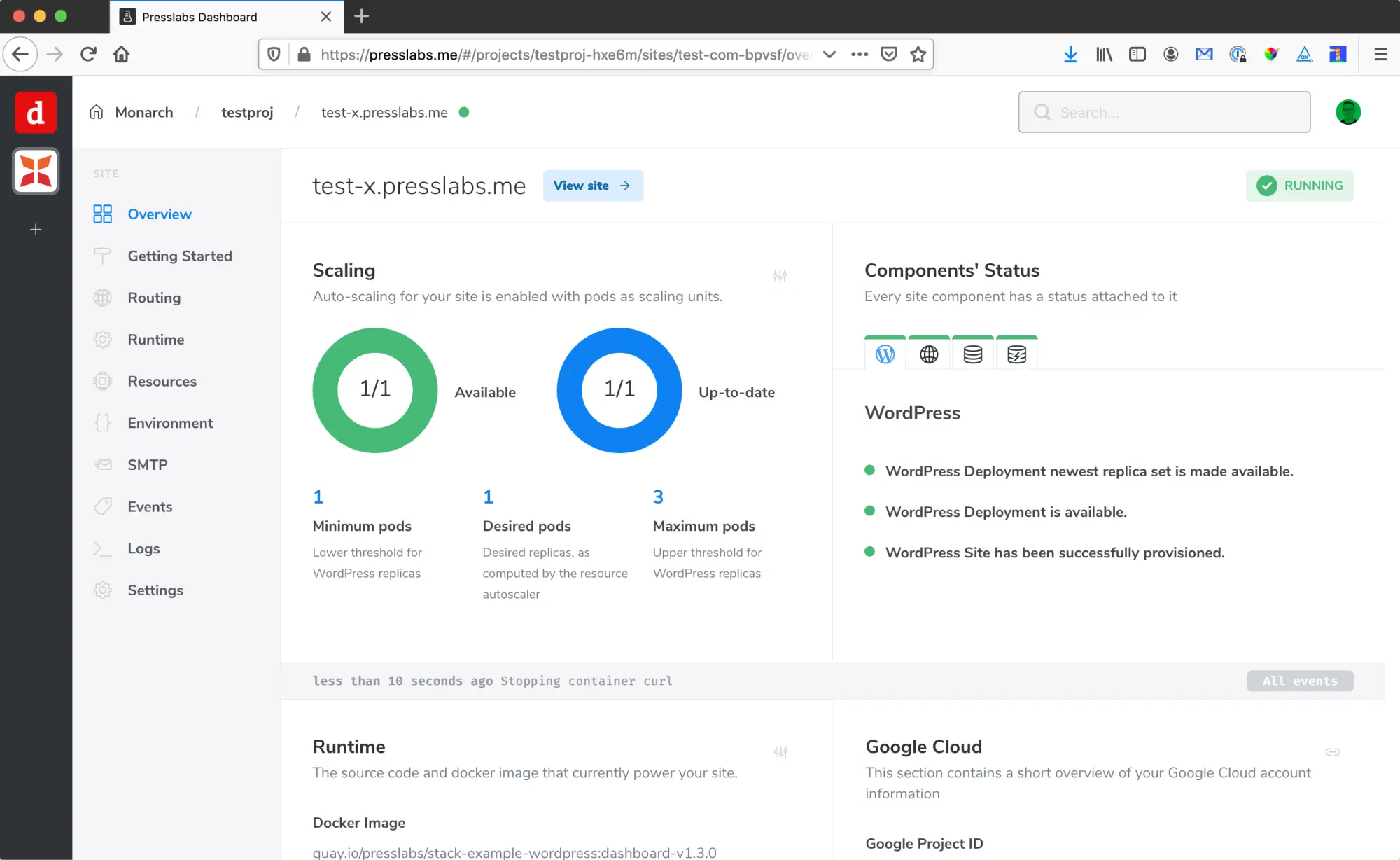
@marcusquinn Honestly I recently saw an interface that i would love to see on cloudron. I recently saw it used by presslabs in their open source managed wordpress cloudpanel. they currently exclusivley have it on google cloud. Its kubernettes which intimidates me cause my brain just goes dead about 10 minutes into the tutorials.
If im not mistaken this is also the same interface (or super similiar) that webcataloge uses.
I want this one so bad!!!
How is it that cloudron-cli takes no time at all to login to my remote server. It acts like it is local...
anyone know of an easy way to change the logo and maybe the button css. Fast and easy. (just getting my frontend dev feet wet sorry if its a basic question.)
start.sh aborts boot when OIDC plugin is installed-but-inactivePackage: org.wordpress.unmanaged.cloudronapp (observed on 3.15.0; logic also present in the managed package's SSO block)
File: /app/pkg/start.sh — OIDC/Cloudron-SSO setup block (~lines 182–204)
Severity: High — puts the app into a boot crash-loop / recovery (debug) mode; site goes fully offline.
Reproduced on: live app c21masters.com (Cloudron 6.0.0), 2026-06-19.
App drops into recovery mode. cloudron logs shows start.sh restarting in a tight loop, each pass ending with:
Success: Installed 1 of 1 plugins.
Warning: Failed to activate plugin. Cloudron SSO requires 1 plugin to be installed and activated: OpenID Connect Generic.
Error: No plugins activated.
…and the web tier never comes up:
=> Healthcheck error: Error: connect ECONNREFUSED 172.18.20.70:80
Apache is never reached because start.sh exits non-zero before the Starting apache step.
start.sh begins with set -eu, so any unhandled non-zero exit aborts the whole startup script. The SSO block:
# uninstall old `openid-connect-generic` plugin
if $wp plugin is-installed openid-connect-generic; then
    $wp plugin deactivate openid-connect-generic || true
    $wp plugin uninstall openid-connect-generic || true
fi

if ! $wp plugin is-installed daggerhart-openid-connect-generic; then
    echo "==> Install OIDC plugin"
    $wp plugin install /app/pkg/daggerhart-openid-connect-generic.zip
    $wp plugin activate daggerhart-openid-connect-generic     # (A) only runs on fresh install
fi

$wp plugin install --force /app/pkg/cloudron-sso.zip
$wp plugin activate cloudron-sso                              # (B) hard requirement
cloudron-sso.php declares a WordPress 6.5+ plugin-dependency header:
Requires Plugins: daggerhart-openid-connect-generic
WordPress refuses to activate cloudron-sso unless daggerhart-openid-connect-generic is installed and active.
The activation of the dependency (A) lives inside the if ! is-installed guard. So if daggerhart-openid-connect-generic is already installed but inactive — which happens whenever the plugin was deactivated by a user, by a migration/restore, by a backup import, or by a previous half-completed boot — the guard is false, (A) is skipped, and the dependency stays inactive.
(B) then fails the Requires Plugins check → non-zero exit → set -eu aborts start.sh before Apache starts → healthcheck ECONNREFUSED → Cloudron restarts the container → same path again → recovery mode.
The "different name" red herring: the historical directory/slug openid-connect-generic was renamed to daggerhart-openid-connect-generic. Installs that carry the plugin from before the rename (or restore it inactive) land exactly in this installed-but-inactive state.
Move/guarantee activation of the dependency on every boot (idempotent), independent of whether it was just installed, and/or make the SSO activation non-fatal. Minimal change:
if ! $wp plugin is-installed daggerhart-openid-connect-generic; then
    echo "==> Install OIDC plugin"
    $wp plugin install /app/pkg/daggerhart-openid-connect-generic.zip
fi
# Always ensure the dependency is active before activating cloudron-sso (idempotent).
$wp plugin activate daggerhart-openid-connect-generic

$wp plugin install --force /app/pkg/cloudron-sso.zip
$wp plugin activate cloudron-sso
Optional hardening: append || true (or an explicit warn) to the two SSO activate calls so a future SSO hiccup degrades gracefully instead of taking the entire site offline via set -eu. SSO not activating should not block Apache from serving.
From inside the container (cloudron exec --app <id>
cd /app/data/public
php -d memory_limit=512M /app/pkg/wp plugin activate daggerhart-openid-connect-generic --allow-root --skip-themes
php -d memory_limit=512M /app/pkg/wp plugin activate cloudron-sso --allow-root --skip-themes
Then take the app out of recovery mode:
cloudron debug --disable --app <id>
After this the next normal boot reaches ==> Starting apache, healthcheck passes, app returns to running, site responds HTTP 200.
org.wordpress.unmanaged.cloudronapp@3.15.0cloudron-sso 1.0.0, daggerhart-openid-connect-generic (OpenID Connect Generic) 3.11.34b378989-212e-4ca0-921c-2479fa2a0679@murgero I appreciate the help and will try that. If all else fails I'll give the element.io community space a try.
Looking in the console gave me this:
Initialised rageshake. rageshake.ts:50:19
To fix line numbers in Chrome: Meatball menu → Settings → Ignore list → Add /rageshake\.js$ rageshake.ts:50:19
Using Web platform rageshake.ts:50:19
Using WebAssembly Olm rageshake.ts:50:19
Configuring rageshake persistence... rageshake.ts:50:19
returning explicit theme: custom-appsurd 2 rageshake.ts:50:19
Loading skin... rageshake.ts:50:19
Skin loaded! rageshake.ts:50:19
set language to en-us
Brilliant. Now I just need to find out why it doesnt like my red accent color.