Cloudron makes it easy to run web apps like WordPress, Nextcloud, GitLab on your server. Find out more or install now.


Skip to content

Documenso

13 Topics 119 Posts
  • Documenso - Package Updates

    Pinned Locked
    40
    0 Votes
    40 Posts
    11k Views
    Package UpdatesP
    [1.26.0] Update documenso to 2.17.0 Full Changelog fix: increase global API rate limits to 1000/min by @Mythie in #3081 fix: update stripe team member billing by @dguyen in #2991 feat: rework command search by @dguyen in #3109 feat: add copy button for license key in admin panel by @ephraimduncan in #3123 feat: rejected and expired recipient filters by @ephraimduncan in #2889 feat: bulk download documents by @ephraimduncan in #2711 feat: migrate to react 19 by @Mythie in #3107 feat: redesign api tokens settings page by @ephraimduncan in #3076 feat: add document preferences reset dialog by @catalinpit in #3039 feat: add branding preferences reset dialog by @catalinpit in #3032
  • Please Allow disabling Sign-Up

    3
    2 Votes
    3 Posts
    418 Views
    D
    @james Thanks for the quick response! I started out with the SSO option because I prefer it, but user invites were failing to go through the create account flow. They received an e-mail, but when clicking the link to create the account it took them straight to the sign-in page.
  • Documenso does not come up after update to 1.6.0

    16
    1 Votes
    16 Posts
    5k Views
    G
    The root cause is that self-hosted Teams have no customerId (Stripe ID). The migration copies it onto the Subscription, gets NULL, then deletes the Subscription. Run these before upgrading: sqlUPDATE "Team" SET "customerId" = 'cus_selfhosted_' || id WHERE "customerId" IS NULL; Then create Subscription records for any Teams missing them. If you've already attempted the upgrade and it failed, you'll also need to clean up 10 partially-created tables before retrying.

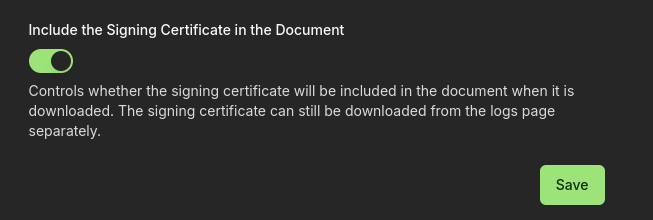
  • Signing certificate not included in document download

    24
    1
    0 Votes
    24 Posts
    7k Views
    vladimir.dV
    @andirahmat How big a document were you trying to sign? Could you try to sign a small pdf just with one page? I've tried to reproduce the issue but had no luck. First I installed v1.7.0, the signing certificate page was succesfully generated there, then I updated the app to v1.7.1, and signed a new document - Signing certificate page was attached as well.
  • S3 Storage Support

    Solved
    5
    0 Votes
    5 Posts
    2k Views
    jamesJ
    Closed due to inactivity
  • Documenso status stays on pending after all signers complete sign

    2
    1 Votes
    2 Posts
    1k Views
    jamesJ
    Hello @Isaac This is the Cloudron Community. Since you stated you are hosting Documenso on proxmox we are unable to assist you any further. But since you found us, maybe Cloudron can help you to host Documenso so it works out of the box!
  • Error 500 when adding a signature field via Documenso API

    2
    0 Votes
    2 Posts
    1k Views
    nebulonN
    Seems like an app internal issue, but maybe some packaging side-effect, hard to tell without any server side logs. Are you able to create signature fields using the UI itself?
  • oidc signup only - improved defaults

    Solved
    3
    2 Votes
    3 Posts
    1k Views
    girishG
    @wheez good idea, I have fixed up the package.
  • Create New CERT

    Solved
    7
    1 Votes
    7 Posts
    3k Views
    J
    Thanks @CptPlastic & @nebulon for working through this. I've got mine up and running now. Best, Jon
  • Documenso Errors When Signing/Completing a Document

    Solved
    5
    0 Votes
    5 Posts
    4k Views
    nebulonN
    As with the feedback from @CptPlastic at https://forum.cloudron.io/topic/12281/create-new-cert this shoud be solved then if you follow the adjusted docs https://docs.cloudron.io/apps/documenso/#signing-certificate
  • OpenSSL Read Only System Error

    Solved
    10
    0 Votes
    10 Posts
    3k Views
    J
    @nebulon Thank you nebulon! I realized I was in the wrong directory and got it working. Best, Jon
  • Redirect to localhost:3001 from a share link

    Solved
    2
    0 Votes
    2 Posts
    2k Views
    nebulonN
    This should be fixed with package version 0.2.0 published by now. This will redirect the link from the success share card to the upstream project URL for https://documenso.com https://git.cloudron.io/cloudron/documenso-app/-/commit/23d52ca75fb33ee10d1ad5ef965dc387ebb5f6c9
  • Do you have any idea where to configure the page with the terms?

    Solved
    3
    0 Votes
    3 Posts
    1k Views
    J
    Mail template (with their company address) is hardcoded at https://github.com/documenso/documenso/blob/main/packages/email/template-components/template-footer.tsx#L22